

Agent 与会话
插件

nuwa-skill
alchaincyf
你想蒸馏的下一个员工,何必是同事。蒸馏任何人的思维方式——心智模型、决策启发式、表达DNA。Distill how anyone thinks.
PROJECT TOPICS
INSTALL REFERENCE
dsh plugin --profile web add github:saitamahang/dsh-skill-importer
该命令指向仓库当前默认分支;尚无绑定当前 commit 的完整验证结果。
PROJECT README
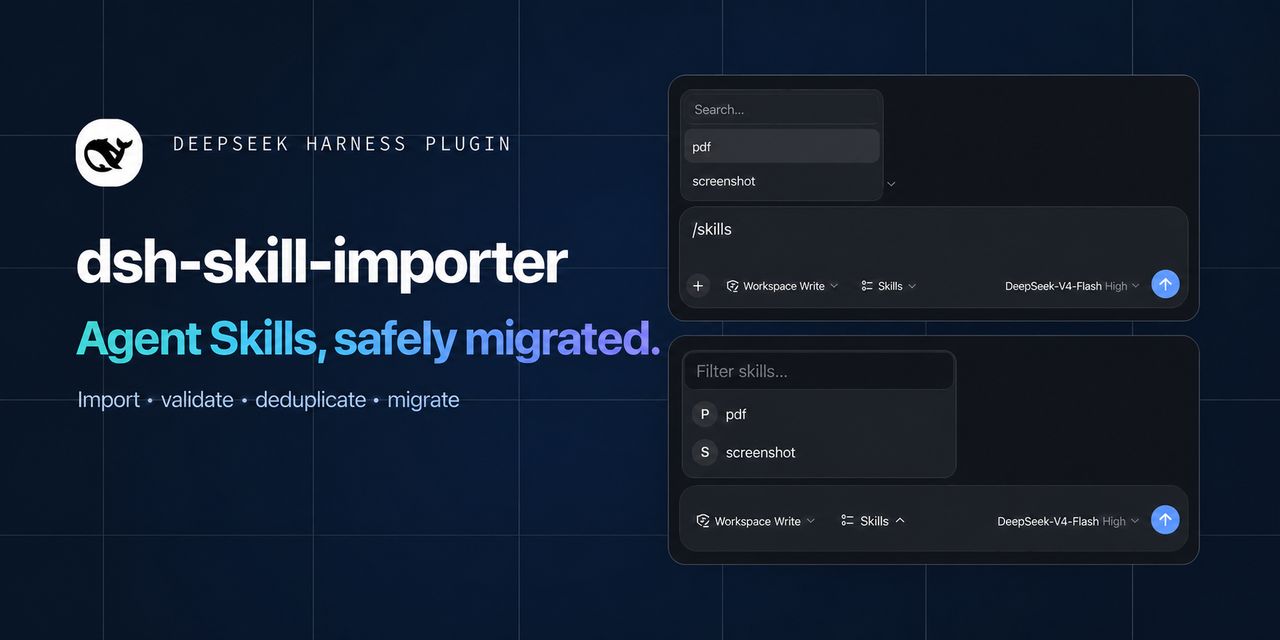
Bring skill management into the DeepSeek Harness Web UI.
Import, validate, deduplicate, and migrate Agent Skills across DeepSeek Harness, Claude Code, Codex, and other AI coding agents.
Discover and invoke them without a session, model tokens, or approval round-trips.



English · 简体中文 · Install · How it works · Development
dsh-skill-importer is a lightweight plugin for DeepSeek Harness (dsh). It turns skills into a first-class part of the Web UI: bring in Markdown from disk or a URL, see every installed copy, and insert a skill into the composer without breaking your flow.
| Import | Organize | Invoke |
|---|---|---|
Upload SKILL.md, paste a URL, or migrate a complete skills directory from Claude Code, Codex, and similar agents. |
Browse skills grouped across project and global roots. Remove any copy individually. | Use the composer picker, run /skills, or type /skill-name directly. |
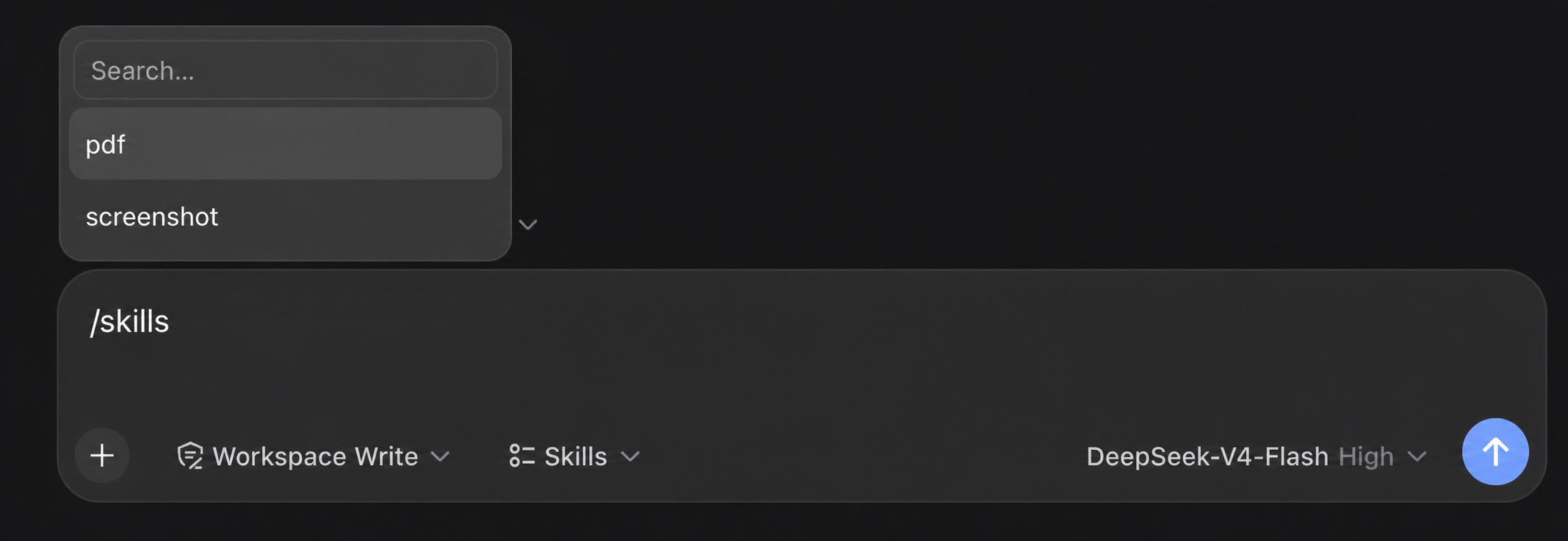
/skills command |
Composer picker |
|---|---|
 |
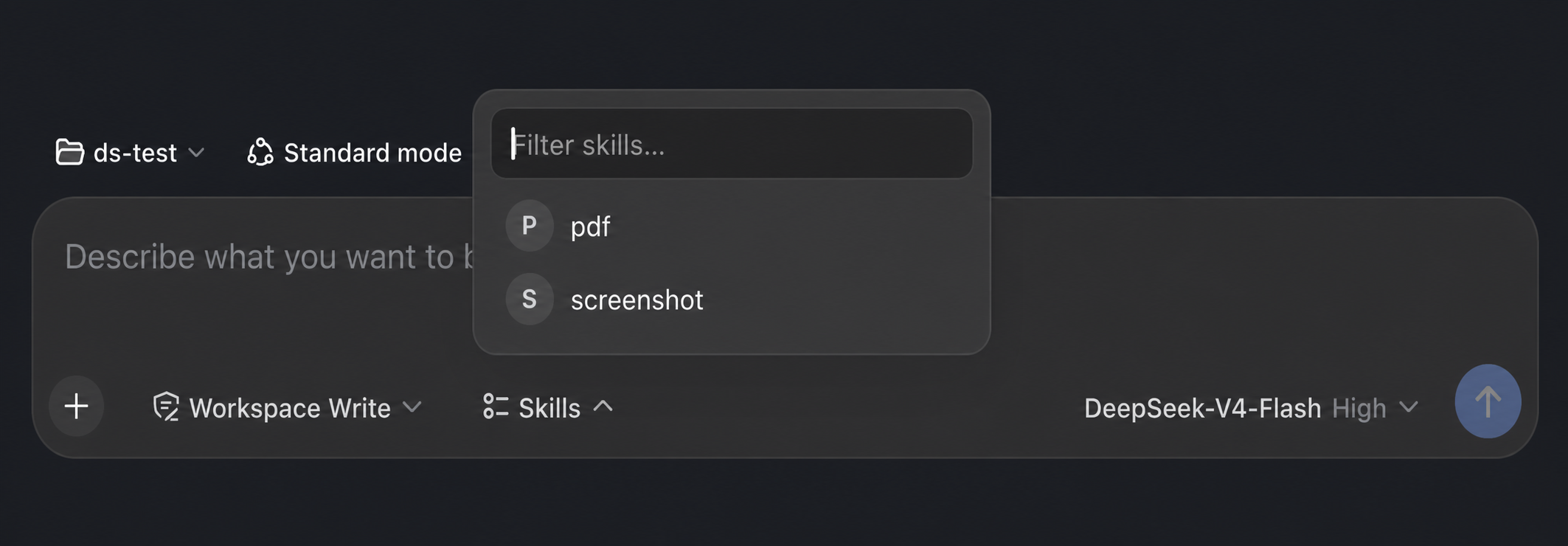 |
| Choose a skill from the command palette without leaving the composer. | Open the skill library from the composer footer and insert it in one click. |
The third import entry accepts a local skills root such as ~/.claude/skills, ~/.codex/skills, or another .agents/skills directory. It scans before it writes, validates every SKILL.md, preserves each skill's scripts, references, assets, and other resources, and reports invalid entries without touching the destination.
Destination name conflicts are skipped by default. Choose Replace per skill, review the add/replace/skip summary, then confirm. Each accepted skill is copied through a same-root staging directory; replacements keep a temporary backup and roll back if the swap fails. A preflight is single-use, expires after ten minutes, and verifies source-content fingerprints again at commit time.
/skills command — use a familiar command palette, modeled after /model./skill-name and keep moving.All three fill the composer with the same highlighted /name gesture; sending injects the skill instructions through dsh's native flow.
npx @deepseek-ai/dsh plugin --profile web add dsh-skill-importer@latestThe plugin registers itself with the Web profile through dsh.bundle; do not edit cordis.patch.yml manually.
Restart dsh Web after installation:
npx @deepseek-ai/dsh webOn DSH 0.2.2-rc.1 and newer, use Plugins → Skill Importer → Update when the plugin manager offers an update. You can also update from the terminal:
npx @deepseek-ai/dsh plugin --profile web add dsh-skill-importer@latestUpdating replaces only the plugin package. It does not remove skills from .dsh/skills, .agents/skills, ~/.dsh/skills, or ~/.agents/skills. Restart dsh Web after a terminal update.
Check the latest published version:
npm view dsh-skill-importer versionList the plugins installed in the Web profile:
npx @deepseek-ai/dsh plugin --profile web listDSH profiles use pnpm to manage plugins. pnpm's minimumReleaseAge policy delays newly published versions; during that window, @latest may still resolve to the previous mature release. This is an intentional supply-chain safeguard, not a download failure. The recommended path is to wait for the profile's configured window, then rerun the @latest command above.
Pre-1.0 semver ranges also stop at the next minor: for example, ^0.1.2 does not include 0.2.0. After the waiting period, specify the target version when crossing a minor:
npx @deepseek-ai/dsh plugin --profile web add dsh-skill-importer@X.Y.ZIf you have verified the release and must install it immediately, add a temporary exception for that exact version to $DSH_HOME/profiles/web/pnpm-workspace.yaml, then run the exact-version command:
minimumReleaseAgeExclude:
  - dsh-skill-importer@X.Y.Z
Replace both X.Y.Z placeholders with the same target version. This opts that version out of the supply-chain waiting period. Do not permanently exempt the package name; remove the exact-version exception after the release matures.
Open Settings → Skills. Import a Markdown file or URL, or choose Batch import to migrate another agent's complete skills directory. Choose a target and the imported skills will appear as soon as the filesystem watcher discovers them.
Supported DSH range:
>=0.2.0-rc.2 <0.3.0. For the current DSH Web release, use0.2.2-rc.1.
If DSH has no native folder chooser (for example on a headless host), batch import accepts the absolute path to the Skills folder on the DSH host.
If startup fails with duplicate loader entry id: skill-importer, the profile still contains the old manual configuration. Remove the manually added skill-importer entry from $DSH_HOME/profiles/web/cordis.patch.yml, then restart dsh Web. Current releases register automatically and do not need that entry.
The dsh client-to-host RPC is a fixed allowlist with no file-write channel. This plugin uses the official ctx.webServer.register extension point exposed by dsh-host-webserver and registers same-origin /skill-importer/* routes on the harness server.
Markdown file or URL
        │  same-origin fetch
        ▼
/skill-importer/import
        │  host filesystem write
        ▼
<skill-root>/<name>/SKILL.md
        │  watcher event
        ▼
skills/change → hot refresh
Plugin routes use DSH's browser authentication and Host/Origin validation. Writes are restricted to four default writable DSH roots:
| Writable target order | Scope | Directory |
|---|---|---|
| 1/4 | DSH project | .dsh/skills |
| 2/4 | Shared project | .agents/skills |
| 3/4 | DSH global | ~/.dsh/skills |
| 4/4 | Shared global | ~/.agents/skills |
Lower numbers win among these four writable import targets. DSH-configured customSkillDirs sit between project and global roots in the full discovery order, but have no single stable write destination and therefore are not import targets. Bundled skills ship with DSH and cannot be overwritten by the plugin.
npm install
npm run build| Area | Source |
|---|---|
| Host plugin and route registration | src/index.ts |
| Filesystem, URL import, and HTTP logic | src/server.ts |
| Shared wire types | src/types.ts |
Browser plugin and /skills command |
src/client/index.ts |
| Composer picker | src/client/SkillsPicker.tsx |
| Settings experience | src/client/SkillImporterSection.tsx |
Available routes: GET /skill-importer/health · GET /skill-importer/list · POST /skill-importer/import · POST /skill-importer/import-url · POST /skill-importer/delete · POST /skill-importer/batch/scan · POST /skill-importer/batch/commit
npm install
npm run build
dsh plugin --profile web add /path/to/dsh-skill-importer
If dsh is not installed globally, replace the last line with npx @deepseek-ai/dsh plugin --profile web add /path/to/dsh-skill-importer. The plugin registers automatically; restart dsh Web afterward.
skills (for example .claude/skills, .codex/skills, or a custom agent/skills) or one skill directory directly below it. A scan accepts up to 200 skills; each skill may contain up to 2,000 files and 10 MB of resources. Symbolic links are refused..md sources are preserved, while HTML pages use lightweight text extraction, so direct Markdown URLs work best.Released under the MIT License.
CLASSIFICATION EVIDENCE
系统优先读取 GitHub Topics,再与站内分类词典和词根规则比对。当前命中: ai-agent。
alchaincyf
你想蒸馏的下一个员工,何必是同事。蒸馏任何人的思维方式——心智模型、决策启发式、表达DNA。Distill how anyone thinks.

freestylefly
Prompt as Code | GPT Image 2 / 2.5 提示词与案例库,530+ 个案例、20+ 套工业级模板与可复用 Skills,新增 2.5 同提示词对比专区,附完整提示词与生成记录,持续更新。

titanwings
Distilly — Distill how they think into reusable Skills for any Agent or Bot. Formerly Colleague Skill(原同事 Skill).