
其他
完整应用

deepseek-harness
deepseek-ai
DeepSeek Harness: Everything is a Plugin.
PROJECT TOPICS
INSTALL REFERENCE
dsh plugin --profile web add github:rootkiller6788/dsh-launcher
该命令指向仓库当前默认分支;尚无绑定当前 commit 的完整验证结果。
PROJECT README
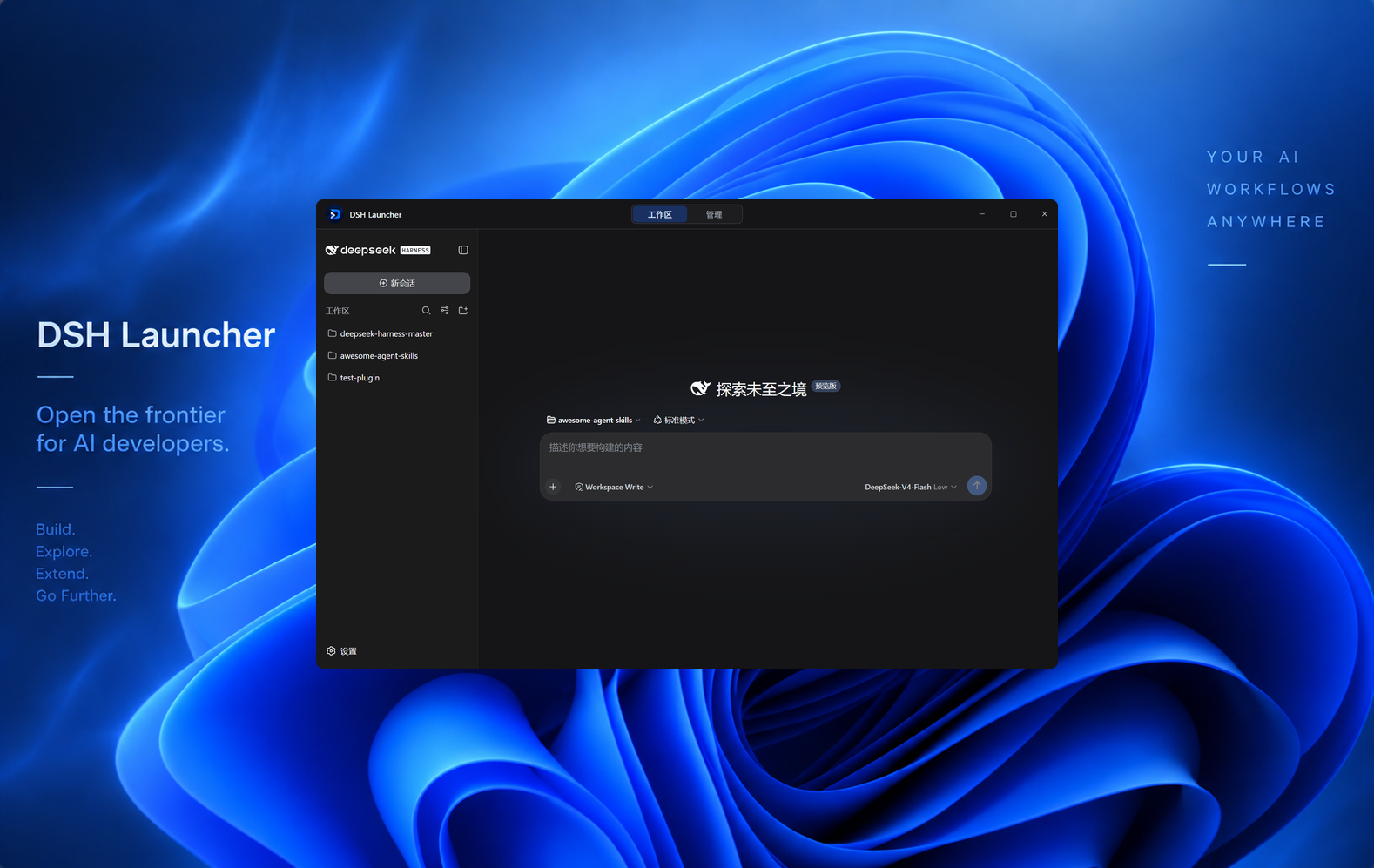
The local runtime and ecosystem manager for DeepSeek Harness — one place for runtimes, instances, model providers, plugins, skills, MCP, and launch environments.
No manual environment setup. Works out of the box. The desktop shell is only one way to drive it; runtimes, instances, and ecosystem content are managed by DSHL.





DeepSeek Harness Launcher integrates the DeepSeek Harness local Web UI, host services, and plugin system into a native desktop application. It owns the window, the tray, the runtime, the work configuration, and updates, and composes with upstream capabilities through the plugin mechanism DeepSeek Harness provides. It pins and runs a specific upstream version as-is — no fork, no changes to upstream behavior.
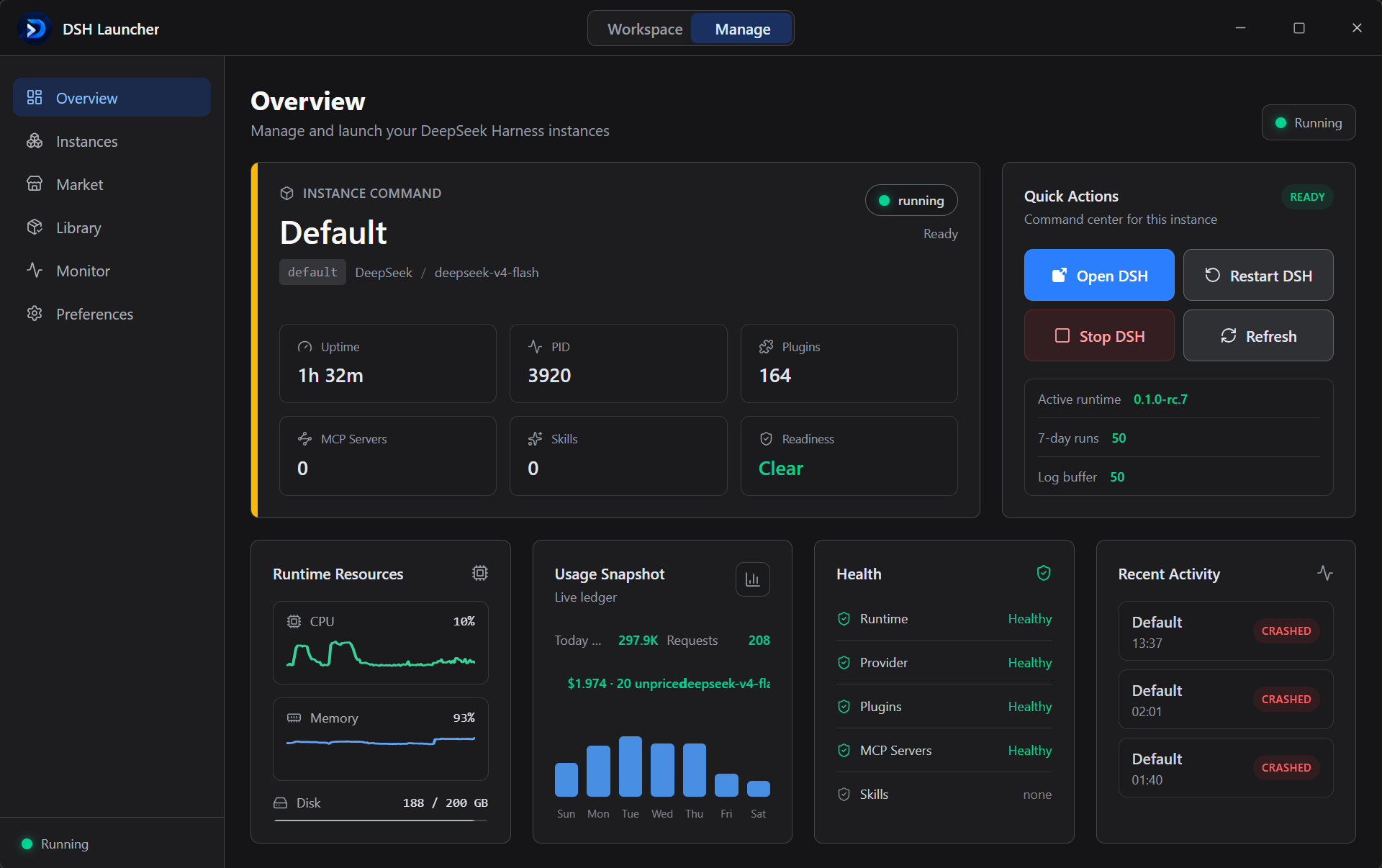
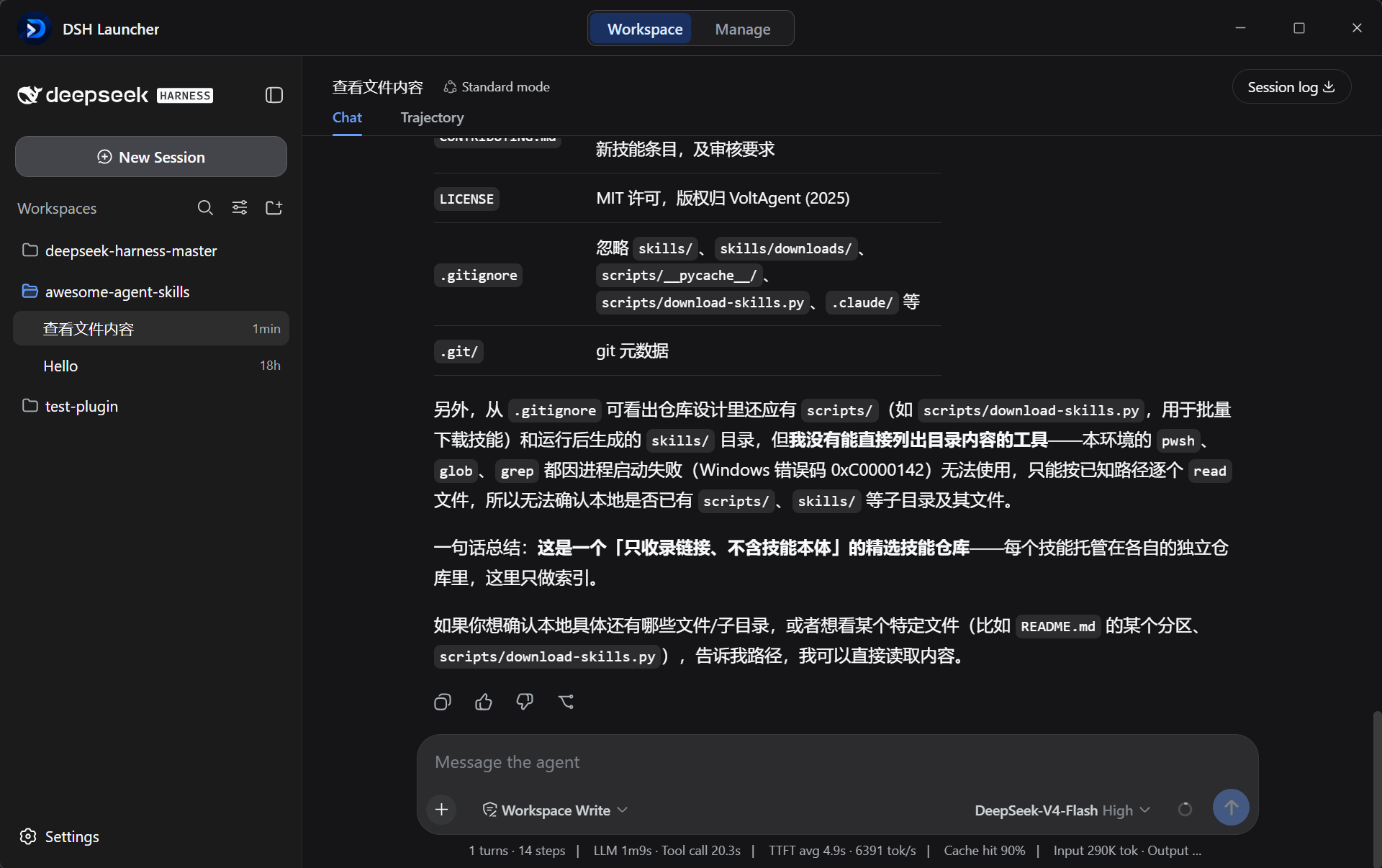
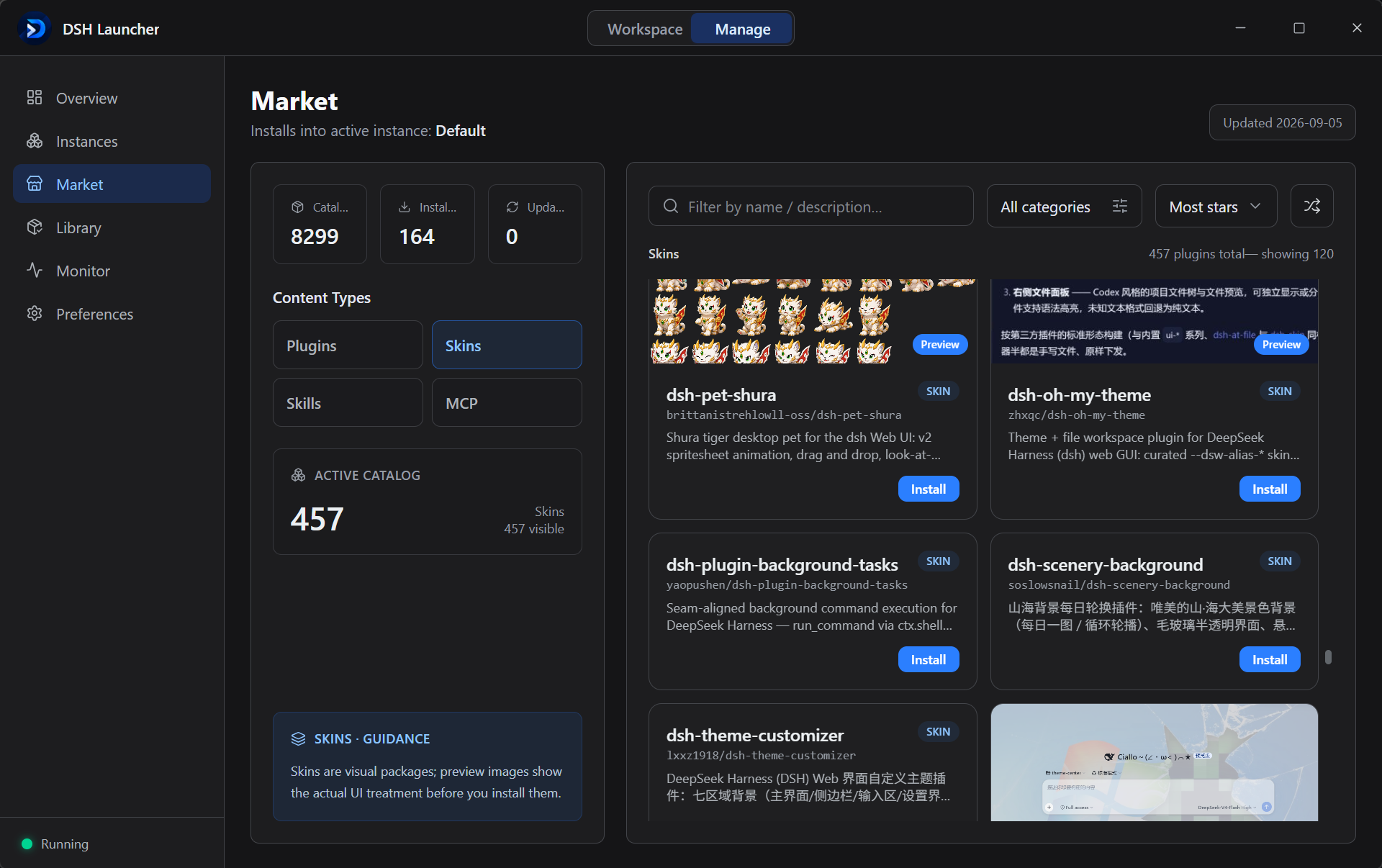
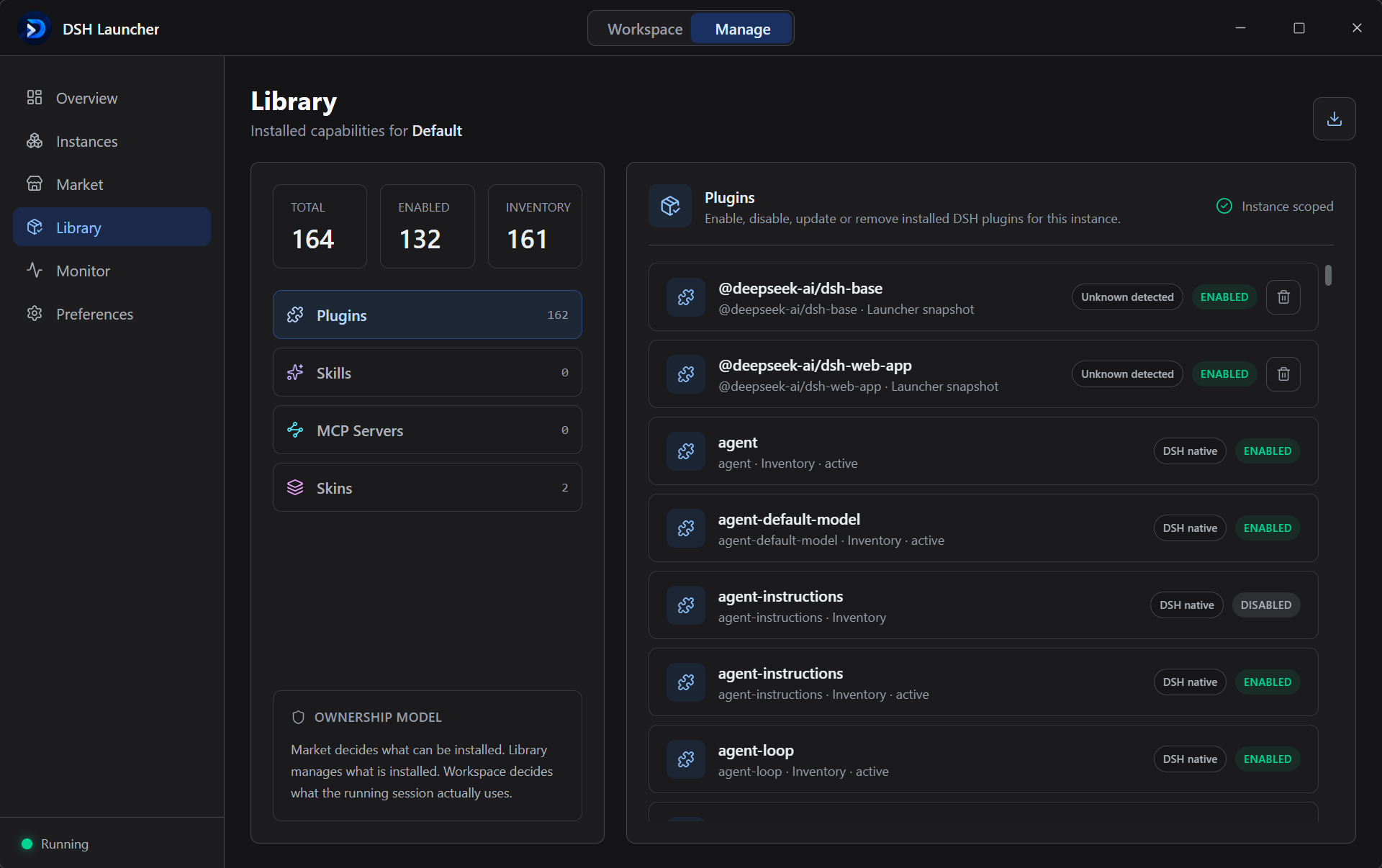
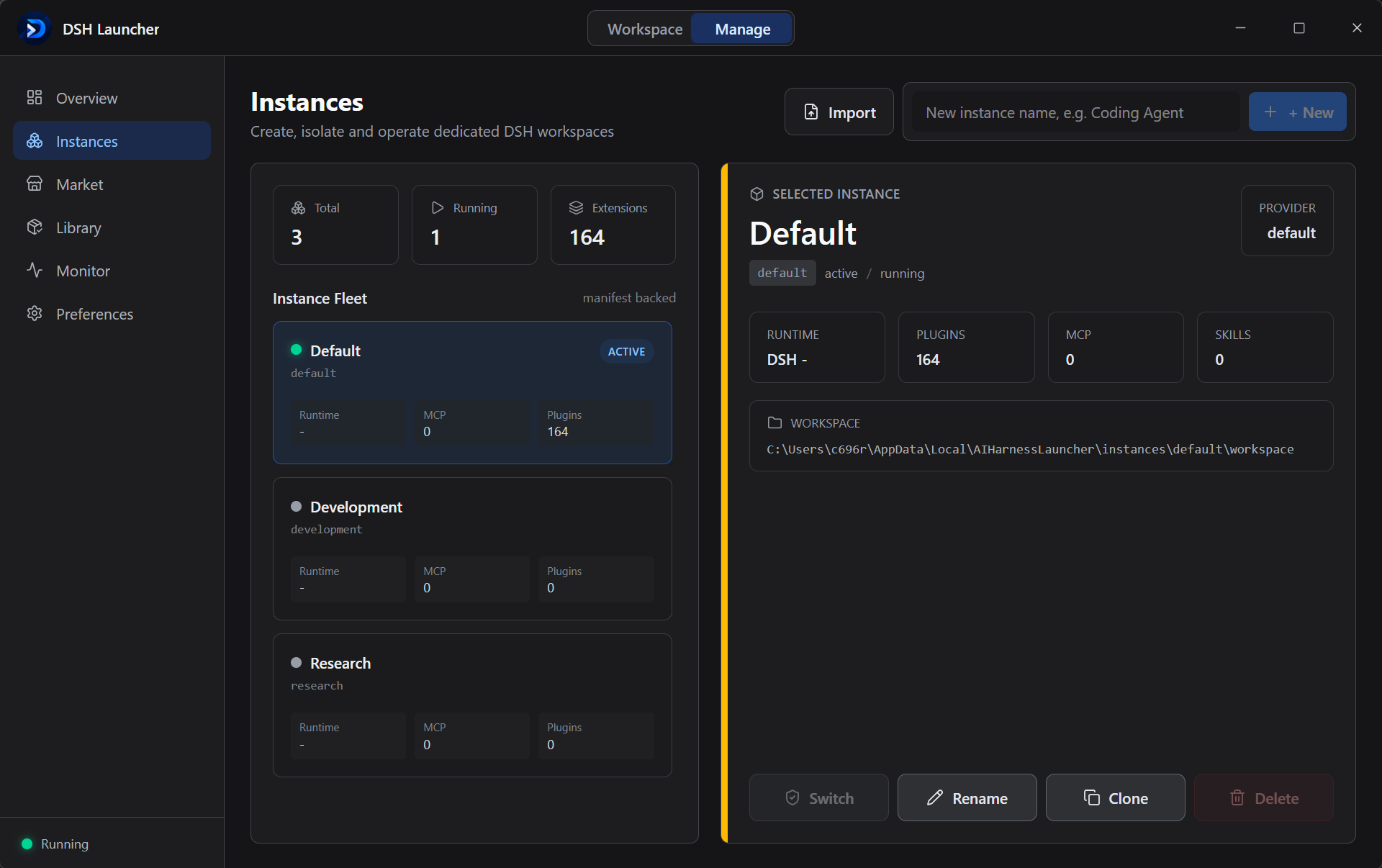
Installers are currently available for Windows x64 (Ubuntu support is coming). No extra runtime required — download, install, and use.
| Platform | Download | Install |
|---|---|---|
| Windows x64 | Download the installer | Run the NSIS installer and follow the prompts |
Requirements: Node ≥ 22, pnpm ≥ 10, Rust (MSVC toolchain), WebView2 (already present on Windows 11).
pnpm install                 # frontend dependencies
cargo build --workspace      # compile every Rust crate
pnpm build                   # tauri build → NSIS setup.exe
# output: apps/desktop/src-tauri/target/release/bundle/nsis/*-setup.exeruntimes/<ver>/ → PATH). No Node, no pnpm, no source checkout.$DSH_HOME; plugins and configuration never bleed between instances. Create, rename, clone, delete, switch.cordis.patch.yml layer, which survives reconciliation by dsh plugin.KILL_ON_JOB_CLOSE) + recursive taskkill /T /F as a fallback + a pre-launch zombie sweep. Ten consecutive start/stop cycles leave zero residue.DSH starts in its own window; the Activity panel streams stdout/stderr live. Click the same button — or close the window — to stop it.
dsh-launcher/
├── apps/desktop/               Tauri 2 application
│   ├── src/                    React 19 + TS frontend (Vite, Tailwind v4, Zustand)
│   └── src-tauri/              Rust shell: commands/, state/, tauri.conf.json, vendor/node
├── crates/
│   ├── launcher-core/          Framework-agnostic core: paths/settings/instance/provider/process/runtime/market/mcp
│   └── dsh-adapter/            DSH-specific adapters (RuntimeAdapter implementations): runtimes/theme/mcp probe/import/resolver
├── tui/                        dsh-tauri reference mirror (embedded-window mechanics)
├── scripts/                    Development helpers (icon generation, catalog generation, resolvers)
└── docs/                       Documentation
The language boundary is deliberate: TypeScript owns the UI; Rust owns the system (processes, filesystem, network, secrets, SQLite). Every system action goes through typed Tauri IPC — see CONTRIBUTING.md.
By default everything lives under %LOCALAPPDATA%/AIHarnessLauncher/. In portable (green) mode the root is the directory holding the exe — drop the exe (with its bundled resources) anywhere and every byte stays next to it, so the whole launcher can travel on a USB stick.
<root>/
├── settings.json            app settings (DSH path overrides, theme, recent instances)
├── providers.json           provider metadata (API keys are in Credential Manager, never here)
├── launcher.db              SQLite launch history
├── runtimes/                managed DSH versions + bundled node
├── instances/<id>/          instance.json + workspace/ (= that instance's $DSH_HOME)
├── cache/                   registry + download cache
└── logs/launcher.log app log (plus crash-*.txt on panic)| Variable | Purpose |
|---|---|
AHL_HOME |
Override the data root (defaults to %LOCALAPPDATA%/AIHarnessLauncher; development / testing) |
AHL_PORTABLE |
Set to a truthy value (1, yes, on, …) to force portable mode: data root = the exe's own directory |
DSH_CLI_BIN |
Override the DSH CLI entry (…/apps/cli/lib/bin.js) |
Create an empty portable (or .portable) file next to the launcher exe and the next launch switches to portable mode: runtimes/, instances/, settings.json, cache/, logs/, and launcher.db all land beside the exe. Delete the marker to return to the per-user layout. The active mode is visible under Preferences → Data storage. API keys always stay in Windows Credential Manager and do not travel with the folder.
PRs are welcome — start with CONTRIBUTING.md (branch / commit conventions, PR flow, code and test standards).
MIT © 2026 dsh-launcher contributors.
CLASSIFICATION EVIDENCE
系统优先读取 GitHub Topics,再与站内分类词典和词根规则比对。当前命中: 无有效分类标签。
deepseek-ai
DeepSeek Harness: Everything is a Plugin.

anywhere-labs
为 DeepSeek Harness (DSH) 插件生态打造的现代化桌面端解决方案。万物皆「插件」,桌面本身也是「插件」。

awesome-dsh-plugin
A curated list of plugins for DeepSeek Harness (dsh) · DeepSeek Harness 插件精选列表