
模型与 MCP
待识别

rea
morluto
Reverse engineer anything with agents, from app behavior down to native binaries.
PROJECT TOPICS
PROJECT README
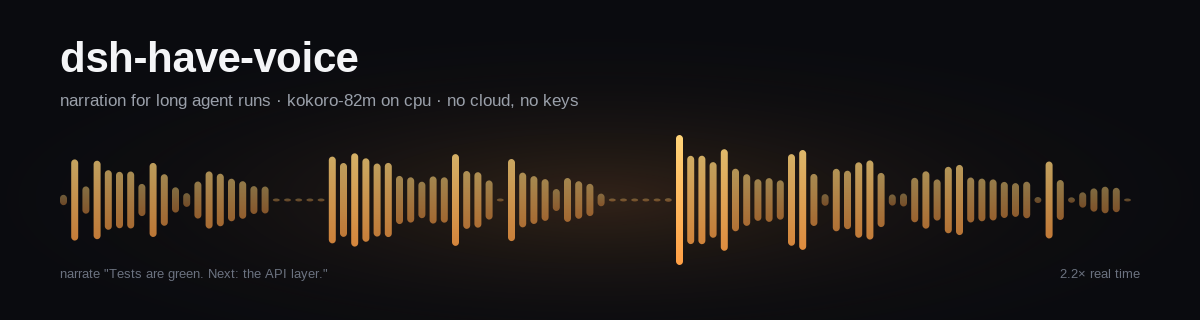







English · 中文 · listen: 16 seconds
Your agent works for twenty minutes. You are in another window. It tells you what happened — in its own words, in eight seconds.
This is a narration layer for long agent runs: a local voice daemon, an MCP tool the model calls when something is worth saying, and a rule for what that sounds like.
./install.sh                  # venv, dependencies, weights, smoke test
./vox serve &                 # warm daemon on 127.0.0.1:8765
./vox say "Yes. It works."Reading answers aloud is the wrong unit of speech. Long runs are made of milestones, and the person listening is usually busy: another window, another task, a coffee, a walk around the room. What they need is not the reply. It is three things: what just happened, how it went, what comes next.
The words have to be written for that moment. A canned "Task completed successfully" wears out by the third repetition; a line written by the model that did the work sounds like a colleague:
Tests are green, forty two of forty two. Next I'm taking the API layer.
That type error was mine, the retry path returned the wrong shape. Fixed it, build is clean.
Deploy is live. Nothing is on fire, and the last thing left is the changelog.
Those three lines are docs/demo.mp3.
The same rule ships in skill/SKILL.md, and the tool description in
mcp/server.py repeats it for agents that never read docs.
The MCP server exposes narrate and voice_status. DSH, Claude Desktop, Cursor and anything else
that speaks MCP can use it.
# DSH profile patch
- insert:
    - id: mcp-voice
      name: "@deepseek-ai/dsh-mcp-client"
      config:
        serverName: voice
        transport: stdio
        command: "/usr/bin/python3"
        args: ["<repo>/mcp/server.py"]
        toolCallTimeoutMs: 30000
// Claude Desktop / Cursor: mcpServers
{"voice": {"command": "python3", "args": ["<repo>/mcp/server.py"]}}Without MCP, vox say "..." does the same thing from a shell.
agent ──narrate──▶ MCP stdio ──▶ voxd 127.0.0.1:8765
                                  │  split into sentences
                                  │  sha1(sentence, voice) → out/cache/*.wav
                                  ▼
                           kokoro_worker.py (onnxruntime + espeak-ng)
                                  │  ~2.2× real time
                                  ▼
wav ──▶ player thread ──▶ pw-playMeasured on a Xeon E5-2673 v3 (Haswell, 24 threads, no GPU), Python 3.14, onnxruntime 1.31.
Reproduce with tools/venv/bin/python tests/bench.py.
| line | audio | synthesis | speed |
|---|---|---|---|
| short | 1.71 s | 0.77 s | 2.22× |
| medium | 4.97 s | 2.48 s | 2.00× |
| long | 5.38 s | 2.33 s | 2.31× |
| metric | value |
|---|---|
| median speed | 2.22× real time |
| model load, cold | 3.55 s |
| first sentence, cold | 0.93 s |
| first sentence, cached | 0.00 s |
| four-sentence reply | 5.96 s end to end |
| HTTP roundtrip | ~2 ms |
| disk | 338 MB (311 MB model + 27 MB voices) |
int8 runs slower on this CPU. The quantized model took 4.17 s for 4.14 s of audio (1.0×); fp32 took 1.84 s for 4.22 s (2.3×). Haswell has no AVX-512 VNNI, so int8 matmuls are emulated. 311 MB beats 114 MB here, and the table above shows it.
vox say "text" [voice]     # af_heart (default) | bf_emma | af_bella | af_nicole | af_sarah | am_michael
vox serve [--port 8765] [--no-play]
vox status
vox digest report.md
vox listen                 # ears: pw-record → Underdog Bark 3.0 (optional, not installed)

VOX_PLAY=afplay vox serve  # macOS; VOX_PLAY=aplay on ALSA systems
POST /say {"text": "Yes, two lines.", "voice": "af_heart"}
→ 200 {"ok": true, "job": "24bff82b", "voice": "af_heart", "sentences": 2, "cached": false}
GET /health
→ 200 {"ok": true, "queue": 0, "play": true, "voice": "af_heart", "voices": [...]}http.server, one subprocess, one thread. 150 lines./say enqueues and returns in ~2 ms, so an agent turn stalls on
nothing.pw-play). Set VOX_PLAY to aplay or afplay elsewhere.install.sh unpacks it when the system has none.vox listen needs Underdog Bark 3.0 and torch; not installed by default.Code in this repo: MIT (see LICENSE).
CLASSIFICATION EVIDENCE
系统优先读取 GitHub Topics,再与站内分类词典和词根规则比对。当前命中: mcp。
morluto
Reverse engineer anything with agents, from app behavior down to native binaries.

deepseek-ai
DeepSeek Harness: Everything is a Plugin.

nexu-io
The 1st Collaborative AI Design Agent Workspace. Local-first and open source. Create motion, prototypes, websites, apps, dashboards, presentations, images, and videos with your team and AI agents. Share work, exchange feedback, and iterate together in one workspace.