
模型与 MCP
待识别

rea
morluto
Reverse engineer anything with agents, from app behavior down to native binaries.
PROJECT TOPICS
INSTALL REFERENCE
dsh plugin --profile web add github:quirekit/dsh-quirekit-md-editor
该命令指向仓库当前默认分支;尚无绑定当前 commit 的完整验证结果。
PROJECT README
Edit Markdown where the agent writes it, and hand your comments back to the agent.



English | 简体中文
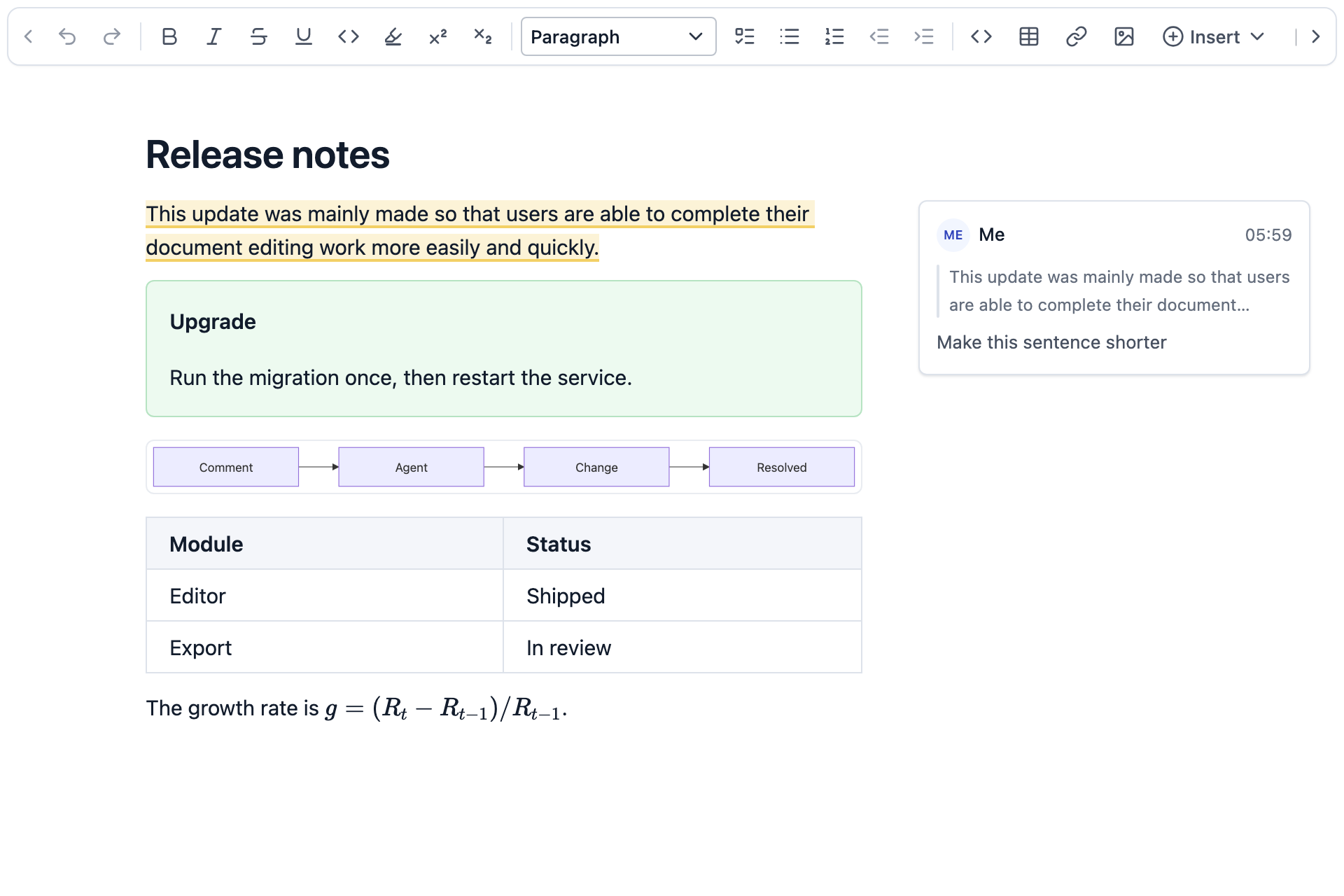
DeepSeek Harness previews Markdown in its right sidebar. This plugin makes that preview editable: open a .md file, change the rendered document, and it saves back to the same file. The editor is QuireKit MD Editor, which you can try on its website.
Several plugins can edit Markdown in DeepSeek Harness. This one is built around what happens after the agent has written a document: you read it, change it and tell the agent what to fix.
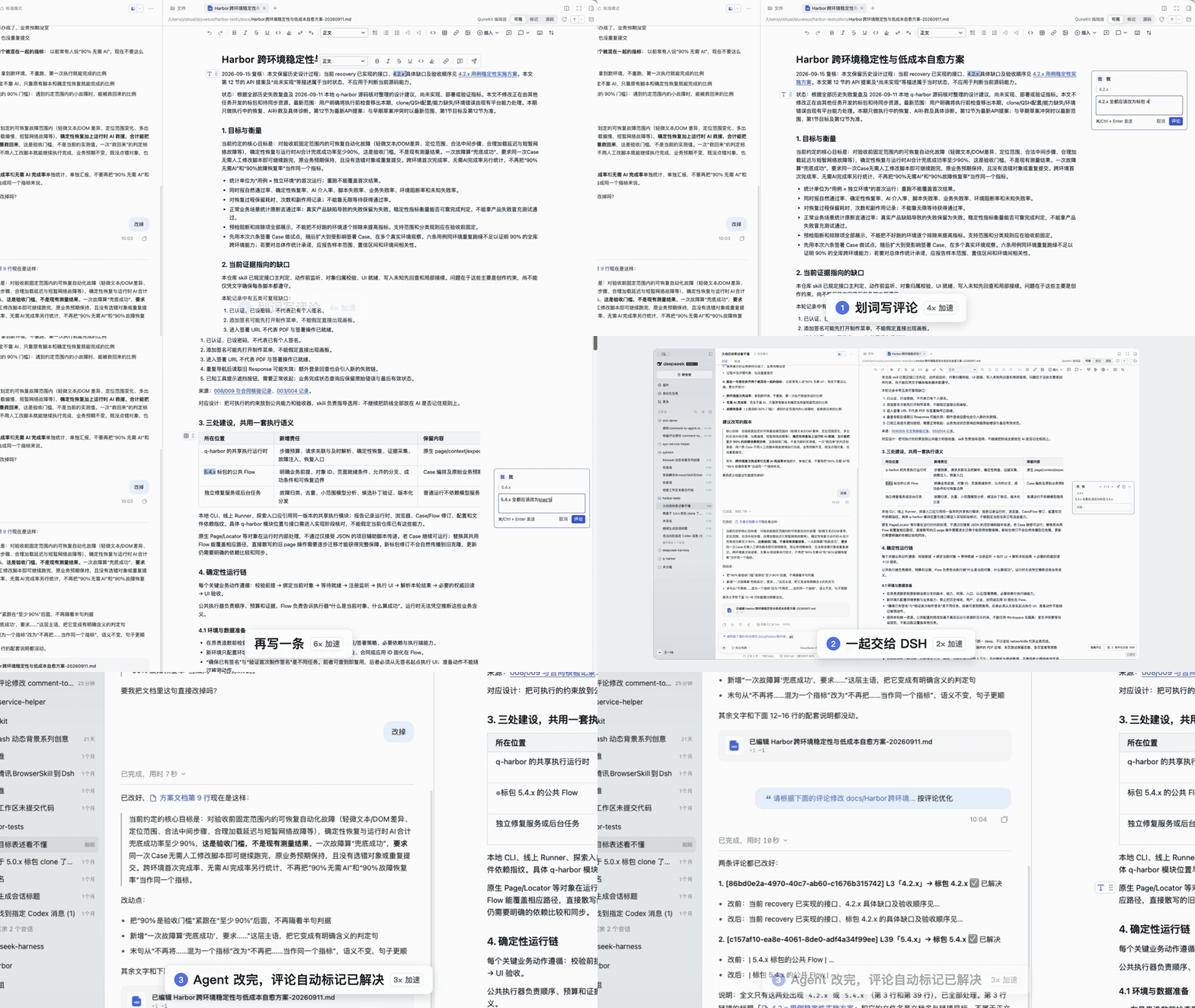
* and + lists, tilde fences, raw HTML or unusual tables. npm run benchmark:fidelity checks this in all three modes.In the DeepSeek Harness desktop app: sending a selection to the agent, handing comments over and watching them resolve, and turning a plain document into one with diagrams; then the same Markdown in the built-in DeepSeek Harness preview, the three editing modes side by side, and comments across those modes. Some parts are sped up, as labelled on screen.
https://github.com/user-attachments/assets/fadc2a40-9e9d-4124-9d1a-ece760a4b7ab
Editing
Cmd/Ctrl+S.assets/ beside the document and referenced by relative path.Working with the agent
resolve_document_comment tool.quirekit-markdown Skill lets the agent write callouts, collapsible sections, Mermaid, PlantUML and math.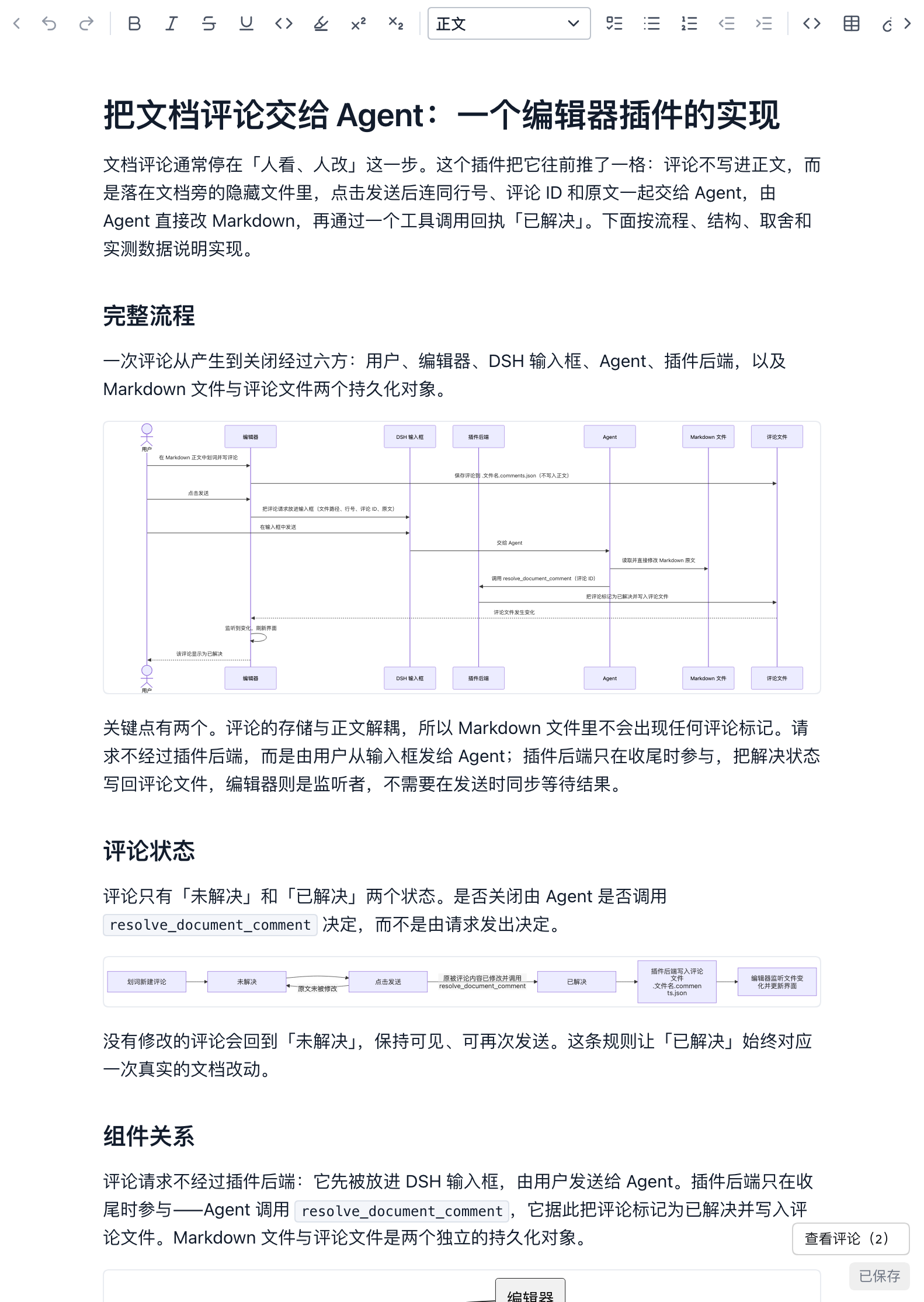
The comment rail can be hidden and shown at any time, and the toolbar menu switches back to the official Markdown preview.
Requires DeepSeek Harness >=0.2.2-rc.1 <0.3.0, on the web or desktop.
dsh plugin --profile web add dsh-quirekit-md-editorRestart dsh web, then open a Markdown file from the Files tab.
On desktop, open the Plugins page, choose Add plugin, enter dsh-quirekit-md-editor, then enable it.
To install from source:
npm install
npm run build
dsh plugin --profile web add file:/absolute/path/to/dsh-md-editorOn the DeepSeek Harness Plugins page you can choose the default mode, whether the mode switch appears, and whether the formatting toolbar is fixed, floating or hidden. Settings are saved in this browser.
These numbers come from the same editor code the plugin runs, in a browser engine with no native rendering layer. A keystroke in a document ten times longer costs less than a third more, and most of the remaining cost comes from the number of blocks. That comes from QuireKit's work on two open-source cores:
| Document | Characters | Mode | Open | Update p50 | p90 | p95 | p99 | Next frame p50 | Next frame p95 |
|---|---|---|---|---|---|---|---|---|---|
| Long-form | 100,000 | Visual | 145 ms | 2.0 | 2.3 | 2.5 | 3.1 | 8.9 | 10.0 |
| Long-form | 100,000 | Markup | 115 ms | 2.0 | 2.4 | 2.5 | 3.4 | 9.2 | 10.2 |
| Long-form | 100,000 | Source | 106 ms | 1.6 | 1.9 | 2.1 | 2.8 | 8.8 | 9.8 |
| Long-form | 1,000,000 | Visual | 113 ms | 2.4 | 2.9 | 3.0 | 3.4 | 9.1 | 10.2 |
| Long-form | 1,000,000 | Markup | 117 ms | 2.6 | 3.0 | 3.2 | 4.5 | 9.0 | 10.1 |
| Long-form | 1,000,000 | Source | 106 ms | 1.8 | 2.2 | 2.3 | 2.8 | 8.9 | 9.8 |
| Structure-heavy | 1,000,000 | Visual | 144 ms | 6.4 | 6.8 | 7.0 | 10.9 | 9.1 | 10.8 |
| Structure-heavy | 1,000,000 | Markup | 141 ms | 6.6 | 7.1 | 7.3 | 9.3 | 9.3 | 10.5 |
| Structure-heavy | 1,000,000 | Source | 112 ms | 2.6 | 3.3 | 3.6 | 4.9 | 8.8 | 10.0 |
Times are in milliseconds, over 200 keystrokes typed mid-document, with cold inputs included. Measured on an Apple M3 Max running other work, in Chromium 149.
The editor runs in its own iframe, so the DeepSeek Harness page's styles don't affect it. In the real sidebar (1,000,000 characters, Visual mode, 100 keystrokes), input through processing and layout takes about 4 ms at p50 and about 5 ms at p95.
Keys are sent through the browser's automation protocol, so this excludes the keyboard, operating system, input method and display. Results vary by machine. To run it yourself:
npm install
npx playwright install chromium
npm run benchmark
It prints this table and saves the raw summary to build/benchmark/results.json. The scenarios are in benchmark/. npm run benchmark:fidelity runs the source-preservation check.
QuireKit is an open-source framework for building document editors, and this plugin is one small example of what it can do. The editor you use here is also a component for your own product:
npm install @quirekit/md-editorSee the integration guide. QuireKit also includes MSFE, the source-first Markdown framework underneath this editor, a block editor, and a paginated editor that lays out real pages in the browser.
.md files open in this editor by default.npm install
npm test
npm run buildThe build writes lib/client.js and regenerates THIRD_PARTY_NOTICES.md from what was actually bundled.
To build or benchmark against a QuireKit checkout:
QUIREKIT_LOCAL=/absolute/path/to/quirekit npm run build
QUIREKIT_LOCAL=/absolute/path/to/quirekit npm run benchmarkIssues and pull requests are welcome. Please run npm test before opening a pull request, and include npm run benchmark results for changes that may affect typing.
MIT. Bundled dependencies are listed in THIRD_PARTY_NOTICES.md.
CLASSIFICATION EVIDENCE
系统优先读取 GitHub Topics,再与站内分类词典和词根规则比对。当前命中: deepseek-harness。
morluto
Reverse engineer anything with agents, from app behavior down to native binaries.

deepseek-ai
DeepSeek Harness: Everything is a Plugin.

nexu-io
The 1st Collaborative AI Design Agent Workspace. Local-first and open source. Create motion, prototypes, websites, apps, dashboards, presentations, images, and videos with your team and AI agents. Share work, exchange feedback, and iterate together in one workspace.