

模型与 MCP
待识别

rea
morluto
Reverse engineer anything with agents, from app behavior down to native binaries.
PROJECT TOPICS
INSTALL REFERENCE
dsh plugin --profile web add github:qingshanyuluo/dsh-mobile-ux
该命令指向仓库当前默认分支;尚无绑定当前 commit 的完整验证结果。
PROJECT README

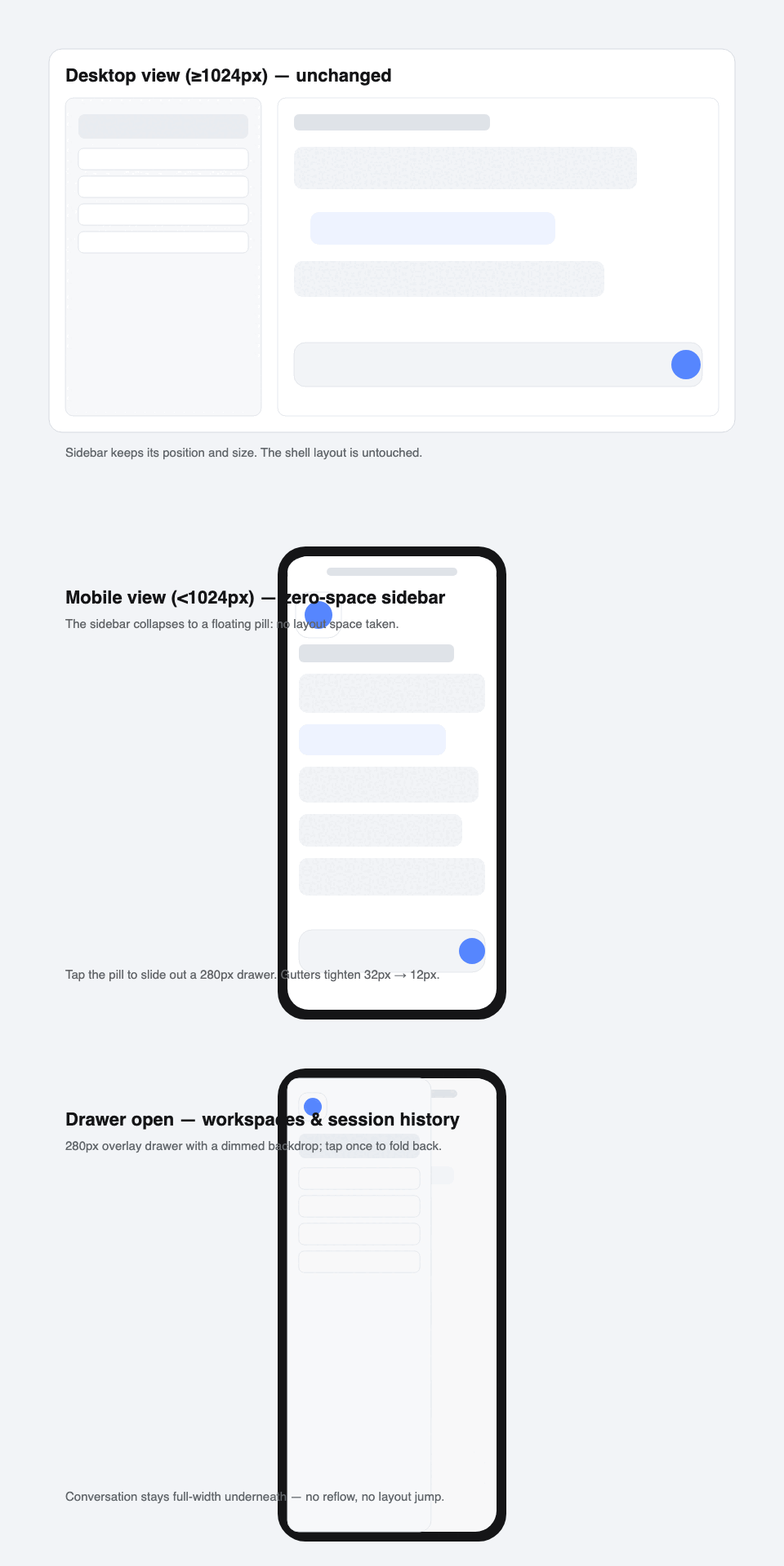
The mobile experience pack for DeepSeek Harness: use the Harness web UI on your phone. A three-part kit, each usable on its own:
| Part | Where | What it does |
|---|---|---|
| Mobile UI plugin | client.js / styles/mobile.css |
Below 1024px: zero-space sidebar (floating pill + drawer), full-width conversation, tighter gutters. Pure CSS — dsh itself is untouched. |
| Public tunnel kit | tunnel/ |
Password-protected public access via cloudflared + a local Caddy gateway, launchd-managed, URL change tracking built in. |
| Android app | apk/ |
A fullscreen WebView shell that remembers your credentials and opens the tunnel URL — no password prompts, no browser chrome. |
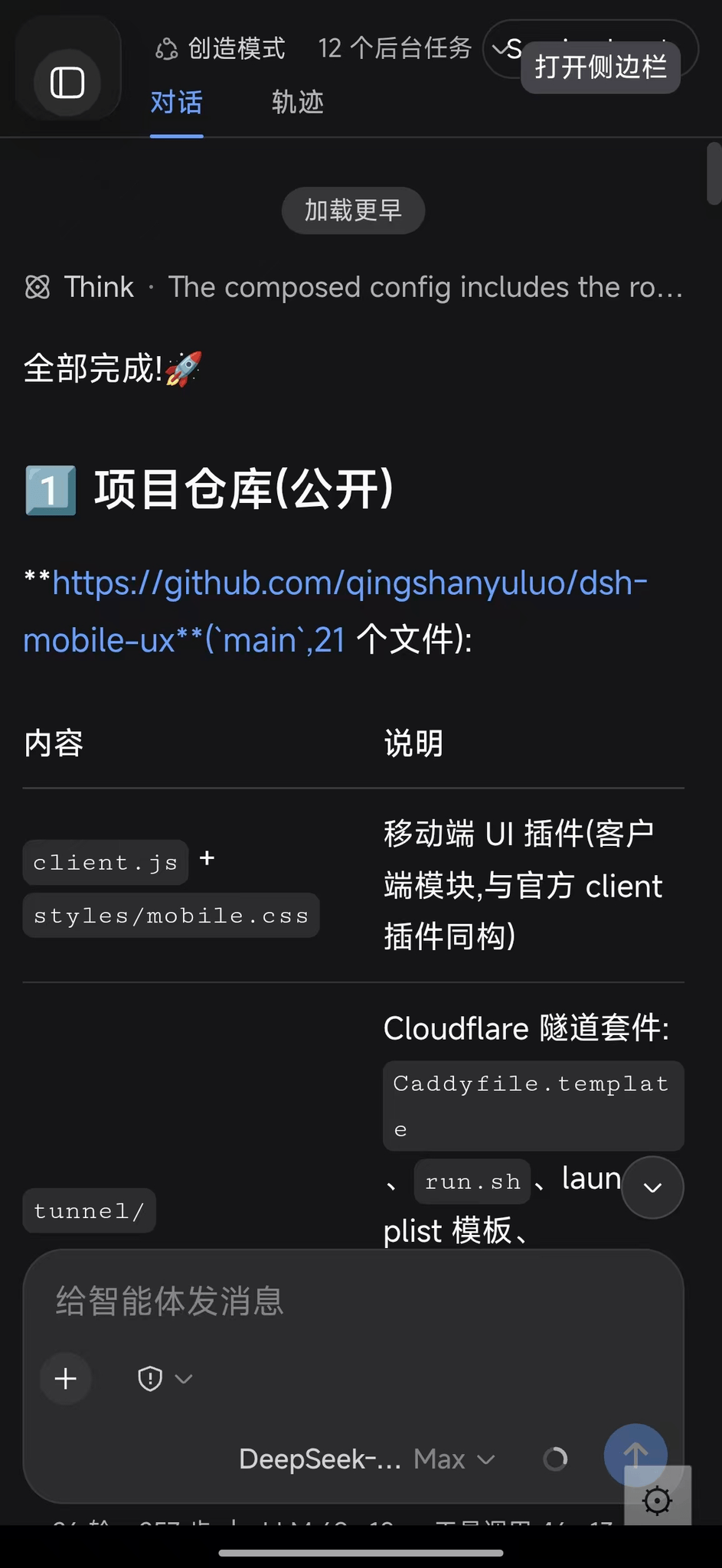
Real capture on a phone (943×2048):
Below the shell's own narrow breakpoint (1024px) the plugin:
Known limitation: the details panel cannot open on phones — the shell's column math hard-forces it to 0 in narrow mode and CSS cannot override JS. The trajectory view tab is also hidden on narrow screens, so tool-call details are desktop-only until upstream adds narrow-mode support.
Install the package into your deployment profile's out-of-tree dependencies:
cd ~/.dsh/profiles/<profile>
pnpm add @qingshanyuluo/dsh-client-ui-mobile
Append one row to the profile's user patch layer (cordis.patch.yml):
- insert:
    - id: ui-mobile-ux
      name: '@qingshanyuluo/dsh-client-ui-mobile'
Restart dsh web. Check the composed tree first with dsh --profile <profile> --dump-config.
The client half mirrors the shape of the official dsh-client-ui-* modules (exports./client), so no dsh installation files are changed — only the user-level profile. Full details: docs/dsh-plugin.md.
⚠️ CSS selectors (
.pI_x6G_*,.wSkVaW_*,.Md3f7G_*, …) are pinned to the frontend build they were extracted from; re-pin them afterdsh-web-frontend/dsh-client-ui-*upgrades.
Random *.trycloudflare.com hostname + basic auth — the URL changes on every process start, so a small launchd agent records the current URL and shows a desktop notification.
brew install caddy cloudflared
bash tunnel/install.sh
cat ~/.dsh/public-tunnel/url.txt   # current public URL
Chain: Cloudflare edge → cloudflared (QUIC) → Caddy gate (127.0.0.1:3081, localhost-only, basic auth) → dsh web (:3080). Caddy rewrites Host/Origin to the loopback authority, which passes dsh's /api browser-trust fence (anti-DNS-rebinding) without touching dsh config — and keeps working when the tunnel URL changes.
For a stable hostname use your own domain on Cloudflare (free) with a named tunnel; this kit intentionally stays account-less.
Fullscreen WebView, HTTP Basic Auth answered automatically from saved credentials:
brew install --cask android-commandlinetools gradle
export ANDROID_HOME=/opt/homebrew/share/android-commandlinetools
yes | sdkmanager --sdk_root="$ANDROID_HOME" --licenses
sdkmanager --sdk_root="$ANDROID_HOME" "platform-tools" "platforms;android-35" "build-tools;35.0.0"
cd apk && bash build.sh # -> app/build/outputs/apk/debug/app-debug.apkMIT
CLASSIFICATION EVIDENCE
系统优先读取 GitHub Topics,再与站内分类词典和词根规则比对。当前命中: llm、deepseek、deepseek-harness、deepseek-harness-plugin、deepseek-mobile。
morluto
Reverse engineer anything with agents, from app behavior down to native binaries.

deepseek-ai
DeepSeek Harness: Everything is a Plugin.

nexu-io
The 1st Collaborative AI Design Agent Workspace. Local-first and open source. Create motion, prototypes, websites, apps, dashboards, presentations, images, and videos with your team and AI agents. Share work, exchange feedback, and iterate together in one workspace.