其他
完整应用

deepseek-harness
deepseek-ai
DeepSeek Harness: Everything is a Plugin.

papachong/deepseek-harness-tui
This is a standalone terminal for deepseek-harness (designed based on a plug-in approach), updated in sync with the official deepseek-harness repository, and inherits the capabilities of the official product.
PROJECT TOPICS
INSTALL REFERENCE
dsh plugin --profile web add github:papachong/deepseek-harness-tui
该命令指向仓库当前默认分支;尚无绑定当前 commit 的完整验证结果。
PROJECT README
English | 中文
A terminal UI for DeepSeek Harness, the plugin-based agent harness where everything is a plugin. DSH TUI runs the agent loop in-process and renders it with an OpenTUI (SolidJS) interface: streaming markdown, per-tool cards, themes, and work modes.
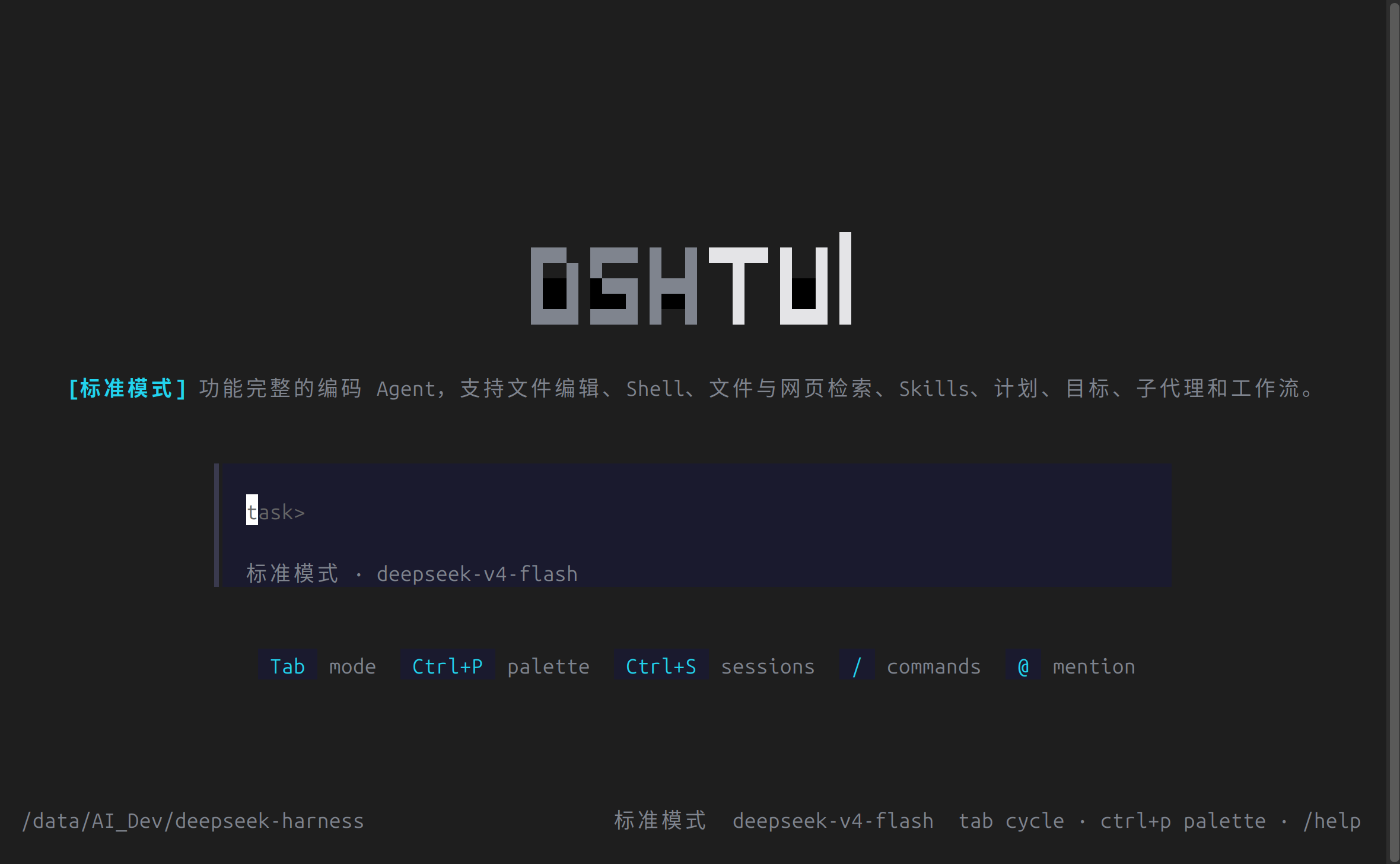
Features:
/model, /mode, /theme, /lang, /sessions, /clear, /compact, /goal, /plan@path file mentions and @[session] cross-session mentionsen / zh), detected from the system env and overridable via /lang./.sessions (override with DSH_SESSION_ROOT)DSH TUI is a dsh bundle distributed through the npm ecosystem (no standalone binary). The package is published as @ruhooai/dsh-tui with a prebuilt lib/.
Install the bundle into a profile, then launch through the profile:
dsh plugin --profile default add @ruhooai/dsh-tuiAdd dsh-tui to the profile's dsh.profile.bundles (the add command appends it), then run the profile's bin. Set DEEPSEEK_API_KEY for live model turns; see the dsh publish guide for the bundle/package.json "dsh" metadata.
bunx --bun @ruhooai/dsh-tui cordis.ymlRequires @deepseek-ai/dsh-* peer packages to be resolvable (the dsh profile install path satisfies this; a bare bunx needs the peers present in the surrounding node_modules).
Requires Node.js ^22.19 or >=24 (build tooling) and Bun 1.3+ (compiles the Solid view and runs the result — the OpenTUI renderer draws through bun:ffi, which Node.js does not provide).
git clone https://github.com/papachong/deepseek-harness-tui.git
cd deepseek-harness-tui
pnpm install          # needs Node.js ^22.19 or >=24, and Bun for the view build
pnpm run build        # tsc + tsdown bundles; Bun.build compiles the Solid view
cd packages/bundle/tui
echo 'DEEPSEEK_API_KEY=sk-...' > .env
bun lib/bin.js cordis.yml
To hack on the interface, the view layer lives in packages/bundle/tui/src/view/ (SolidJS components, store, themes) and the REPL runner in src/runner.ts. Rebuild the view with pnpm --filter @ruhooai/dsh-tui run build:view and relaunch bun lib/bin.js.
To compose your own agent instead of editing the UI, write your own cordis.yml — mount different plugins, presets, or models — and point the bin at it. The TUI renders whatever the composition produces.
The bin takes the composition config from the first non-empty channel: $DSH_CORDIS_CONFIG, then the positional argument. Useful flags and variables:
--resume <sessionId> — rebuild the agent on a persisted sessionDSH_SESSION_ROOT — session storage root (default ./.sessions)DSH_CWD — working directory for bash and filesystem toolsbun build --compile, but the npm bundle path above is the official distribution.Issues and pull requests are welcome at github.com/papachong/deepseek-harness-tui. Before pushing, run the relevant checks (pnpm run typecheck, pnpm run lint, focused pnpm run test); see AGENTS.md for repository conventions.
CLASSIFICATION EVIDENCE
系统优先读取 GitHub Topics,再与站内分类词典和词根规则比对。当前命中: 无有效分类标签。
deepseek-ai
DeepSeek Harness: Everything is a Plugin.

anywhere-labs
为 DeepSeek Harness (DSH) 插件生态打造的现代化桌面端解决方案。万物皆「插件」,桌面本身也是「插件」。

awesome-dsh-plugin
A curated list of plugins for DeepSeek Harness (dsh) · DeepSeek Harness 插件精选列表