
模型与 MCP
待识别

rea
morluto
Reverse engineer anything with agents, from app behavior down to native binaries.
PROJECT TOPICS
INSTALL REFERENCE
dsh plugin --profile web add github:p33333333333333l/dsh-specialist-team
该命令指向仓库当前默认分支;尚无绑定当前 commit 的完整验证结果。
PROJECT README
English | 简体中文
The lead can handle simple tasks directly or assign work to specialists with defined responsibilities, file access and tools. Delegation rules load with the plugin; no skill activation is needed.
Requires DSH 0.2.1-rc.3 and Node.js 22+. Other DSH versions are untested.
"dsh-specialist-team": "link:/absolute/path/to/dsh-specialist-team" to your DSH profile's dependencies, using the absolute path of your checkout.dsh-specialist-team to dsh.profile.bundles, install the profile dependencies and reload DSH.spawn_teammate should now include specialist and assignment.| Specialist | Work |
|---|---|
| Designer | Designs layouts and interactions and makes assigned UI changes |
| Researcher | Finds sources and checks evidence without editing files |
| Engineer | Implements features and writes tests without running checks |
| Architect | Diagnoses problems and compares designs without editing files |
| Verifier | Independently checks results and runs only approved commands |
For independent review, the lead assigns the check to someone other than the implementer. Specialists cannot delegate. Integration, commits and publishing are the lead's responsibility. Tool restrictions apply to registered tool calls; they are not an OS sandbox. Review what a command and its child processes can affect before approving it.
In the plugin manager, open dsh-specialist-team → Specialist model settings. Specialists without a preference inherit the lead's model by default.
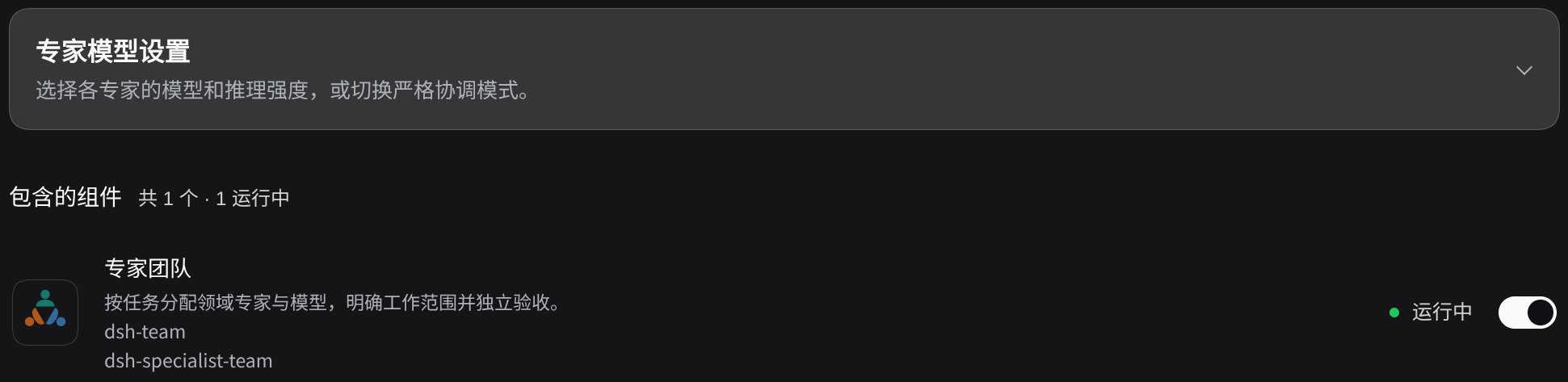
The screenshot shows the component’s former Chinese label, “专家协作”.
enabled and allowedModels in the subagent model selection settings. Choose a reasoning effort listed for that provider and model.With strict mode off (the default), the Lead can work directly and call specialists as needed. With it on, the Lead only coordinates: even reading a file requires a new specialist. Specialist calls may add to your model bill in either mode.
Switching affects subsequent tool calls and does not interrupt operations already under way. Before unloading the plugin, turn strict mode off. Otherwise the current lead remains restricted and cannot create members until its session is restarted.
You can also edit the profile's cordis.patch.yml. Replace the placeholders with a provider and model ID authorized for your session:
- id: dsh-team-tools
  config:
    modelSelectionSettings: true
    models:
      researcher: { provider: YOUR_PROVIDER, model: YOUR_MODEL }
- id: dsh-team
  config:
    coordinatorMode: 'off'  # off | strict
models accepts designer, researcher, engineer, architect and verifier. Each entry may include reasoningEffort. Both models and coordinatorMode update live. Saving from the settings page can remove comments in the affected YAML block. Changes to interrupt, freshProvider, forkProvider or modelSelectionSettings restart the tools plugin.
See maintenance for component conflicts, tests, session recovery and uninstall steps. Original contributions use Apache-2.0; bundled upstream code retains its MIT license. See source details and NOTICE for attribution and scope.
CLASSIFICATION EVIDENCE
系统优先读取 GitHub Topics,再与站内分类词典和词根规则比对。当前命中: model、模型。
morluto
Reverse engineer anything with agents, from app behavior down to native binaries.

deepseek-ai
DeepSeek Harness: Everything is a Plugin.

nexu-io
The 1st Collaborative AI Design Agent Workspace. Local-first and open source. Create motion, prototypes, websites, apps, dashboards, presentations, images, and videos with your team and AI agents. Share work, exchange feedback, and iterate together in one workspace.