
模型与 MCP
待识别

rea
morluto
Reverse engineer anything with agents, from app behavior down to native binaries.
PROJECT TOPICS
INSTALL REFERENCE
dsh plugin --profile web add github:osman3n/dsh-spell-suggestions
该命令指向仓库当前默认分支;尚无绑定当前 commit 的完整验证结果。
PROJECT README
Right-click spelling in the DeepSeek Harness message composer.
Ranked suggestions, plus the cut / copy / paste actions the desktop shell took away.



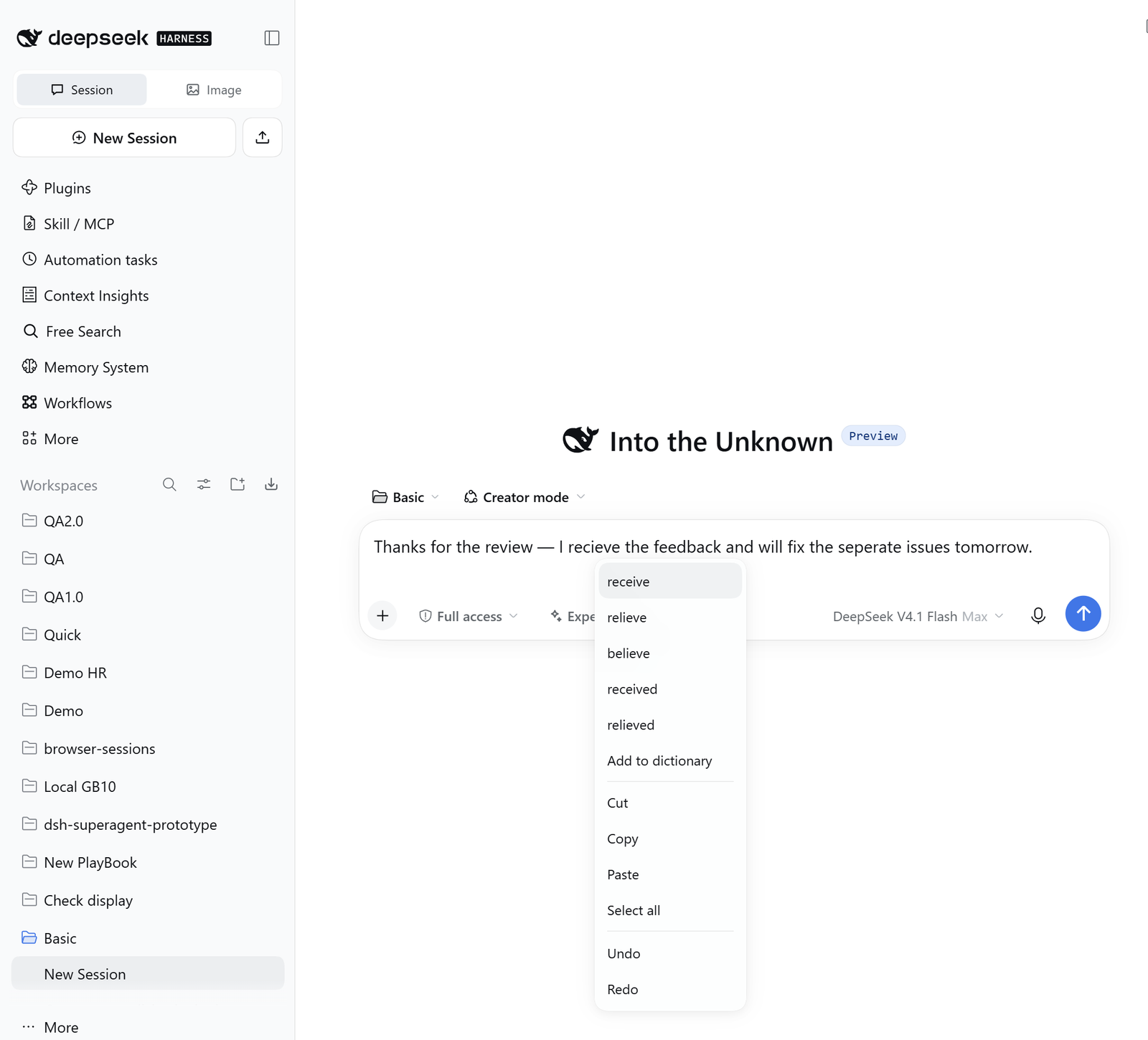
The desktop shell does not give the chat box a native context menu. This plugin fills that gap: right-click a misspelled word in the composer and the menu opens with ranked suggestions, followed by the clipboard actions you expected to find there.
English · 简体中文
Up to five candidates, ranked by edit distance first and word frequency second.
recieve offers receive before relieve or believe; case is preserved, so
Recieve becomes Receive at the start of a sentence.
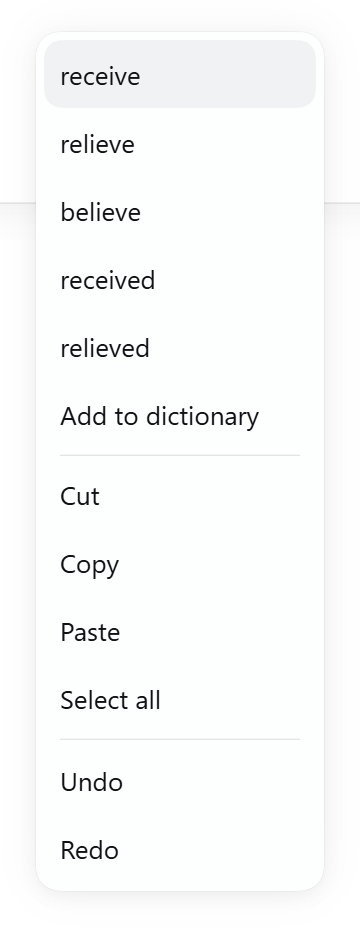
Cut, Copy, Paste, Select all, Undo and Redo sit below a separator. The menu replaces the native one rather than competing with it, and the plugin only ever opens on a right-click inside a real composer field — it never patches anything else. Chromium's own red squiggles keep working.
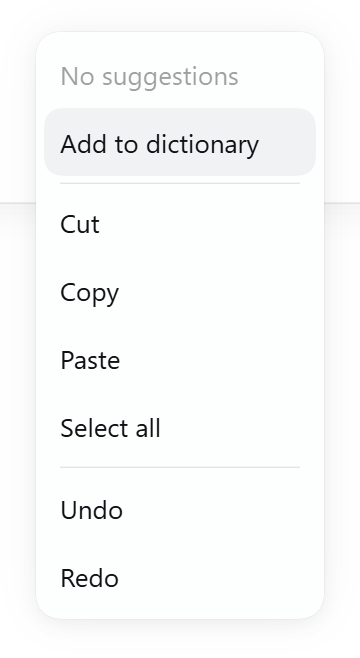
Add to dictionary stores the word in localStorage, so it stops being flagged
without a rebuild. Words with no close match still get the clipboard actions —
you are never left with an empty menu.
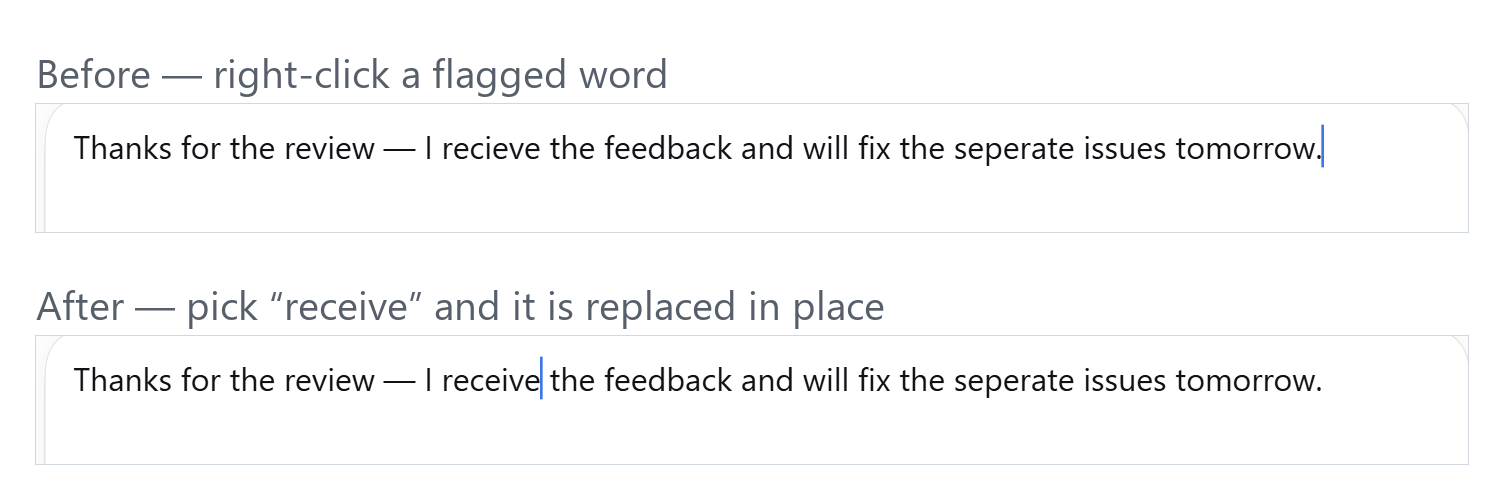
Picking a suggestion edits the text node in place and puts the caret where it was, so the rest of the paragraph is untouched.
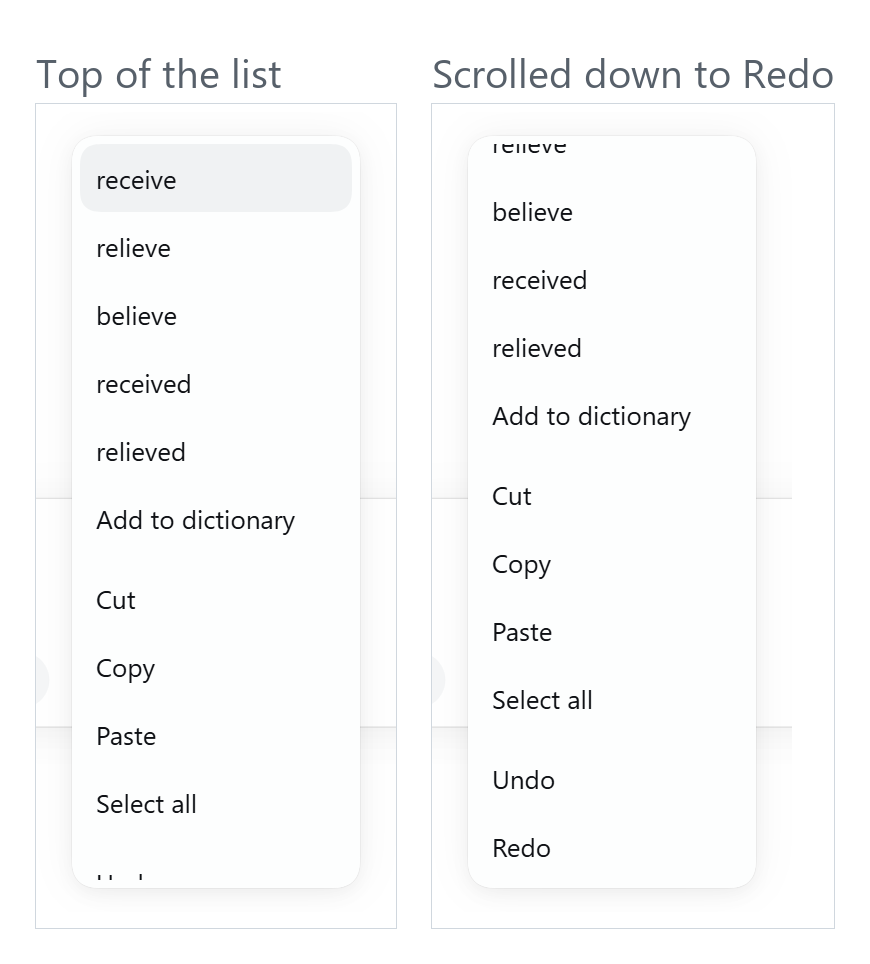
The list can hold up to twelve rows. A tall window fits them all; a short window clamps the menu to the viewport and the list scrolls — with the wheel, or with ↑ / ↓, which keeps the focused row in view.
The app's own menu already clamps and scrolls, so the plugin adds a safety net instead of styling it: after paint it measures the menu, and only touches the one carrying its own labels. If the host styles ever stop clamping, the plugin clamps; when the host already did the right thing, the plugin changes nothing and re-checks on resize.
From Settings → Plugins, choose install from a local folder and pick this directory. Reload with Ctrl+R (or ⌘+R), and the menu is live.
Or from a terminal:
dsh plugin --profile <name> add <path-or-git-url>The package is @osman3n/dsh-spell-suggestions. Its client half declares
@deepseek-ai/dsh-client-ui-context-menu in dsh.client.inject, so it waits for
the menu service to exist instead of assuming it, and activates quietly when the
service is not there yet.
One capture-phase contextmenu listener on document, scoped to
[data-composer-input]. Inside that field it resolves the caret with
caretPositionFromPoint, reads the word under it, and skips code, links and
anything marked spellcheck="false". When the word is unknown it opens the menu
with suggestions plus the standard actions; when the word is known it stays out
of the way.
| File | Purpose |
|---|---|
index.js |
Host half — a no-op, kept so the package loads cleanly |
client.js |
The built browser bundle (no dependencies, one file) |
src/client.template.js |
The authored source the bundle is built from |
tools/build-client.mjs |
Inlines the word list and typo map into client.js |
tools/test-client.mjs |
Behaviour tests, no DOM required |
tools/make-figures.py |
Composes the screenshots above from captured frames |
locale/en.json, locale/zh.json |
Copy for every label |
node tools/prepare-words.mjs --limit=30000 --min-count=2
node tools/build-client.mjs
node tools/test-client.mjs
The build is reproducible: running it twice produces byte-identical output.
Roughly 30,000 words, built from the
FrequencyWords corpus (CC-BY-SA)
plus a curated allowlist and a typo map for the mistakes people actually make.
Purely informal spellings such as dont, cant and youre are dropped, so they
still look like mistakes.
value on a field.client.js; adding a lot of words means a rebuild.MIT
The plugin used to be published as @osman3n/dsh-composer-spellcheck (the
repository was always dsh-spell-suggestions). The localStorage key moved from
dsh.composer-spellcheck.user-words to dsh.spell-suggestions.user-words, but
reads fall back to the old key, so words you already added stay in your
dictionary.
CLASSIFICATION EVIDENCE
系统优先读取 GitHub Topics,再与站内分类词典和词根规则比对。当前命中: deepseek-harness。
morluto
Reverse engineer anything with agents, from app behavior down to native binaries.

deepseek-ai
DeepSeek Harness: Everything is a Plugin.

nexu-io
The 1st Collaborative AI Design Agent Workspace. Local-first and open source. Create motion, prototypes, websites, apps, dashboards, presentations, images, and videos with your team and AI agents. Share work, exchange feedback, and iterate together in one workspace.