
模型与 MCP
待识别

rea
morluto
Reverse engineer anything with agents, from app behavior down to native binaries.
PROJECT TOPICS
INSTALL REFERENCE
dsh plugin --profile web add github:onblog/dsh-ready
该命令指向仓库当前默认分支;尚无绑定当前 commit 的完整验证结果。
PROJECT README

One-click desktop launcher for DeepSeek Harness
装好、启动、升级,全程不用终端




DeepSeek Harness (dsh) is a command-line tool. For anyone who does not live in a
terminal, that means installing Node, remembering commands, picking a port, and
cleaning up stray processes.
DSH Ready is a small desktop window that does those seven things for you:
| Thing | What happens |
|---|---|
| Install | Picks the version, checks your Node/npm, then installs DSH into npm's default global prefix — no sudo; a missing runtime gets an official download link |
| Start | Reads your login shell environment, starts dsh web on your port; Open DSH then opens it in its own app window (or your browser) |
| Stop | Stops the process group it started, or the external instance you asked it to take over |
| Status | Running / stopped / external instance / installing / upgrading, refreshed live |
| Logs | Live output panel plus an on-disk log, so failures are readable |
| Upgrade | Checks every third-party plugin against the target version first, then upgrades DSH and the plugins |
| Uninstall | Stops, removes plugins, clears the profile, removes DSH — keeps ~/.dsh and your npm setup |
It is deliberately not a plugin manager, not a MCP client, not a second DSH UI. It starts the official web UI in its own app window; the browser stays a one-setting alternative.
This is a community project. It is not affiliated with, endorsed by, or maintained by DeepSeek.
| Platform | Installer | Notes |
|---|---|---|
| macOS Apple Silicon | dsh-ready-1.2.5-arm64.dmg |
M1 / M2 / M3 / M4 |
| macOS Intel | dsh-ready-1.2.5-x64.dmg |
Intel-based Macs |
| Windows x64 | dsh-ready-1.2.5-x64.exe |
Windows 10 / 11 |
Grab them from dsh.wordtk.com — the installers live on R2 and the site always serves the newest version.
The macOS builds carry an ad-hoc signature, so Apple Silicon accepts them without
a paid developer certificate. They are not notarized, so a freshly downloaded copy may
still be blocked once: open System Settings → Privacy & Security and choose
Open Anyway (macOS 14 and older: right-click the app → Open). If macOS claims the
app is damaged, run xattr -cr "/Applications/DSH 就位.app". On Windows, choose
More info → Run anyway if SmartScreen appears.
All screenshots are captured from the real app running inside a sandbox, by
npm run shots — no mockups, no compositing.
| Light theme | Dark theme |
|---|---|
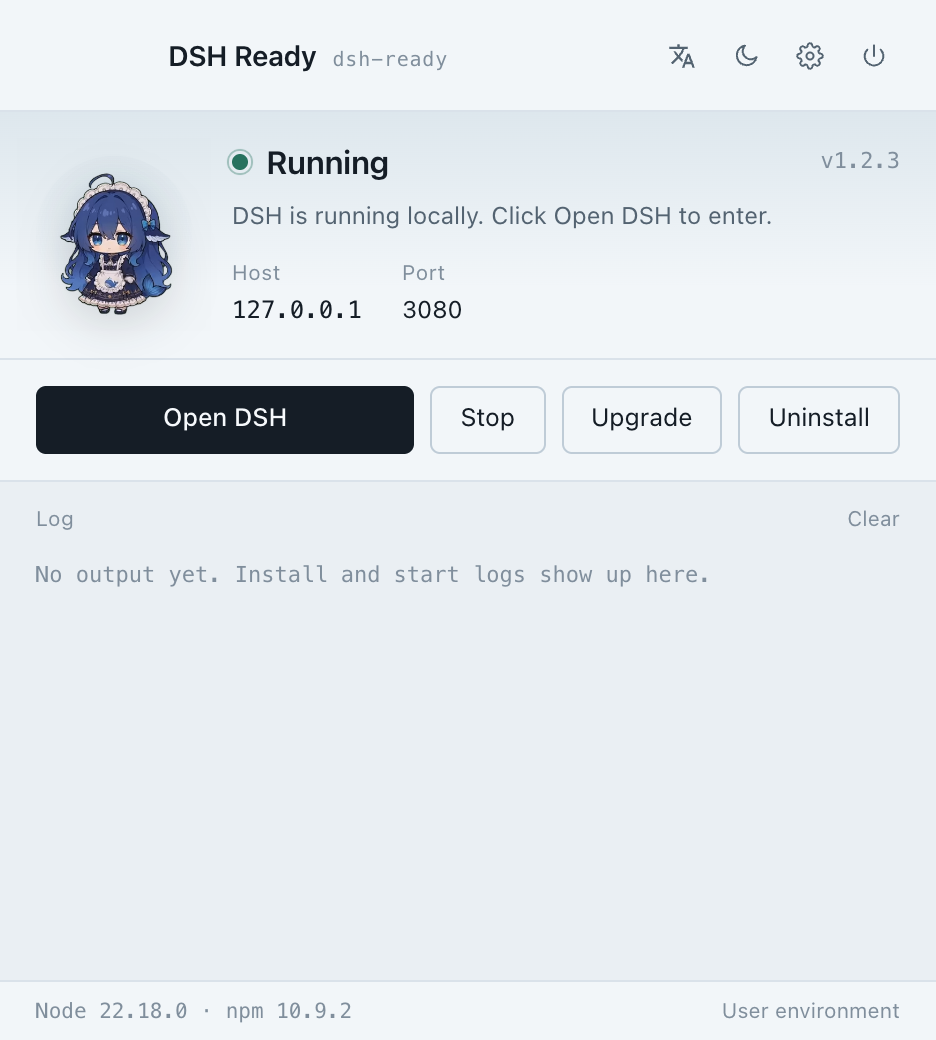 |
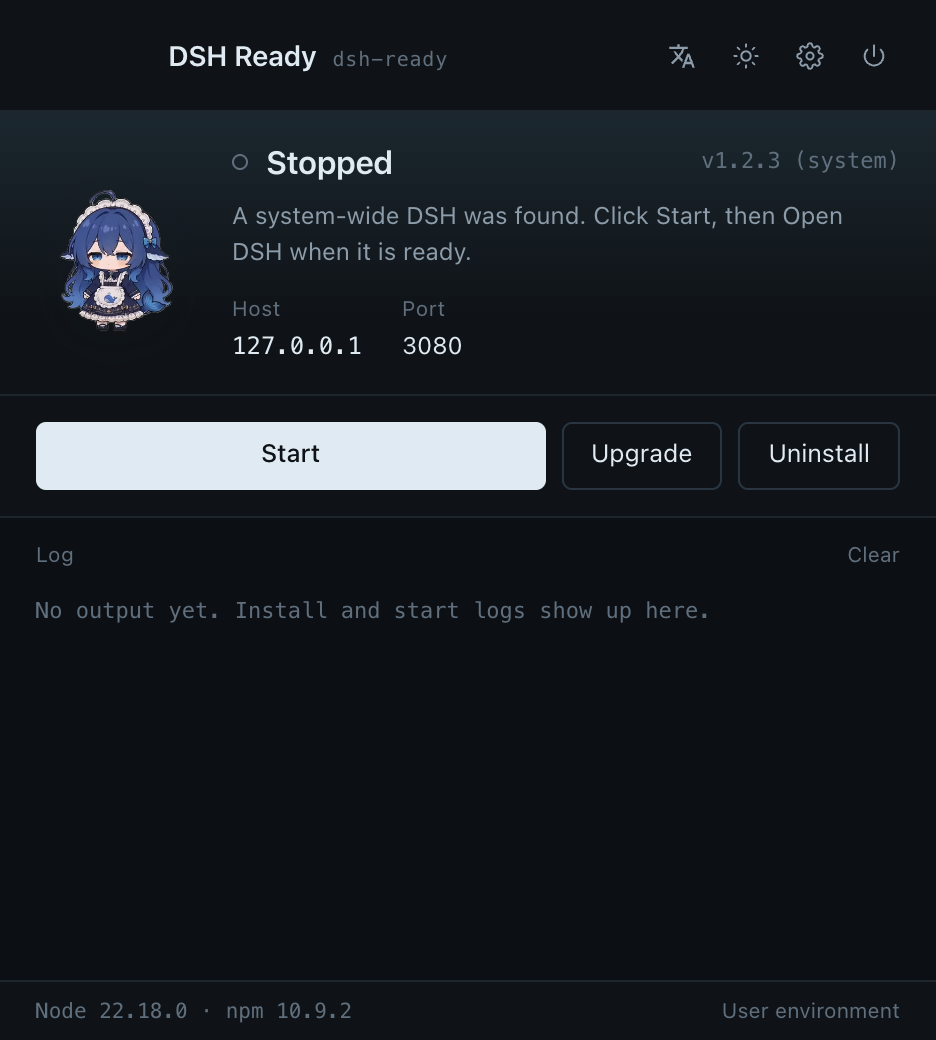 |
dsh is already installed (npm global, Homebrew), the
launcher uses it instead of installing a second copy. dshSource reports system
or app so the UI can say which one is live.$SHELL -ilc 'env -0' once and merges the result, so
API keys, proxies and PATH from ~/.zshrc work exactly like in your terminal.
Skip it with DSH_READY_SKIP_SHELL_ENV=1.dsh web listening on
the target port; if something else runs there you can stop it or take it over.
DSH on other ports is never touched.peerDependencies on @deepseek-ai/dsh*
and engines.dsh are checked against the target version. A blocker is reported
and nothing is touched; only a passing plan turns into executable commands.--port always dropped. Sponsor entry at the bottom.npm install -g, never a private --prefix.electron/ main process (install, run, upgrade, IPC, logging)
renderer/ the window: HTML, CSS, vanilla JS, whale-girl animation
site/ dsh.wordtk.com — Cloudflare Worker + static assets + D1/KV/R2
src/index.js /api/* : release manifest, ranged downloads, anonymous counts
public/ the site itself (static-first, one theme)
migrations/ D1 schema (ready_* tables)
scripts/ sandbox launcher + screenshot capture + release helpers
docs/zh, docs/en design and deployment notes, one directory per languagenpm install
npm start # run the desktop app
npm run sandbox # run it against an isolated DSH_HOME + app data dir
npm run shots # real in-app screenshots, then the sandbox is removed
npm run dist:mac:arm64 # build the Apple Silicon dmg
npm run dist:mac:x64 # build the Intel dmg
npm run dist:win # build the Windows installerThe sandbox (scripts/sandbox-test.sh, scripts/capture-screenshots.mjs) sets
both DSH_HOME and Chromium's --user-data-dir to a temp directory, uses a random
debugging port, and deletes everything on exit. Your ~/.dsh, your settings, and any
DSH you already have running are never touched.
The website lives in site/:
cd site
npm install
npm run dev                  # wrangler dev
SITE_URL=https://example.com npm run deploy
npm run release # upload installers to R2 + rewrite latest.jsonAGPL-3.0-only. Free for personal use, learning, research and open-source projects. If you want to ship a modified version inside a closed-source commercial product, a commercial licence is required — please open an issue to get in touch:
https://github.com/onblog/dsh-ready/issues
Electron for the desktop app. The site runs on Cloudflare Workers with D1, KV and R2.
CLASSIFICATION EVIDENCE
系统优先读取 GitHub Topics,再与站内分类词典和词根规则比对。当前命中: deepseek。
morluto
Reverse engineer anything with agents, from app behavior down to native binaries.

deepseek-ai
DeepSeek Harness: Everything is a Plugin.

nexu-io
The 1st Collaborative AI Design Agent Workspace. Local-first and open source. Create motion, prototypes, websites, apps, dashboards, presentations, images, and videos with your team and AI agents. Share work, exchange feedback, and iterate together in one workspace.