
其他
完整应用

deepseek-harness
deepseek-ai
DeepSeek Harness: Everything is a Plugin.
PROJECT TOPICS
PROJECT README
English | 中文
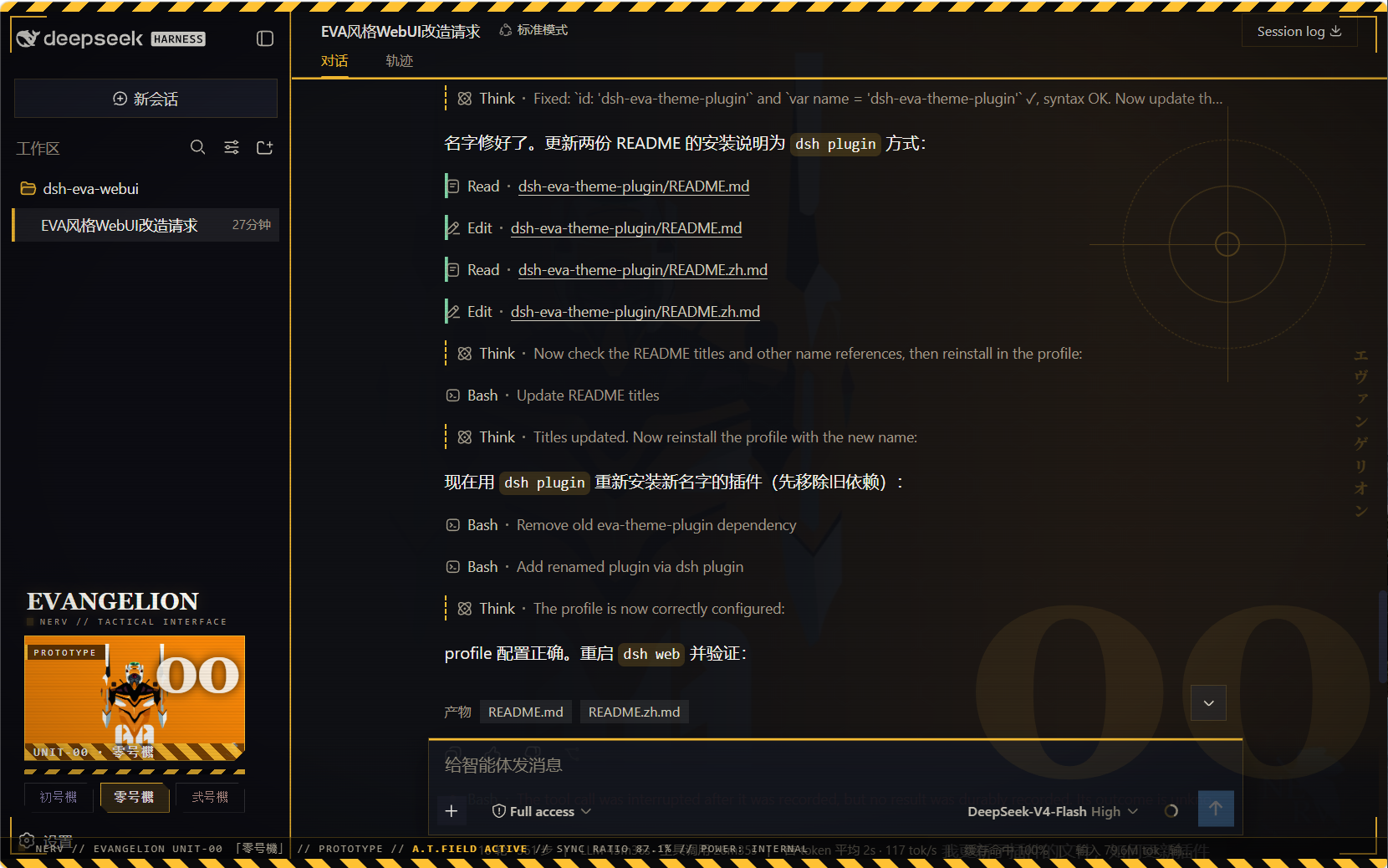
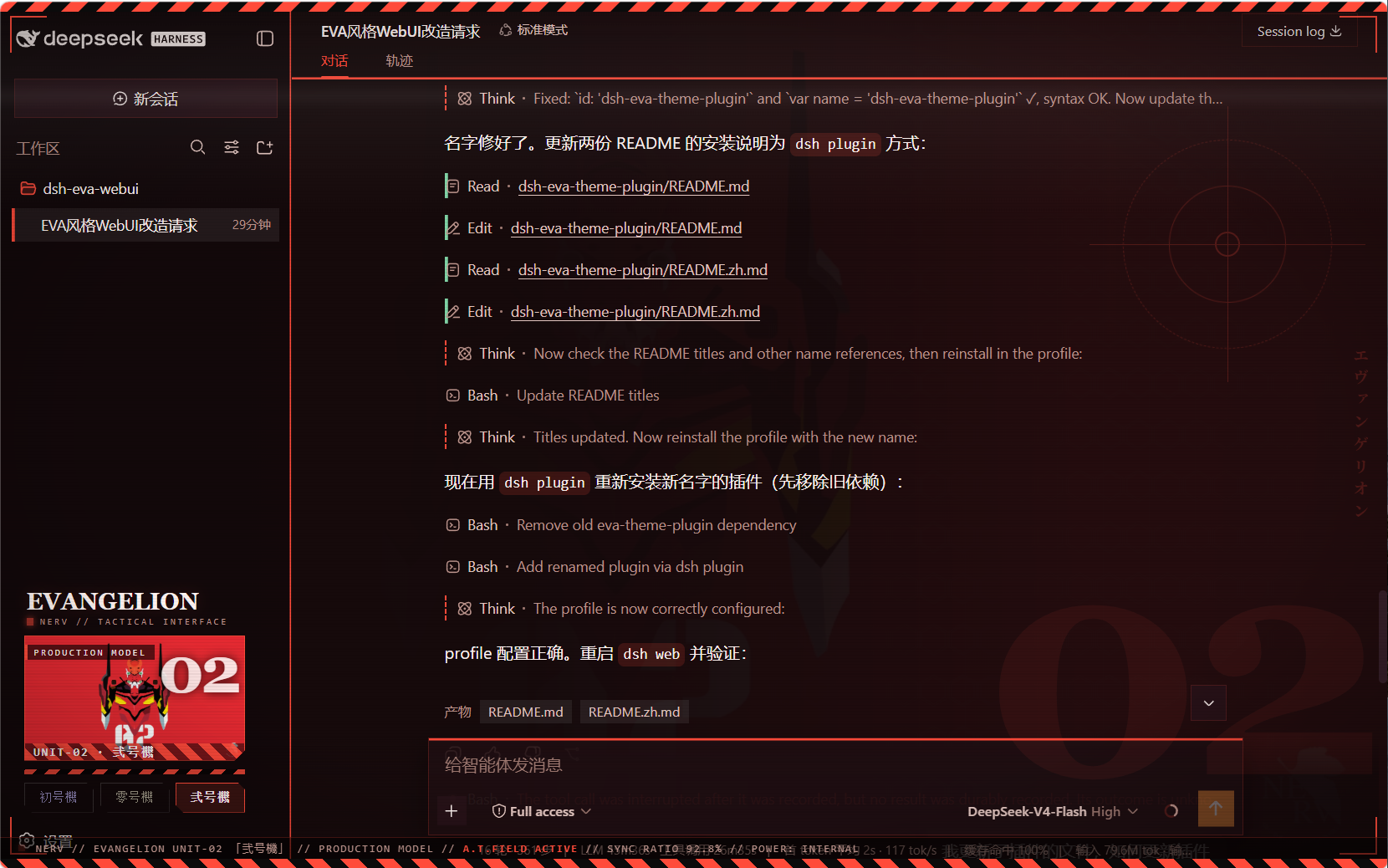
A user-level client plugin that gives the DeepSeek Harness Web GUI three Neon Genesis Evangelion unit schemes — 初号機 (Unit-01), 零号機 (Unit-00), 弐号機 (Unit-02) — each retinting every page element and showing the active unit's art in the sidebar. Built entirely as a plugin: no harness source is touched.
--dsw-*
token set (86 tokens) so all elements re-tint on switch — surfaces,
labels, buttons, states, bubbles, input bar, sidebar, scrollbars, code
blocks, menus:eva-unit01 初号機 — purple body (#b96bff) with neon-green accentseva-unit00 零号機 — blue-grey body, yellow accents (#ffc233)eva-unit02 弐号機 — crimson body, orange accents (#ff4b3a)sidebar.footer.action
slot; collapsed rail mode shows three unit dots.theme/change the plugin re-asserts
Unit-01 whenever the active theme is not one of the three unit schemes
(this also absorbs the async settings-adopt that would otherwise reset the
theme to light/dark at boot). The three unit buttons are the theme control.UNIT-0X designation on the
art banner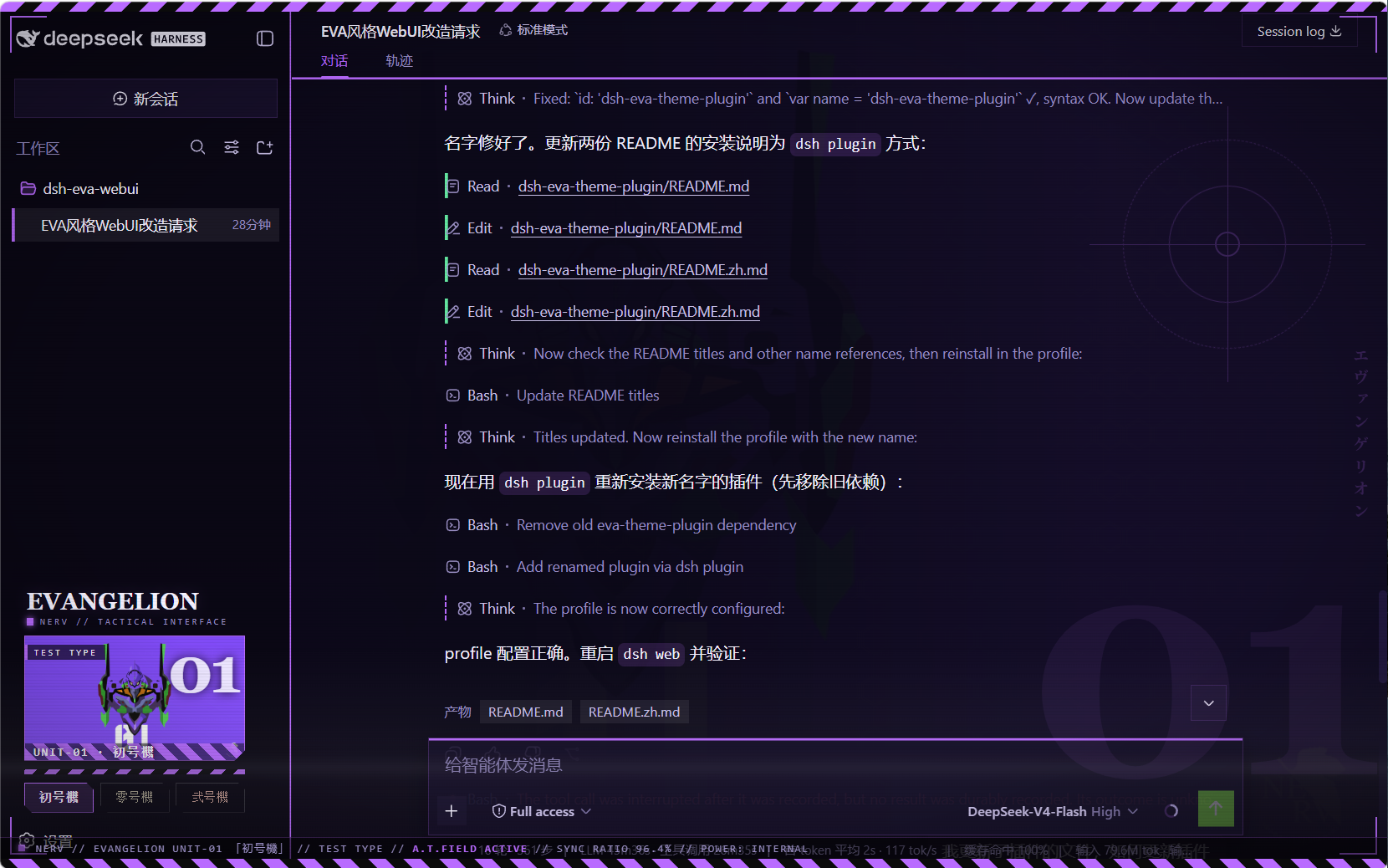
| Path | Role |
|---|---|
package.json |
package identity + dsh.client declaration + exports |
lib/index.js |
host half (no-op) |
client.js |
browser bundle: theme registry + backdrop + sidebar switcher |
client.template.js |
readable bundle source (base64 placeholders) |
assets/unit00.webp · unit01.webp · unit02.webp |
embedded artwork (webp) |
assets/screenshot00.png · screenshot01.png · screenshot02.png |
effect preview screenshots (Unit-00/01/02) |
dsh plugin)The package is a profile bundle (dsh.bundle.patch), so it installs with
the standard plugin command — no manual symlinks or patch edits:
# Run from the harness repository:
pnpm dsh plugin --profile web add https://github.com/oceanxuikun/dsh-eva-theme-plugin.git
This runs pnpm add in the web profile, links the package into
~/.dsh/profiles/web/node_modules, and automatically appends
dsh-eva-theme-plugin to dsh.profile.bundles in the profile's
package.json. Restart dsh web, then refresh the page.
Rebuild after changing images or the template:
pnpm run build # regenerates client.js from client.template.js + assets/pnpm dsh plugin --profile web remove dsh-eva-theme-pluginThen restart dsh web and refresh.
Artwork: fan art hosted on wallhaven.cc (see sources above), used as local personal GUI backgrounds; Neon Genesis Evangelion © Khara / GAINAX.
CLASSIFICATION EVIDENCE
系统优先读取 GitHub Topics,再与站内分类词典和词根规则比对。当前命中: 无有效分类标签。
deepseek-ai
DeepSeek Harness: Everything is a Plugin.

anywhere-labs
为 DeepSeek Harness (DSH) 插件生态打造的现代化桌面端解决方案。万物皆「插件」,桌面本身也是「插件」。

walkinglabs
Harness engineering beginner tutorial, from 0 to 1