
模型与 MCP
待识别

rea
morluto
Reverse engineer anything with agents, from app behavior down to native binaries.
PROJECT TOPICS
INSTALL REFERENCE
dsh plugin --profile web add github:nubeslove/dsh-web-preview
该命令指向仓库当前默认分支;尚无绑定当前 commit 的完整验证结果。
PROJECT README
在 DeepSeek Harness 右侧栏里直接预览网页,不用跳出 DSH 去开外部浏览器。
Preview web pages inside the DeepSeek Harness right sidebar — no external browser window needed.



装不上、报错、或者行为和文档对不上,直接发邮件到 1992335297@qq.com,比开 Issue 更快被看到。
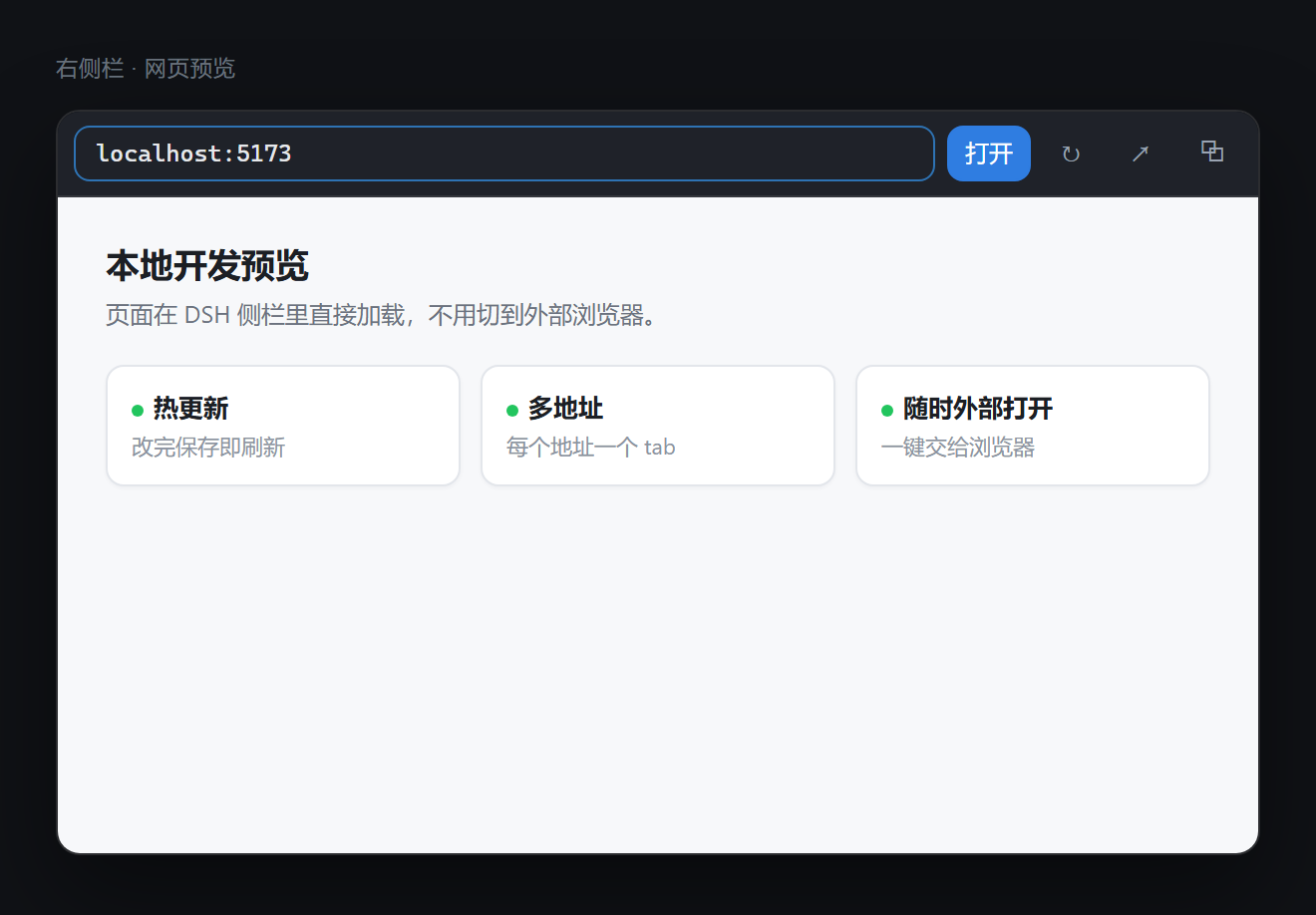
图为界面示意,按插件
lib/client.js的地址栏与 iframe 布局渲染,不是运行截图。可用node scripts/make-screenshots.mjs重新生成(源码在scripts/demo/preview.html)。
写完前端要验证效果,标准流程是切到浏览器、开新标签、输地址、再切回来。真机上窗口一多就找不着北。DSH 的右侧栏本来就是文件预览的地盘,把网页也放进去,视线不用离开对话。
dsh-web-preview 给右侧栏加一个「网页预览」标签页:输入地址、回车,页面就在侧栏里跑起来。
localhost:5173 或 https://example.com,回车。地址会自动补协议:localhost:5173 走 http://,裸域名走 https://。显式写了协议就按你写的来。
走 DSH 官方的侧栏扩展点,不自绘面板、不覆盖既有 UI:
ctx.sidebarRightTabs.register({ id, kind, patterns, priority, title, guide })ctx.slots.register({ name: 'sidebar.right.pane.tab', key })ctx.sidebarRight.openResource('dsh-resource://web/<encodeURIComponent(url)>')每个预览地址是一个独立的资源 tab,同一地址重复打开会聚焦已有 tab,不会堆一堆重复页。tab 标题取目标站点的 host。
宿主侧只提供一个只读健康检查 /api/web-preview/health,不读文件、不落盘、没有对外网络请求。
http / https,其它协议直接拒绝。frame-ancestors 的站点会白屏,这类站点请用地址栏右侧的 ↗ 打开到外部浏览器。批注功能(指向页面元素、显示标签/尺寸/颜色/字体、点击就地下评论、批注回填输入框)二期实现。跨域 iframe 拿不到内部 DOM,二期改为宿主侧接管浏览器:Playwright 打开页面、CDP 推画面、坐标回传、document.elementFromPoint 取元素、注入批注覆盖层。
lib/index.js         宿主侧:健康检查路由 + URL 规范化
lib/client.js        客户端侧:tab 类型注册、正文(地址栏 + iframe)
scripts/verify.mjs   自检
node scripts/verify.mjs覆盖包元数据、patch 结构、客户端语法与依赖声明、同源防护、四类 URL 规范化用例、路由注册与健康检查、非法路由。共 14 项。
dsh plugin --profile desktop add "github:nubeslove/dsh-web-preview"然后在 $DSH_HOME/profiles/desktop/package.json 的 dsh.profile.bundles 里追加 "dsh-web-preview",重启 DSH。
实测 pnpm 11.9 从 GitHub 直接拉取,3.9 秒装完。插件是纯 JS,没有构建步骤,也没有任何运行时依赖。
自己改代码时用 link 指向工作副本:
dsh plugin --profile desktop add "link:/absolute/path/to/dsh-web-preview"路径含空格时手工处理:在 profiles/desktop/package.json 的 dependencies 加 "dsh-web-preview": "link:E:/path/to/dsh-web-preview",在 dsh.profile.bundles 追加 "dsh-web-preview",并在 profiles/desktop/node_modules/ 下建指向本目录的 Junction,然后重启 DSH。
遇到 bug、安装失败、行为和文档不一致,或者想要某个功能,都可以直接发邮件。
邮箱:1992335297@qq.com
邮件里带上这三样,定位会快很多:
package.json 里的 version)dsh --version)也可以在 GitHub Issues 提,但邮件更快。
CLASSIFICATION EVIDENCE
系统优先读取 GitHub Topics,再与站内分类词典和词根规则比对。当前命中: deepseek-harness。
morluto
Reverse engineer anything with agents, from app behavior down to native binaries.

deepseek-ai
DeepSeek Harness: Everything is a Plugin.

nexu-io
The 1st Collaborative AI Design Agent Workspace. Local-first and open source. Create motion, prototypes, websites, apps, dashboards, presentations, images, and videos with your team and AI agents. Share work, exchange feedback, and iterate together in one workspace.