其他
完整应用

deepseek-harness
deepseek-ai
DeepSeek Harness: Everything is a Plugin.

njjpro/dsh-remote-workspace
Device-workspace federation plugin for the dsh web GUI: pair into another DSH instance and browse its projects and sessions from the local sidebar, with each peer session opening in the local center column through a loopback embed proxy.
PROJECT TOPICS
INSTALL REFERENCE
dsh plugin --profile web add github:njjpro/dsh-remote-workspace
该命令指向仓库当前默认分支;尚无绑定当前 commit 的完整验证结果。
PROJECT README
English | 中文
One window, two machines: bring another DSH instance's workspaces into the local sidebar, and open its sessions so the peer's real GUI renders in the local center column — no second browser window, no re-shelling, no peer-side mock.
This package is the device-workspace federation for the dsh web GUI. After pairing one remote DSH instance:
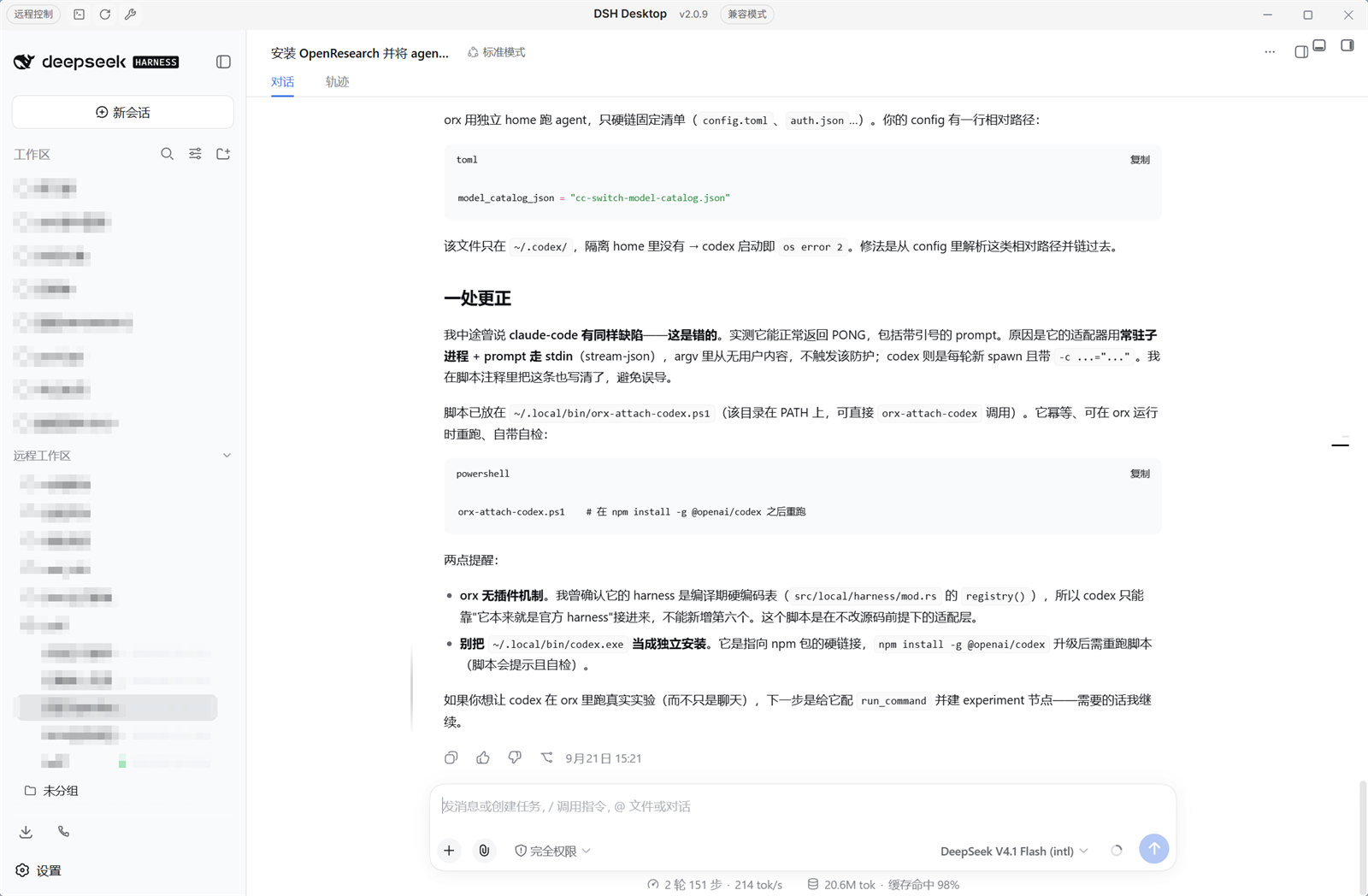
The screenshot is the local GUI: the sidebar lists this machine's own workspaces and, below them, the paired instance's under 远程工作区 / Remote workspaces; the center column is showing a session running on that other machine. Project names in the capture are pixelated.
This is a single dual-face package:
A peer pane loads through the loopback embed proxy: the proxy reaches the peer with the device credential and republishes its GUI on a local 127.0.0.1 port, so the browser holds no peer cookie and the pane stays separable from the local UI.
The package is independent of @linxin666/dsh-remote-web-ui at build time (no import, no package dependency), and reads that plugin's pairing identity through the remoteWebUiPairing cordis service at runtime — pairing itself (minting tokens, revoking, the device cookie) belongs to that plugin, and this one only redeems a token once. The two route tables do not overlap, so both install side by side.
The four points above are the core. The supporting details:
data-dsh-plugin="remote-workspace" and a bare data-dsh-part value.Requires the official @linxin666/dsh-remote-web-ui plugin on both machines: it owns pairing, and this package only redeems a token that plugin issued.
dsh plugin --profile web add @njjpro/dsh-remote-workspacegit clone <this repository>
cd dsh-remote-workspace
pnpm install
pnpm build
dsh plugin --profile web add file:$(pwd)pnpm install
pnpm typecheck # tsc -b --pretty false
pnpm test # vitest run
pnpm build # tsc -b && tsdownbuild/tsdown.client.ts is this repository's client-bundle preset, lifted from the dsh-web monorepo's shared/tsdown.client.ts together with the platform seed table it reads, so the package builds without that repository present. pnpm-workspace.yaml and the root-level packages/ layout are not used here: this repository is the package.
| Key | Type | Default | Meaning |
|---|---|---|---|
enabled |
boolean | true |
Master switch; disabling removes both surfaces. |
peerBaseUrl |
string | '' |
Base URL of the paired peer instance; empty means no peer is configured. |
peerPairToken |
secret string | '' |
One-time pairing token minted on the peer's panel; exchanged once and persisted. |
peerEmbedPort |
number | 43121 |
Loopback port the embed proxy binds, on 127.0.0.1 only. |
/pair-remote/*) require a live paired-device credential and do not treat loopback as a bypass. The predicate is the host's own pairing check, so a request that could not pair with this instance cannot read its inventory./api/pair/peer/*) are loopback-only: both the socket address and the Host header must be loopback, so a LAN origin cannot reach the ticket-minting or session-creating endpoints even with a forged Host.@linxin666/dsh-remote-web-ui; this package redeems POST /api/pair/accept and stores the resulting credential per peer base URL.127.0.0.1 and republishes the peer GUI with that credential attached. Embed tickets are one-shot and TTL-bounded, and are minted only for sessions the inventory actually lists.401.Apache-2.0.
CLASSIFICATION EVIDENCE
系统优先读取 GitHub Topics,再与站内分类词典和词根规则比对。当前命中: 无有效分类标签。
deepseek-ai
DeepSeek Harness: Everything is a Plugin.

anywhere-labs
为 DeepSeek Harness (DSH) 插件生态打造的现代化桌面端解决方案。万物皆「插件」,桌面本身也是「插件」。

walkinglabs
Harness engineering beginner tutorial, from 0 to 1