
其他
完整应用

deepseek-harness
deepseek-ai
DeepSeek Harness: Everything is a Plugin.
PROJECT TOPICS
INSTALL REFERENCE
dsh plugin --profile web add github:ningbonb/dsh-client-ui-brand
该命令指向仓库当前默认分支;尚无绑定当前 commit 的完整验证结果。
PROJECT README
English | 中文
This is a simple DeepSeek Harness plugin. It customizes product branding without changing DeepSeek Harness source code.
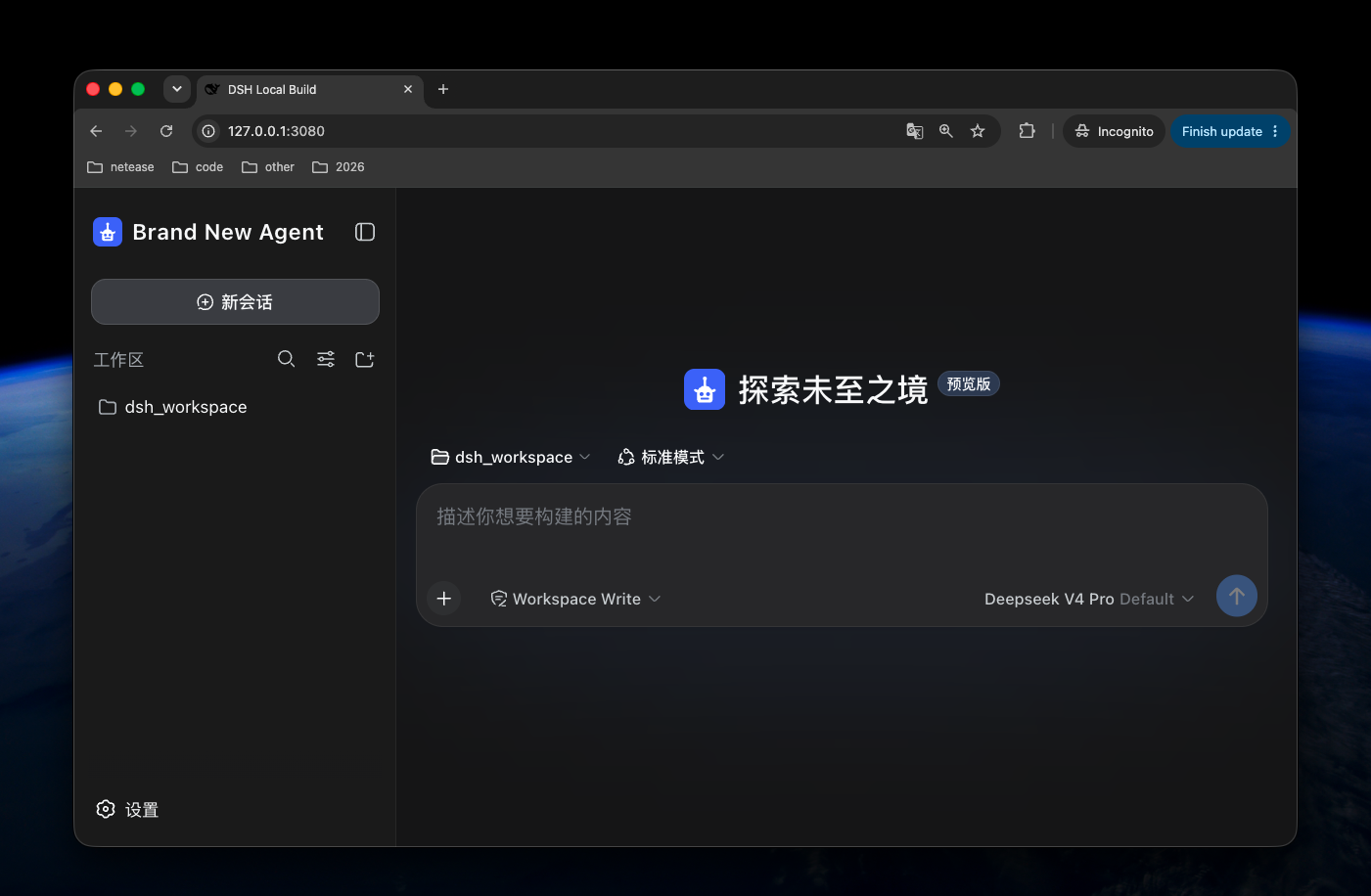
The plugin displays configured marks with centered, proportional fitting in the Web interface. It separately wraps every favicon and PWA icon in a square, transparent SVG canvas, so non-square marks do not stretch. HTTPS images are downloaded by the plugin and embedded into browser metadata, so favicon renderers never need a nested external image request. DSH's runtime session title remains visible and ends with the configured product name.
DSH Core does not currently provide an accepted slot for the empty-conversation slogan. This plugin therefore cannot change it without an intrusive modification; it can support the slogan when DSH Core exposes that slot.
Install the published package into the Web profile:
dsh plugin --profile web add dsh-client-ui-brandRestart the DSH Web process after installation.
Add a later Web profile patch, usually at:
$DSH_HOME/profiles/web/cordis.patch.ymlThe installed bundle already uses Brand New Agent and its default Agent mark. Every configuration field is optional. Add this later profile patch only when overriding the defaults:
- id: dsh-client-ui-brand
  config:
    productName: Acme Agent
    logoUrl: https://cdn.example.com/branding/acme-agent.svg
logoAlt: Acme Agent logo| Field | Default | Description |
|---|---|---|
productName |
Brand New Agent |
Sidebar product name, browser title, and PWA name. |
logoUrl |
Not set | HTTPS URL, same-origin absolute path, or data:image/... URL for the logo, favicon, and PWA icon. |
logoPath |
Not set | Absolute path to one local image served by DSH for the logo, favicon, and PWA icon. |
logoAlt |
productName |
Accessible logo text. |
Configure either logoUrl or logoPath, not both.
- id: dsh-client-ui-brand
  config:
    productName: Acme Agent
    logoPath: /absolute/path/to/acme-agent-logo.svg
    logoAlt: Acme Agent logo
The local file is exposed only through the fixed route:
/plugins/dsh-client-ui-brand/brand-logoWhen a logo is configured, the plugin serves the square brand image at
/plugins/dsh-client-ui-brand/brand-mark.svg, generates a PWA manifest at
/plugins/dsh-client-ui-brand/manifest.webmanifest, and replaces the Web
Shell's favicon and manifest links. Without a configured logo, the Web Shell
keeps its default favicon and manifest.
For safety, the path must be an absolute, non-symlink regular file with a
gif, jpeg, jpg, png, svg, or webp extension. The route accepts only
GET and HEAD, never accepts a request-controlled file path, returns 404
when the configured file cannot be read, and sends no-store and nosniff
headers.
MIT
CLASSIFICATION EVIDENCE
系统优先读取 GitHub Topics,再与站内分类词典和词根规则比对。当前命中: 无有效分类标签。
deepseek-ai
DeepSeek Harness: Everything is a Plugin.

anywhere-labs
为 DeepSeek Harness (DSH) 插件生态打造的现代化桌面端解决方案。万物皆「插件」,桌面本身也是「插件」。

awesome-dsh-plugin
A curated list of plugins for DeepSeek Harness (dsh) · DeepSeek Harness 插件精选列表