
其他
完整应用

deepseek-harness
deepseek-ai
DeepSeek Harness: Everything is a Plugin.
PROJECT TOPICS
INSTALL REFERENCE
dsh plugin --profile web add github:nautahakk/jev-codex-router
该命令指向仓库当前默认分支;尚无绑定当前 commit 的完整验证结果。
PROJECT README
A DeepSeek Harness plugin that asks TypeSafe Jev to choose a Codex model and reasoning effort for each substantive prompt. You use Harness's web interface; the router changes the model used for the request.
This is an independent project, not an official DeepSeek, TypeSafe, or OpenAI plugin. DeepSeek Harness is in developer preview, so upstream updates may break compatibility.
If Jev is unavailable, the router announces a permitted fallback. If no permitted route exists, the turn stops rather than exceeding your model or Astra-effort limit. Turning routing off restores Harness's manual model selection.
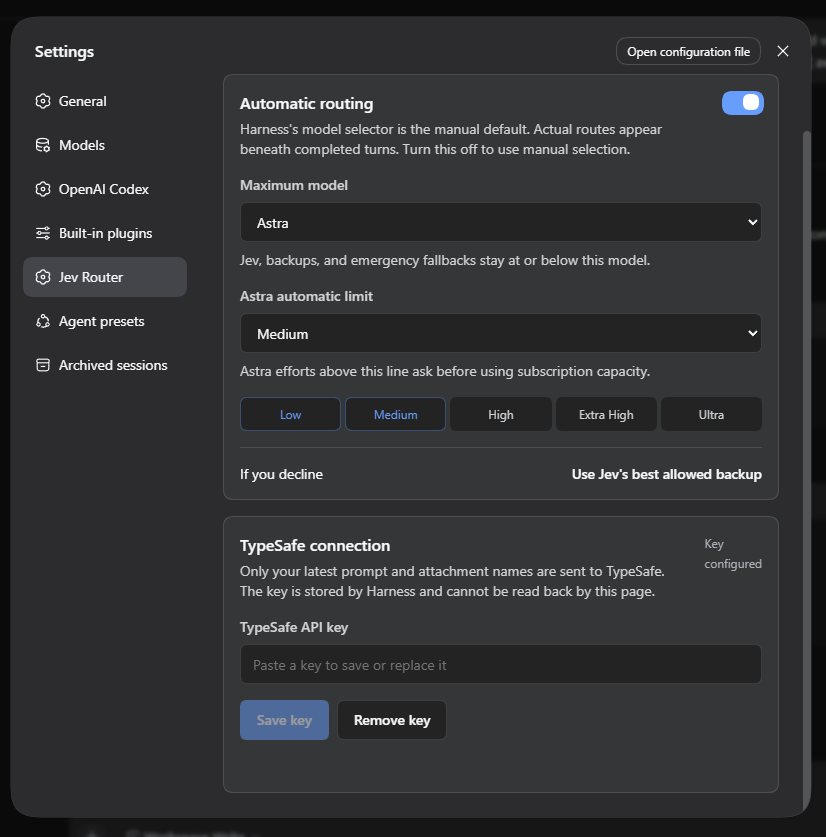
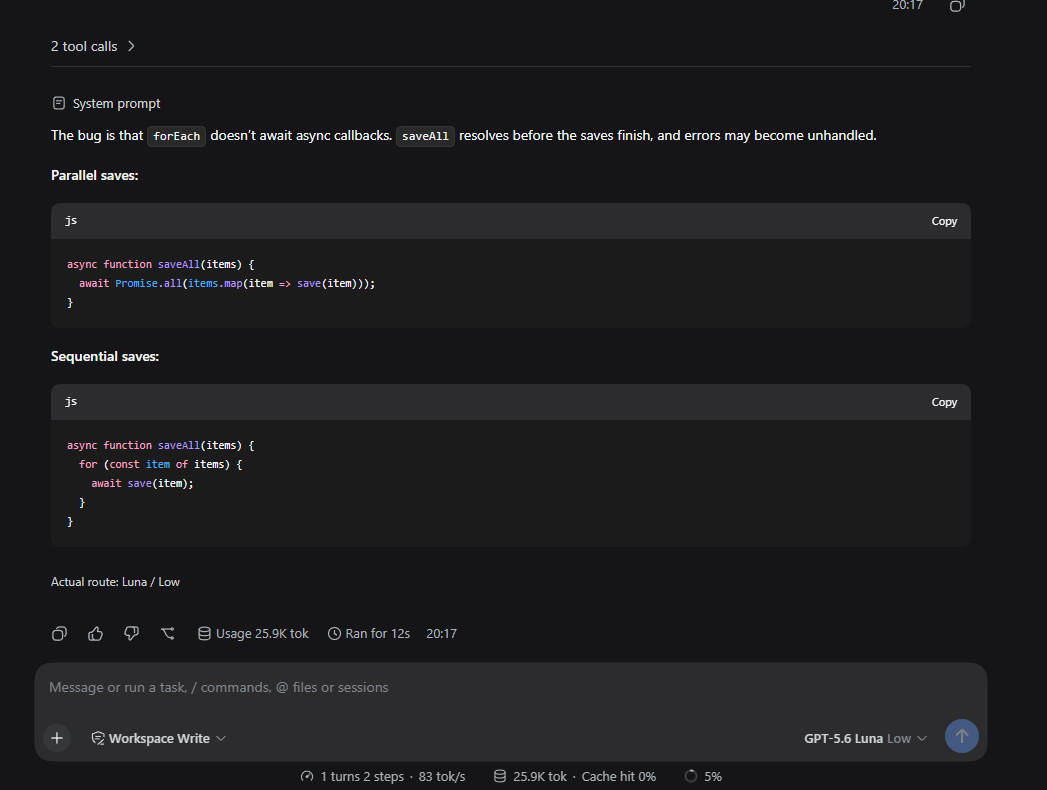
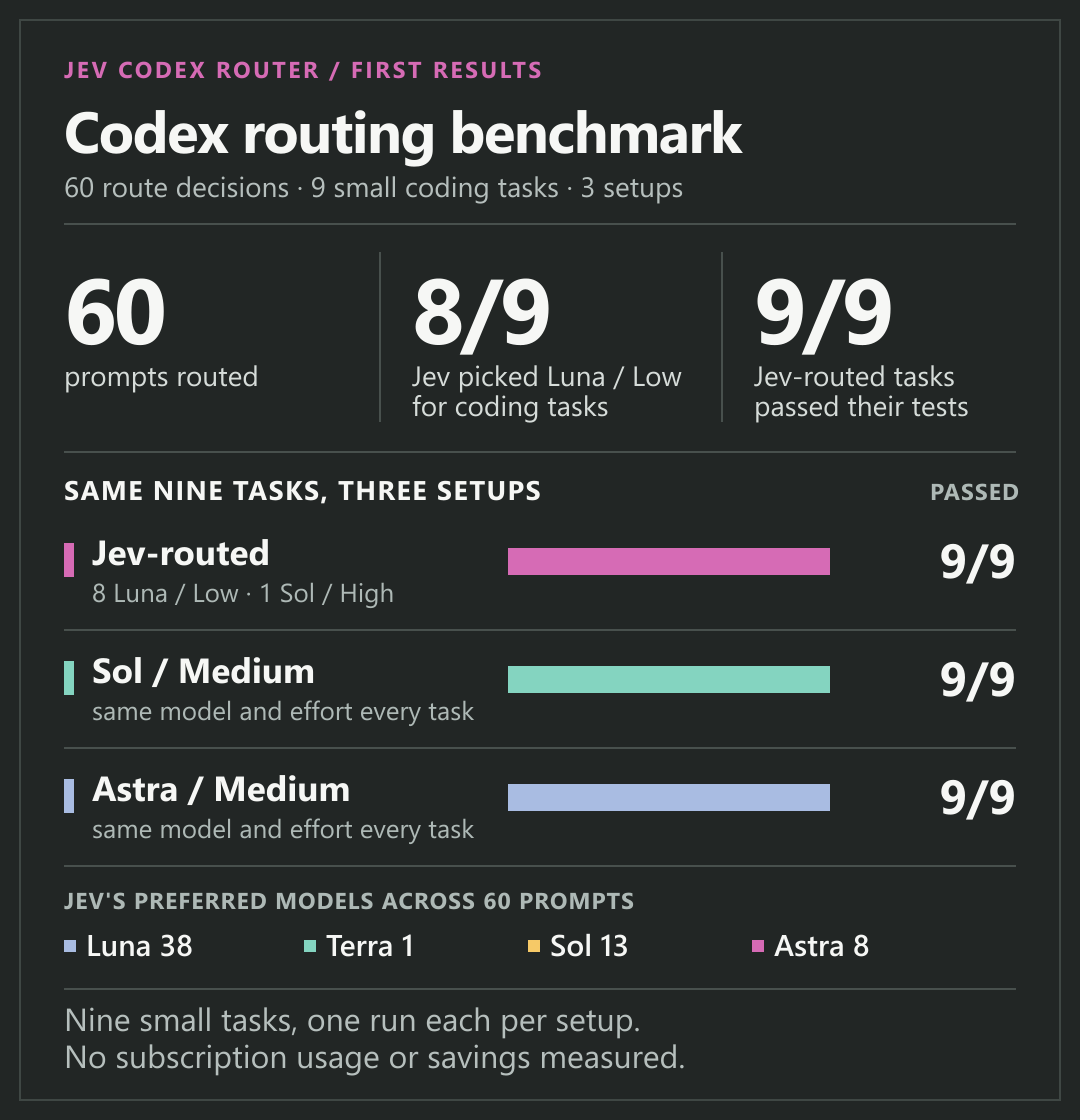
In a 60-prompt routing and nine-task coding benchmark, Jev preferred Luna 38 times, Terra once, Sol 13 times, and Astra eight times. It applied Luna/Low to eight coding tasks and Sol/High to one; Jev, fixed Sol/Medium, and fixed Astra/Medium each passed all nine. This small sample does not establish subscription savings or a universally best route. Switching models or efforts between turns may reduce prompt-cache reuse; that effect was not measured.
You'll need Node.js 22+, Git, pnpm, a ChatGPT account with Codex access, and a TypeSafe API key. Jev requests use TypeSafe separately from your ChatGPT subscription. This project uses the third-party @syncended/dsh-codex provider for ChatGPT sign-in; you do not need an OpenAI API key for that sign-in.
git clone https://github.com/nautahakk/jev-codex-router.git
cd jev-codex-router
npm install
npx dsh plugin --profile web add @syncended/dsh-codex@0.0.10
npm run router:install
npm run harness
In Harness, open Settings → OpenAI Codex and sign in, then open Settings → Jev Router and save your TypeSafe key. Choose your maximum model and Astra automatic limit there. Restart Harness after installing or updating a plugin.
On Windows, npm run launcher:install adds an optional desktop shortcut that opens Harness in an Edge app window. The checkout must stay in place for the shortcut and locally linked plugin to work.
For each substantive turn, Jev receives only the latest user-authored prompt (at most 8,000 characters from the start and 4,000 from the end), plus attachment type and display-name metadata. It does not receive file contents, tool output, workspace instructions, OAuth tokens, or the full conversation. The TypeSafe key is stored through Harness's credential service, not in router settings or browser storage.
Model calls go through the installed Codex provider and its ChatGPT sign-in. TypeSafe usage is billed or limited according to your TypeSafe account. OpenAI distinguishes ChatGPT sign-in from usage-billed API-key sign-in; this plugin does not change your OpenAI authentication method.
The repository pins @deepseek-ai/dsh to 0.1.6-alpha.2 and the TypeSafe SDK to 0.6.0. The Codex provider version used in setup is 0.0.10.
Known upstream issue: the pinned Harness stack pulls fflate@0.8.2 through its office-to-PDF feature. Malformed ZIP64 files can stall that version; npm reports no non-breaking fix for this dependency chain. The router itself does not parse archives. Avoid untrusted document uploads until Harness updates that dependency.
npm testThe plugin lives in plugin/. Please include your Harness, provider, and Node versions with bug reports. Never paste API keys or OAuth tokens into an issue.
MIT licensed. See LICENSE.
CLASSIFICATION EVIDENCE
系统优先读取 GitHub Topics,再与站内分类词典和词根规则比对。当前命中: 无有效分类标签。
deepseek-ai
DeepSeek Harness: Everything is a Plugin.

anywhere-labs
为 DeepSeek Harness (DSH) 插件生态打造的现代化桌面端解决方案。万物皆「插件」,桌面本身也是「插件」。

walkinglabs
Harness engineering beginner tutorial, from 0 to 1