
其他
完整应用

deepseek-harness
deepseek-ai
DeepSeek Harness: Everything is a Plugin.
PROJECT TOPICS
PROJECT README
English | 简体中文
Inspect a DeepSeek Harness UI element, identify whether it belongs to the DSH interface or an installed plugin, and export or hide the selection.
[!NOTE] This is an unofficial community project. It is not affiliated with or endorsed by DeepSeek.
[!IMPORTANT] Attribution comes from a local evidence-scoring detection algorithm, not an authoritative ownership statement from DSH or a plugin. “Confirmed” only means that the current evidence crossed the algorithm's threshold. It is not an absolute guarantee and does not establish that a plugin is trustworthy, safe, or signed by a particular author.
Press F1, point at an element, and click to inspect it. The plugin compares stable DOM markers with the client bundles DSH is actually serving to the current page, then presents the strongest matches and their supporting evidence.
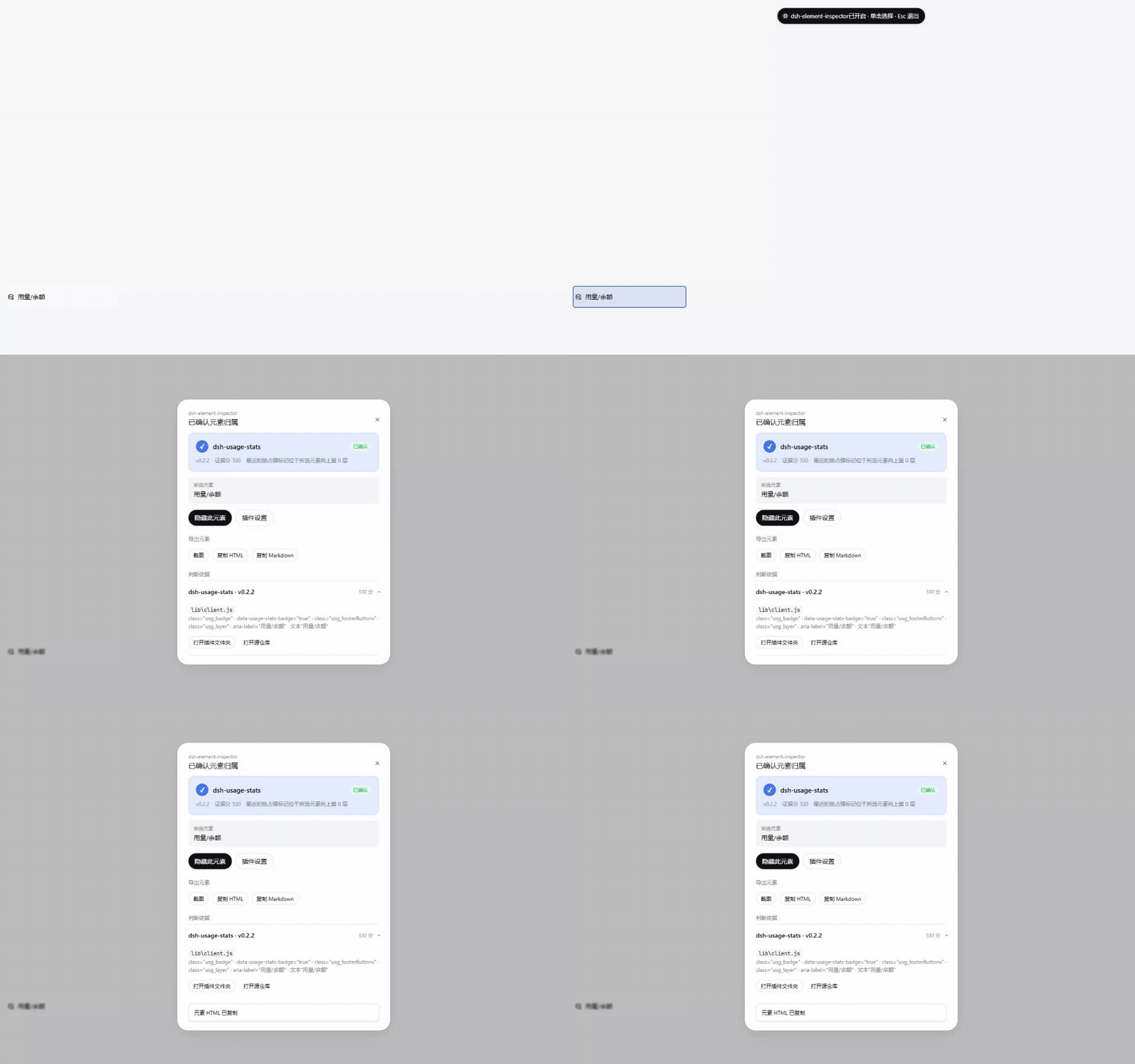
package.json.outerHTML, or converts the selection to GitHub Flavored Markdown.F1 by default; press it twice quickly for the compact settings dialog, or manage the shortcut and hidden rules under Settings → Plugin configuration.| Attribution result | Settings and hidden-element rules |
|---|---|
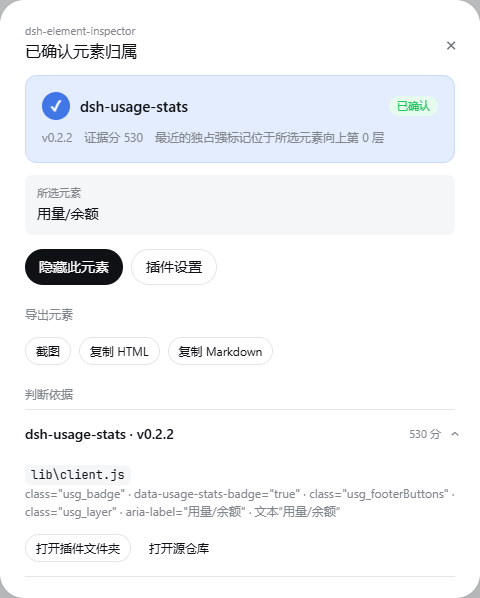 |
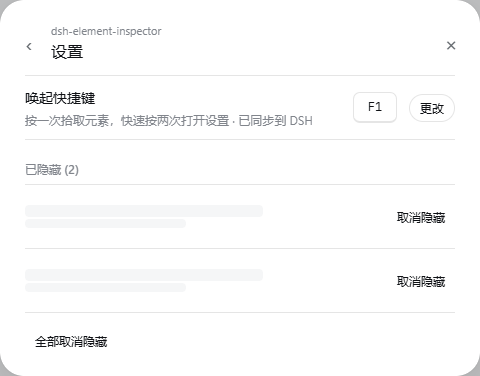 |
| Component | Supported versions or platforms |
|---|---|
| DeepSeek Harness | >=0.1.0-rc.8 <0.2.0-0 |
| DSH platforms | Web and Desktop |
| Operating systems | Windows, Linux, and macOS |
The plugin treats the DSH Host's clientModules.graph() and clientPath() as the runtime source of truth. Regular npm/pnpm installs, local links, workspace-hoisted packages, and dynamic Loader Web plugins therefore follow DSH's actual composition without assuming a fixed user directory, drive letter, Desktop data directory, or process working directory.
An existing DeepSeek Harness installation is required. Install the prebuilt package from npm into the web profile:
dsh plugin --profile web add dsh-element-inspectorNo install-time build permission is required. Restart the corresponding DSH Web or Desktop instance after installation. You can inspect the composed profile before starting it:
dsh --profile web --dump-config
dsh web
To install the source snapshot for this release directly from GitHub instead:
dsh plugin --profile web add github:muyuanjin/dsh-element-inspector#v0.7.0The repository includes the built runtime entry points, so this installation also requires no install-time build script.
To develop from a local checkout:
git clone https://github.com/muyuanjin/dsh-element-inspector.git
cd dsh-element-inspector
pnpm install
pnpm run build
dsh plugin --profile web add .
The profile remains linked to the checkout. Rebuild the browser bundle and restart DSH after changing client code.
Esc to cancel.Screenshots are copied to the system clipboard when the browser allows image writes; otherwise, they are downloaded as PNG files. HTML and Markdown are copied to the clipboard. All capture and conversion work happens locally.
The client collects stable signals from the selected element and up to seven ancestors, including IDs, classes, data-* attributes, ARIA labels, text, and React owner names. For controls projected by the DSH shell, such as settings navigation rows, the algorithm also connects React keys/components to current Cordis slot registrations and matches the registered component's function source. The Host accepts only Web entries in the current clientModules.graph() and scans only the served bundle returned by clientPath(id); it does not guess package entry points or scan conventional CSS locations.
Official DSH packages are grouped into one host candidate using built-in DSH identity metadata; other active runtime modules remain separate plugin candidates. The authoritative server graph automatically excludes disabled, Host-only, unloaded, and inspector-self entries. Opening a plugin directory or repository revalidates the current graph, bundle path, and manifest package name instead of reusing authorization from an earlier inspection. Runtime registration source, unique stable markers, and nearer ownership boundaries receive more weight. Shared, generated, or generic markers are discounted. A result is marked as confirmed only for exclusive runtime registration source, an exclusive stable ID/test marker, or multiple independent exclusive markers. A distant DSH wrapper alone is not enough to classify the selected child as official; insufficient evidence remains a candidate or produces no attribution.
data-* names, and function source can be reused or copied across plugins. The algorithm retains competing candidates where possible, but cannot infer the real author without exclusive evidence.package.json.See the disclosure field in package.json for the package-level permission declaration. To report a vulnerability, follow the security policy.
To update an npm installation and restart DSH:
dsh plugin --profile web update --latest dsh-element-inspectorFor a GitHub installation, install the desired release tag with the corresponding github: command.
To uninstall the plugin and remove its bundle layer from the profile:
dsh plugin --profile web remove dsh-element-inspectorThe plugin does not modify conversations, credentials, or other plugin data. Before uninstalling, you can open its settings and clear all hidden-element rules.
The host entry point is index.js. Browser code lives in src/client.js and is bundled to client.js.
pnpm run test
pnpm run build
The test suite covers attribution scoring, authoritative client-module discovery, a real Cordis + Connection route composition and its trust fences, portable package resolution, the settings contract, hiding rules, and element export helpers. The build command regenerates the browser bundle with esbuild.
Licensed under the MIT License.
CLASSIFICATION EVIDENCE
系统优先读取 GitHub Topics,再与站内分类词典和词根规则比对。当前命中: 无有效分类标签。
deepseek-ai
DeepSeek Harness: Everything is a Plugin.

anywhere-labs
为 DeepSeek Harness (DSH) 插件生态打造的现代化桌面端解决方案。万物皆「插件」,桌面本身也是「插件」。

walkinglabs
Harness engineering beginner tutorial, from 0 to 1