
其他
完整应用

deepseek-harness
deepseek-ai
DeepSeek Harness: Everything is a Plugin.
PROJECT TOPICS
INSTALL REFERENCE
dsh plugin --profile web add github:master1Sun/dsh-prompt-library
该命令指向仓库当前默认分支;尚无绑定当前 commit 的完整验证结果。
PROJECT README
🇨🇳 中文 | 🌐 English
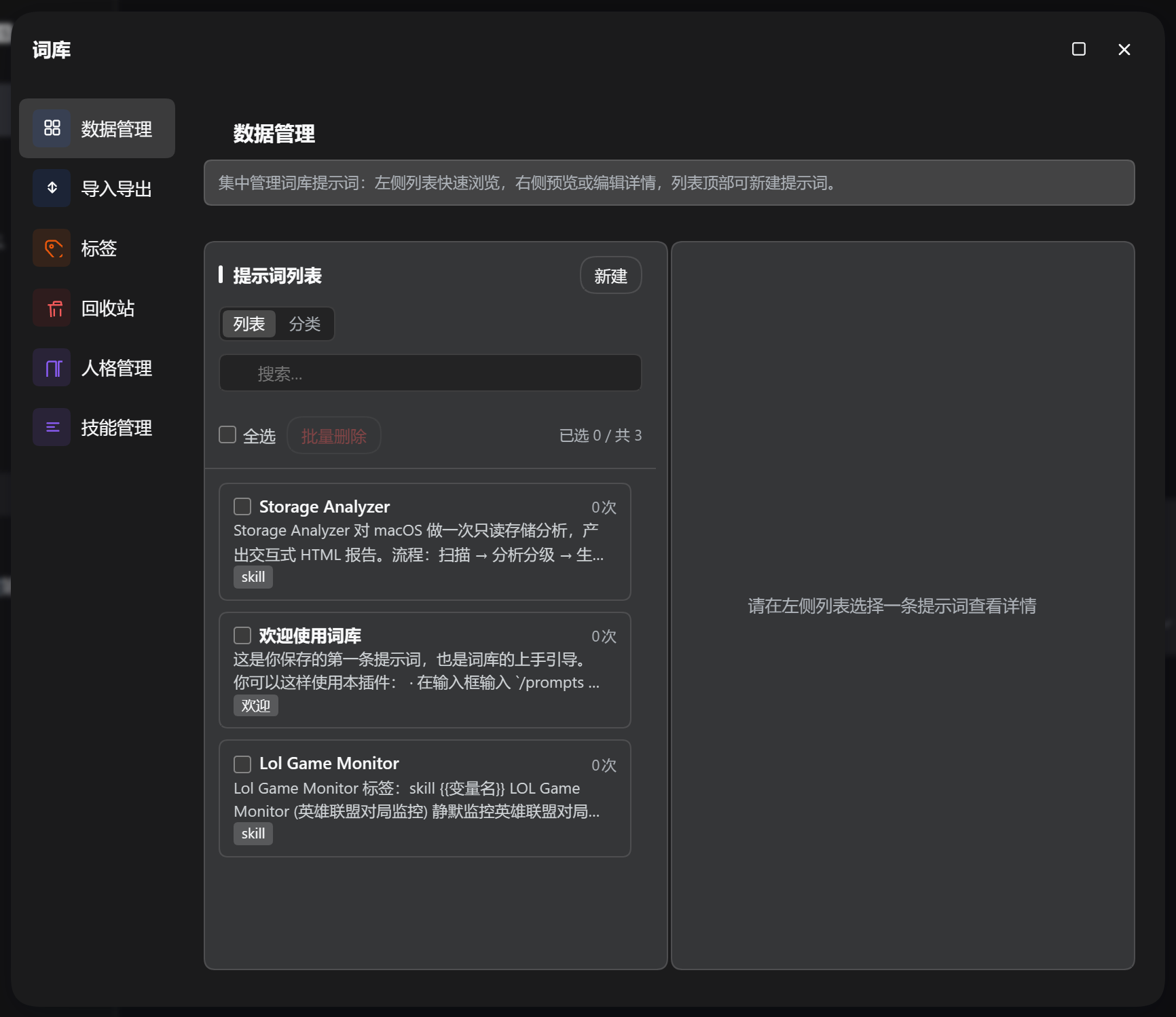
DSH (DeepSeek Harness) prompt library plugin: provides prompt management, AI polish and persona customization in the chat bar, helping you accumulate, reuse and continuously improve prompts.
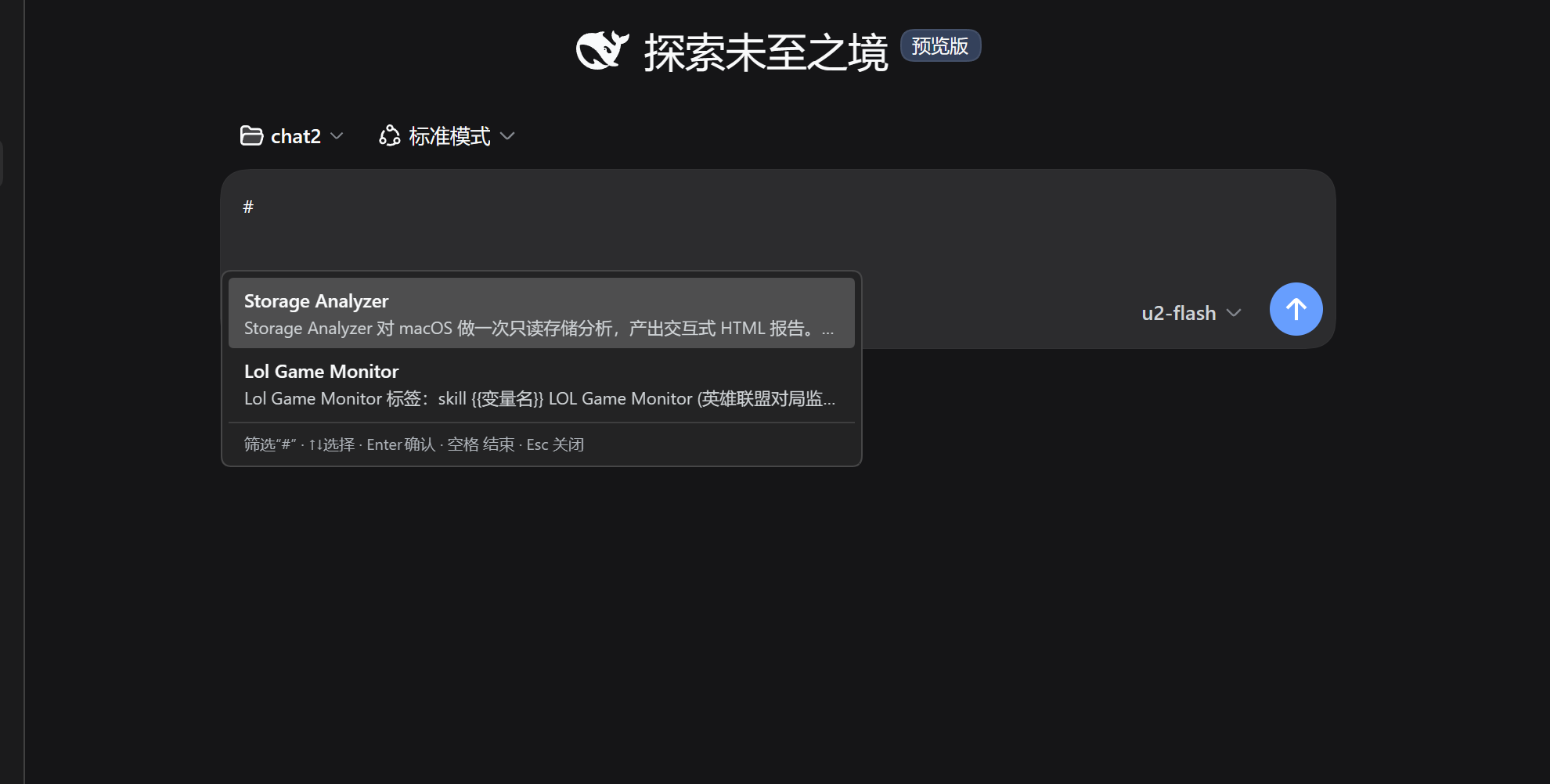
{{}}); outside # scenarios it is only available when the draft is empty, avoiding accidentally carrying existing content; when triggered by #, the trigger word is filtered out while the preceding text is kept and sent along# to quickly trigger selection with real-time filtering~/.dsh/skills/<name>/SKILL.md, and can be triggered by typing /skill-name in the chat box, or auto-matched by the model from the description{{variables}}, the "placeholder auto-fill" capability is marked at generation time — when using the skill, AI infers and fills them automatically from the current semantic context, no manual input neededPersona bodies live in the database (prompts.db: default persona in the meta table, custom ones in the personas table), constraining every AI call and the session they apply to, forming a stable assistant persona. A complete default template is seeded automatically when missing; its content is manually maintained by the user, and AI only reads it without modifying it on its own. Multiple personas (SOUL) can be created and bound per workspace/project — new sessions opened under a matched path automatically adopt that persona.
| Storage | Meaning | Purpose |
|---|---|---|
| SOUL | Persona | Identity, tone/personality, working rules |
Under DSH Settings → Prompt Library, adjust: AI model selection, panel size, library-menu button visibility, chat-bar button visibility/icon-only, # triggering, context recommendations, add-prompt-from-selection, maximum stored prompts, etc. Changes take effect immediately.
The library uses SQLite (node:sqlite); all other configs and logs are stored under ~/.dsh/prompt-library/:
~/.dsh/prompt-library/
├── db/prompts.db      # prompt library, personas & bindings (SQLite)
├── log/
│   └── ai-YYYY-MM-DD.log   # AI diagnostic logs (per-day files)
└── character/         # (legacy, migration read-only; personas now live in the database)
~/.dsh/settings.yaml # plugin settings (prompt-library namespace)dsh plugin --profile web add @sunjuntao/dsh-prompt-libraryStart dsh web, click the "Library" menu button above the settings button in the sidebar to reach every feature panel; or use the prompt-library button beside the chat input, type # for the quick picker, and click "AI Polish" to polish your input with one click.
npm install
npm run deploy   # type check + build + sync to DSH (restart dsh web to take effect)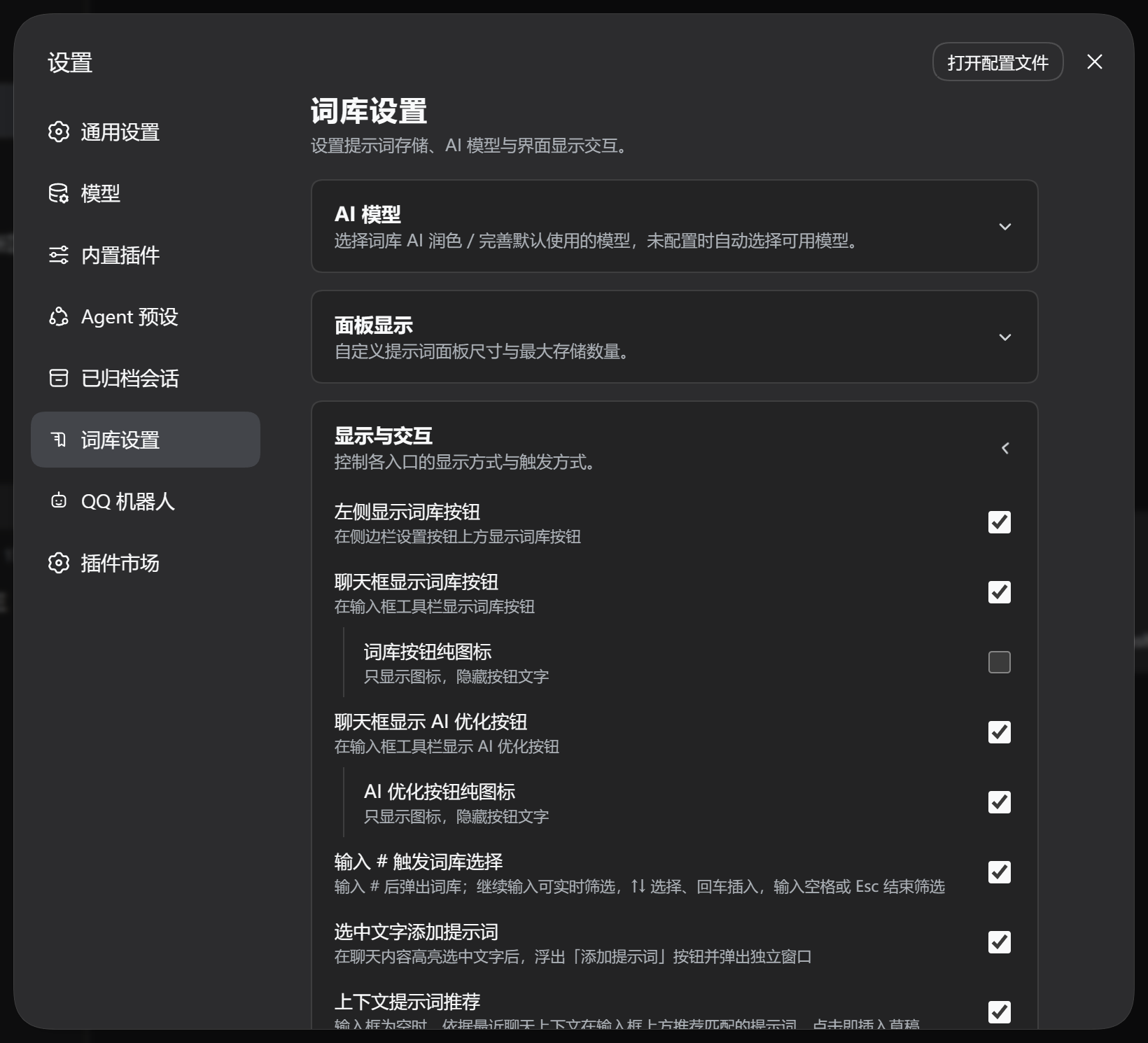
master1Sun
CLASSIFICATION EVIDENCE
系统优先读取 GitHub Topics,再与站内分类词典和词根规则比对。当前命中: 无有效分类标签。
deepseek-ai
DeepSeek Harness: Everything is a Plugin.

anywhere-labs
为 DeepSeek Harness (DSH) 插件生态打造的现代化桌面端解决方案。万物皆「插件」,桌面本身也是「插件」。

awesome-dsh-plugin
A curated list of plugins for DeepSeek Harness (dsh) · DeepSeek Harness 插件精选列表