
其他
完整应用

deepseek-harness
deepseek-ai
DeepSeek Harness: Everything is a Plugin.
PROJECT TOPICS
PROJECT README
DSH web UI 紧凑顶栏插件:顶栏变窄、单行布局 + 药丸视图切换 + 淡分割线。 A DSH web UI client plugin: a compact, one-line top bar with a pill-style view switcher and subtler divider.
给 DeepSeek Harness Web UI 的一个纯样式插件,重新设计会话顶栏(conversation.session.header 槽位):
| 调整 | 原版 | 本插件 |
|---|---|---|
| 布局 | 标题行 + 下方独立的标签行(约 75px 高) | 单行:会话标题 \| 对话/轨迹药丸 \| Session log 下载,约 44px |
| 视图切换 | 下划线标签(Tab) | 药丸开关(圆角胶囊,选中段实心高亮),位于 Session log 下载按钮左侧 |
| 分割线 | 强色 border-l2 发丝线 |
极淡的 border-l1 混色,不再抢注意力 |
| 原生 (Native) | 安装插件后 (With plugin) | |
|---|---|---|
| 亮色 Light | 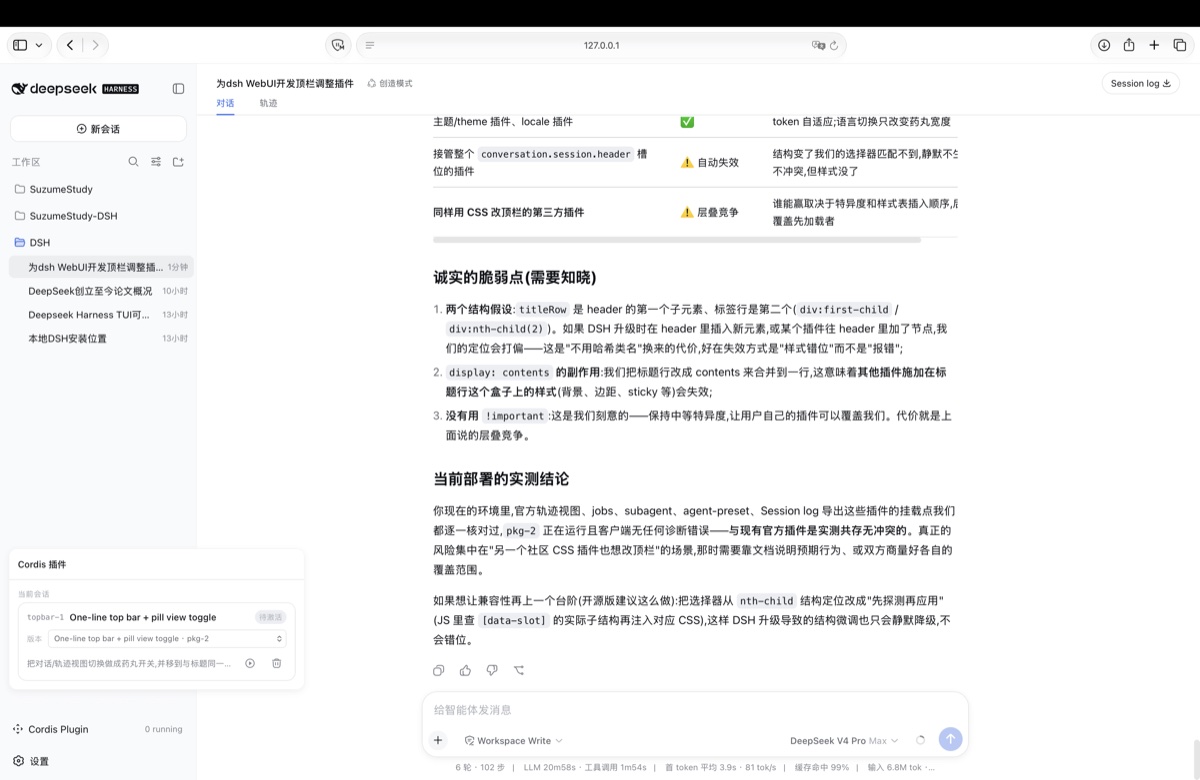 |
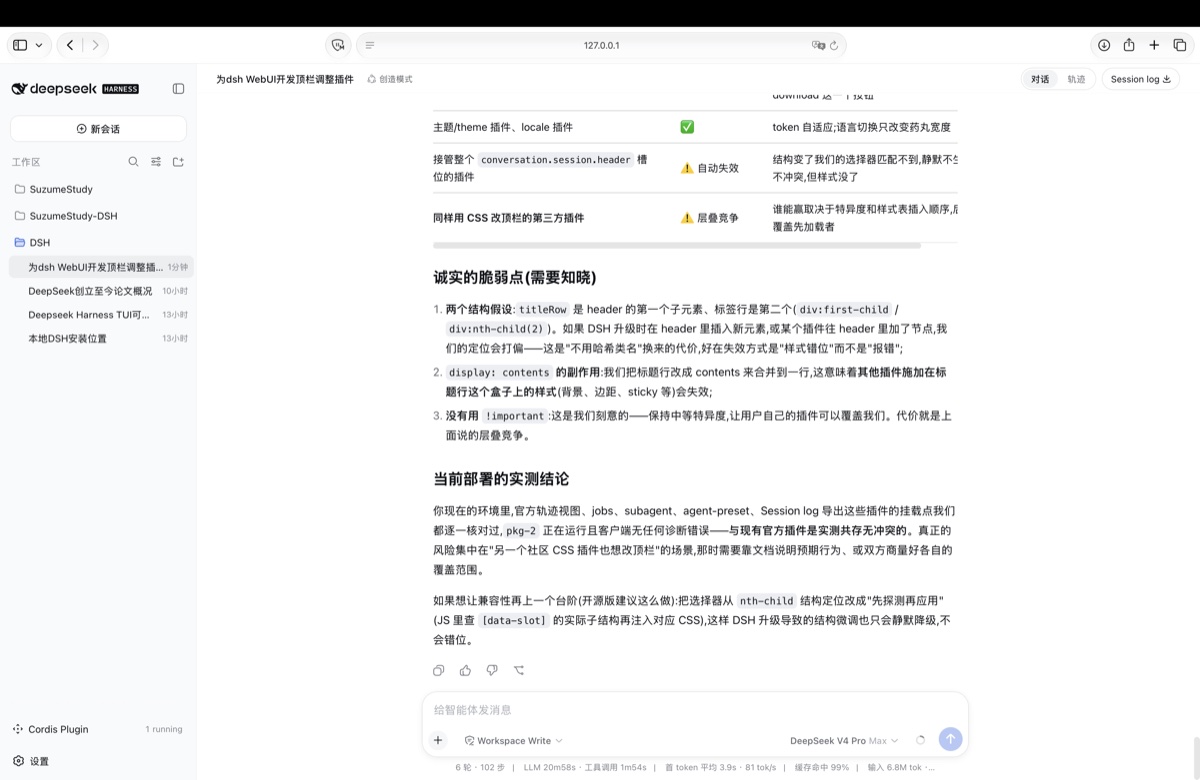 |
| 暗色 Dark | 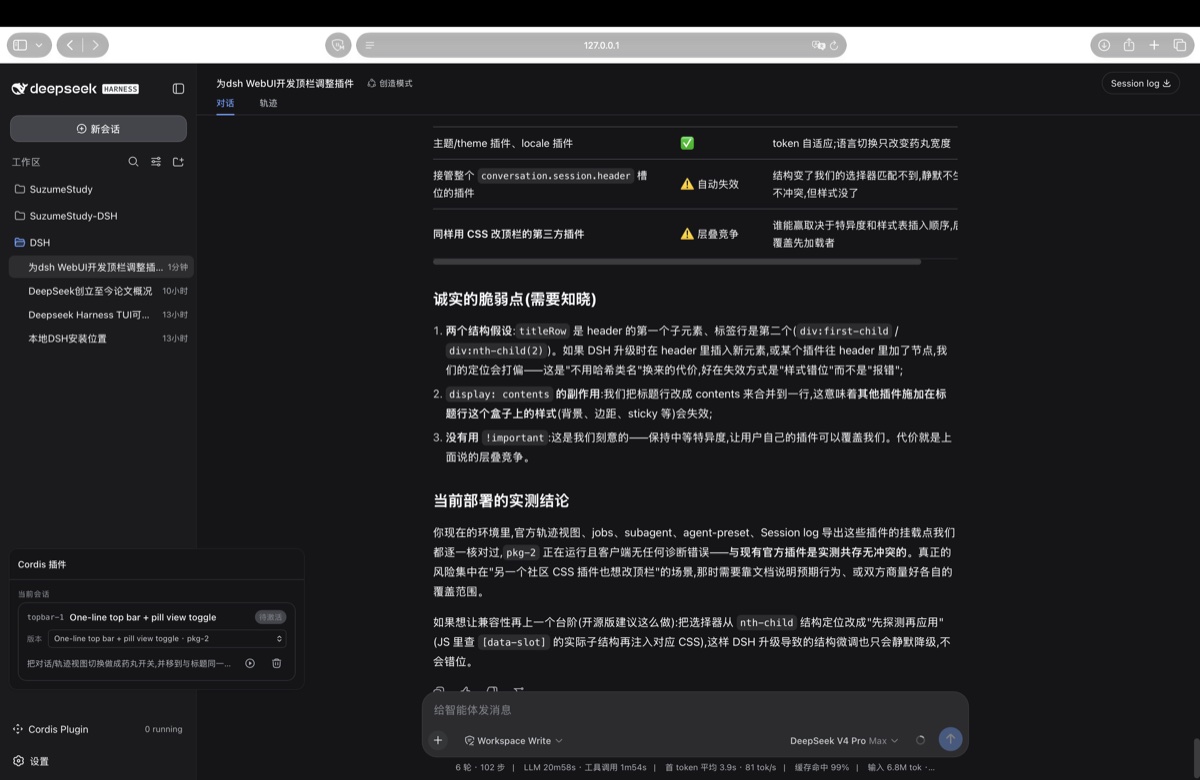 |
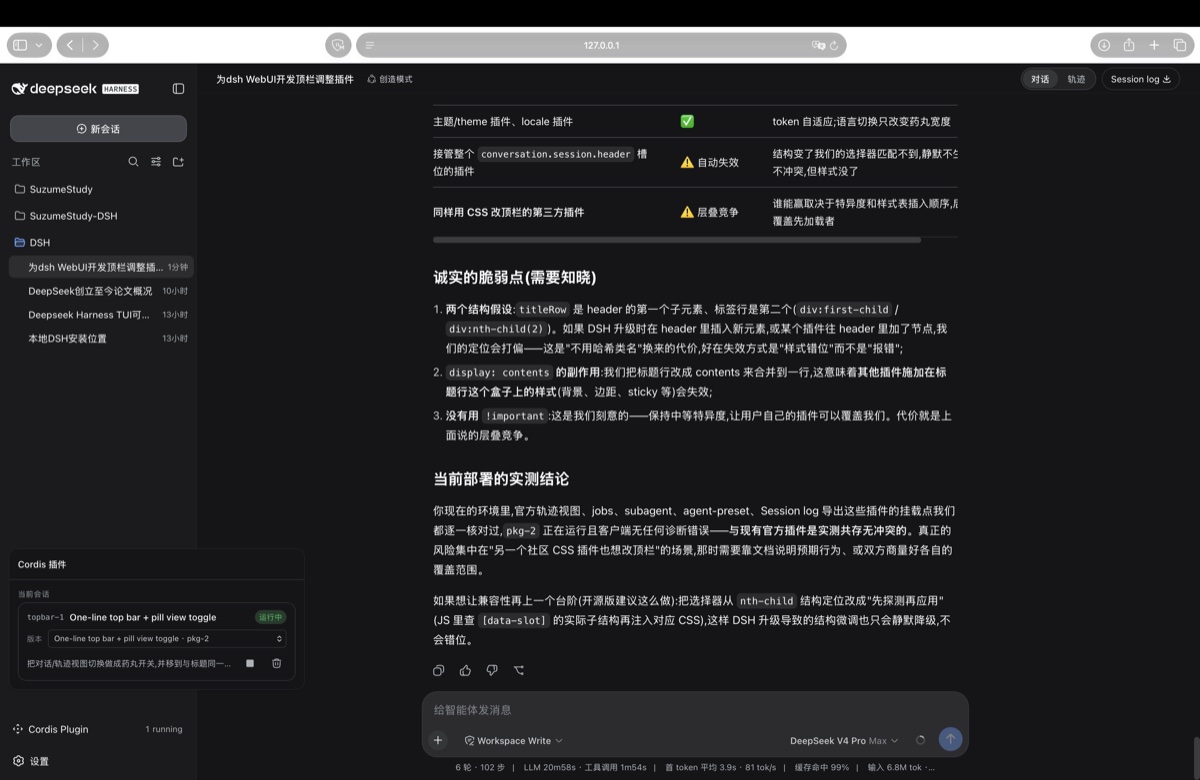 |
单行布局示意:
┌─────────────────────────────────────────────────────────────┐
│  Workspace / Session 标题 …        (对话 | 轨迹)  [Session log] │
└─────────────────────────────────────────────────────────────┘DSH 通过 npm 包名 + profile 的 patch 层挂载插件,两步:
1. 把包装进你的 web profile
dsh plugin --profile web add dsh-ui-topbar-compact2. 在 profile 的 patch 层挂一行
编辑 ~/.dsh/profiles/web/cordis.patch.yml,追加:
- insert:
    - id: ui-topbar
      name: 'dsh-ui-topbar-compact'
重启 dsh web 即可生效。
# 1. 从 cordis.patch.yml 中删掉上面的 insert 行
# 2. 移除包
dsh plugin --profile web remove dsh-ui-topbar-compactdata-slot 属性上(conversation.session.header / conversation.session.header.utilities),不依赖官方包的 CSS Module 哈希类名,官方包重建不破坏本插件;--dsw-alias-* 主题 token,亮/暗模式与自定义主题自动适配;package.json 的 dsh.client 声明 platform: "web",宿主侧无操作;conversation.view 的新视图标签会自动获得药丸样式;注册到 header.utilities 的按钮会排在药丸右侧;conversation.session.header 槽位,本插件会静默降级(不生效或错位),而不会报错。兼容版本:DSH 0.1.0-rc.6(更高版本未验证)。
CLASSIFICATION EVIDENCE
系统优先读取 GitHub Topics,再与站内分类词典和词根规则比对。当前命中: 无有效分类标签。
deepseek-ai
DeepSeek Harness: Everything is a Plugin.

walkinglabs
Harness engineering beginner tutorial, from 0 to 1

anywhere-labs
为 DeepSeek Harness (DSH) 插件生态打造的现代化桌面端解决方案。万物皆「插件」,桌面本身也是「插件」。