
模型与 MCP
待识别

rea
morluto
Reverse engineer anything with agents, from app behavior down to native binaries.
PROJECT TOPICS
INSTALL REFERENCE
dsh plugin --profile web add github:machine202502/dsh-screenshoot
该命令指向仓库当前默认分支;尚无绑定当前 commit 的完整验证结果。
PROJECT README
A DSH plugin for screen and window captures. Cross-platform: Windows, macOS, Linux (X11).
The main difference from an ordinary "screen screenshot": a window is captured by its own pixels, so the shot works even if the window is behind another window, minimized in the background or out of focus. A movie in the foreground and the agent's app behind it are not a problem.
| Tool | What it does |
|---|---|
screen_monitors |
list of monitors: position, size, scale, primary |
screen_windows |
visible windows: id, pid, title, process, position, size |
screen_capture_monitor |
capture of a whole monitor |
screen_capture_region |
capture of a rectangular region |
screen_capture_window |
capture of a window by pid, title or id (decimal or 0x…) |
A region is clipped to the virtual desktop bounds: if it goes beyond the screen, the shot is
taken over the intersection and clamped appears in the caption, and if there is no
intersection at all, a clear error with the desktop dimensions is returned.
All three captures have delayMs — wait before the shot (up to 30 s). Useful when a menu
opens, an animation is playing, or the window has not repainted yet.
All three captures also take cursor: true — draw the mouse pointer into the shot. The default
is off: a shot looks exactly like the screen behind the pointer. Turn it on when the pointer
itself is the point (hover state, a drag, "this control here"), and leave it off when it would
cover the text the agent has to read.
| Platform | cursor: true |
|---|---|
| Windows | monitor, region and window — the live pointer shape is drawn at its screen position |
| macOS | screencapture -C; the system may skip the pointer in a window shot |
| Linux Wayland | grim -c, monitor and region |
| Linux X11 | not possible with ImageMagick import — the tool returns a clear error, never a shot silently missing the pointer |
All shots are saved as PNG and the path is returned in the result — it can be opened with the
read_image tool to look at the picture.
A window can be captured not whole but with a rectangle cut out relative to its top-left corner:
screen_capture_window { pid: 11184, crop: { x: 40, y: 60, width: 420, height: 240 } }
→ window 420×240 … · crop 420×240 at 40,60
Coordinates are counted from the window corner (the top-left point of the content), not from the screen. If the rectangle goes beyond the shot, an error with the picture dimensions is returned — we will not silently clip to the edge.
Cropping works on every platform: the shot is taken the platform way, then the PNG is cropped
by the built-in decoder (src/png.js), without ImageMagick and without external dependencies.
Like in Browser: after a shot a thumbnail appears in the tool row. The host raises a local
frame server on 127.0.0.1:49231, the tool returns a [shot:<id>] marker, and the client
renders an <img> from it. The last 24 frames are kept in memory; the files stay on disk.
Clicking a thumbnail opens the PNG in a new tab.
Windows — PowerShell + Win32:
EnumWindows + DwmGetWindowAttribute — window list and exact bounds;PrintWindow(PW_RENDERFULLCONTENT) — rendering the window into a bitmap instead of copying
the screen; that is exactly why an occluded window is captured;Graphics.CopyFromScreen — monitor and region;GetCursorInfo + DrawIconEx — the live pointer for cursor: true, drawn at its screen
position with the shape's hotspot accounted for;macOS — screencapture + JavaScript for Automation:
NSScreen — monitors;CGWindowListCopyWindowInfo — windows and their bounds;screencapture -l <window id> — a window, even an occluded one; -R — region; -D — monitor.The Screen Recording permission is required (System Settings → Privacy). Without it macOS will only give the wallpaper.
Linux (X11) — xrandr, wmctrl, ImageMagick import:
xrandr --query — monitors;wmctrl -lGpx — windows, pid and geometry;import -window <id> — the window from its own buffer; -window root -crop — region.On Wayland the X11 tools do not see windows: the plugin will honestly say what is missing instead of a black shot. Wayland needs a portal/grim approach.
dsh plugin --profile desktop add @machine202502/dsh-screenshootor manually: add to ~/.dsh/profiles/desktop/package.json
{
  "dependencies": { "@machine202502/dsh-screenshoot": "^0.1.2" },
  "dsh": { "profile": { "bundles": ["…", "@machine202502/dsh-screenshoot"] } }
}
and restart DSH. The plugin pulls no npm dependencies — only the platform's system tools.
Interface languages: Russian, English, Chinese.
The interface language comes from the language extension setting when it is ru, en or
zh. The value auto follows the application language: document.documentElement.lang, then
navigator.language; ru* → ru, zh* → zh, otherwise en. With no setting at all the
default is ru.
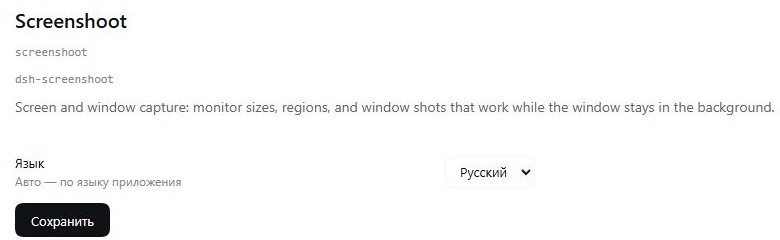
The setting is changed in the plugin form Plugins → Screenshoot and stored in the file
%LOCALAPPDATA%\dsh-screenshoot\settings.json.
screen_monitors
→ 0* 3200x2000 at 0,0

screen_windows { title: "Brave" }
→ 132518  pid 9800  3200x1904 at 0,0  machine202502/dsh-browser – Brave

screen_capture_window { title: "Brave" }
→ path to PNG 3200x1904 (the window was behind DSH)

screen_capture_region { x: 100, y: 100, width: 800, height: 500 }
screen_capture_monitor { monitor: 0 }| Platform | What is needed |
|---|---|
| Windows | PowerShell 5.1+ (present by default), .NET Framework |
| macOS | Screen Recording permission |
| Linux X11 | xrandr, wmctrl, ImageMagick (import) |
| Linux Wayland | grim, wlr-randr (monitor/region only) |
node tests/probe.mjs   # the platform backend directly
node tests/smoke.mjs   # the tools through index.js
CLASSIFICATION EVIDENCE
系统优先读取 GitHub Topics,再与站内分类词典和词根规则比对。当前命中: deepseek-harness。
morluto
Reverse engineer anything with agents, from app behavior down to native binaries.

deepseek-ai
DeepSeek Harness: Everything is a Plugin.

nexu-io
The 1st Collaborative AI Design Agent Workspace. Local-first and open source. Create motion, prototypes, websites, apps, dashboards, presentations, images, and videos with your team and AI agents. Share work, exchange feedback, and iterate together in one workspace.