
其他
完整应用

deepseek-harness
deepseek-ai
DeepSeek Harness: Everything is a Plugin.
PROJECT TOPICS
INSTALL REFERENCE
dsh plugin --profile web add github:lywusichen/dsh-skill-panel
该命令指向仓库当前默认分支;尚无绑定当前 commit 的完整验证结果。
PROJECT README
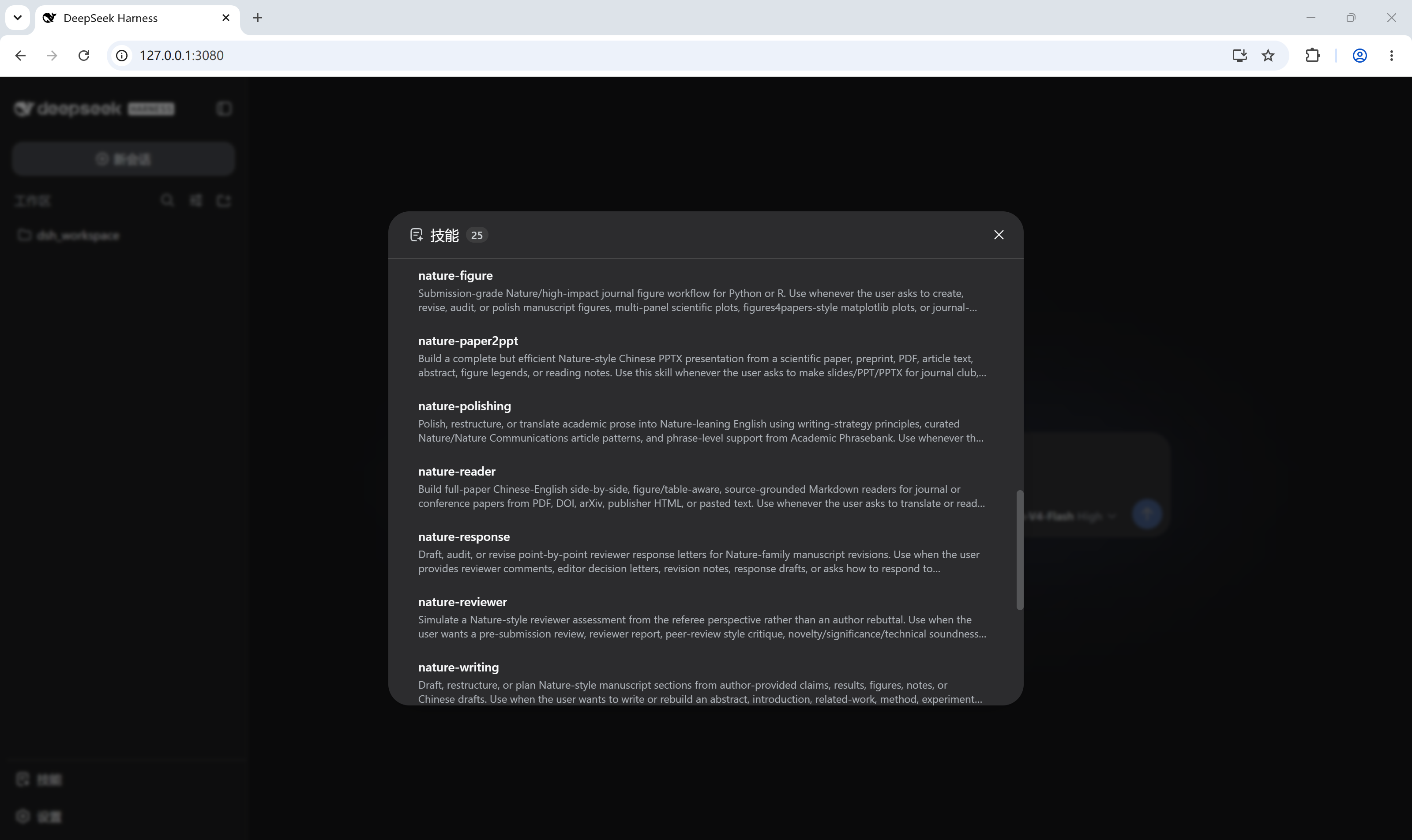
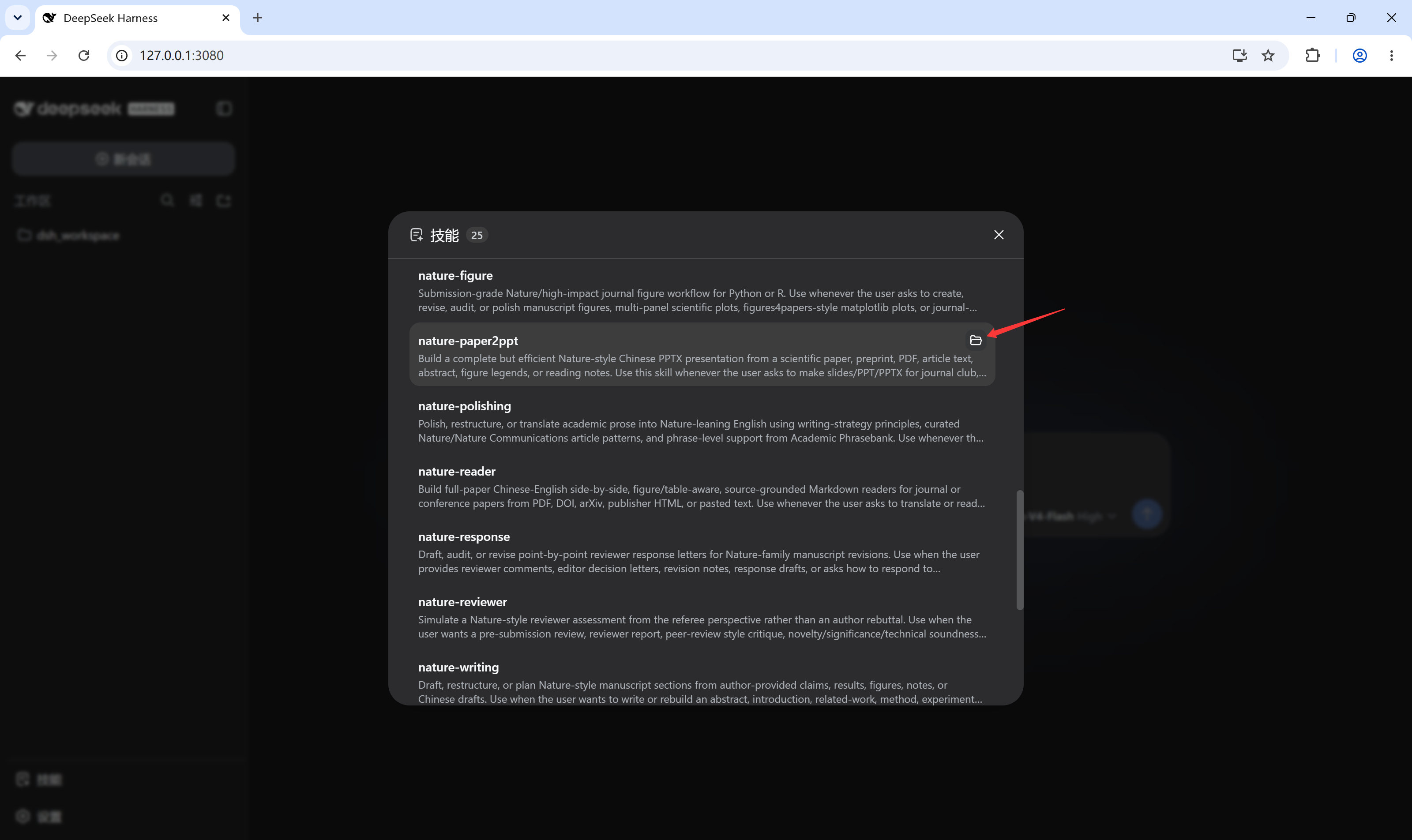
DeepSeek Harness plugin: a skill trigger in the sidebar foot that opens a dialog (same form and feel as the built-in Settings dialog) listing the current session's loaded skills, each with an "open local folder" jump to its directory on disk.
dsh plugin add wires the plugin row automatically
via the bundled dsh.bundle.patch; no cordis.patch.yml edits.skill.list RPC and
folder jumps ride host.openPath. The directoryPath field is an optional
host enhancement: on hosts that do not expose it, rows simply render without
the folder button (the dialog still lists every skill).skills/change event (plus a 30s poll
fallback for older cores) keeps an open dialog in sync when skills are
added, removed, or edited on disk — no reopening, no manual refresh.dsh plugin --profile web add github:<user>/dsh-skill-panelThen restart dsh web. A skill icon appears at the bottom of the left
sidebar (beside Settings). Click it to open the skills dialog; hover a skill
row to reveal its folder button.
user-only badge where applicable), re-fetched
per-session and cached alongside the composer's / skill menu.The skill trigger sits at the bottom of the left sidebar, beside Settings:
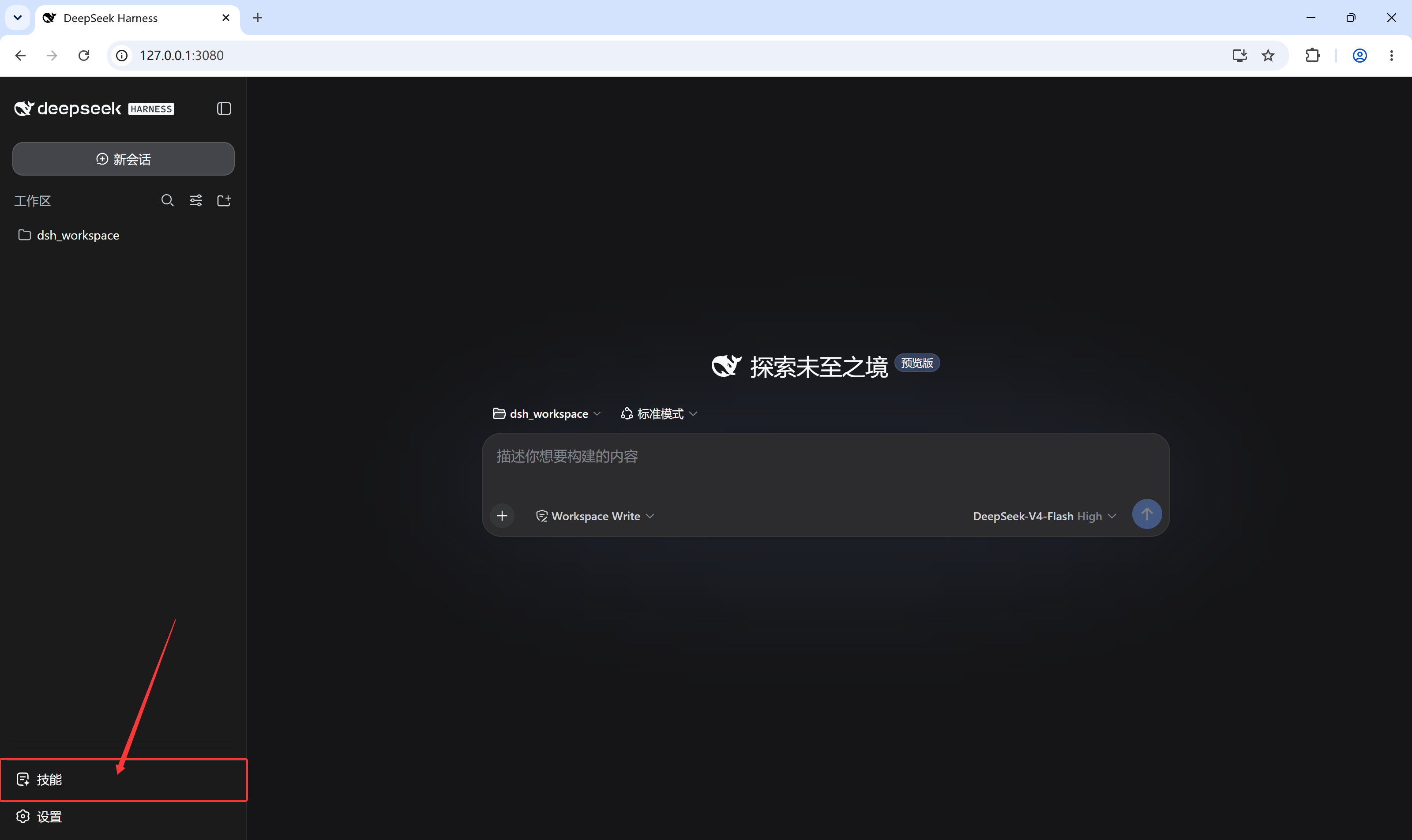
Clicking it opens the loaded-skills dialog:
Hovering a skill row reveals the folder button that opens that skill's local directory:
npm install        # esbuild only
npm run build      # bundles src/client.jsx -> lib/client.js (also runs via prepare on install)
The client bundle is a single CJS file; @deepseek-ai/* and react-family
modules stay external because the dsh shell provides them as platform-static
modules. Commit lib/client.js — git-hosted installs consume the built
artifact directly.
CLASSIFICATION EVIDENCE
系统优先读取 GitHub Topics,再与站内分类词典和词根规则比对。当前命中: skills。
deepseek-ai
DeepSeek Harness: Everything is a Plugin.

walkinglabs
Harness engineering beginner tutorial, from 0 to 1

anywhere-labs
为 DeepSeek Harness (DSH) 插件生态打造的现代化桌面端解决方案。万物皆「插件」,桌面本身也是「插件」。