

其他
完整应用

deepseek-harness
deepseek-ai
DeepSeek Harness: Everything is a Plugin.
PROJECT TOPICS
PROJECT README



中文 | English
为 DeepSeek Harness Web(dsh --profile web)记录每日 LLM 调用花费,支持按会话 / 模型 / 天多维度查看。
Daily LLM cost tracking for DeepSeek Harness Web: records token usage per call and shows per-session / per-model / per-day costs in a built-in dashboard.
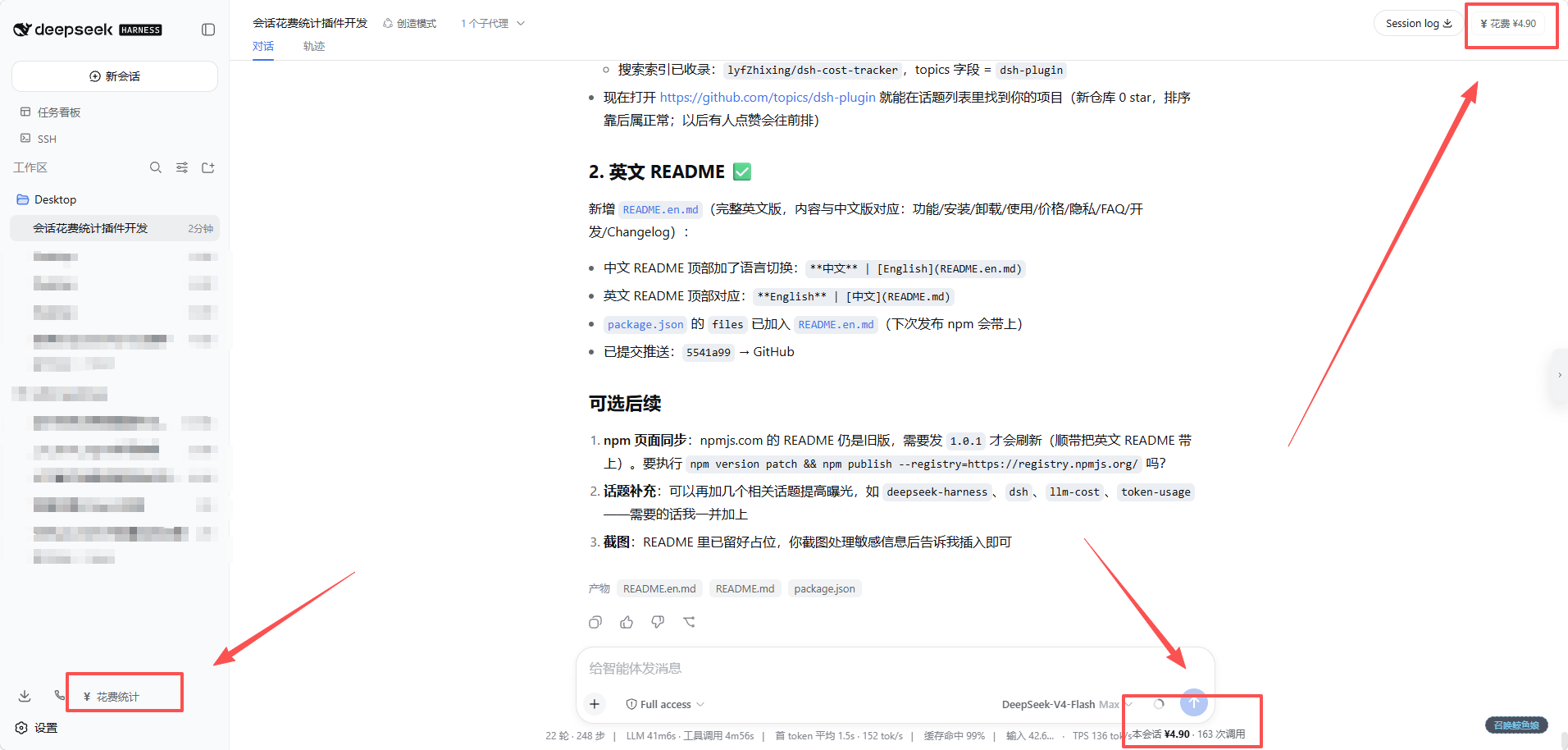
dsh plugin --profile web add dsh-cost-tracker然后重启 dsh web,刷新页面即可在侧边栏底部看到「¥ 花费统计」。
国内镜像(npmmirror)同步新包有延迟(几分钟到几小时),若安装报 404,可临时指定官方源:
dsh plugin --profile web add dsh-cost-tracker --registry=https://registry.npmjs.org/
dsh plugin --profile web add github:lyfZhixing/dsh-cost-tracker(包无构建步骤,git 安装无需额外配置)
dsh plugin --profile web add /path/to/dsh-cost-trackerdsh plugin --profile web remove dsh-cost-tracker卸载只移除插件,本机数据文件 ~/.dsh/cost-tracker.json 会保留。
Esc、再次点击侧边栏按钮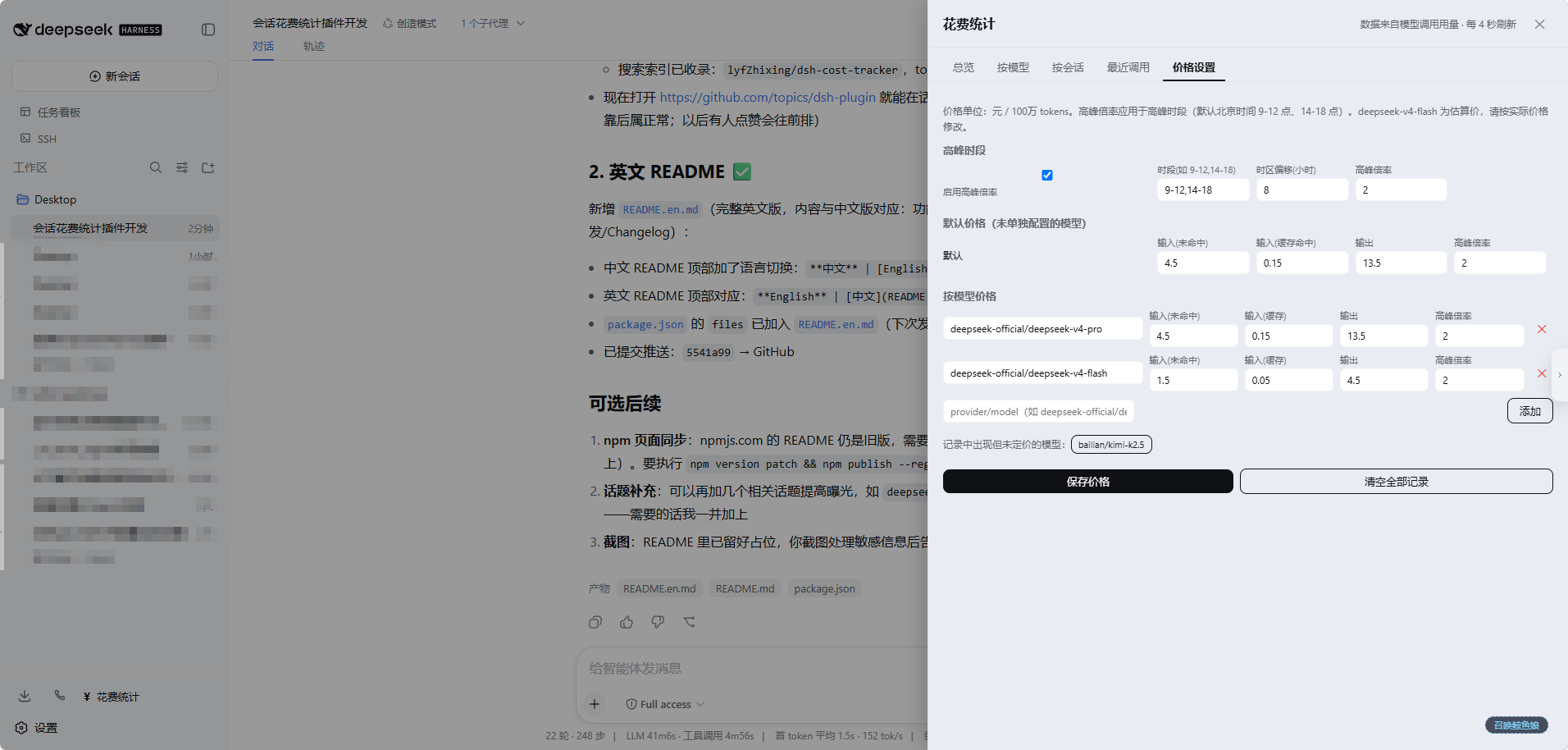
inputMiss = 未命中缓存输入价,inputHit = 缓存命中输入价,output = 输出价deepseek-v4-pro / deepseek-v4-flash)为估算值,请务必在「价格设置」页按实际价格修改~/.dsh/cost-tracker.json(记录、会话标题、定价表)/cost-tracker/data)拉取统计Q: 安装后没有记录 / 显示 0? A: 插件只记录安装之后新产生的模型调用;历史调用无法回溯。确认「价格设置」页存在对应模型的定价(未定价的模型会提示,可用 fallback 兜底)。
Q: 价格不准确怎么办? A: 默认价格为估算值,请在面板「价格设置」页按你的实际计费标准修改(单位:元 / 100 万 tokens)。
Q: 卸载插件后数据会丢吗?
A: 不会。数据文件 ~/.dsh/cost-tracker.json 独立保存,重装插件后自动恢复。
Q: 国内镜像安装报 404?
A: npmmirror 对新包同步有延迟,临时用 --registry=https://registry.npmjs.org/ 安装,或稍后再试。
dsh-cost-tracker/
├── package.json        # dsh.bundle + dsh.client 声明
├── cordis.patch.yml    # 安装时的插件行插入层
└── lib/
    ├── index.js        # 宿主端:记录用量、持久化、HTTP 路由
    └── client.js       # 浏览器端:UI(原生 JS bundle,无构建步骤)
lib/client.js 由服务器实时读取(cache-control: no-cache),改完刷新页面即生效lib/index.js 为宿主端代码,改动需重启 dsh webwindow.__ModuleLoader__.load({ id, factory }) 格式编写MIT
CLASSIFICATION EVIDENCE
系统优先读取 GitHub Topics,再与站内分类词典和词根规则比对。当前命中: 无有效分类标签。
deepseek-ai
DeepSeek Harness: Everything is a Plugin.

anywhere-labs
为 DeepSeek Harness (DSH) 插件生态打造的现代化桌面端解决方案。万物皆「插件」,桌面本身也是「插件」。

walkinglabs
Harness engineering beginner tutorial, from 0 to 1