
模型与 MCP
待识别

rea
morluto
Reverse engineer anything with agents, from app behavior down to native binaries.
PROJECT TOPICS
INSTALL REFERENCE
dsh plugin --profile web add github:lsh-lenvast/dsh-plugin-tcm-learning
该命令指向仓库当前默认分支;尚无绑定当前 commit 的完整验证结果。
PROJECT README
在 DeepSeek Harness 的 Web GUI 里,用工作区的 Markdown 搭一座中医书架:板块 → 书脊 → 阅读,另有一页配置后台。
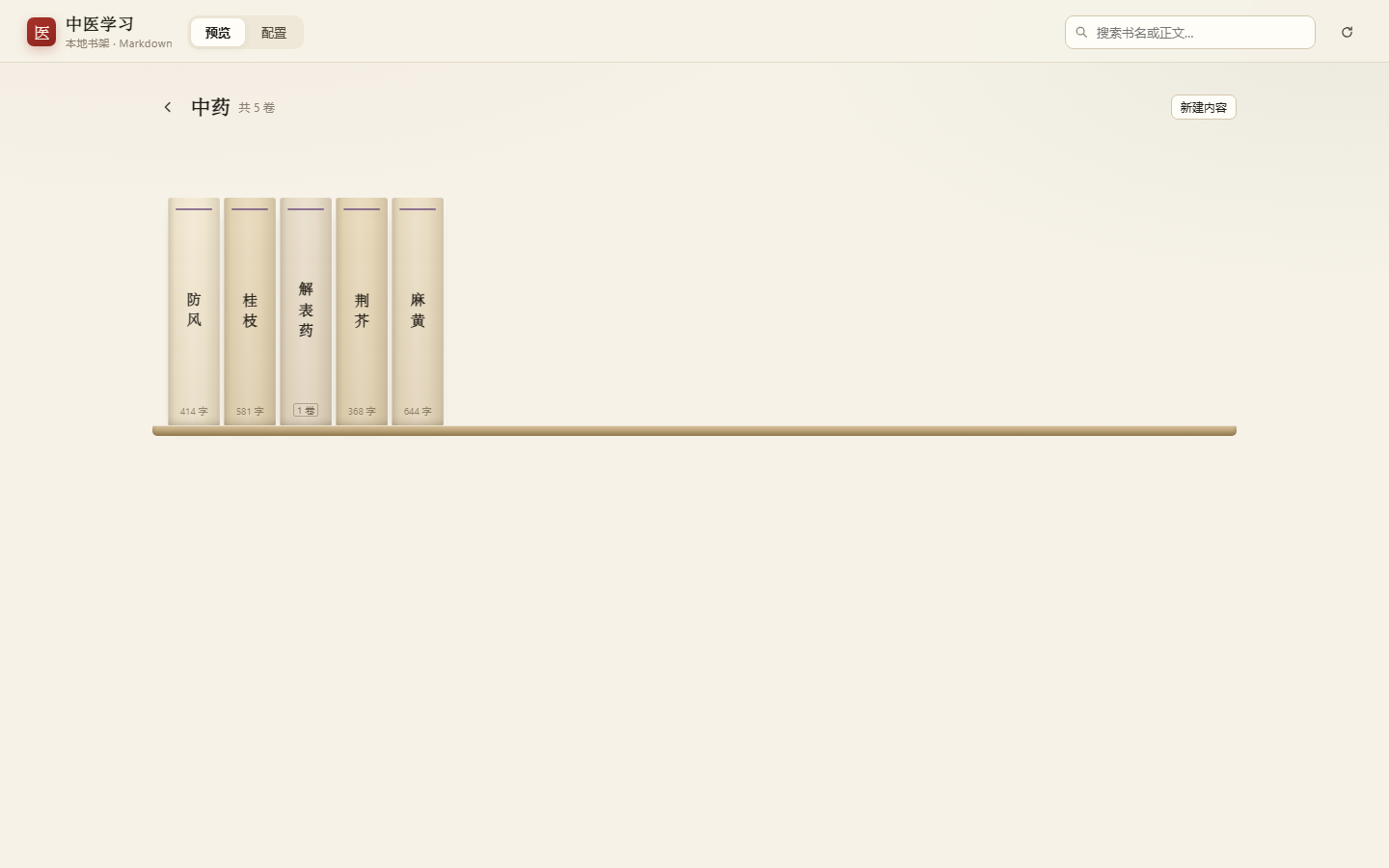
transform,不重排);每层按可用宽度放满,层板固定最长宽度。Ctrl/⌘+S 保存、删除进回收站。.md,不联网、无遥测,模型也看不到。| 阅读 | 配置 |
|---|---|
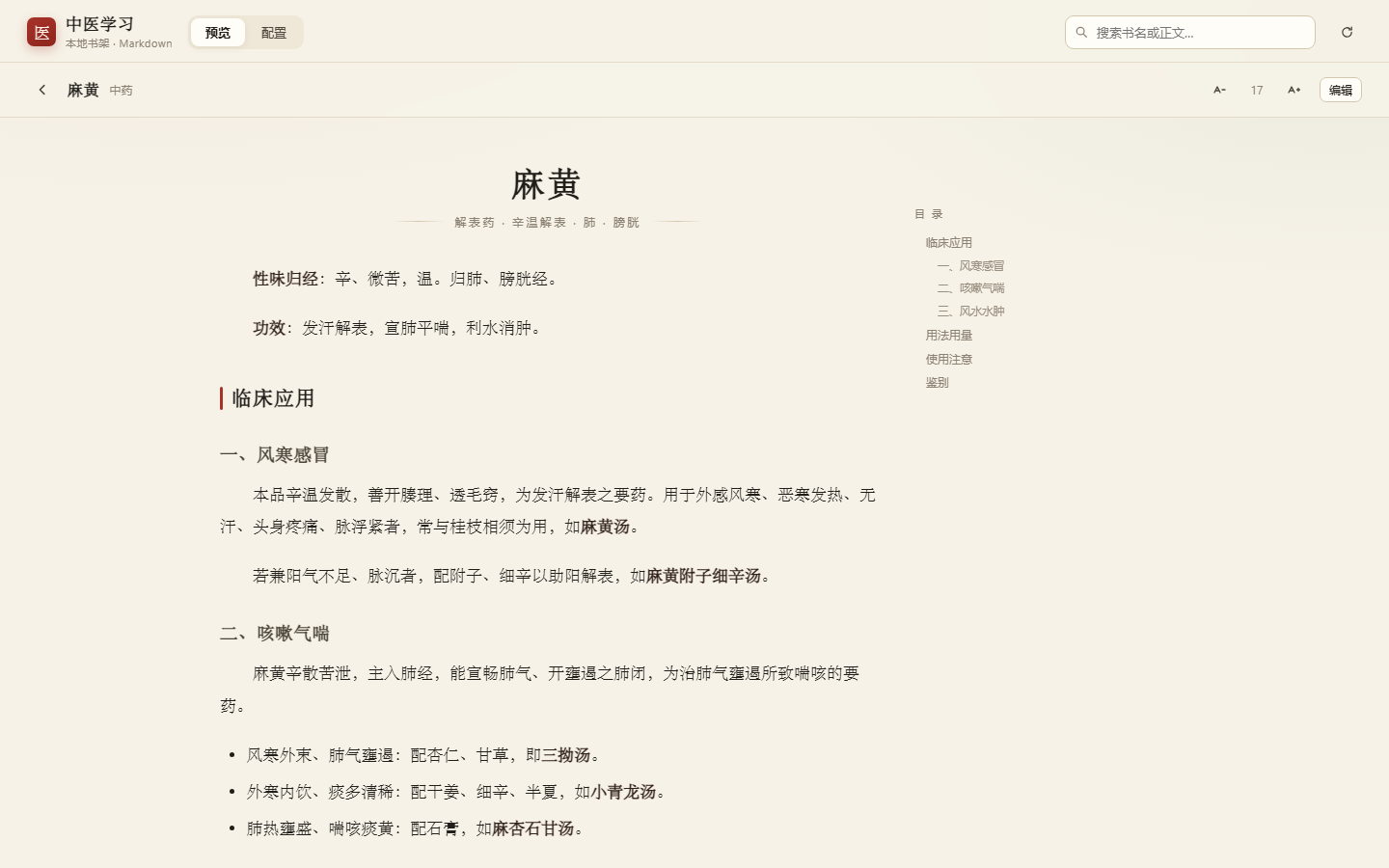 |
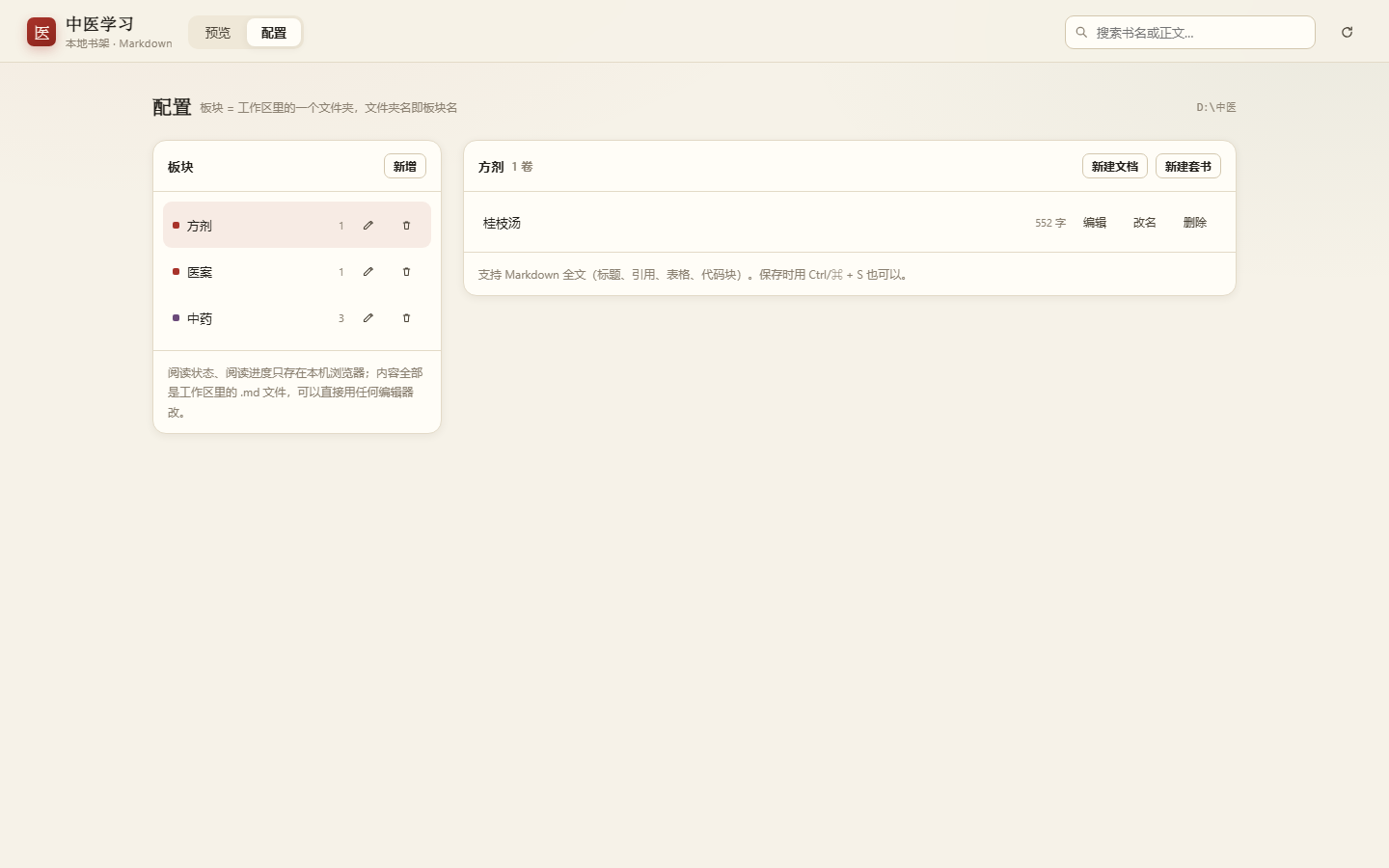 |
要求 DSH 0.2.x(Web GUI 带 sidebar.panellist / main slot 的版本)。
dsh plugin add https://github.com/lsh-lenvast/dsh-plugin-tcm-learning插件在 package.json 里声明了 dsh.bundle.patch,安装时会自动挂载,不必手改配置。装完刷新页面即可看到侧栏入口。
让 profile 能找到这个包(软链或目录联接):
# Windows
New-Item -ItemType Junction `
  -Path "$env:USERPROFILE\.dsh\profiles\desktop\node_modules\dsh-plugin-tcm-learning" `
  -Target "D:\path\to\dsh-plugin-tcm-learning"
# macOS / Linux
ln -s /path/to/dsh-plugin-tcm-learning ~/.dsh/profiles/desktop/node_modules/dsh-plugin-tcm-learning在 profile 的 cordis.patch.yml 末尾追加:
- insert:
    - id: tcm-learning
      name: dsh-plugin-tcm-learning
开着 HMR 会自动热载;否则重启 DSH。
.md 丢进对应文件夹再点右上角刷新。<工作区>\
├── .tcm\
│ ├── config.json # 板块显示信息(标题/颜色/排序/隐藏)
│ └── trash\ # 删除的内容,可手动找回
├── 中药\
│ ├── 麻黄.md # 一个 .md = 一卷
│ └── 解表药\ # 文件夹 = 套书(内含多卷)
│ └── 01-辛温解表药.md
├── 医案\太阳中风案.md
└── 方剂\桂枝汤.mdMarkdown 支持 frontmatter:title、tags、summary;没有 title 时用文件名。
pnpm install
pnpm build      # -> lib/index.js (Host) + lib/client.js (浏览器半)

# 离线冒烟:客户端 slot 注册 + 全部 HTTP API + 路径安全
node test/smoke.mjs "D:\path\to\workspace"

# 用真实数据生成预览夹具,再直接打开 test/preview.html 看三种视图
node test/preview.mjs "D:\path\to\workspace"
lib/ 是构建产物,也提交进仓库:这样从 GitHub 直接安装时不需要现场编译。
/tcm/api/*(读写工作区 Markdown、路径收口、回收站、mtime 乐观锁);浏览器半只做界面。客户端 bundle 由 esbuild 打成 DSH 的模块外壳,react 走外壳自带的静态模块表,不新增运行时依赖。sidebar.panellist(侧栏入口)+ main keyed slot(整页面板),与官方「插件」页同一个机制。transform / opacity:书脊布局尺寸固定,放大靠 scale,邻居位移用 translateX 补偿,文字反向 scale 抵消;悬停投影用 ::after 的透明度过渡。改样式时别退回 width/height 动画,否则每帧都会重排。CLASSIFICATION EVIDENCE
系统优先读取 GitHub Topics,再与站内分类词典和词根规则比对。当前命中: deepseek-harness、deepseek-harness-plugin。
morluto
Reverse engineer anything with agents, from app behavior down to native binaries.

deepseek-ai
DeepSeek Harness: Everything is a Plugin.

nexu-io
The 1st Collaborative AI Design Agent Workspace. Local-first and open source. Create motion, prototypes, websites, apps, dashboards, presentations, images, and videos with your team and AI agents. Share work, exchange feedback, and iterate together in one workspace.