
模型与 MCP
待识别

rea
morluto
Reverse engineer anything with agents, from app behavior down to native binaries.
PROJECT TOPICS
INSTALL REFERENCE
dsh plugin --profile web add github:longbowzz/CodeGraph
该命令指向仓库当前默认分支;尚无绑定当前 commit 的完整验证结果。
PROJECT README
Turn a code flow into a clickable diagram, or a long-form interactive explainer — generated by your AI agent as a single offline HTML file.
CodeGraph is an Agent Skill for Claude Code, DeepSeek Harness, Cursor, Codex, and other Agent Skills-compatible agents. You describe the flow; the agent reads the code, builds the artifact, and keeps every element linked back to the source.
A normal diagram stops at the picture. CodeGraph keeps the connection to the code:
base..head range and added / modified / removed elements are highlighted in the graph.Everything is generated as one self-contained HTML file. There is no server, CDN, or runtime npm install on the viewer's machine, and the artifact works offline.
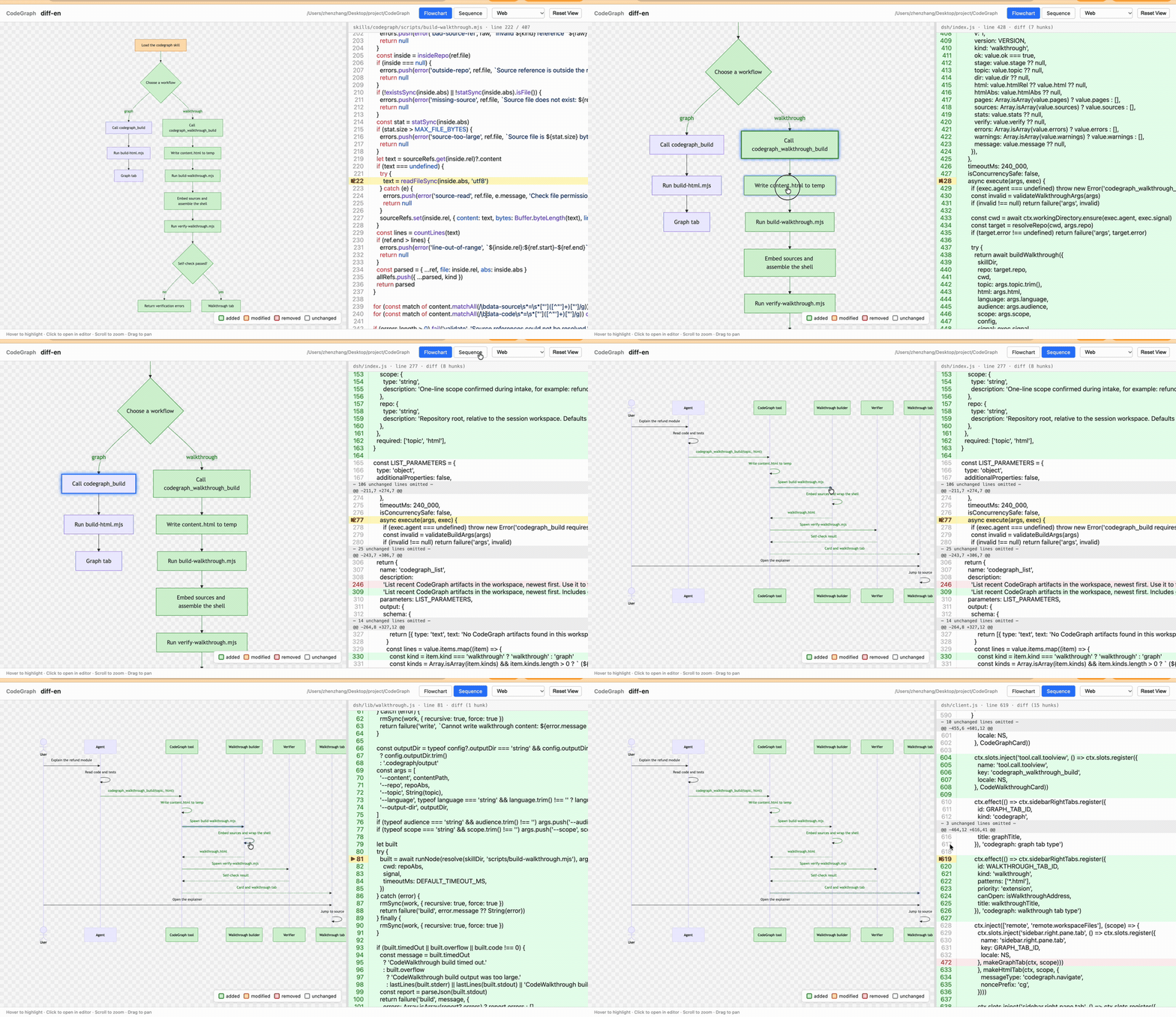
Review-mode flowchart. Green is added, orange is modified, gray is unchanged. Clicking a node opens the referenced source line.
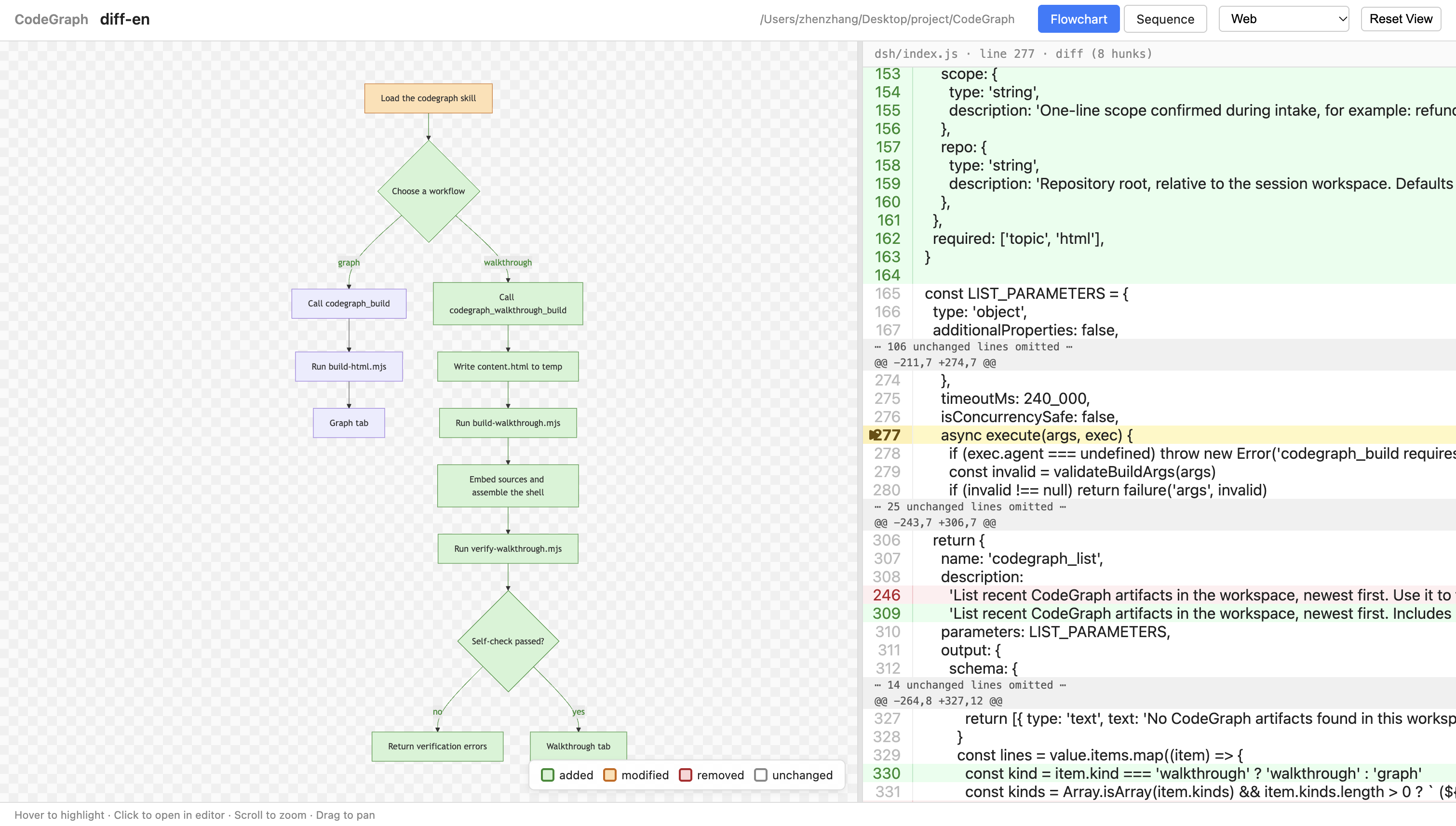
Sequence diagram. Same review colors, with actors, messages, and clickable source locations.
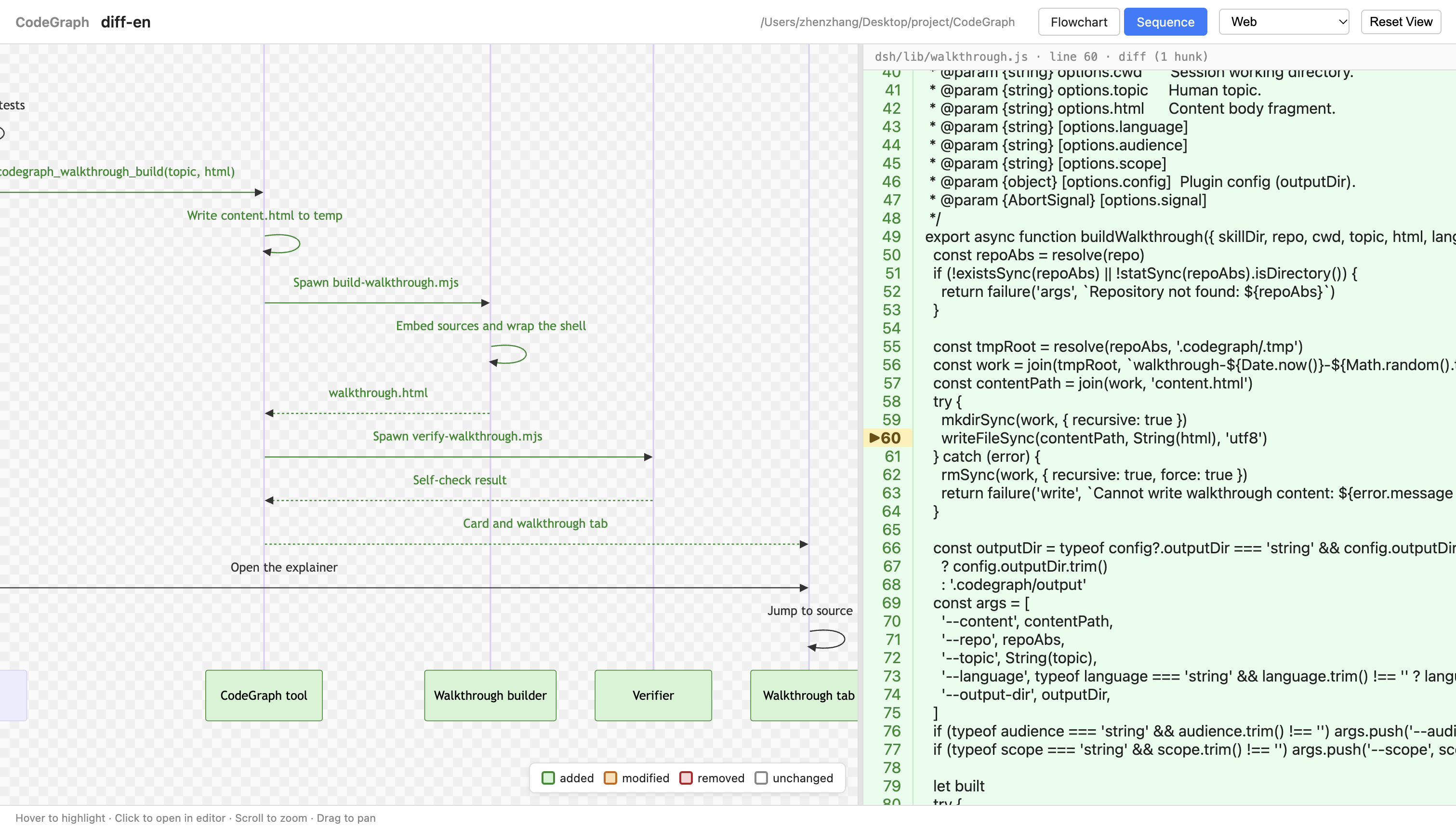
Ask the agent to draw a flow or model classes; it produces a single graph.html:
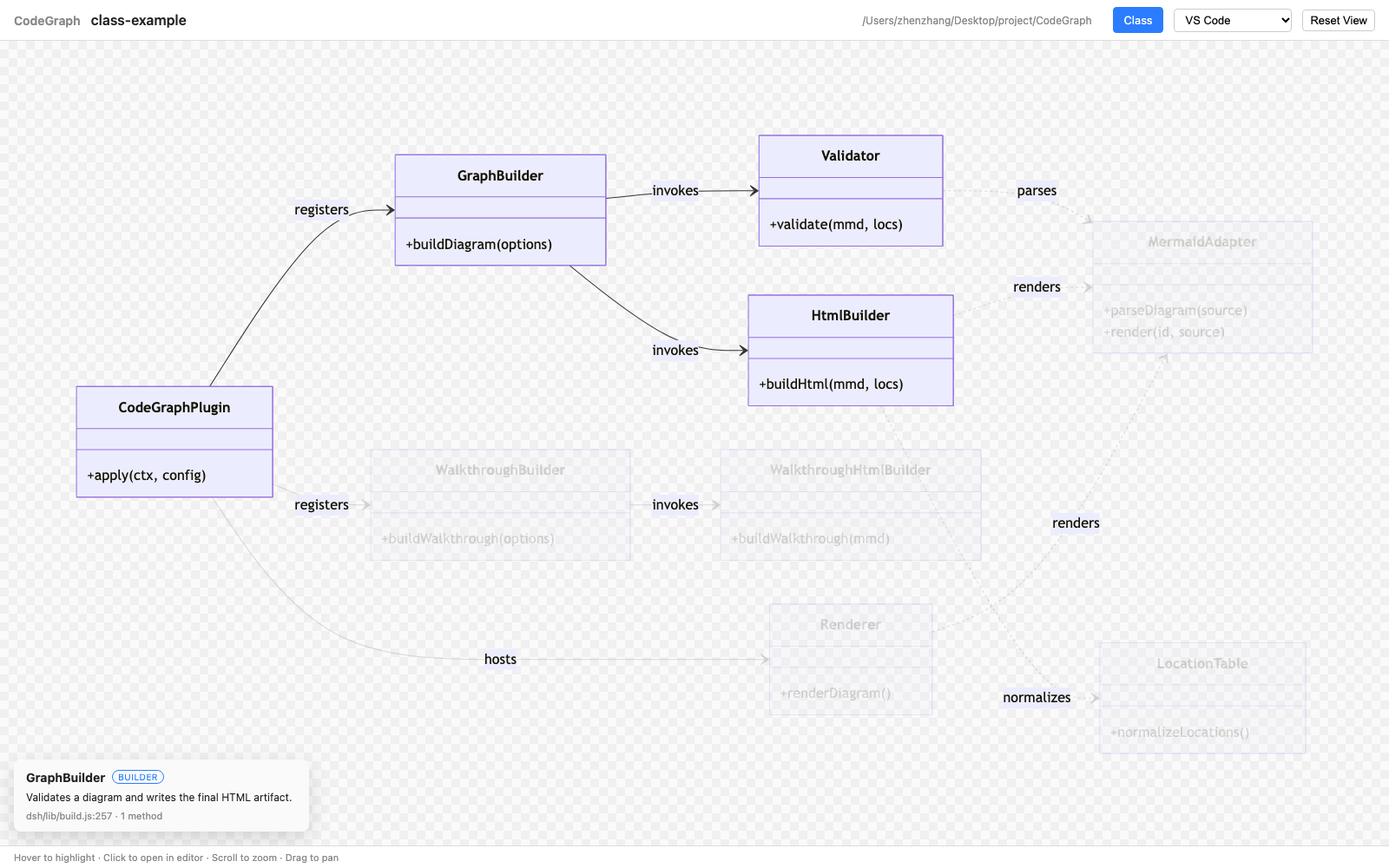
Class diagrams show classes, members, methods, and UML relations. Hover a class for its stereotype and responsibility; the rest of the graph dims so its direct neighbors stay visible. Click a class or a relation line to open source.
By default, keep one artifact focused on one question. When requested, a single
graph.html can combine one flowchart, one sequence diagram, and one class
diagram, each on its own tab. Duplicate diagram types are rejected.
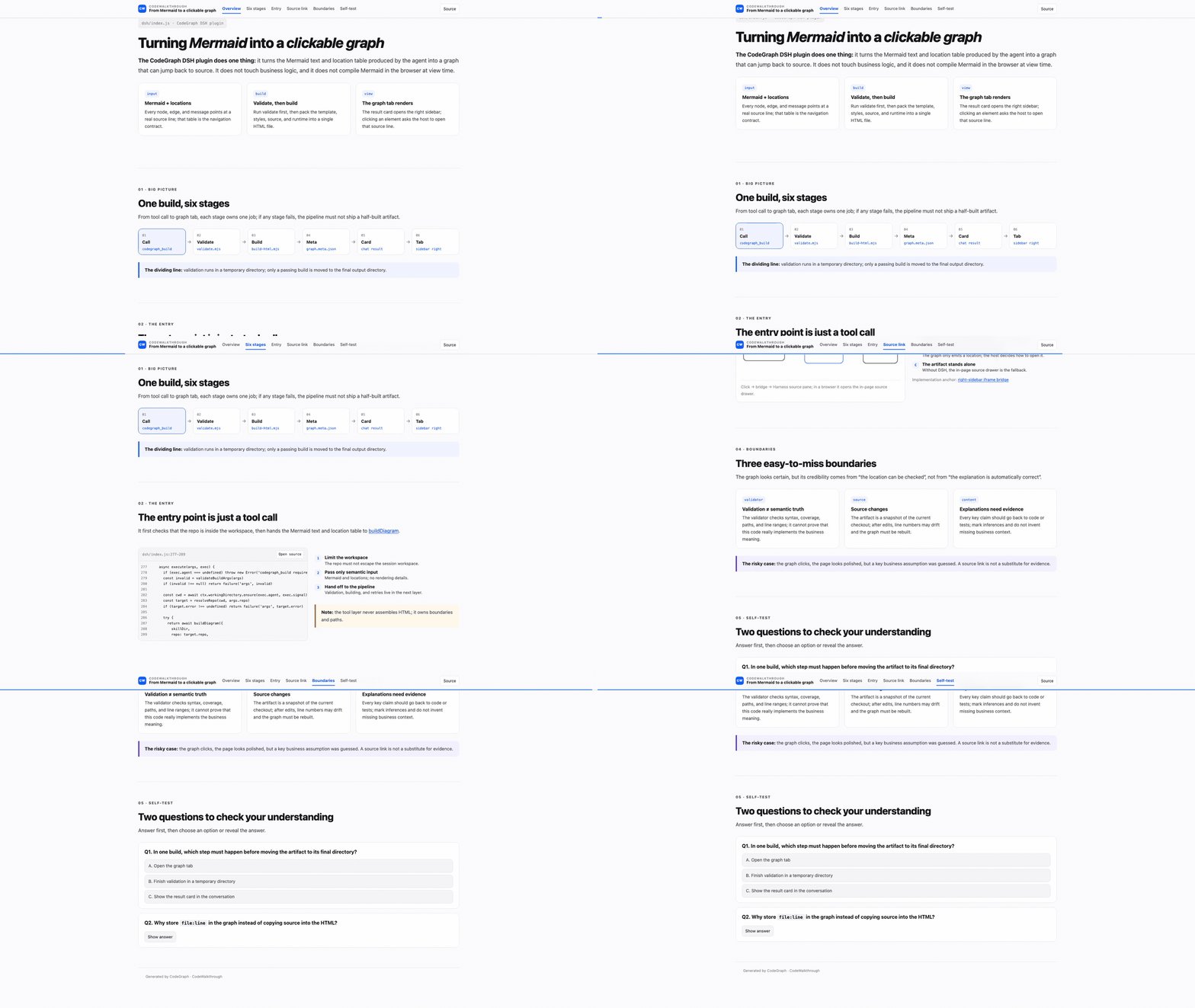
CodeWalkthrough is not a summary of a file. It is a small course generated from the codebase, built around three ideas:
One running example is reused across the page, and every key claim links to a
source line. The output is a single walkthrough.html that works offline.
Use it for onboarding, explaining a module, or turning a design review into a reusable lesson.
claude plugin marketplace add longbowzz/CodeGraph
claude plugin install codegraph@codegraph
Inside a session, /plugin install codegraph@codegraph --marketplace longbowzz/CodeGraph
does both steps.
npx skills add longbowzz/CodeGraph --skill codegraphRun it from the target project. Add -g to install globally, or
-a claude-code to skip the agent picker.
DSH profiles are isolated, and the Desktop app's desktop profile is managed by
the Electron application — the dsh plugin --profile desktop … command is
rejected. Use the install path that matches how you run DSH:
Desktop app: open Plugins in the sidebar, choose Add plugin, enter
@longbowzz/dsh-codegraph@0.4.0, install it, and enable the bundle if prompted.
Web / CLI profiles (dsh web uses the web profile):
dsh plugin --profile web add -w @longbowzz/dsh-codegraph--profile web only affects dsh web; it does not add the plugin to the
Desktop app. If you boot a different CLI-managed profile, replace web with
that profile name.
The -w flag adds the bundle to the profile's workspace root; pnpm requires it
on some DSH builds. After installing, quit and reopen DSH and start a new
session — bundles and client tabs load at boot.
Verify a CLI-managed profile contains the bundle:
cat ~/.dsh/profiles/web/package.jsondependencies and dsh.profile.bundles should both include
@longbowzz/dsh-codegraph.
The bundle adds the codegraph_build, codegraph_walkthrough_build, and
codegraph_list tools, result cards, and a right-sidebar graph/walkthrough tab.
See dsh/README.md.
npm install is needed to
generate or view artifacts.npx skills CLI.Just talk to your agent in the repository you want to analyze:
Use CodeGraph to draw the login flow as a sequence diagram.
Use CodeGraph to draw the class model of the payment module.
Combine a class diagram and a sequence diagram for this module.
Review PR #123 with CodeGraph — highlight what changed.
Use CodeGraph to explain the refund flow as an interactive webpage.
The first run may ask which editor to use. Choose Web if you do not have a supported editor installed.
The result is written under .codegraph/output/ in the target repository. In
DSH, a result card opens the graph or walkthrough in the right sidebar; in other
agents, open the reported HTML file in a browser.
stereotype and summary metadata; they
power the hover card but are not required for click-to-source.npm test # parser, validator, diff, HTML build, CLI
npm run build:mermaidBrowser suites require Playwright and Chromium; see
skills/codegraph/scripts for the entry points.
Maintainers: see RELEASING.md for the version bump, publish, and release checklist.
MIT. See LICENSE.
CLASSIFICATION EVIDENCE
系统优先读取 GitHub Topics,再与站内分类词典和词根规则比对。当前命中: deepseek-harness。
morluto
Reverse engineer anything with agents, from app behavior down to native binaries.

deepseek-ai
DeepSeek Harness: Everything is a Plugin.

nexu-io
The 1st Collaborative AI Design Agent Workspace. Local-first and open source. Create motion, prototypes, websites, apps, dashboards, presentations, images, and videos with your team and AI agents. Share work, exchange feedback, and iterate together in one workspace.