
模型与 MCP
待识别

rea
morluto
Reverse engineer anything with agents, from app behavior down to native binaries.
PROJECT TOPICS
INSTALL REFERENCE
dsh plugin --profile web add github:lolipop-1x1/dsh-recap
该命令指向仓库当前默认分支;尚无绑定当前 commit 的完整验证结果。
PROJECT README
Pick up where you left off. A short recap of what you are working on, what is done, and what comes next — right inside DeepSeek Harness.
简体中文 · Quick start · Commands · Configuration · Report an issue



Requires Harness 0.2.0-rc.2 or newer. Regression checks cover 0.2.0-rc.2 and 0.2.2-rc.1. The version range has no upper bound; future API changes may still require plugin updates.
Returning to a long conversation should not mean rereading every message. Run /recap to get a brief summary of the current task and its progress.
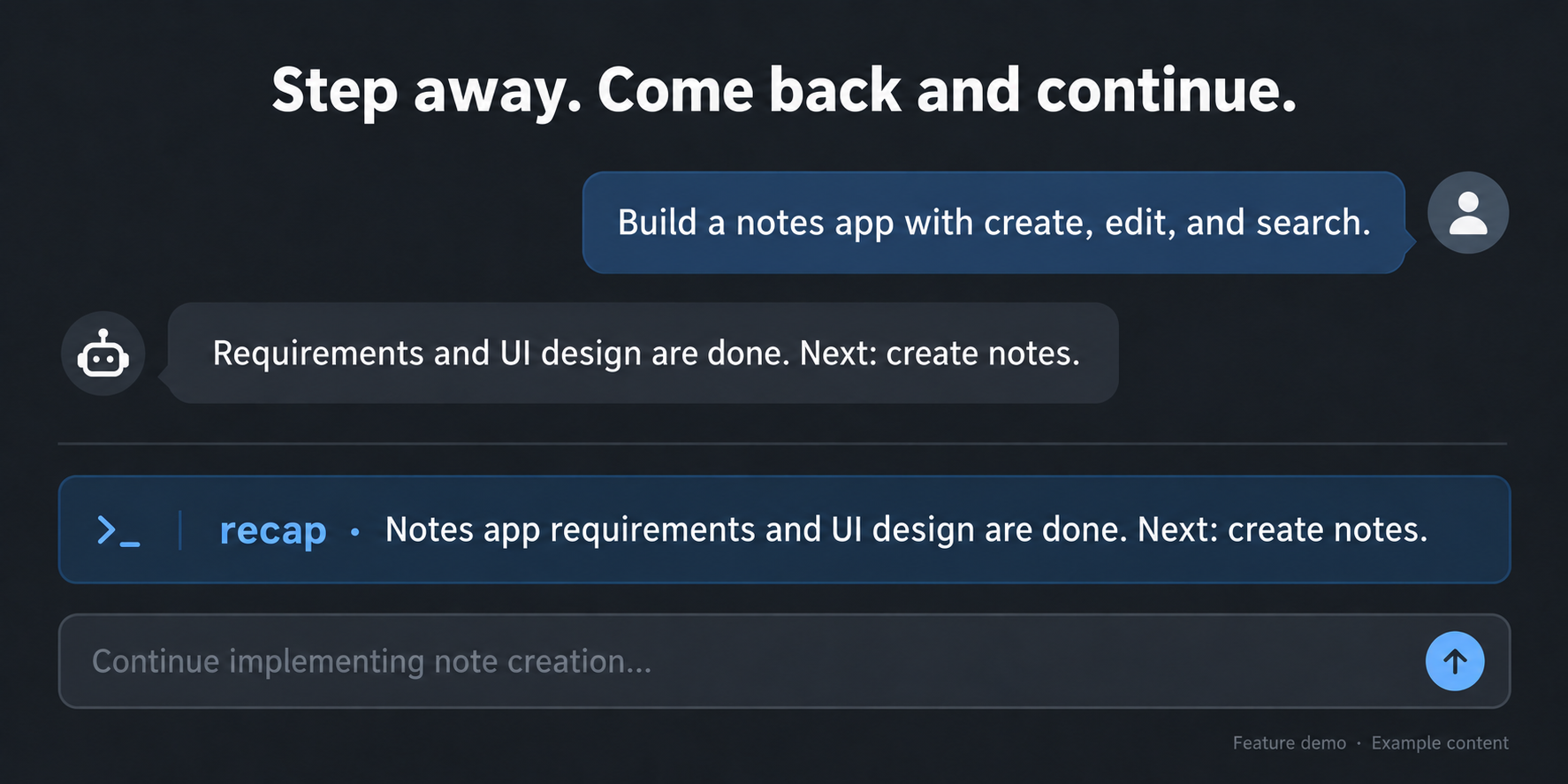
Illustrative demo with fictional content.
Open Plugins in the Harness sidebar, click Add plugin, and paste this URL into the package name or address field:
https://github.com/lolipop-1x1/dsh-recapClick Install. If build-script approval is requested, review the source and listed scripts, then allow them and retry; GitHub installation builds the plugin from source.
After installation, restart Harness if prompted, then refresh the browser. If another plugin already owns /recap, disable that plugin first.
Open a conversation with some work in it and send:
/recapTo choose a model or adjust automatic recaps, send /recap settings or open Settings → Recap. Changes save automatically.
| Command | What it does |
|---|---|
/recap |
Generate a recap, or reuse an unchanged result. |
/recap refresh |
Generate again, bypassing the cache. |
/recap hide |
Hide the recap and pause automatic recaps for this session until a manual request. |
/recap status |
Show status without generating or revealing a hidden recap. |
/recap settings |
Open the recap settings dialog directly. |
/recap help |
Show command help. |
The submitted command clears immediately while generation continues. A new draft you type is left alone. Manual recaps appear at their command position; opening settings or checking status does not move them.
Open /recap settings to adjust triggers without leaving the conversation. Edits save automatically.
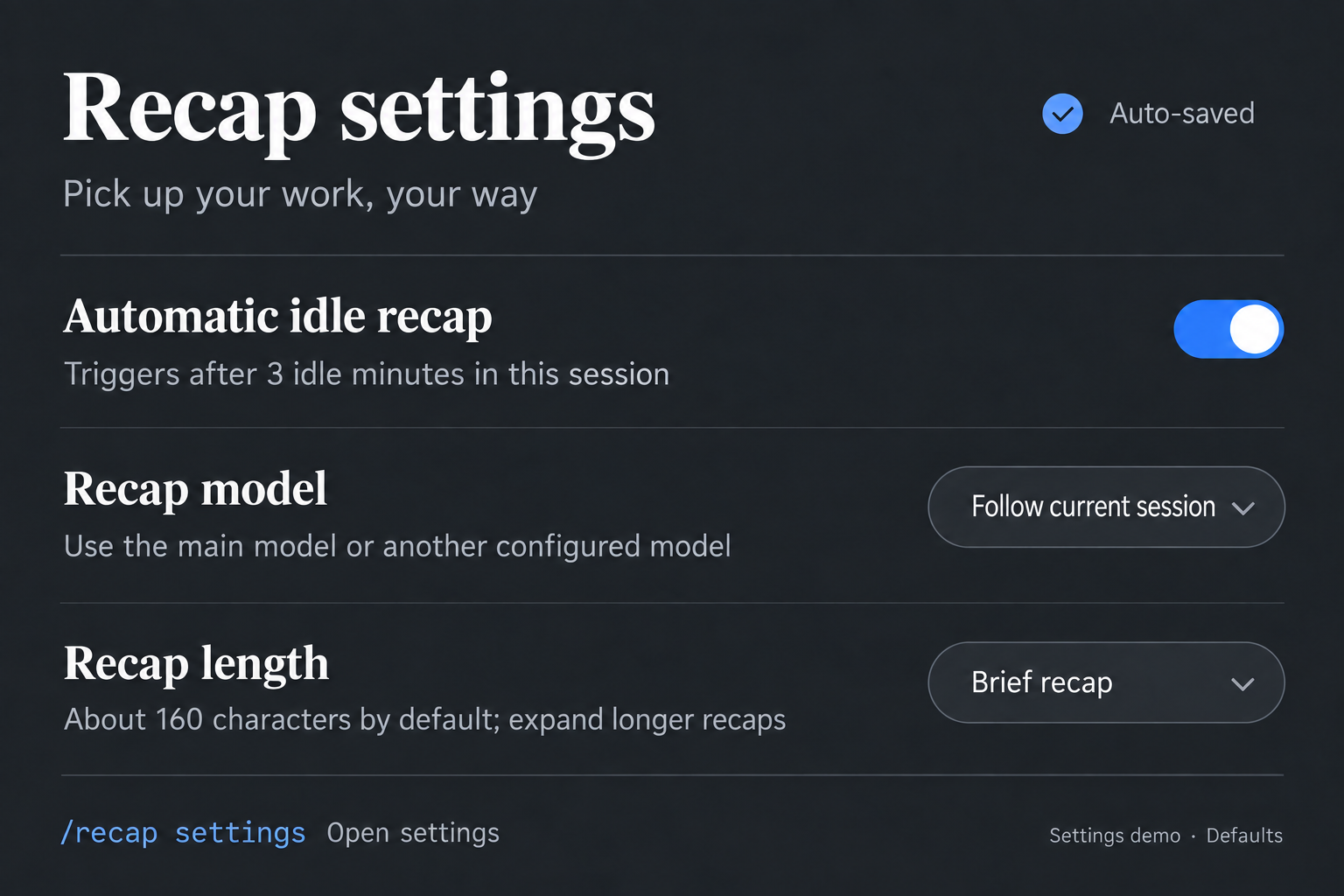
Illustrated settings overview; defaults and generation budgets are listed below.
| Setting | Default |
|---|---|
| Recap model | Follow the current conversation; optionally choose another configured model |
| Language | Follow the interface, or choose Chinese / English |
| Automatic recap | After 3 minutes idle, once 3 meaningful turns have completed |
| Target length | About 160 characters, preserving complete sentences |
| Generation budget | Up to 12 recent messages, 6,000 source characters and 512 output tokens |
These budgets limit input material and output; they are not a fixed per-request charge. Advanced options are collapsed in settings. See the configuration reference for all fields and legacy compatibility.
Opening or switching sessions does not immediately generate a recap. Keyboard, pointer and scroll activity reset the idle timer; generation waits until the main agent is idle. Completed recaps stay visible when the page loses focus. Continuing the conversation, refreshing or closing the page hides them. Refreshing one tab does not clear another tab's recap.
Live checks have covered model generation, direct settings dialogs, timeout/retry and per-tab refresh behavior. Fresh-profile installation, long-running behavior and other providers are not fully verified. Detailed project documentation is currently in Chinese.
MIT.
CLASSIFICATION EVIDENCE
系统优先读取 GitHub Topics,再与站内分类词典和词根规则比对。当前命中: deepseek-harness、deepseek-harness-plugin。
morluto
Reverse engineer anything with agents, from app behavior down to native binaries.

deepseek-ai
DeepSeek Harness: Everything is a Plugin.

nexu-io
The 1st Collaborative AI Design Agent Workspace. Local-first and open source. Create motion, prototypes, websites, apps, dashboards, presentations, images, and videos with your team and AI agents. Share work, exchange feedback, and iterate together in one workspace.