
Agent 与会话
插件

nuwa-skill
alchaincyf
你想蒸馏的下一个员工,何必是同事。蒸馏任何人的思维方式——心智模型、决策启发式、表达DNA。Distill how anyone thinks.
PROJECT TOPICS
INSTALL REFERENCE
dsh plugin --profile web add github:lima1217/dsh-bookshelf
该命令指向仓库当前默认分支;尚无绑定当前 commit 的完整验证结果。
PROJECT README
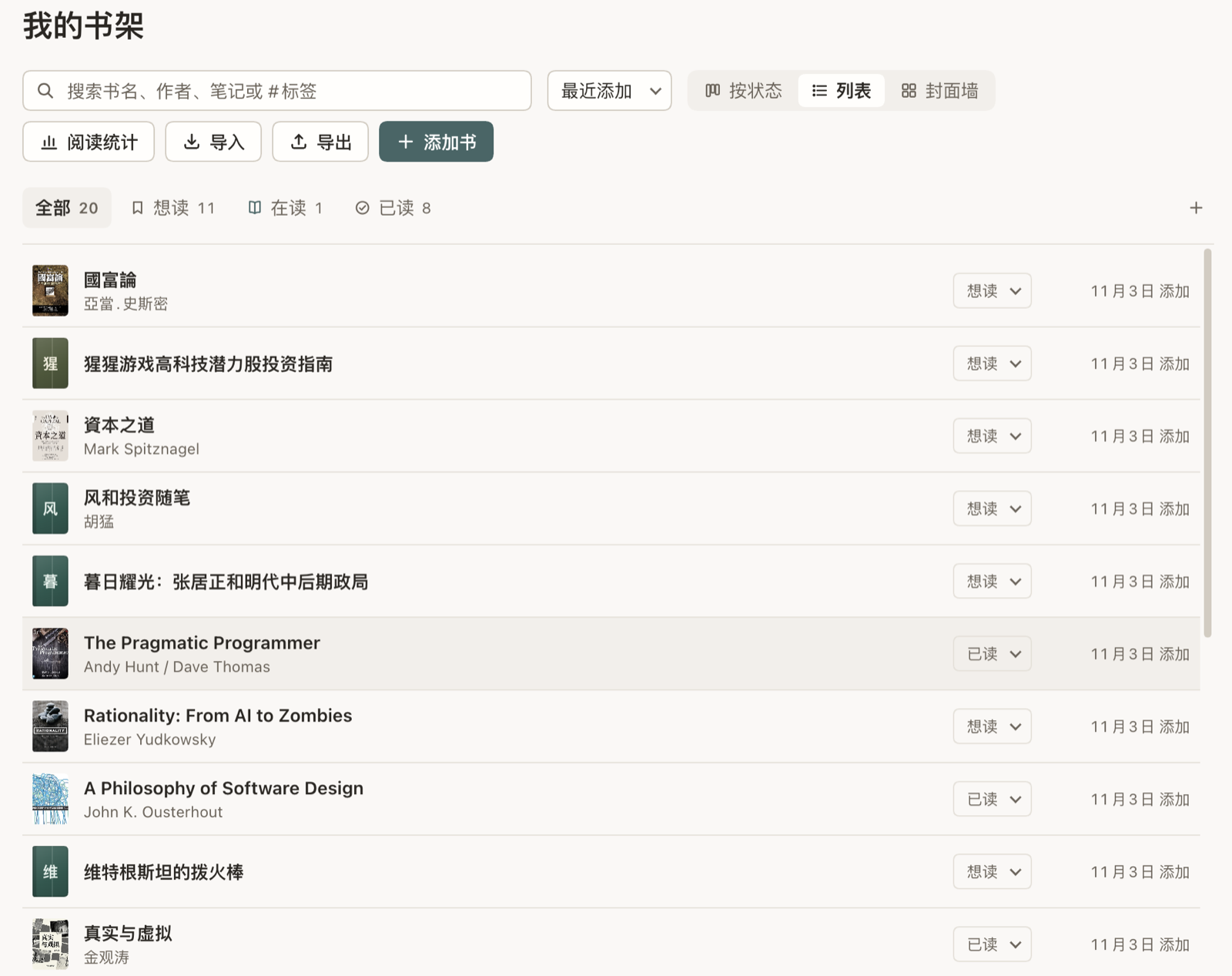
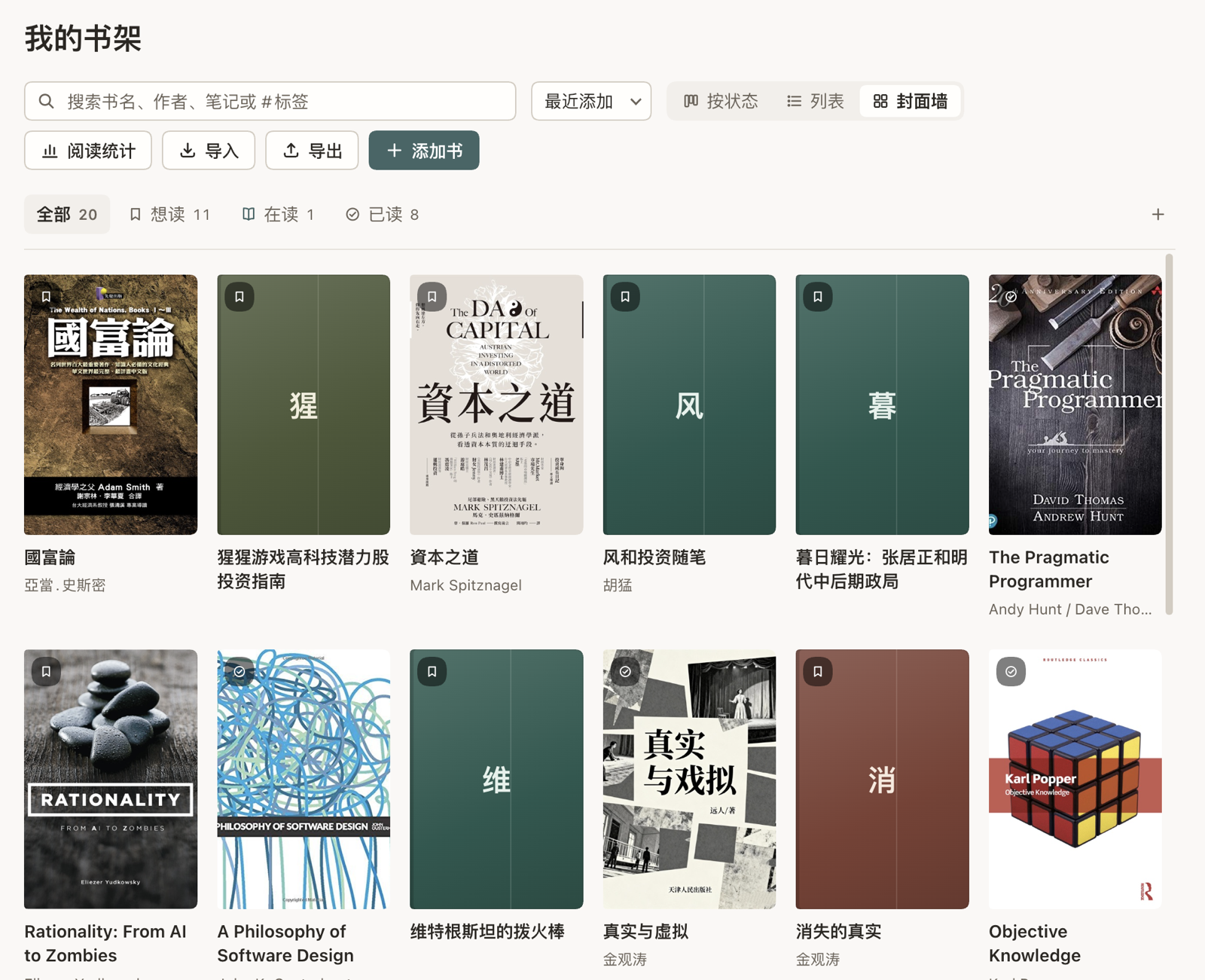
DeepSeek Harness(DSH)的个人书架与阅读记录插件。书架数据保存在本机,DSH 的 agent 可以通过 bookshelf_* 工具读取和更新它。
A personal bookshelf and reading log plugin for DeepSeek Harness. Data stays on your machine, and the DSH agent can read and update it through `bookshelf_` tools. UI available in Chinese and English.*
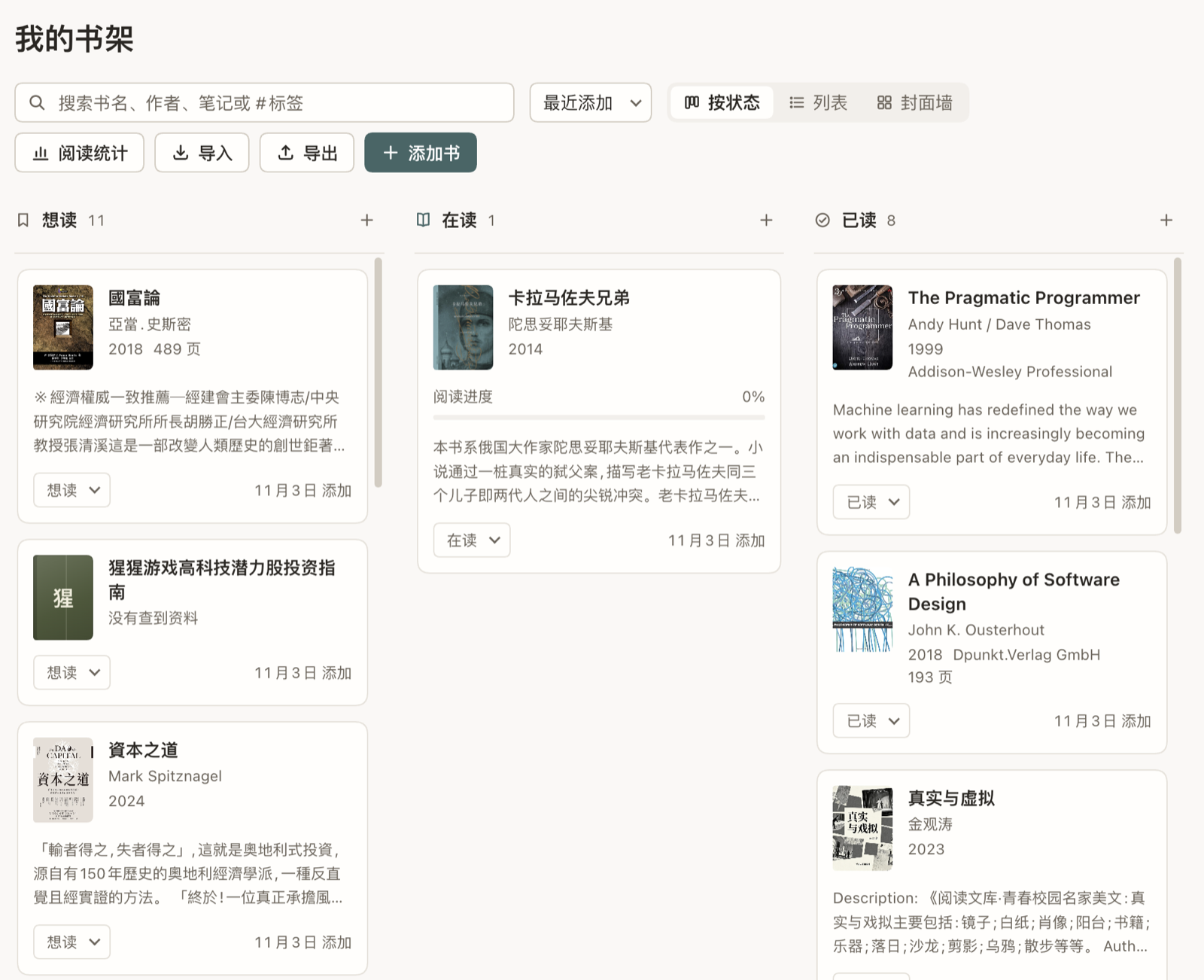
| 列表 | 封面墙 |
|---|---|
 |
 |
| 工具 | 作用 |
|---|---|
bookshelf_list |
按状态、关键词、标签列出书,或查看一本书的详情 |
bookshelf_stats |
某一年的阅读统计 |
bookshelf_add |
把一本书放上书架(同名不会重复添加) |
bookshelf_update |
更新状态、进度、评分、标签、笔记、日期 |
bookshelf_add_excerpt |
给一本书添加摘录 |
比如对 agent 说「我今天读完了《置身事内》,给 4 星」或「我今年读了多少书?」。
需要已安装 DeepSeek Harness 桌面版。
克隆仓库:
git clone https://github.com/lima1217/dsh-bookshelf.git编辑 ~/.dsh/profiles/desktop/package.json:在 dependencies 里加一行指向克隆目录的绝对路径,并把插件名加进 dsh.profile.bundles:
{
  "dependencies": {
    "@local/dsh-bookshelf": "link:/你的路径/dsh-bookshelf"
  },
  "dsh": {
    "profile": {
      "bundles": ["…原有条目…", "@local/dsh-bookshelf"]
    }
  }
}
在 ~/.dsh/profiles/desktop 目录下用 DSH 自带的 pnpm 安装(不要用系统 pnpm,版本不同可能删掉整个 node_modules):
cd ~/.dsh/profiles/desktop && node "/Applications/DeepSeek Harness.app/Contents/Resources/runtime/primary-runtime/dependencies/pnpm/bin/pnpm.mjs" install重启 DeepSeek Harness。
因为是 link: 安装,之后 git pull 即可更新:改了前端刷新窗口,改了后端重启 App。
书架保存在 ~/.dsh/storages/bookshelf.json,可以用环境变量 DSH_BOOKSHELF_FILE 改到别的位置。插件只在本机回环地址上提供 HTTP 接口(api/dsh-bookshelf/state、api/dsh-bookshelf/revision),不会把书架上传到任何地方;联网补全封面和简介时,只把书名发给 Apple Books、Google Books 和 Open Library 的搜索接口。
npm test开发时使用 Node 26。dev/harness.mjs 可以脱离 DSH 在浏览器里预览面板,接口细节见 docs/dsh-plugin-api.md。
CLASSIFICATION EVIDENCE
系统优先读取 GitHub Topics,再与站内分类词典和词根规则比对。当前命中: agent、persona。
alchaincyf
你想蒸馏的下一个员工,何必是同事。蒸馏任何人的思维方式——心智模型、决策启发式、表达DNA。Distill how anyone thinks.

freestylefly
Prompt as Code | GPT Image 2 / 2.5 提示词与案例库,530+ 个案例、20+ 套工业级模板与可复用 Skills,新增 2.5 同提示词对比专区,附完整提示词与生成记录,持续更新。

titanwings
Distilly — Distill how they think into reusable Skills for any Agent or Bot. Formerly Colleague Skill(原同事 Skill).