
模型与 MCP
待识别

rea
morluto
Reverse engineer anything with agents, from app behavior down to native binaries.
PROJECT TOPICS
INSTALL REFERENCE
dsh plugin --profile web add github:liaosiliangCodeLife/harness-mate-dsh
该命令指向仓库当前默认分支;尚无绑定当前 commit 的完整验证结果。
PROJECT README
Put the DeepSeek Harness agent running on your own computer into your pocket.
English · 中文



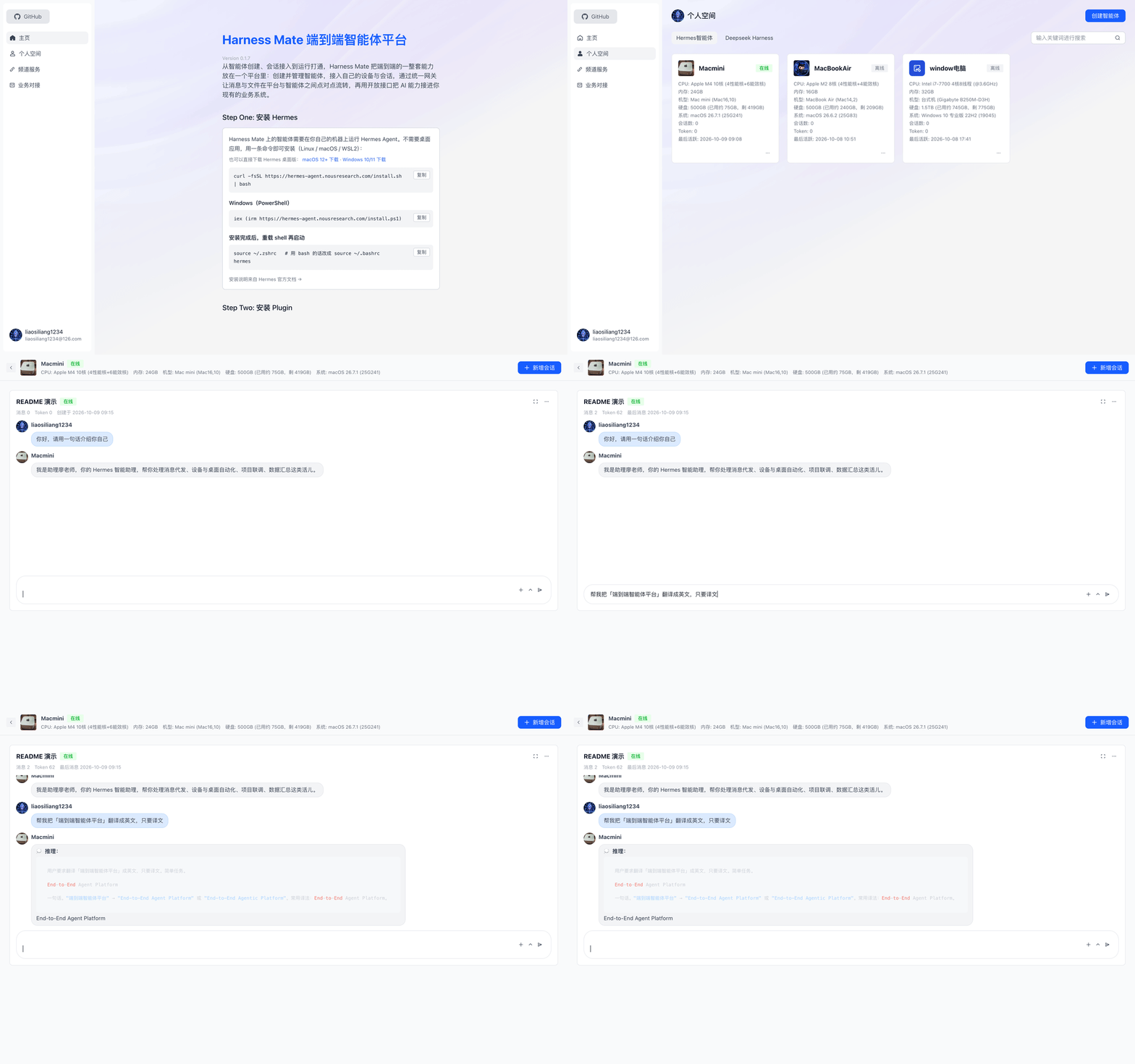
harness-mate is a DeepSeek Harness (dsh) plugin. It connects the DSH agent running on your machine to HarnessMate — a small self-hostable platform that gives that agent a phone app and a browser entry.
The agent keeps running on your own computer, with your files and your approvals. HarnessMate is just the door: open it from the phone in your pocket or from a browser anywhere.
You need a HarnessMate agent — a bot_id and a bot_key.
Open the platform (https://harness.alltman.com by default), sign in, go to 个人空间 → 创建智能体, and copy both values. The key is shown only once.
DeepSeek Harness desktop v0.2.0-rc.2 or newer, started at least once, is required.
dsh plugin --profile web add github:liaosiliangCodeLife/harness-mate-dshOnce the package is on npm this shortens to dsh plugin --profile web add harness-mate.
Then put your credentials in the profile config — ~/.dsh/profiles/desktop/cordis.patch.yml (macOS) / %USERPROFILE%\.dsh\profiles\desktop\cordis.patch.yml (Windows):
- insert:
    - id: harness-mate
      name: 'harness-mate'
      config:
        gatewayUrl: 'wss://ws-agent.alltman.com:1443/ws'
        botId: 'YOUR_BOT_ID'
botKey: 'YOUR_BOT_KEY'Download the release zip, unpack it, and run the installer in the plugin folder. It registers the plugin, links it into the profile, writes your credentials, and backs up the previous config — 3 steps, no manual editing.
# macOS
cd harness-mate
./install.sh            # or: ./install.sh <bot_id> <bot_key>
# Windows
powershell -ExecutionPolicy Bypass -File .\install.ps1Quit DeepSeek Harness completely (menu bar / tray icon → Quit — not just close the window) and start it again. Then send the agent a message from the phone app or the web UI: a reply means it works. Logs are written to ~/.harness-mate-trace.log (%USERPROFILE%\.harness-mate-trace.log on Windows).
Detailed instructions, FAQ and the full configuration reference: INSTALL.md.
Every field lives under config in the plugin's cordis.patch.yml; change them and restart DSH.
| field | default | meaning |
|---|---|---|
gatewayUrl |
HarnessMate's gateway | The WebSocket gateway the plugin connects to |
botId / botKey |
— | This agent's identity on the platform (required) |
workspace |
your home directory | Root directory the agent may read and write |
dmPolicy |
open |
open · allowlist (with allowFrom) · disabled |
approvalTimeoutMs |
300000 |
Tool-approval timeout; a timeout is treated as a denial |
apiBaseUrl |
derived from uploadUrl |
Platform HTTP API root (incl. /api) for approval polling |
internalToken |
— | Must match platform INTERNAL_TOKEN; without it polling is disabled |
agentId |
— | Agent UUID; defaults to lookup by botId |
maxReplyChars |
4000 |
Maximum length of a single reply |
forwardReasoning |
false |
Also forward the agent's reasoning to the chat |
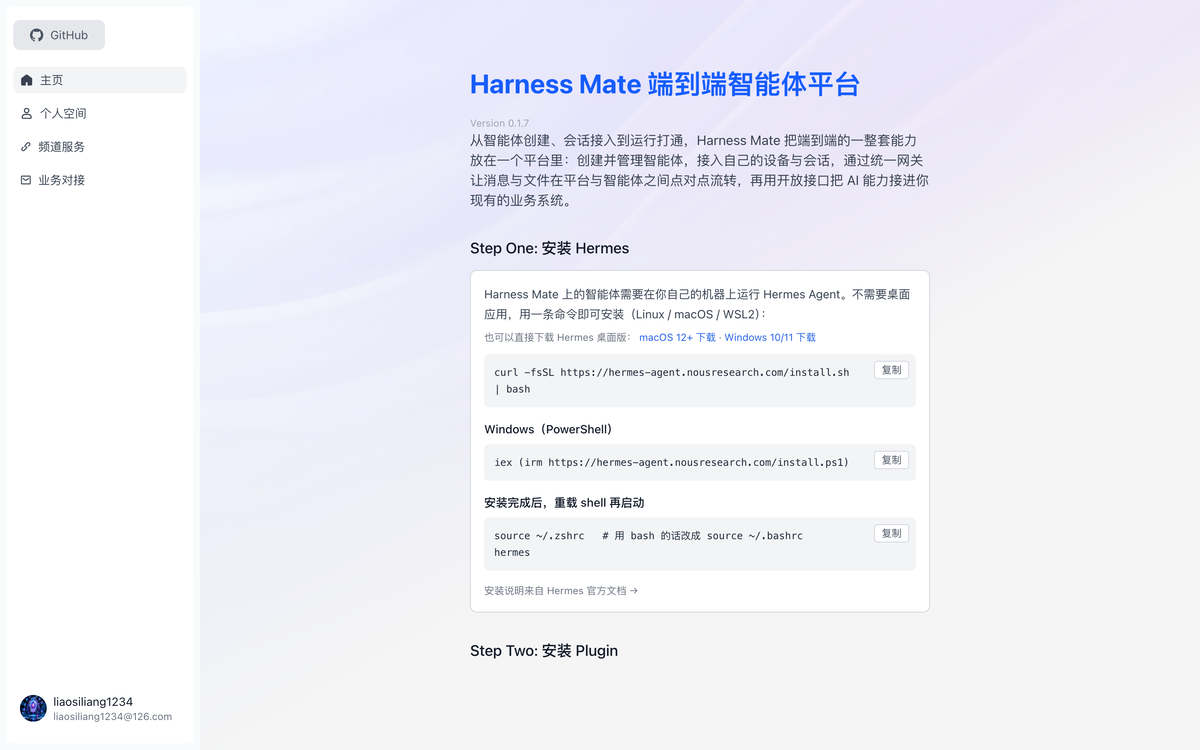
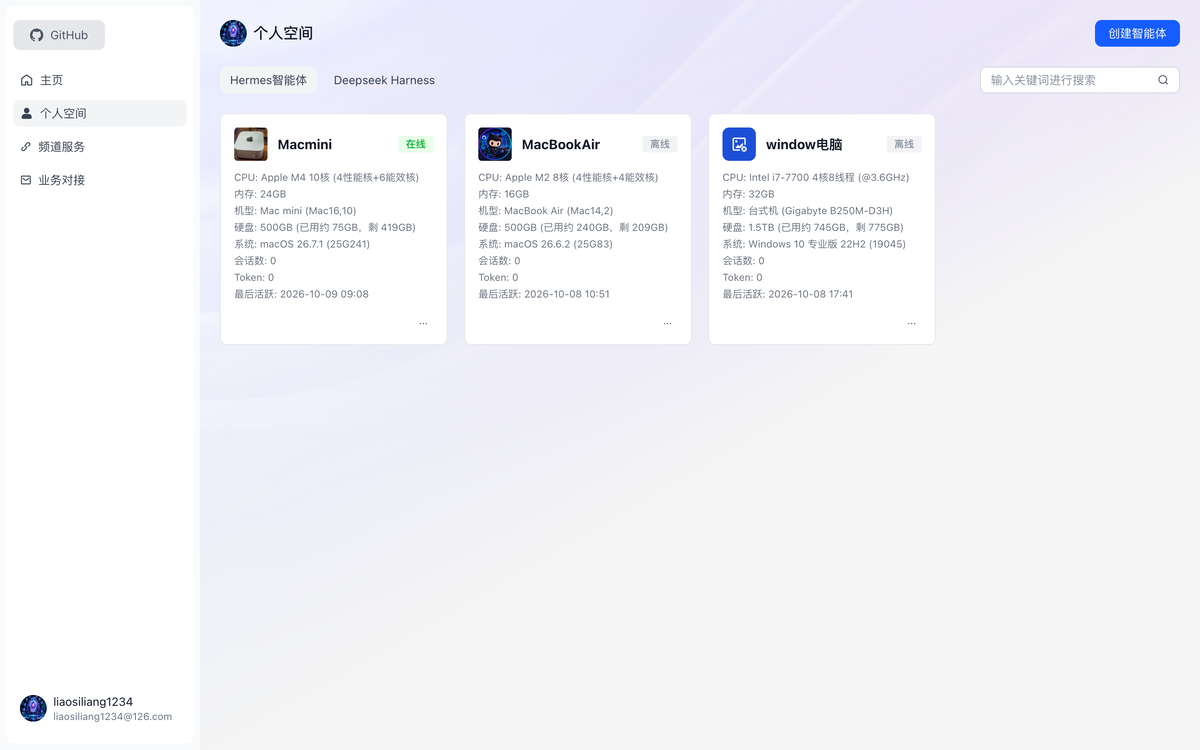
| Home | Personal space | Chat |
|---|---|---|
 |
 |
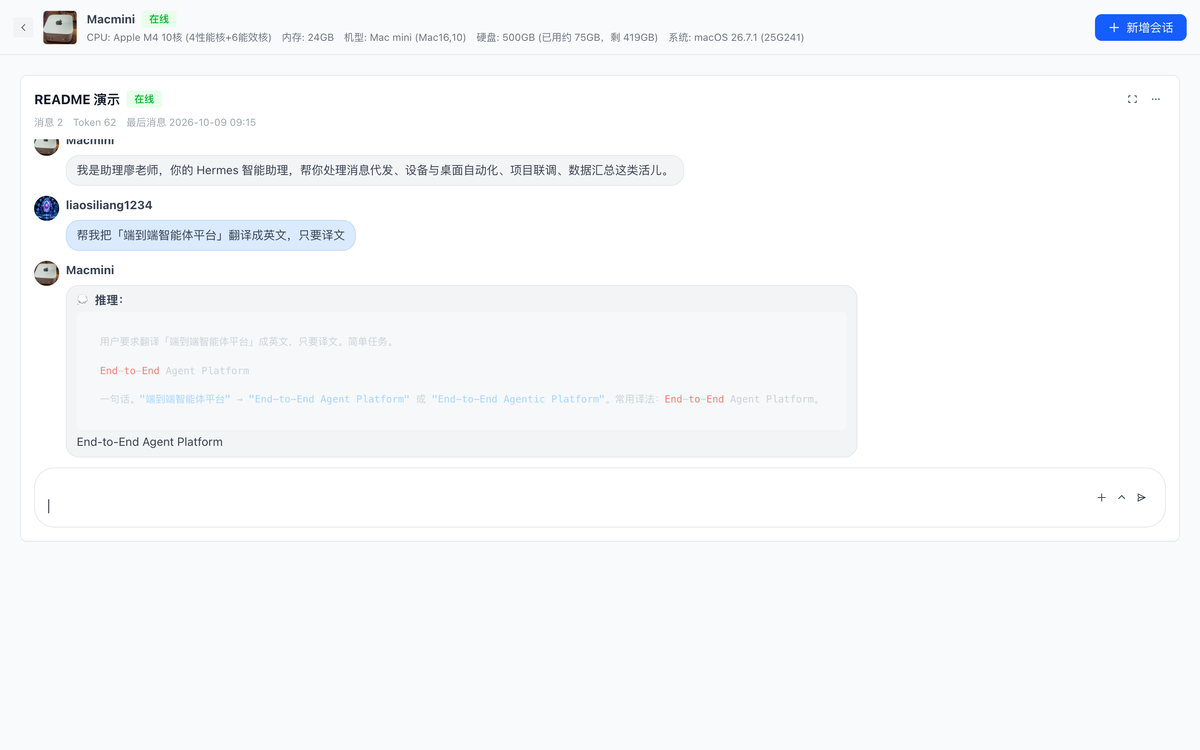 |
harness-mate-dsh/
├── index.js            # the plugin (DSH / Cordis)
├── package.json        # manifest: dsh.bundle patch + icon
├── cordis.patch.yml    # default plugin config
├── icon.svg            # plugin icon shown in DSH
├── locale/             # zh / en title and description
├── install.sh          # macOS installer
├── install.ps1         # Windows installer (PowerShell)
└── INSTALL.md # full install guide, FAQ, manual installplugin/hermes/.CLASSIFICATION EVIDENCE
系统优先读取 GitHub Topics,再与站内分类词典和词根规则比对。当前命中: deepseek、deepseek-harness。
morluto
Reverse engineer anything with agents, from app behavior down to native binaries.

deepseek-ai
DeepSeek Harness: Everything is a Plugin.

nexu-io
The 1st Collaborative AI Design Agent Workspace. Local-first and open source. Create motion, prototypes, websites, apps, dashboards, presentations, images, and videos with your team and AI agents. Share work, exchange feedback, and iterate together in one workspace.