
开发工具
待识别

treg
superdesigndev
OpenRouter for agent tools. Join community here: https://discord.gg/6mQYYfFMAn
PROJECT TOPICS
INSTALL REFERENCE
dsh plugin --profile web add github:li-bruce/VibeLens
该命令指向仓库当前默认分支;尚无绑定当前 commit 的完整验证结果。
PROJECT README
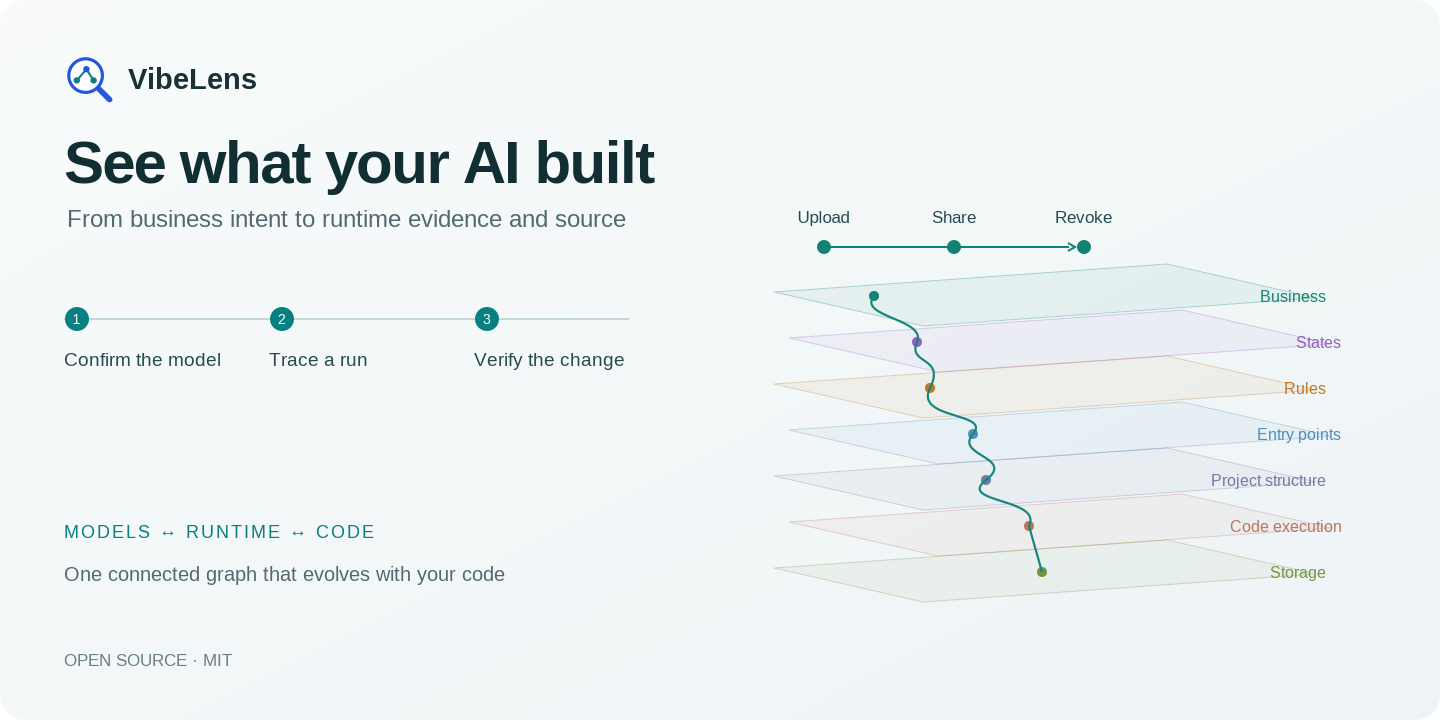
中文 · Explore VibeLens · Try the interactive story · Install


Your AI can build a working app quickly. Understanding its permissions, state changes and hidden dependencies takes a clearer view.
VibeLens connects the model you confirm, the code your agent writes, and what actually happens when you run it. Follow one operation from business intent to the value, function or query that explains its behavior.
“Use $vibelens for this project. Show me the business flow, states and rules so we can confirm how it should work.”
VibeLens turns the conversation into connected business, state and rule graphs. Clarify the important details, see the graph, then build. Choose Drive to develop from executable state declarations, or Observe to inspect your application's own logic.
Each workflow and stateful object can have its own model. Inspect independent capabilities separately, or follow their connections in the same graph. Shared functions keep one source identity across these models.
Record an operation and replay its state and value changes. Keep the relevant chain in a custom view, expand a decision and its inputs, then open the highlighted source.
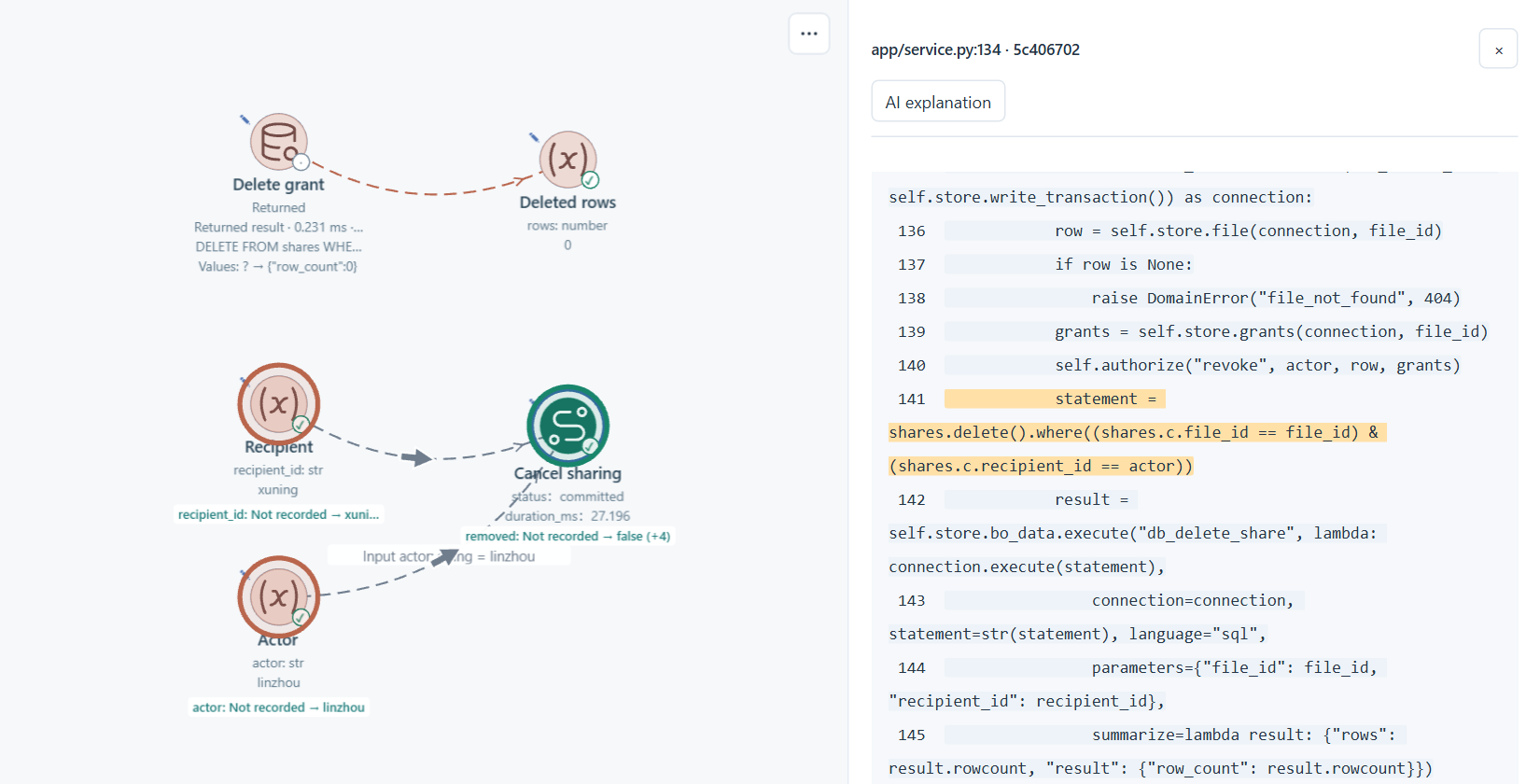
Tell your coding agent what you found. VibeLens keeps the model, source mappings and checks alongside the change. Run it again and inspect the result.
Try the interactive walkthrough →
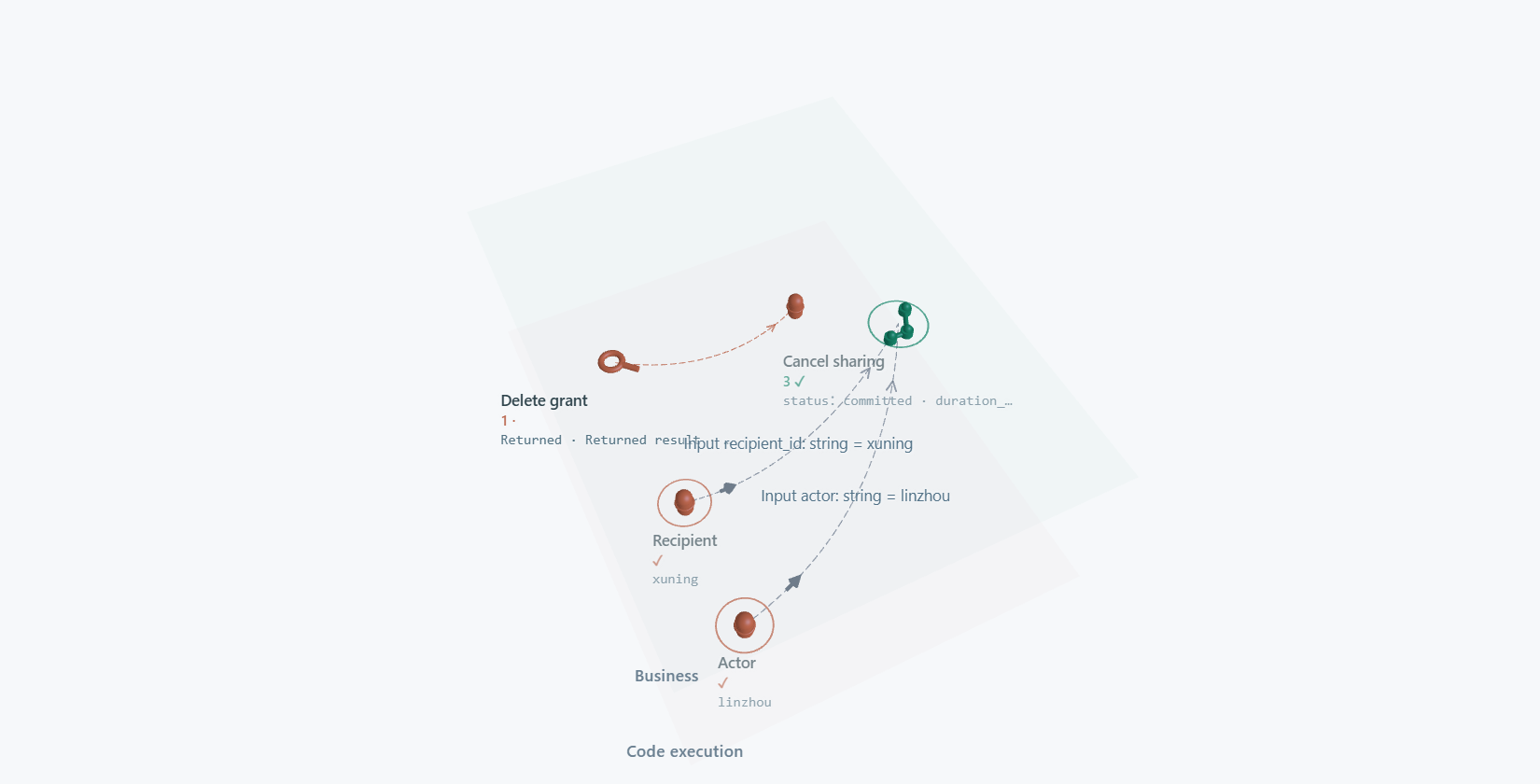
| Start with a question | Follow it through the graph |
|---|---|
| What should happen? | Business actions, object states and shared rules |
| Where is it implemented? | Entry points → folders and files → functions and parameters |
| What changed at runtime? | Captured inputs, decisions, states, queries and effects |
| What matters in this iteration? | A saved custom view, focused recording and synchronized timeline |
Switch between 2D and 3D, expand a region, filter relationships, and keep your layout and annotations as the code evolves. Live observation, recording and replay share the same graph.
Install the complete skill into your project:
npx skills add li-bruce/VibeLens --skill vibelensThe v0.15.0 Skill ZIP is about 0.92 MB. First use downloads the viewer resources, then reuses them locally. An offline package is also available.
Start a project conversation with:
Use $vibelens for this project.
Show the business, state and rule graphs before we implement it.Install the packaged plugin from the v0.15.0 release:
dsh plugin --profile web add https://github.com/li-bruce/VibeLens/releases/download/v0.15.0/dsh-vibelens-0.15.0.tgzOpen that profile and start a conversation with /vibelens followed by your project idea. Harness setup and tested compatibility.
Python · Node.js · React · Vue — English and Chinese interface. Python 3.11+ runs the shared observer; application adapters stay native. Installation, dependencies and versioned downloads.
Also available through SkillHub.
The source is open. Reproducible examples and retained checks let you inspect the implementation as well as the interface.
Architecture & source guide · Supported capabilities · Validation records · Release notes · Distribution
The viewer, routing and layout libraries run in the local debugging tool. New integrations put only native state/probe adapters and project declarations in your application. Dependency and packaging boundaries.
CLASSIFICATION EVIDENCE
系统优先读取 GitHub Topics,再与站内分类词典和词根规则比对。当前命中: debugging。
superdesigndev
OpenRouter for agent tools. Join community here: https://discord.gg/6mQYYfFMAn

T-Auto
A toolkit for low-level operations in DSH, designed to reduce token usage and task execution time / DSH 底层操作工具插件,旨在减少 Token 消耗与任务耗时

crafter-station
A public gallery of animated pets for Codex, Claude Code, DeepSeek Harness, Hermes, OpenCode, Gemini CLI, and more.