
其他
完整应用

deepseek-harness
deepseek-ai
DeepSeek Harness: Everything is a Plugin.
PROJECT TOPICS
INSTALL REFERENCE
dsh plugin --profile web add github:lencx/Minke
该命令指向仓库当前默认分支;尚无绑定当前 commit 的完整验证结果。
PROJECT README

A local-first desktop agent workspace powered by DeepSeek Harness
English · 简体中文




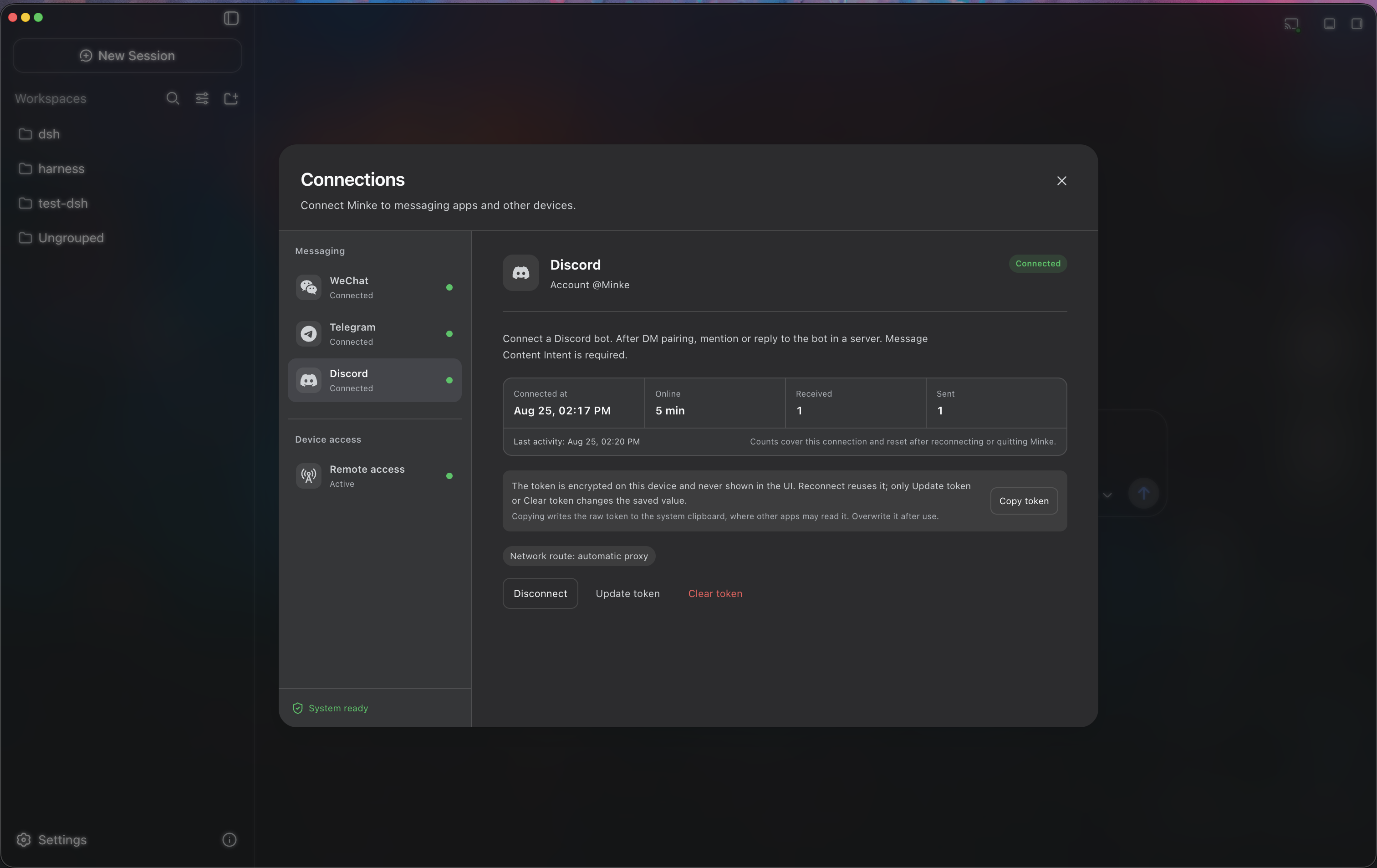
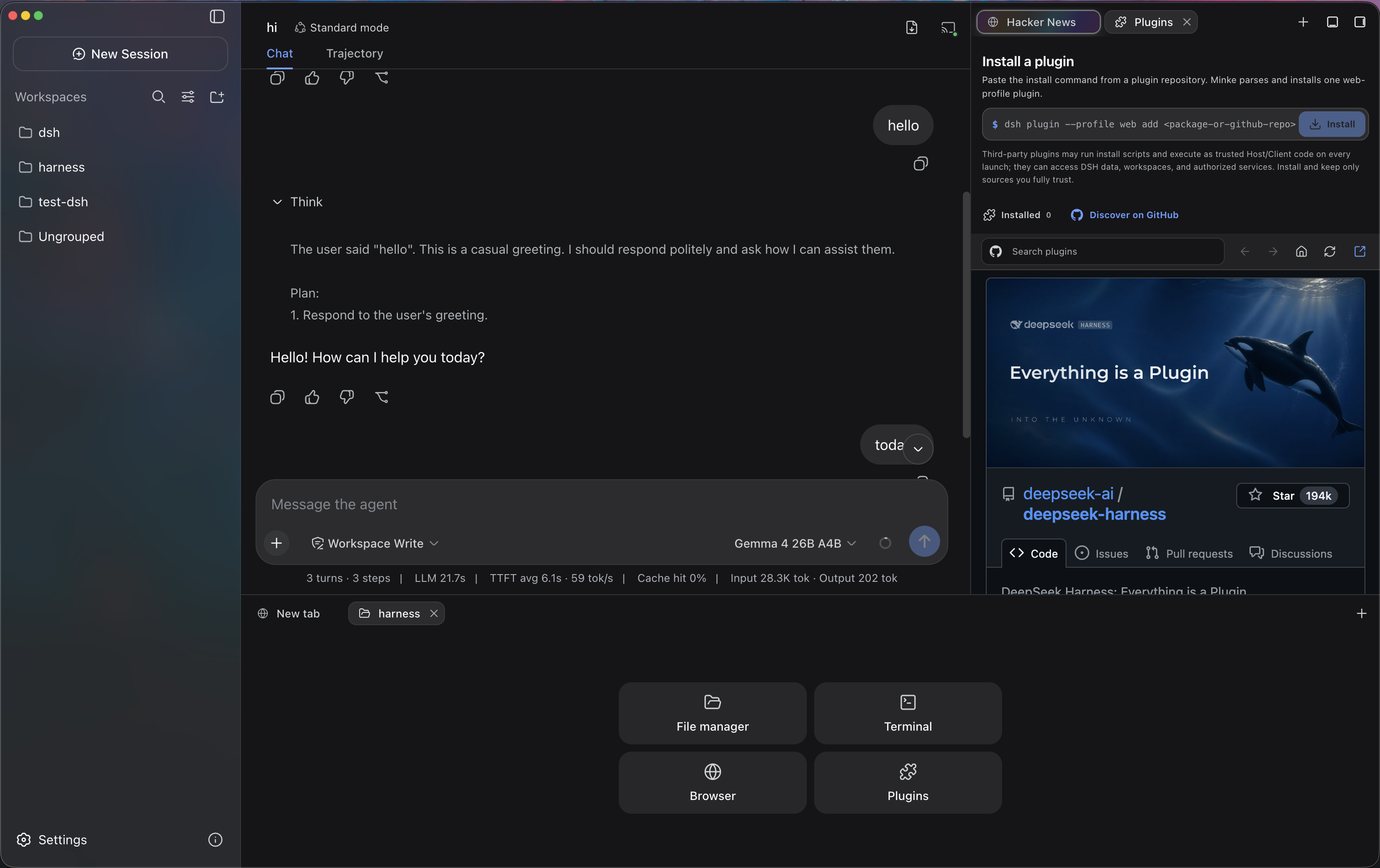
Minke brings conversations, files, terminals, and a shared browser into a local-first desktop agent workspace powered by DeepSeek Harness. Available on macOS, Windows, and Linux, with sessions and settings stored on your computer.
Minke is an independent community project under active development. Packaged releases may differ from the current source.
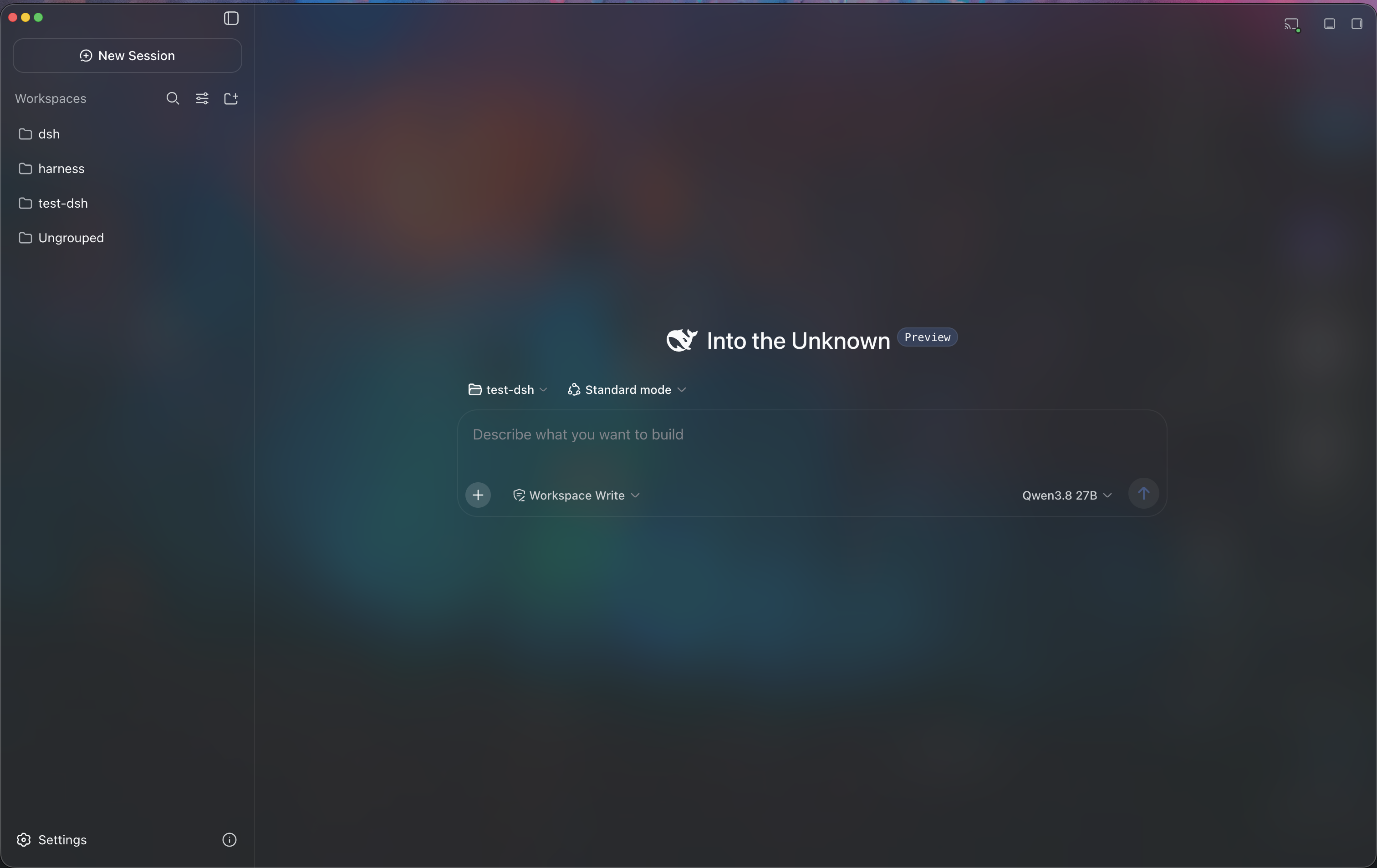 |
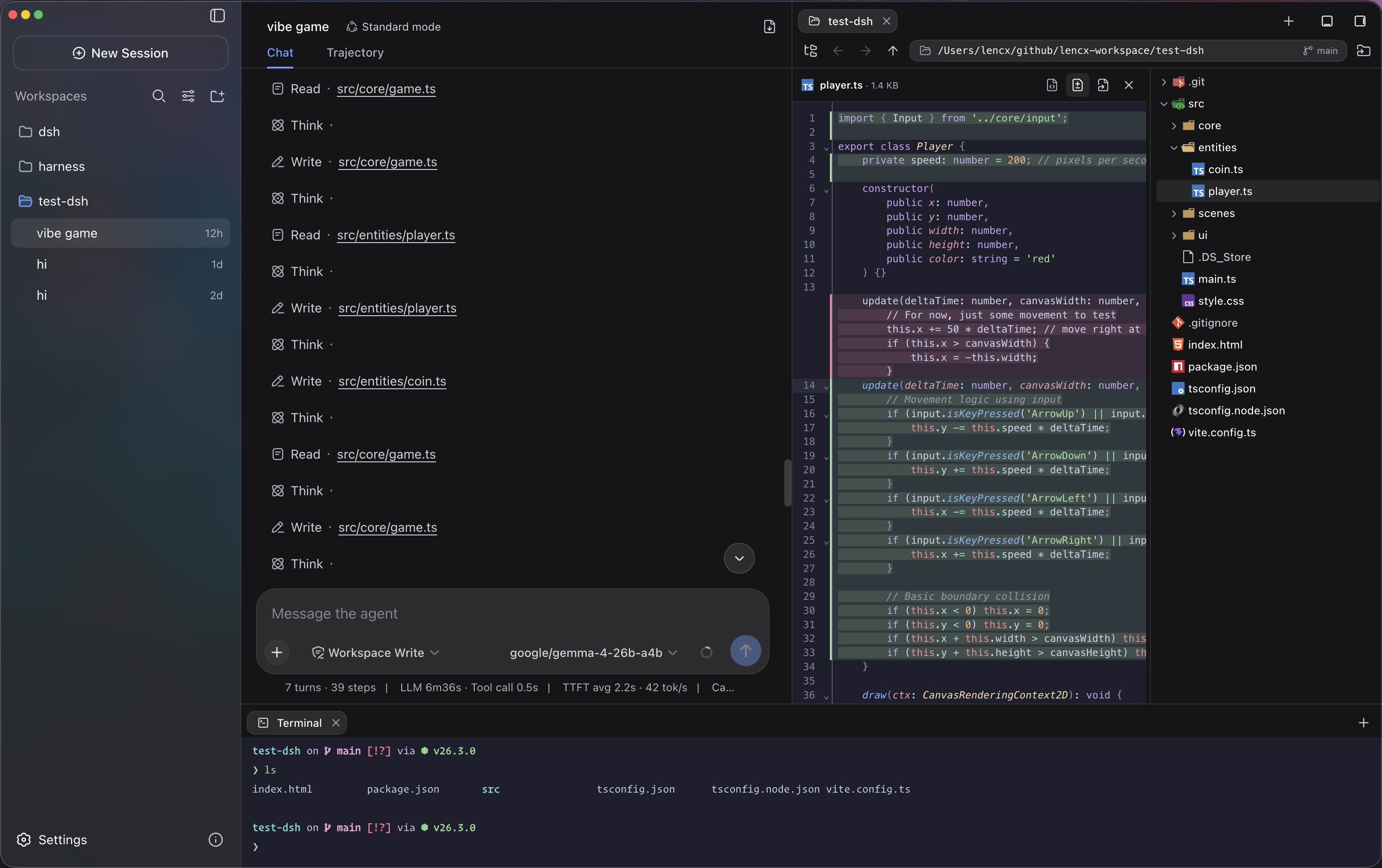 |
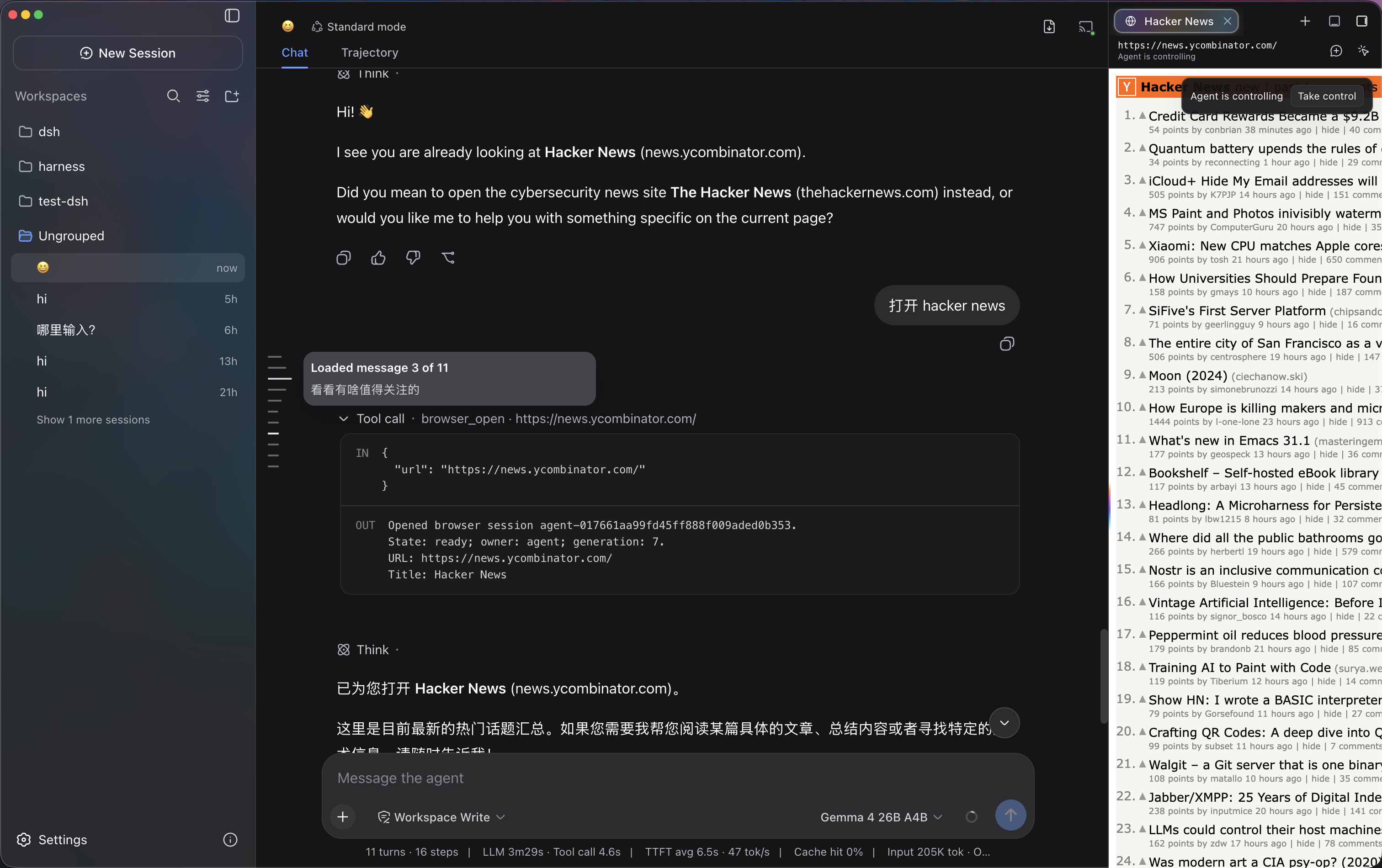 |
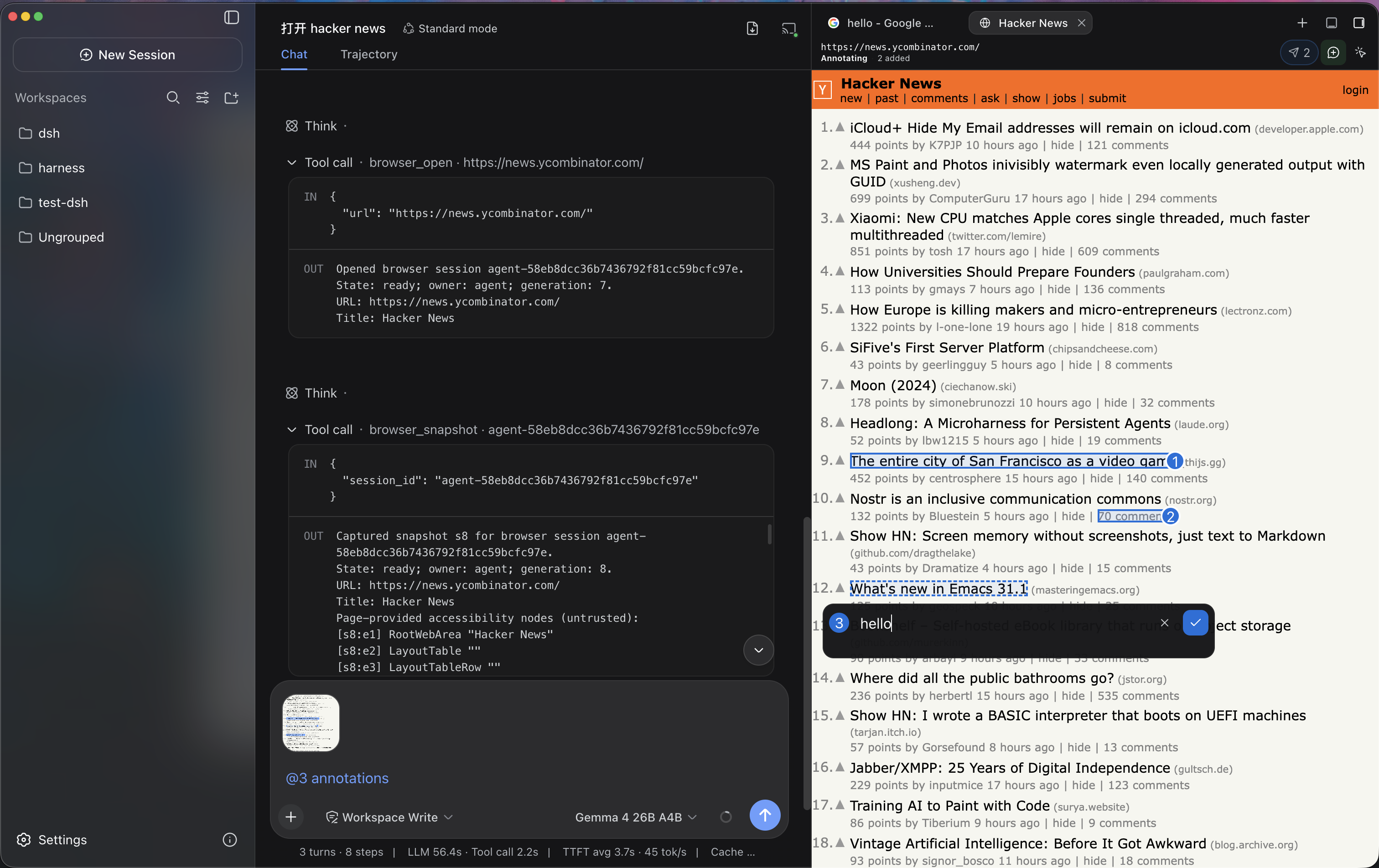 |
 |
 |
Minke remote access is a responsive Web client backed by Minke Host—not a video stream or touch-controlled projection of the Electron window. From a phone you can continue conversations, start agent tasks, manage project files, and use a terminal that runs on the Minke computer.
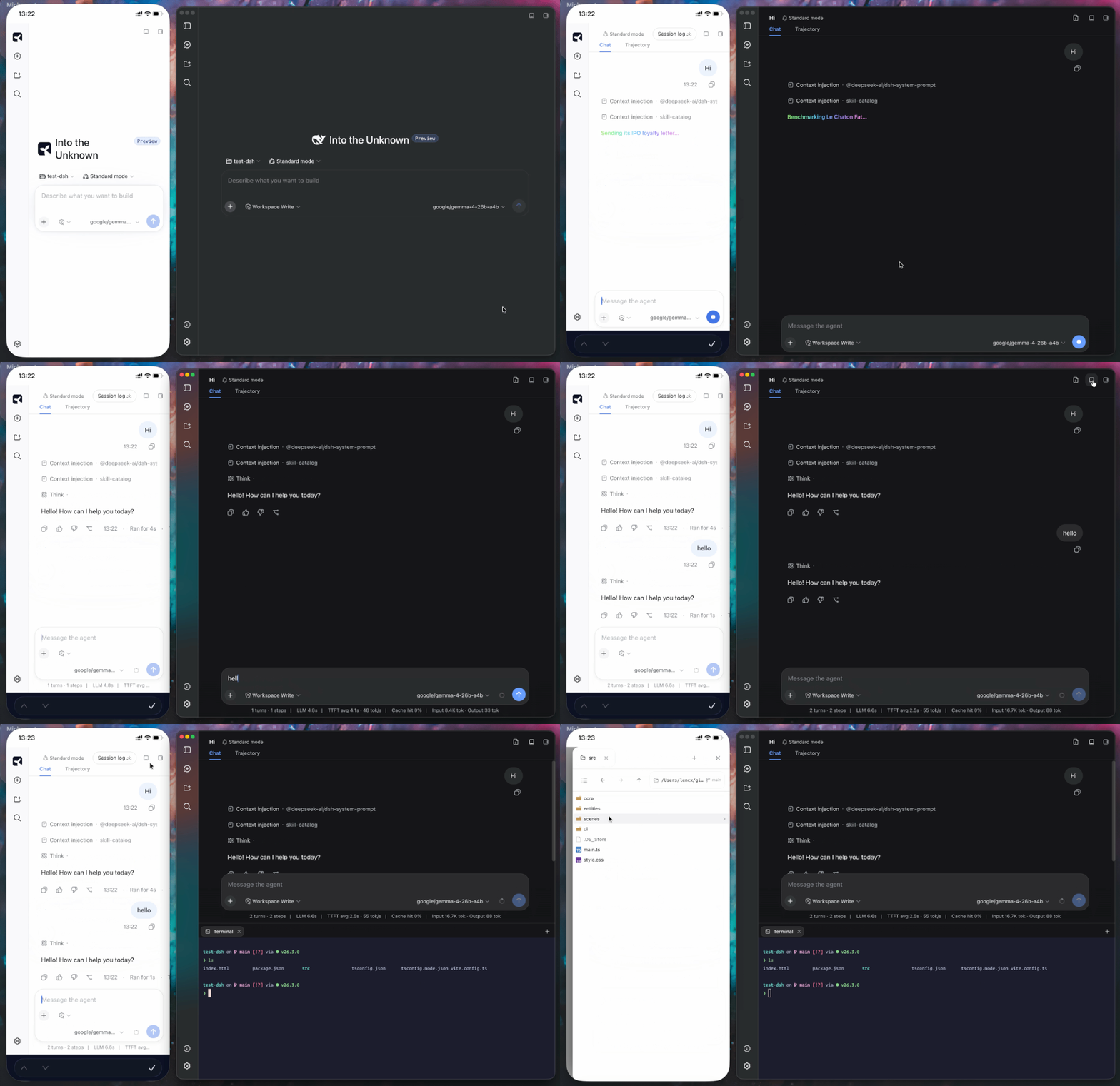
[!NOTE] Tailscale Serve over HTTPS, Tailscale Direct IP, and Cloudflare Access have all completed end-to-end regression testing and are currently available.
Minke can expose its Web UI privately through Tailscale Serve. It keeps Harness on the local loopback address, does not bind it to the LAN, and does not enable the public Tailscale Funnel.
https://…ts.net address on the phone.Open a Tailscale Serve or Cloudflare Access HTTPS address, choose Install Minke in the sidebar, and accept the browser install prompt. On iPhone or iPad, use Share → Add to Home Screen. The installed app launches in standalone mode; when connectivity is poor it shows connection or offline feedback instead of silently presenting cached workspace content.
Minke activates only one remote route at a time, owns its foreground proxy while the app is running, and stops it on exit. The remote page can start agent tasks and use local tools already authorized in Minke, so grant access only to trusted tailnet members or Cloudflare Access identities.
Download Minke only from the official GitHub Releases page. The links below always point to the latest stable release.
| Platform | Architecture | Package |
|---|---|---|
| macOS | Apple Silicon (arm64) |
Download .dmg |
| macOS | Intel (x64) |
Download .dmg |
| Windows | x64 |
Download .exe |
| Linux | Debian / Ubuntu (x64) |
Download .deb |
| Linux | Fedora / RHEL (x64) |
Download .rpm |
| Linux | x64 (portable AppImage) |
Download .AppImage |
Release checksums are available in SHA256SUMS.
Packaged macOS, Windows, and Linux builds check for stable updates automatically. Minke selects the fixed DMG, EXE, DEB, RPM, or AppImage asset for the running system, verifies the immutable GitHub Release, URL chain, exact size, SHA-256 digest, and available OS provenance marker, then asks before opening it. Disable background downloads under Settings → Minke → Preferences → Software updates to require a Download update confirmation first, or use About Minke → Check for updates at any time. Installation always remains explicit. See desktop application updates for the user flow and platform behavior.
Download the .dmg file and open it.
Drag Minke.app into the Applications folder.
Current pre-release builds are not notarized. First try Apple's Open Anyway flow under System Settings → Privacy & Security.
If you explicitly accept the risk and the system flow is unavailable, remove quarantine only from the exact installed app:
xattr -dr com.apple.quarantine "/Applications/Minke.app"Open Minke from the Applications folder.
[!CAUTION] Removing the quarantine attribute bypasses a macOS security check. Minke's updater never runs this command automatically. Use it only as a last resort for
Minke.appdownloaded from the official Releases page, and never replace the path with a broad directory.
Minke requests Keychain access only after you open Connections and click Authorize credential access. If macOS prompts, enter your Mac login password and choose Always Allow. If access is denied, click Request authorization again.
If credential storage remains unavailable, one possible cause is an invalid or modified app signature that prevents macOS from recognizing Minke's Keychain identity. Verify the application:
codesign --verify --deep --strict --verbose=2 "/Applications/Minke.app"If verification fails for an older pre-release build that you trust and reinstalling is not practical, quit Minke completely, then repair and reopen it:
/usr/bin/codesign --force --deep --sign - --timestamp=none "/Applications/Minke.app" \
  && /usr/bin/codesign --verify --deep --strict --verbose=2 "/Applications/Minke.app" \
  && /usr/bin/open "/Applications/Minke.app"
[!WARNING] Re-signing replaces the installed app's signature. Do not run this command on a valid Developer ID-signed and notarized release; reinstall the official build instead. Do not delete
~/.minke/secretsor the Minke Safe Storage item because existing channel credentials depend on them.
.exe installer.Download the package for your distribution, then open it with your graphical package manager or install it from a terminal.
Debian / Ubuntu:
sudo apt install "/path/to/minke-package.deb"Fedora / RHEL:
sudo dnf install "/path/to/minke-package.rpm"Replace the example path with the downloaded package path.
Build Minke on the same operating system and CPU architecture as the package you need. The build produces distributables for the current host under out/make; this project does not support cross-platform packaging from a single host.
The current source uses DSH v0.1.7-rc.2. The source commit and applied patches are recorded in the runtime configuration; see the DSH upgrade notes (Chinese) for changes and migration details.
Prerequisites:
vendor/deepseek-harness submodule must be checked out..dmg target can only be built on macOS.fakeroot, dpkg, and either rpm or rpm-build.On a fresh checkout, first install the repository dependencies, then prepare the Harness runtime:
pnpm run harness:stageThis command installs and builds the pinned DeepSeek Harness source, then stages the reusable desktop runtime under runtime/host. Run it after a fresh checkout, or whenever the pinned Harness source or runtime contract changes.
Start Minke in development mode with:
pnpm startpnpm start refreshes the Minke integration in the prepared runtime and launches the development app.
Create the distributable package for the current platform with:
pnpm makepnpm make performs a full runtime stage again before writing the platform package to out/make.
macOS Keychain identifies an app by its code signature. The default local
package uses an ad-hoc signature and may be treated as a new app whenever its
contents change; stable authorization across versions requires the same valid
signing certificate. Find an installed identity with
security find-identity -v -p codesigning, then provide it to the packaging
process:
MINKE_MACOS_SIGN_IDENTITY="Developer ID Application: …" pnpm makeSet MINKE_MACOS_SIGN_KEYCHAIN as well when CI uses a dedicated keychain.
Never commit the certificate private key or keychain password.
如在使用中遇到问题,或希望进一步交流 Minke,可关注公众号「浮之静」,发送 dsh 获取进群码。也欢迎大家贡献 PR 或分享给更多朋友,您的每一次 Star 都是对开源项目的巨大支持,感恩。


CLASSIFICATION EVIDENCE
系统优先读取 GitHub Topics,再与站内分类词典和词根规则比对。当前命中: skills。
deepseek-ai
DeepSeek Harness: Everything is a Plugin.

anywhere-labs
为 DeepSeek Harness (DSH) 插件生态打造的现代化桌面端解决方案。万物皆「插件」,桌面本身也是「插件」。

walkinglabs
Harness engineering beginner tutorial, from 0 to 1