
模型与 MCP
待识别

rea
morluto
Reverse engineer anything with agents, from app behavior down to native binaries.
PROJECT TOPICS
INSTALL REFERENCE
dsh plugin --profile web add github:ksolodev/dsh-artel
该命令指向仓库当前默认分支;尚无绑定当前 commit 的完整验证结果。
PROJECT README


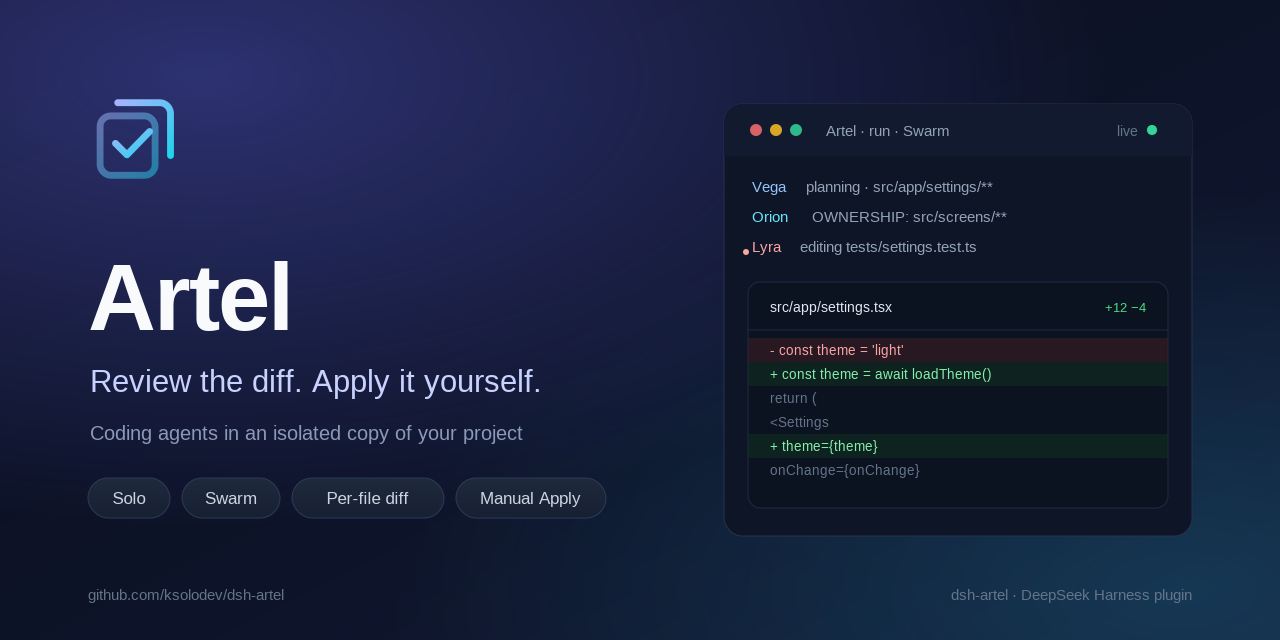
Run a development task in an isolated copy of your project, watch the work as it happens, review the diff line by line, then apply it yourself.
Artel is a DeepSeek Harness plugin. It adds an Artel tab to the right sidebar of a chat session. The chat session's working directory is the project; Artel never touches it until you press Apply.
Artel is a DSH bundle: it installs with the standard plugin CLI and needs no build step.
From npm
dsh plugin --profile <profile> add dsh-artelFrom the release tarball — download dsh-artel-0.1.0.tgz from the
v0.1.0 release, then:
dsh plugin --profile <profile> add C:/path/to/dsh-artel-0.1.0.tgzFrom a checkout — point the plugin CLI at the directory:
dsh plugin --profile <profile> add C:/path/to/dsh-artelA directory install is recorded as a link: dependency, so edits in the checkout are live after a
host reload. In the desktop app you can also use Settings → Plugins → Install from file and pick
the .tgz or the checkout folder.
After installing, restart DeepSeek Harness (or reload the page, which recomposes the client boot graph), open a chat session that has a project directory, and click Artel in the session header. The plugin's page is served over a loopback-only HTTP API, so the plugin and the host must run on the same machine.
node_modules is
linked, not copied, so the agents can still run the project's checks. The real project is not
touched.send_message/list_agents. The first
Swarm turn is planning only: the agents divide the files and announce who owns what.Solo — one agent does the whole task in its own copy of the project. It reads the code, edits the copy, and runs whatever checks it needs. Use it when the task is small and well understood: fix a bug, add a screen, change some text.
Write the task the way you would write it to a colleague: what should come out, and where in the project it lives. The agent finds and reads the files itself.
Swarm — three agents share one copy and one conversation tree. Their first turn is a planning
turn: they make no edits, they divide the files among themselves and say out loud who owns what, so
that nobody edits the same file. They can also message each other directly: the team has
send_message/list_agents, so a question, a heads-up or a promise to take an area reaches the
other agents as a real turn, and every such message appears in the shared feed. After the planning
turn they work in parallel, read each other's edits on disk, and Artel flags any file that two agents
touch. Checks run once, against the whole copy.
Use Swarm when the work splits into pieces that do not meet in the same files.
While a run is active, the Artel tab shows the live feed of every agent. You can write to an agent at any time without waiting for it to finish; in Swarm you can also address one agent only.
When every agent is idle, Artel stops and waits for you:
The copy lives outside the project, under your DSH home directory, and is removed when the run is
discarded or when it gets older than keepCopiesHours.
Each agent works in the copy as its working directory. The first agent of a Swarm run is an ordinary
DSH session, so you can open its full conversation from the Agents section of the Artel tab; the other
two are that session's subagents, live in the same agent tree, and are not listed in the sidebar as
separate chats. Solo agents are ordinary sessions as well, titled Artel · <agent> — <task>; archive
or delete those sessions when you no longer need them.
dsh-forgeThe plugin was renamed to Artel (the npm name dsh-forge belongs to an unrelated placeholder package).
On its first start the Host moves the previous data root from <DSH home>/forge/<profile> to
<DSH home>/artel/<profile>, so existing run records, feeds and copies stay available. The plugin id
changed with the name, so an already open Forge tab does not restore — open the Artel tab once after
the restart.
^0.2.2-rc.1 with a Host that provides the session controller (the desktop app or dsh web).^22.19.0 || >=24 — the same runtime the Host uses.All values are optional; set them in the bundle's plugin configuration.
| Key | Default | Meaning |
|---|---|---|
swarmAgentCount |
3 |
Agents per Swarm run (2–8). |
maxRunsPerSession |
10 |
Runs kept per session. Older runs are dropped. |
keepCopiesHours |
72 |
Copies older than this are deleted on startup. 0 disables the sweep. |
diffContext |
3 |
Context lines around each diff hunk (0–12). |
idleGraceMs |
1200 |
How long Artel waits for a possible agent-to-agent message before it calls the run idle (0–10000). |
excludeGlobs |
[] |
Extra paths never copied, diffed, or applied. |
copyRoot |
<DSH home>/artel/<profile>/copies |
Where run copies are created. |
stateDir |
<DSH home>/artel/<profile>/state |
Run index and feeds. |
node_modules is linked into the copy instead of copied, so agents can run project checks.Run records and feeds are plain JSON and JSONL files under stateDir. Agent conversations are
ordinary DSH sessions and stay in your session store. The plugin serves its page over a loopback-only
HTTP API; every request is checked for a local socket, a local Host header and a same-origin origin.
node --test test/*.test.jsNo build step: the host half is plain ESM (lib/*.js) and the client half is hand-written
React.createElement (lib/client.js). CI runs the suite on Ubuntu and Windows with Node 22 and 24.
MIT © dsh-artel contributors — see LICENSE.
CLASSIFICATION EVIDENCE
系统优先读取 GitHub Topics,再与站内分类词典和词根规则比对。当前命中: deepseek-harness。
morluto
Reverse engineer anything with agents, from app behavior down to native binaries.

deepseek-ai
DeepSeek Harness: Everything is a Plugin.

nexu-io
The 1st Collaborative AI Design Agent Workspace. Local-first and open source. Create motion, prototypes, websites, apps, dashboards, presentations, images, and videos with your team and AI agents. Share work, exchange feedback, and iterate together in one workspace.