
模型与 MCP
待识别

rea
morluto
Reverse engineer anything with agents, from app behavior down to native binaries.
PROJECT TOPICS
INSTALL REFERENCE
dsh plugin --profile web add github:kirineko/dsh-function-plot
该命令指向仓库当前默认分支;尚无绑定当前 commit 的完整验证结果。
PROJECT README
DeepSeek Harness 插件:让对话支持函数图像绘制,以及把工作区里的 SVG 显示到 Web 页面。
npm(推荐)
dsh plugin --profile web add dsh-function-plot
dsh web
源码
git clone https://github.com/kirineko/dsh-function-plot.git
cd dsh-function-plot
pnpm install
pnpm build
dsh plugin --profile web add "$(pwd)"
pnpm ≥10 若 add 失败,写入 ~/.dsh/profiles/web/pnpm-workspace.yaml 后重试:
allowBuilds:
dsh-function-plot: true| 目的 | 说法 |
|---|---|
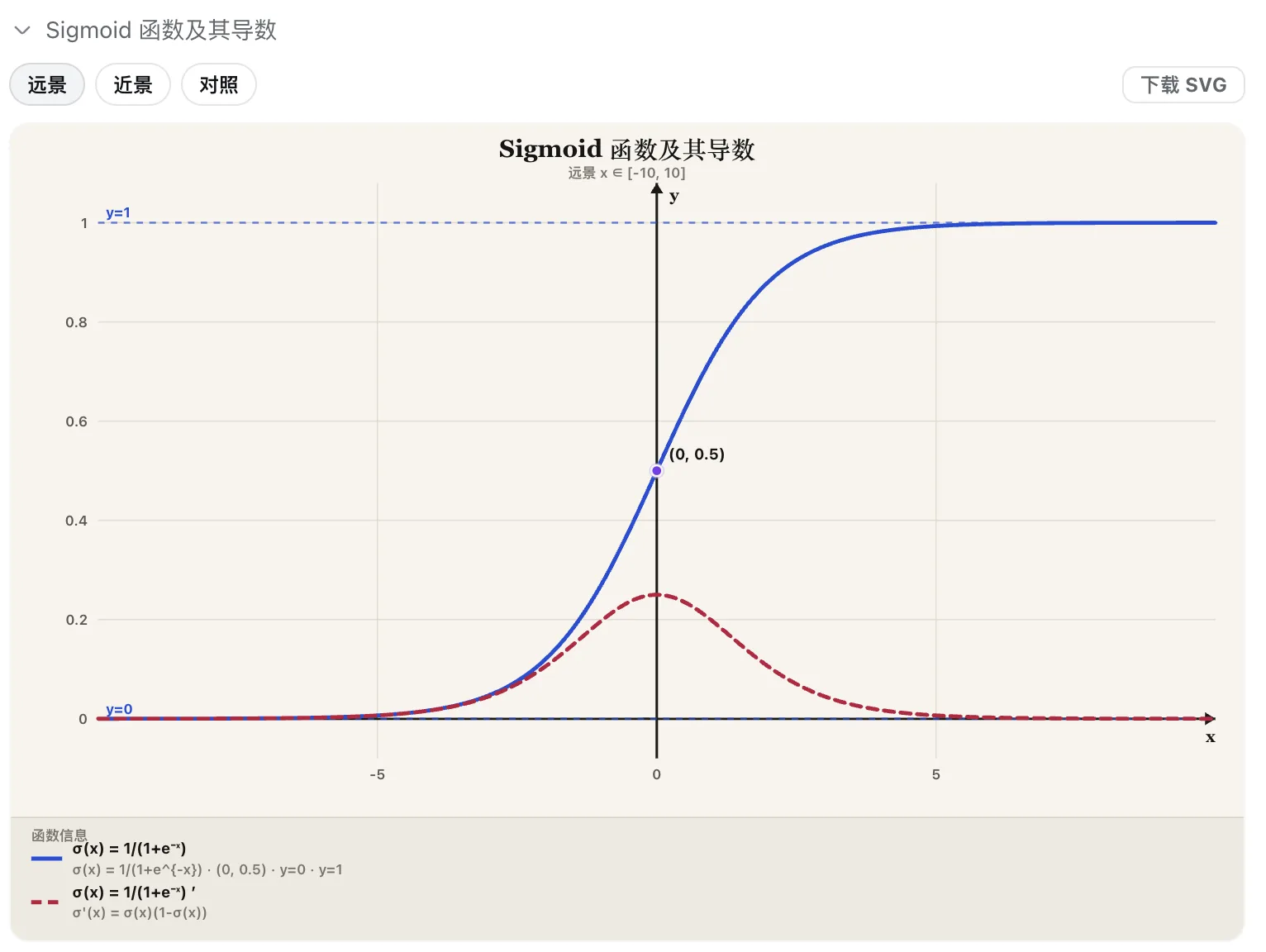
| 画函数 | 画 sigmoid;对比 ReLU 和 GELU;画 y = x^2 / 2 |
| 显示已有 SVG | 把 figures/arch.svg 显示在对话里 |
run_code 下的嵌套卡片.dsh-plots/*.svgdsh plugin --profile web remove dsh-function-plot默认即可使用,一般不用改。只有要换输出目录、采样数、画布或主题时,才编辑 ~/.dsh/profiles/web/cordis.patch.yml:
- id: function-plot
  name: dsh-function-plot
  config:
    outputDir: .dsh-plots
    samples: 400
    width: 960
    height: 540
    theme: light
CLASSIFICATION EVIDENCE
系统优先读取 GitHub Topics,再与站内分类词典和词根规则比对。当前命中: deepseek-harness。
morluto
Reverse engineer anything with agents, from app behavior down to native binaries.

deepseek-ai
DeepSeek Harness: Everything is a Plugin.

nexu-io
The 1st Collaborative AI Design Agent Workspace. Local-first and open source. Create motion, prototypes, websites, apps, dashboards, presentations, images, and videos with your team and AI agents. Share work, exchange feedback, and iterate together in one workspace.