返回目录
Agent 与会话 插件

dsh-session-archive

kiligzzz/dsh-session-archive

DeepSeek Harness web plugin: list, preview, restore or delete archived sessions from a sidebar panel.

Stars
1
Forks
0
Issues
0
更新
今天

PROJECT TOPICS

项目标签

INSTALL REFERENCE

安装参考

未验证
dsh plugin --profile web add github:kiligzzz/dsh-session-archive

该命令指向仓库当前默认分支;尚无绑定当前 commit 的完整验证结果。

PROJECT README

README

dsh-session-archive

English | 简体中文

A DeepSeek Harness web plugin that surfaces the registry-global archived session set and lets you preview, restore (unarchive), or delete sessions.

The harness hides archived sessions from every grouping surface (workspace groups, Ungrouped, content search, flat list) but ships no UI to view or restore them. This plugin adds that missing capability as a sidebar-footer entry.

Screenshots

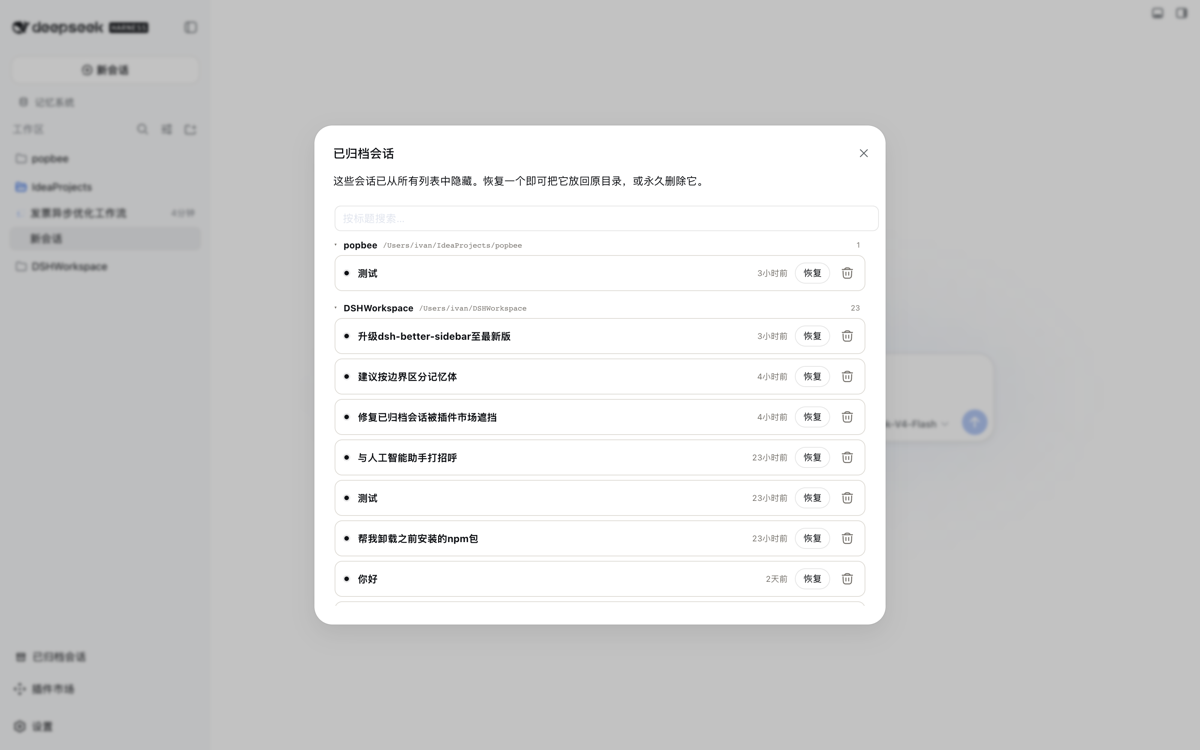
Panel — archived sessions grouped by owning workspace directory, sorted newest-first, each row showing its last-activity time with the absolute timestamp on hover.

Panel

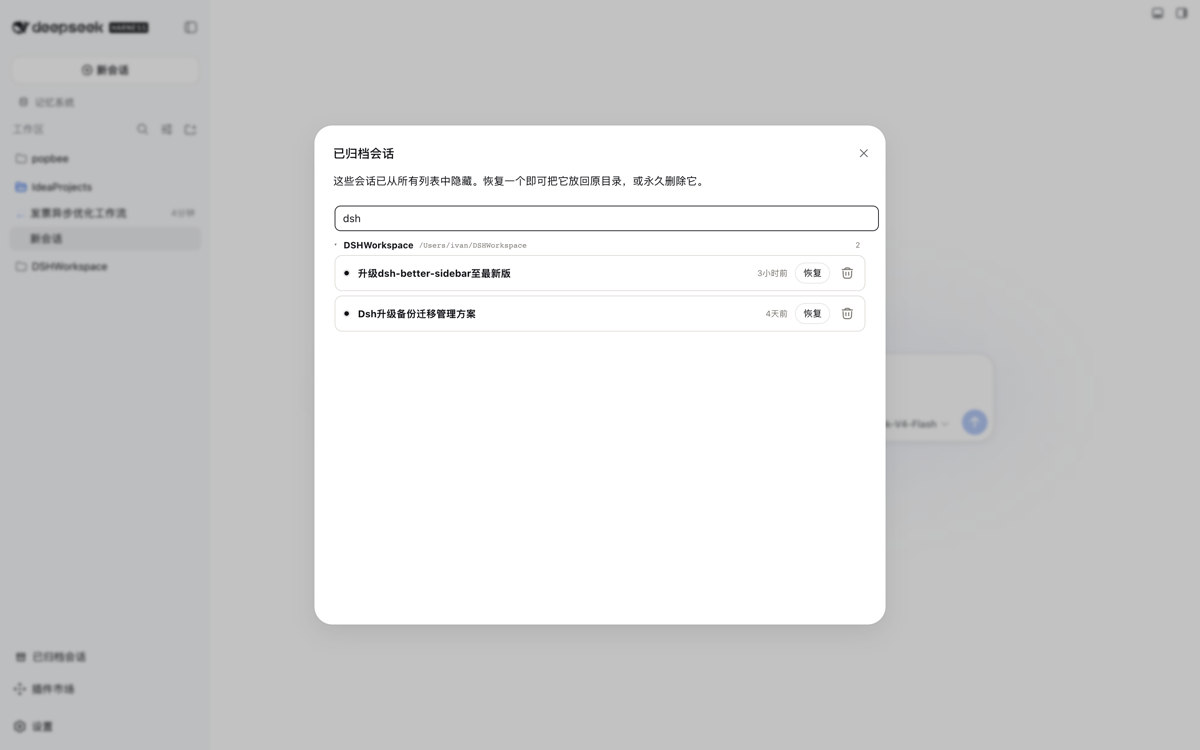
Live title search — typing filters the list across all groups as you type.

Search

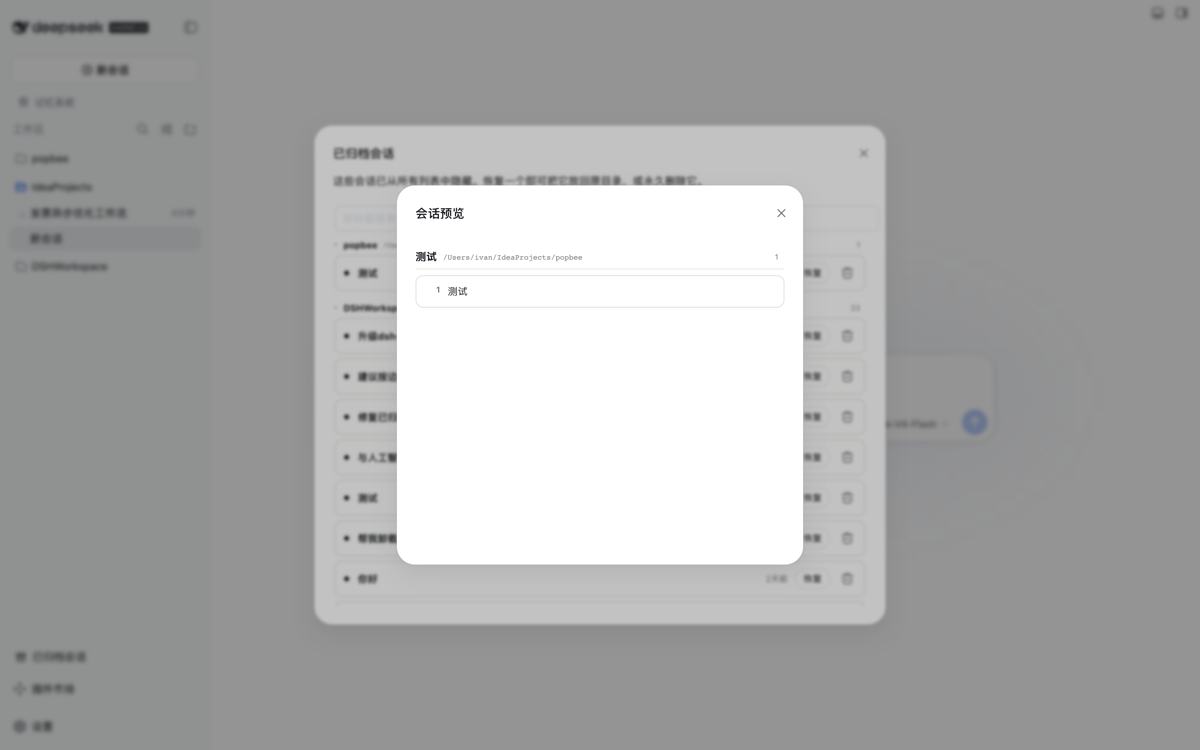
Read-only preview — clicking a session title opens a modal rendering every user question from the on-disk log. The archived state is never touched.

Preview

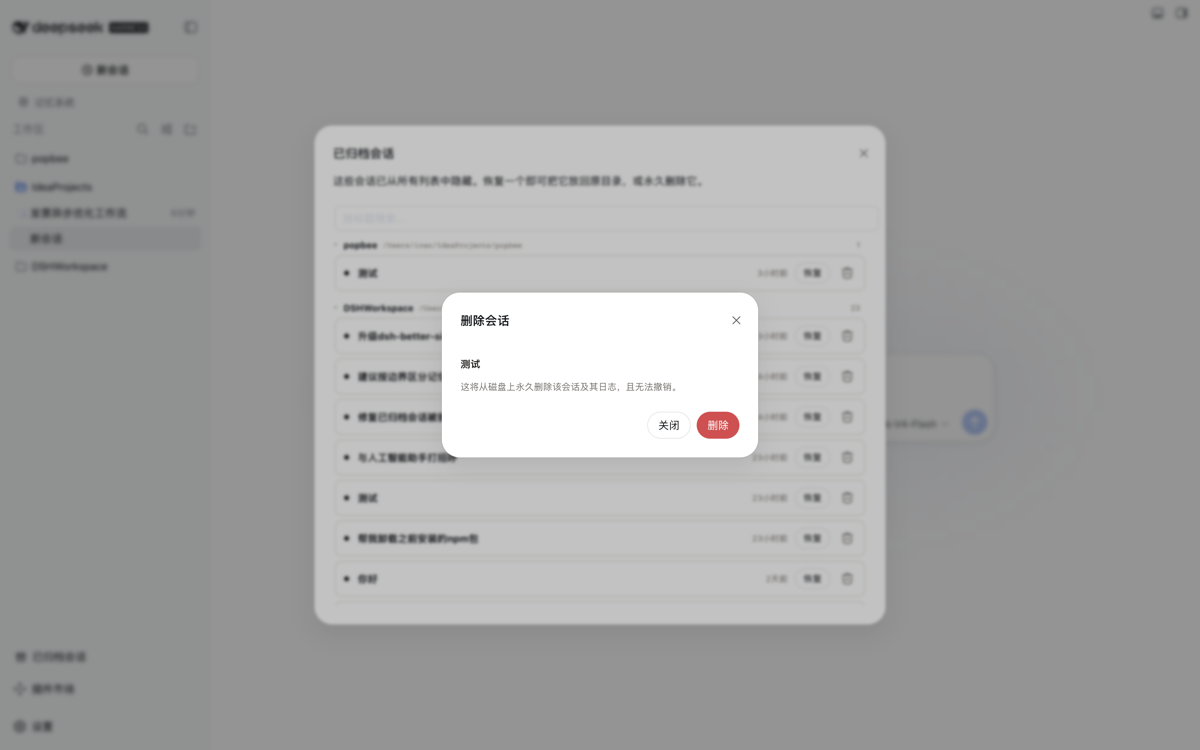
Delete confirmation — deleting requires an explicit confirmation dialog; live sessions are always refused.

Delete

Sidebar entry — the plugin adds a bottom-of-sidebar button alongside Cordis Plugin and the Plugin Marketplace.

Sidebar entry

Features

  • Sidebar footer entry — an "Archived sessions" button at the bottom of the sidebar (also works in the collapsed icon rail).
  • Grouped panel — every archived session listed in a wide fixed-size panel, grouped by owning workspace directory (Ungrouped last), with collapsible directory groups and a per-group count badge.
  • Last-activity time per row — compact relative time (now / 5min / 3h / 2d), matching the sidebar session rows' style; hover shows the absolute local timestamp. Rows sort newest-first within each group.
  • Live title search — filters sessions across all groups as you type.
  • Read-only preview — clicking a session title opens a modal rendering every genuine user question (system-injected content excluded) from the on-disk log. Purely observational: the archived state is never touched, so you can inspect contents before deciding to restore or delete.
  • One-click restore — calls a same-origin host route that durably removes the id from the archived set (idempotent, serialized through the workspace-registry write chain); the session reappears in its grouping.
  • Delete with confirmation — a trash action opens a confirmation dialog; confirming permanently removes the session from the archived set, detaches its workspace accounting, and deletes its on-disk log directory. Live sessions are refused.
  • Host service APIworkspaceArchive (list() / preview(sessionId) / restore(sessionId) / deleteSession(sessionId)) exposed to sibling host plugins.

Install

Prereq: a DeepSeek Harness Web profile (dsh available, pnpm on PATH).

dsh plugin --profile web add https://github.com/kiligzzz/dsh-session-archive

Restart the Web profile (host and browser bundles are scanned at boot), then refresh the page. Its bundle id appears in __DSH_BOOT__ and a sidebar.footer.action entry appears at the bottom of the sidebar.

Install from a local checkout instead:

pnpm --dir <this-checkout> install   # dev deps (esbuild) only if rebuilding
pnpm --dir <this-checkout> run build # optional — lib/ build artifacts are committed
dsh plugin --profile web add "$PWD"

Remove

dsh plugin --profile web remove @dsh-external/dsh-session-archive

How it works

  • host (src/index.ts): a cordis plugin injecting workspaceRegistry (and optionally webServer). WorkspaceArchive.restore() mirrors the registry's own archiveSession write path: enqueueOperationrequireStatesetState({ ...state, archivedSessionIds: filtered }), so the change is serialized and atomically persisted to the workspace domain (~/.dsh/storages/workspace.json). A same-origin route /_dsh/session-archive exposes GET (list) and POST {action:'restore'|'delete'|'preview'}.
  • client (src/client/index.tsx): registers a sidebar.footer.action entry; the panel reads archivedSessionIds / session summaries from the shared useWorkspaces / useSessions stores and POSTs to the host route on restore, then the workspace baseline refreshes. Relative-time labels derive from each session's updatedAt.

License

MIT

CLASSIFICATION EVIDENCE

分类依据

项目类型插件
功能分类Agent 与会话
规则置信度

系统优先读取 GitHub Topics,再与站内分类词典和词根规则比对。当前命中: session-management。