

模型与 MCP
待识别

rea
morluto
Reverse engineer anything with agents, from app behavior down to native binaries.
PROJECT TOPICS
INSTALL REFERENCE
dsh plugin --profile web add github:kevinxcw/dsh-approval-popups
该命令指向仓库当前默认分支;尚无绑定当前 commit 的完整验证结果。
PROJECT README
Cross-session approval, question and completion popups for the DeepSeek Harness Web UI: answer a background Session's request from the bottom-right corner of the conversation you are already in.


English | 中文
Status: 0.1.2 preview. Built against DSH
0.2.2-rc.1. It reads a few runtime fields that are not part of the public pending-interaction type; see Known limitations.
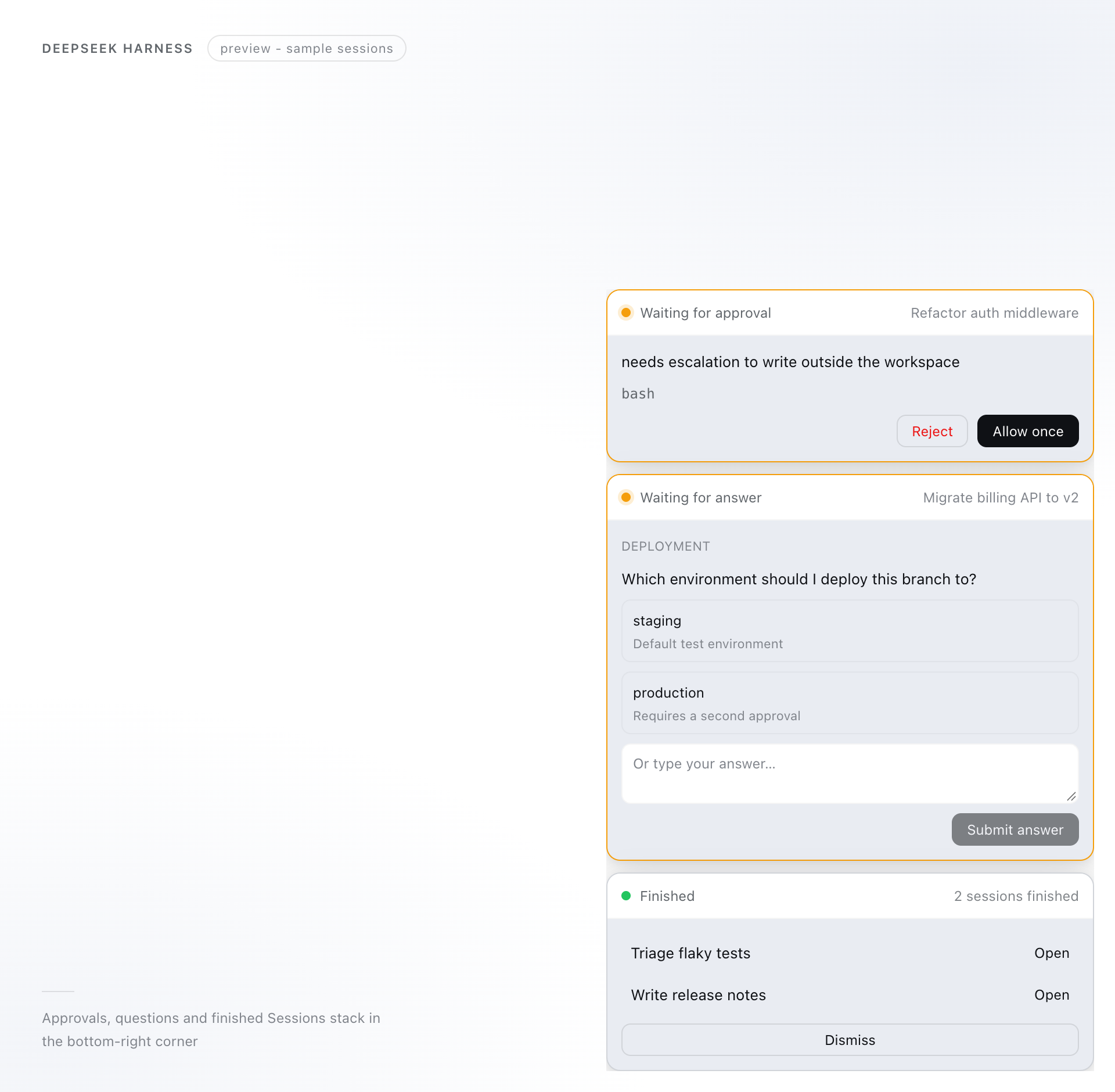
Sample Sessions rendered with the real component; colors follow the active theme.
DSH already shows an approval or a question inside the Session that asked it, and marks that Session with a small dot in the sidebar. While you are deep in one conversation, that is easy to miss — and switching Sessions to check loses your place.
This plugin reads the same live session status the Web UI uses and mirrors it into one always-visible place: pending approvals, questions, plan reviews, and Sessions that finished while you were elsewhere. Answering a card settles the original request, so the other Session continues instead of waiting.
Not for you if you want operating-system notifications, a tray icon, or a desktop pet; see Related projects.
| Surface | Where | What you can do |
|---|---|---|
| Approval card | Bottom-right stack | Check the tool and its reason, then Allow once or Reject. |
| Question card | Bottom-right stack | Pick options, type a custom answer, skip individual questions, and submit the batch. |
| Plan review card | Bottom-right stack | Read the plan, then Approve plan or Send back. |
| Completion card | Bottom-right stack | Up to four finished Sessions, aggregated; Open one or Dismiss the notice. |
| Chime | Your speakers | Two synthesized notes for a new request; one softer note when a Session finishes. No audio file is shipped. |
| Theme and locale | Everywhere | Follows DSH light, dark, and third-party themes; the copy follows the UI language (English / 中文). |
Details that matter in daily use:
72vh; the stack itself scrolls, and the page underneath stays clickable outside the cards.running. A Session that goes from running to idle is announced after a 1.6 s settle delay, skipping subagent Sessions, Sessions waiting for an interaction, and the Session you are looking at.Plugin Manager (recommended). In DSH, open Plugins in the sidebar, choose Add plugin, and paste the package name:
dsh-approval-popupsThe same install works from the CLI on a Web profile:
dsh plugin --profile web add dsh-approval-popupsAppend @0.1.2 to pin the registry version, or paste the release tarball URL instead — it is the same build:
https://github.com/kevinxcw/dsh-approval-popups/releases/download/v0.1.2/dsh-approval-popups-0.1.2.tgzDSH installs from the npm registry or from the tarball; then enable the bundle if DSH leaves it switched off. Both routes ship the built Client bundle, so DSH does not run build scripts.
From a checkout (developers). Clone, build, then install the directory:
git clone https://github.com/kevinxcw/dsh-approval-popups.git
cd dsh-approval-popups
pnpm install
pnpm build
Then choose Add plugin → the absolute path of that checkout, or run:
dsh plugin --profile <profile> add link:/absolute/path/to/dsh-approval-popups<profile> is the profile that runs the Web UI: web for dsh web, desktop for the desktop app. The desktop app manages its own profile; use its Plugins page rather than the bundled CLI there. If dsh is not on your PATH, the desktop app can register its bundled CLI from the Manage dsh Command menu.
This is a Client-only plugin: after the first install, refresh the page (⌘R / Ctrl+R). Host restart is not required. Later rebuilds are picked up by dsh-client-hmr.
Check that the bundle is active:
dsh --profile web --dump-config | grep -n -A3 dsh-approval-popupsOpen a second Session and leave something pending there, then come back to your first conversation:
Session B: run a bash command that needs approval, for example writing a file outside the workspace
→ Session A shows "Waiting for approval" in the bottom-right corner;
  click Allow once and Session B continues.
Session B: ask for a task that runs for about a minute, then switch back to Session A
→ when Session B stops, a "Finished" card appears; Open jumps to it.The same component in the dark theme — the card surface, primary button label, and hover states all come from theme tokens, so a third-party theme carries over too.
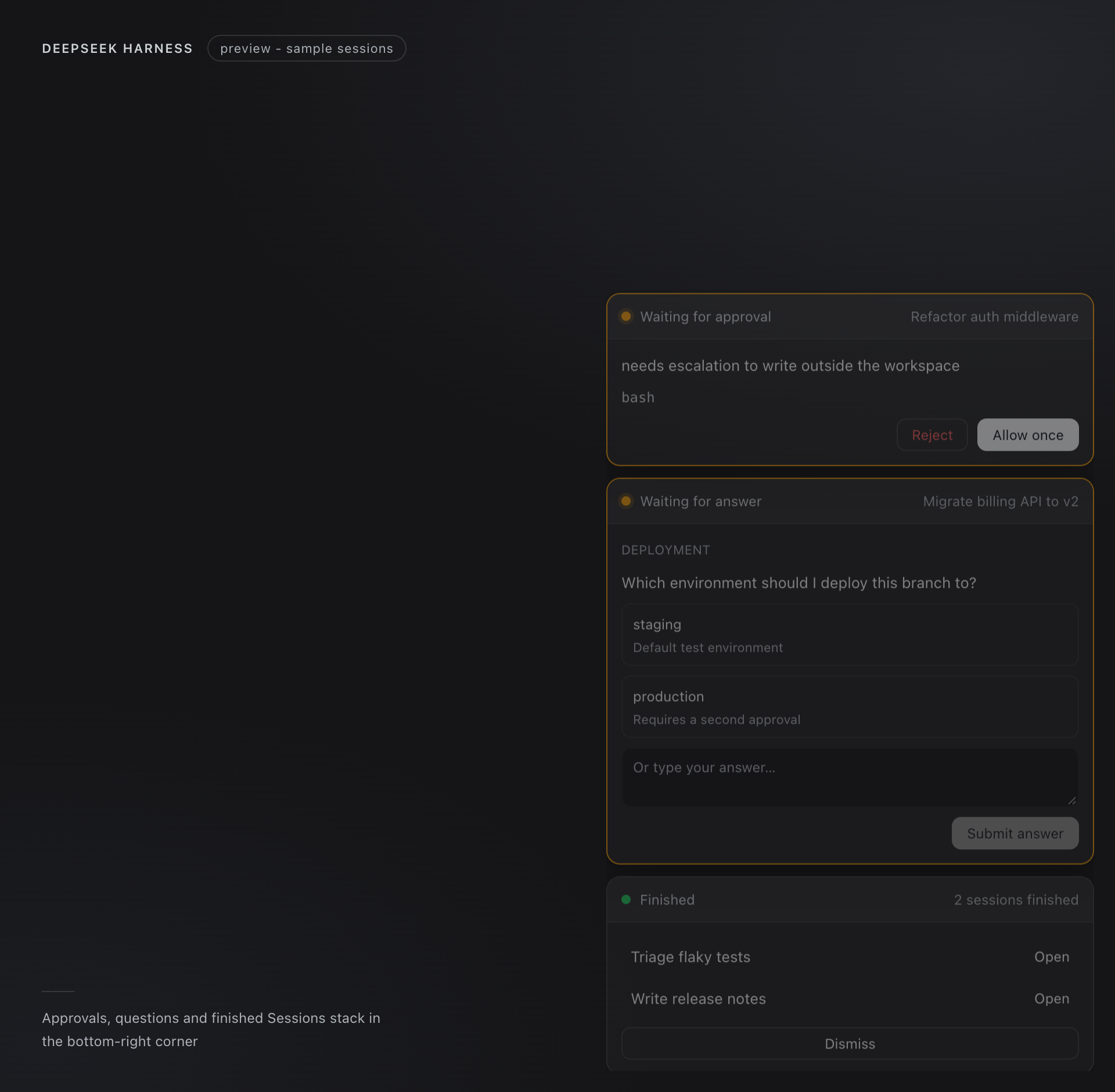
There is nothing to configure in 0.1.2: the plugin exports no Config schema, and cordis.patch.yml needs no config:. These values are fixed by design:
| Constant | Value | Why |
|---|---|---|
| Completion settle delay | 1.6 s | A pause between turns is not a finished Session. |
| Completion rows | 4 shown, 12 retained | Keeps the aggregated card short; older notices fall off. |
| Stack width | min(420px, 100vw - 32px) |
Fits the card content without covering the composer on small windows. |
| Stack height | 72vh, scrollable |
A batch of questions stays reachable without pushing the first card off-screen. |
| Chime | Synthesized WebAudio, no asset | Browsers mute audio until the first click or keypress; notices before that stay silent. |
| Item | Value |
|---|---|
| DSH | 0.2.2-rc.1 (engines.dsh; a mismatch is refused instead of loading half-working) |
| Node.js | >=24.9.0 (inherited from the DSH runtime) |
| Distribution | npm dsh-approval-popups and the GitHub release tarball |
| Half | Client-only; the Host apply() is intentionally empty |
| Tested on | macOS 26.6.2 (arm64), DSH Desktop + Web UI at 0.2.2-rc.1 |
| Interface language | English and 中文 |
The Web Client uses light-dark() when the browser supports it and a plain layer token otherwise; both paths are covered by the palette test in test/render.smoke.mjs.
uiSession.sessionStatus projection (running flag, pending interaction, completion flag), Session titles from the Client Session list, and the pending interaction objects of other Sessions.localStorage, no cookies, no settings.registry.npmjs.org (or the GitHub release URL you pasted). Once installed, the plugin makes no requests.dsh plugin --profile <profile> remove dsh-approval-popups.Unofficial plugin: not maintained by, or bundled with, DeepSeek Harness.
SessionPendingInteraction type exposes sessionId and kind; questions, toolName, reason, displayReason, and answer() are runtime fields of the shipped pending objects. The plugin reads them defensively and falls back to "open the Session" when they are missing. Re-verify after every DSH upgrade.| Symptom | Likely cause | Fix |
|---|---|---|
| Plugin is listed but no cards appear | Every other Session is idle; the Session on screen is intentionally excluded | Trigger an approval or question in another Session and switch back. |
incompatible-version or the bundle is refused |
engines.dsh does not match the running DSH |
Use DSH 0.2.2-rc.1, or update the plugin to a release built for your version. |
Install from a checkout fails with Cannot find module .../lib/index.js |
lib/ is not committed; the checkout was never built |
Run pnpm install && pnpm build in the checkout, then install the directory again. |
| Submitting from a card shows "This version cannot submit from here" | The DSH upgrade renamed the runtime pending fields | Open the Session and answer in the shipped composer; update the plugin. |
| No sound after loading the page | Browser autoplay policy has not seen a click or keypress yet | Click anywhere in the page once; the next notice rings. |
| A rebuilt Client bundle does not show up | HMR did not reload, or the build output is stale | Run pnpm build, then refresh the page. |
pnpm install
pnpm build       # tsc for the Host entry, then copies src/client.js to lib/client.js
pnpm typecheck
pnpm test        # pretest builds, then runs 18 node:test cases
pnpm pack --dry-run
src/client.js is plain JavaScript on purpose: the Module Loader evaluates the bundle directly, and TypeScript is only used for the empty Host entry. The tests load the built bundle with a stubbed React/DOM and drive the session-status source, covering pending collection, completion debounce, subagent filtering, current-Session suppression, the multi-question layout, and the theme palette.
lib/ is not committed. Build before installing a local checkout with link:; after that, Client-only changes are picked up by HMR or a page refresh. pnpm pack --dry-run should list lib/, cordis.patch.yml, locale/*.json, README.md, docs/README.zh.md, LICENSE, and icon.svg.
Releases go to both channels from the same build: bump version, run pnpm build && pnpm test, then npm publish, and attach the pnpm pack tarball to a GitHub release tagged v<version>.
dsh-approval-popups is a smaller, Client-only overlay; pick that one if you want OS-level alerts.MIT. See LICENSE.
CLASSIFICATION EVIDENCE
系统优先读取 GitHub Topics,再与站内分类词典和词根规则比对。当前命中: deepseek-harness。
morluto
Reverse engineer anything with agents, from app behavior down to native binaries.

deepseek-ai
DeepSeek Harness: Everything is a Plugin.

nexu-io
The 1st Collaborative AI Design Agent Workspace. Local-first and open source. Create motion, prototypes, websites, apps, dashboards, presentations, images, and videos with your team and AI agents. Share work, exchange feedback, and iterate together in one workspace.