
其他
完整应用

deepseek-harness
deepseek-ai
DeepSeek Harness: Everything is a Plugin.
PROJECT TOPICS
INSTALL REFERENCE
dsh plugin --profile web add github:keleus/deepseek-pet
该命令指向仓库当前默认分支;尚无绑定当前 commit 的完整验证结果。
PROJECT README
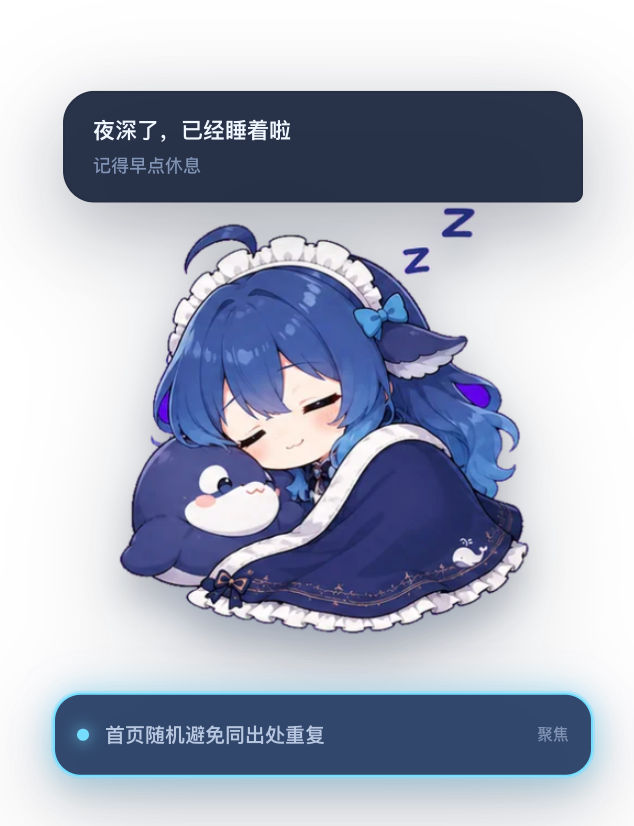
DeepSeek Pet 是一个嵌入 DeepSeek Harness 网页的交互式桌宠插件。它会跟随当前任务、 工具调用、上下文占用和活跃会话自动切换 DeepSeek 表情,并通过呼吸、弹跳、倾斜、 视差和淡入动画呈现 Live2D 风格效果。
角色使用完整表情图切换,不拆分头部、手脚或五官图层,避免部件错位和表情突变。
prefers-reduced-motion;本插件面向当前的 DeepSeek Harness Web 客户端(DSH 0.1.7 系列及以上)。
Harness 把会话数据拆到了多个客户端面上,插件按新的分工读取:
retainedBy.mainView),不再读取已移除的 sessions.list.current;chat 目标:uiConversation.binding(id).target('chat') 的 legacy 切片;uiSession.sessionStatus 的 pendingInteraction(approval / plan-review / question);uiWorkspace.openSession(id),不再调用已移除的 sessions.open。服务不可用时会自动降级(例如没有 uiConversation 时只显示状态、不显示正文),不会抛错。
升级 Harness 后请重新安装本插件,确保拉到的是匹配当前客户端 API 的版本。
安装需要 Node.js 和 pnpm。如果已经全局安装 dsh,运行:
dsh plugin --profile web add github:keleus/deepseek-pet没有全局 dsh 命令时,无需额外安装 CLI,直接通过 npx 执行:
npx @deepseek-ai/dsh plugin --profile web add github:keleus/deepseek-pet两种命令效果相同,都会从 GitHub 拉取插件并安装到 Web profile。
安装完成后启动或重新启动网页。全局 CLI:
dsh webnpx:
npx @deepseek-ai/dsh web如果网页已经打开,请刷新页面。
git clone https://github.com/keleus/deepseek-pet.git
cd deepseek-pet
npm install
npm run build
dsh plugin --profile web add .
如果没有全局 CLI,将最后一条命令替换为:
npx @deepseek-ai/dsh plugin --profile web add .本地安装会链接当前目录,修改代码并重新构建后即可继续调试。
重新执行安装命令即可拉取并安装远端最新版本:
dsh plugin --profile web add github:keleus/deepseek-pet或者:
npx @deepseek-ai/dsh plugin --profile web add github:keleus/deepseek-pet随后重新启动网页进程并刷新页面。
dsh plugin --profile web remove deepseek-pet没有全局 CLI 时:
npx @deepseek-ai/dsh plugin --profile web remove deepseek-pet环境要求:Node.js 22.19 或更高版本,以及 Python 3 和 Pillow。
npm install
npm run build
npm run assets:从源图生成透明 WebP 表情并嵌入客户端代码;npm run build:生成 lib/index.js 和 lib/client.js。主要目录:
src/host/         插件 Host 入口
src/client/       网页入口、组件、状态逻辑和动画样式
public/assets/    表情源素材
scripts/          素材处理和构建脚本
lib/ 可安装的构建产物CLASSIFICATION EVIDENCE
系统优先读取 GitHub Topics,再与站内分类词典和词根规则比对。当前命中: 无有效分类标签。
deepseek-ai
DeepSeek Harness: Everything is a Plugin.

anywhere-labs
为 DeepSeek Harness (DSH) 插件生态打造的现代化桌面端解决方案。万物皆「插件」,桌面本身也是「插件」。

walkinglabs
Harness engineering beginner tutorial, from 0 to 1