
其他
完整应用

deepseek-harness
deepseek-ai
DeepSeek Harness: Everything is a Plugin.
PROJECT TOPICS
INSTALL REFERENCE
dsh plugin --profile web add github:kedoupi/xiaotaozi-dsh
该命令指向仓库当前默认分支;尚无绑定当前 commit 的完整验证结果。
PROJECT README






Xiaotaozi DSH: the xtz CLI as the user product, plus a shared DeepSeek Harness plugin layer.
English · 中文 · Conventions · Workflow · DeepSeek Harness





Xiaotaozi DSH is a product bundle on DeepSeek Harness: the xtz command in apps/cli/ is what users install, and plugins/ is the capability layer it seeds. Something broken, or a plugin missing? Open an issue.
Requires Node.js ^22.19.0 || >=24.0.0 on PATH:
npm install -g xiaotaozi-dsh-cli
xtz start
The first xtz start prepares the official web profile and seeds every first-party plugin under plugins/, then serves the UI in your browser. Prefer one command? The install script (curl -fsSL https://raw.githubusercontent.com/kedoupi/xiaotaozi-dsh/main/apps/cli/scripts/install.sh | sh) and bun add -g xiaotaozi-dsh-cli install the same CLI; xtz still runs on Node.
Open commands: help/version, start/web, stop, restart, open, status, config path, doctor. Disabled by design: init, plugin, run/ask, config dump/defaults, update. xtz only manages a process it started and never steals port 3080. Full command and safety contract: apps/cli/README.md. The CLI pins DeepSeek Harness @deepseek-ai/dsh@0.1.2-rc.1; other DSH versions are not treated as compatible.
Open Plugin Center from the left-rail control under New Session. It occupies the conversation area; the sidebar and right workbench remain available. Installed is the default, with Xiaotaozi, Side workbench, Models and IM bots as built-in capabilities. Discover plugins uses the curated catalog. External top-level plugins appear under Installed and can be removed after confirmation. Removing a package does not promise to delete its credentials, sessions or saved data.
First-run welcome confirm opens Plugin Center → Installed → Models. Archive also opens from the session ⋯ menu. Runtime controls live under Settings → Advanced. The technical Loader
inventory is not a user settings page; use xtz doctor for diagnosis.
wecom-cli.The welcome overlay greets users the first time the web app opens.

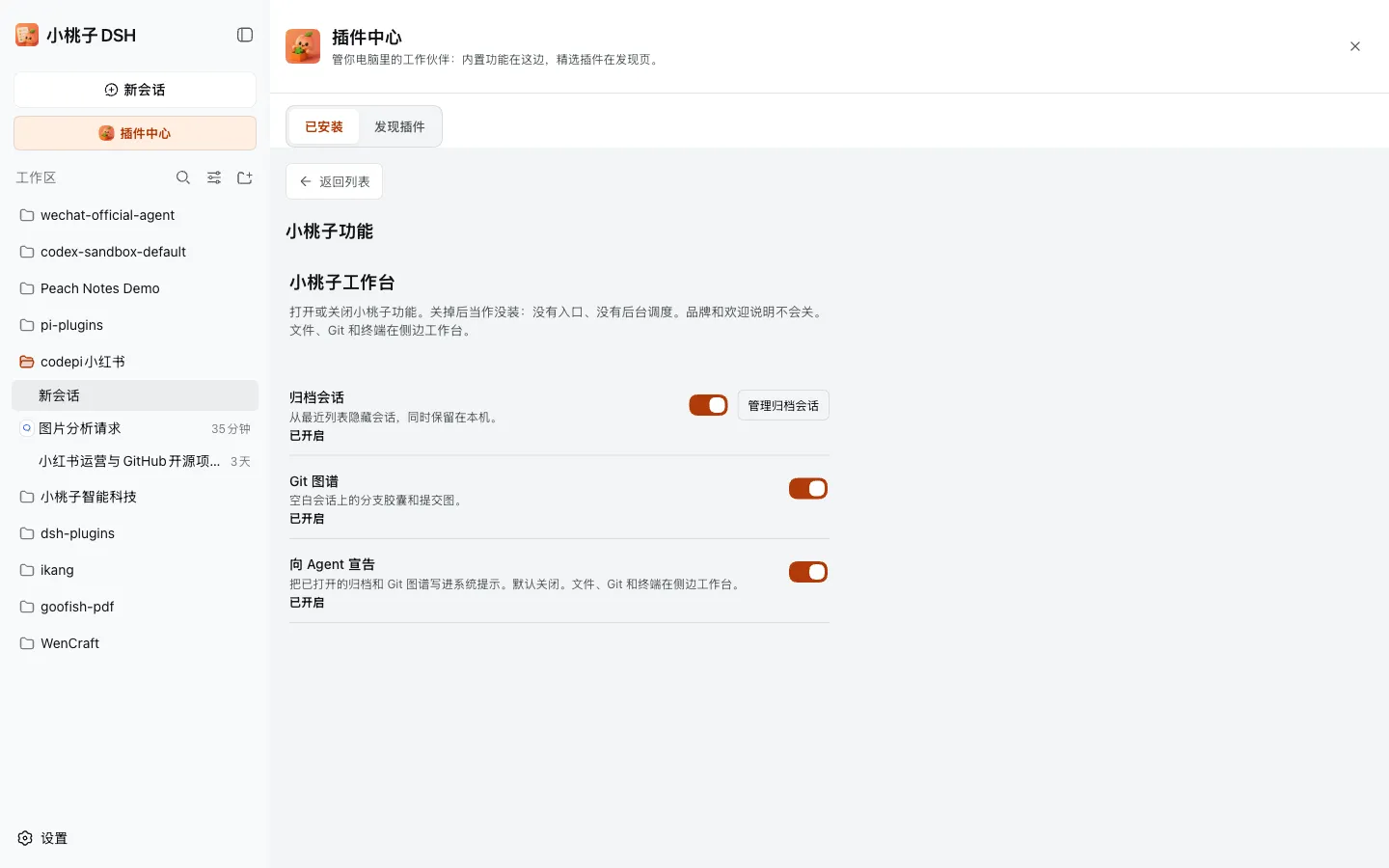
Plugin Center → Installed → Xiaotaozi holds archive, Git graph, and announce-to-agent switches.
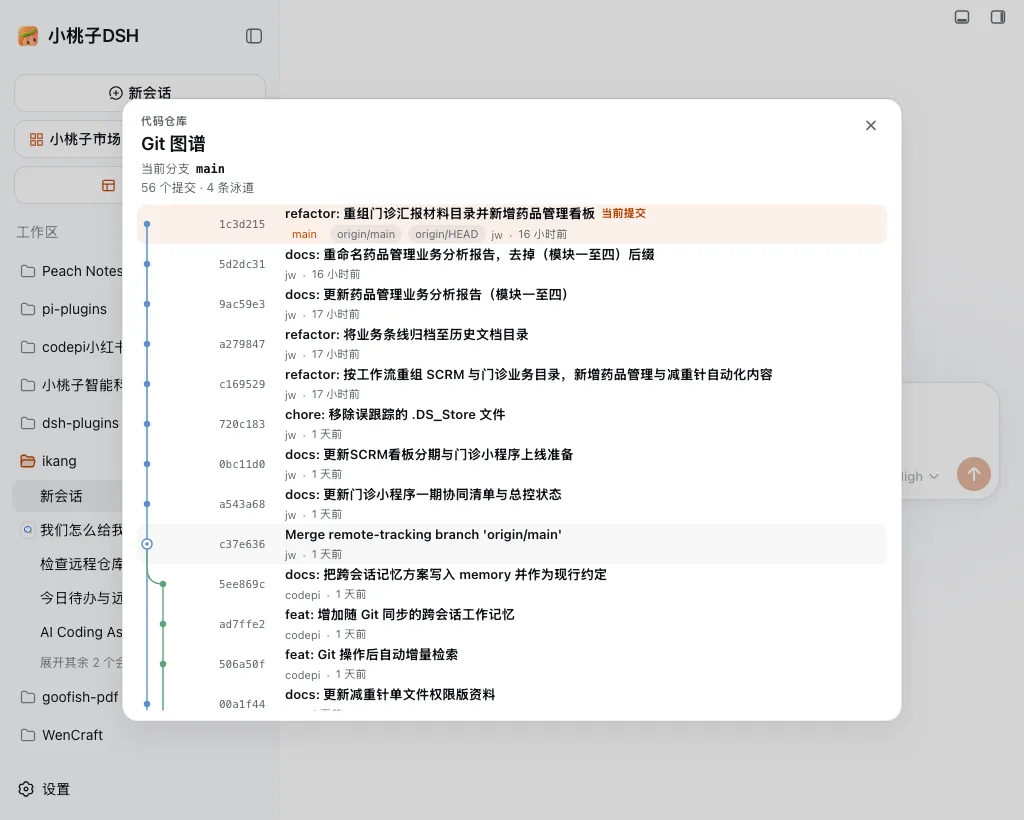
The Git graph identifies the current commit, branch references, and merge lanes without replacing the Host Git workflow.
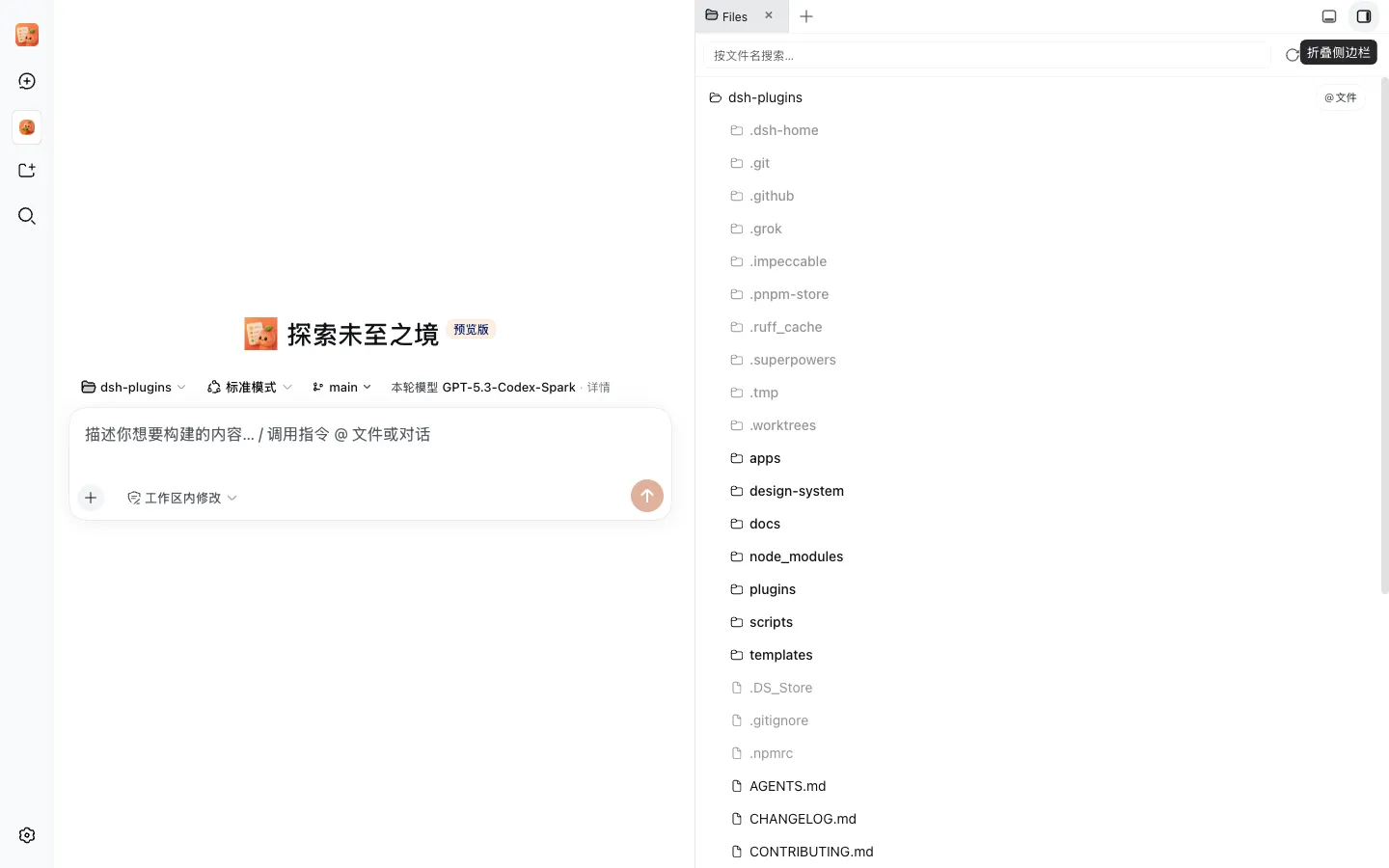
The right-hand workbench keeps files beside the composer; the Git graph chip sits on the session.
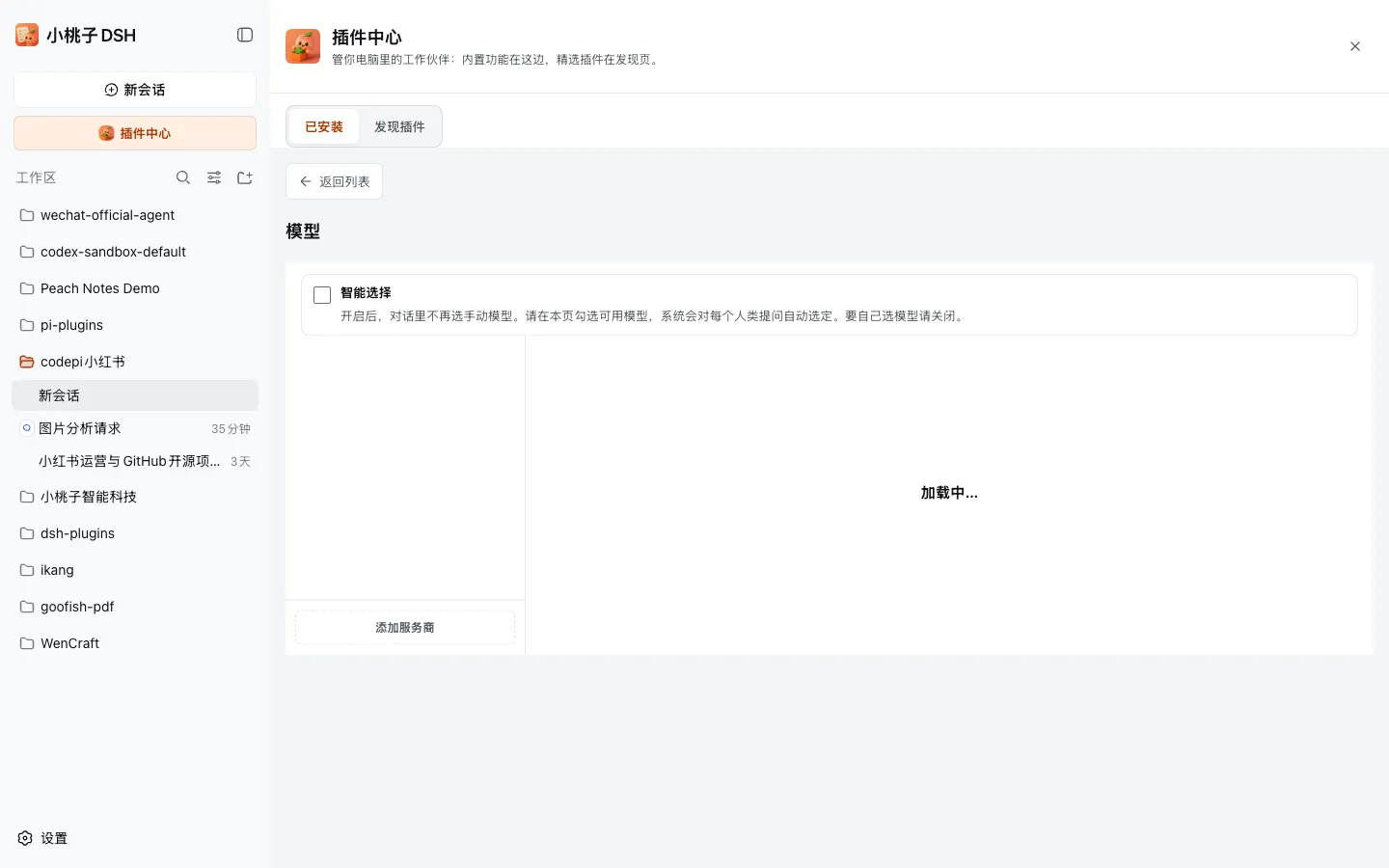
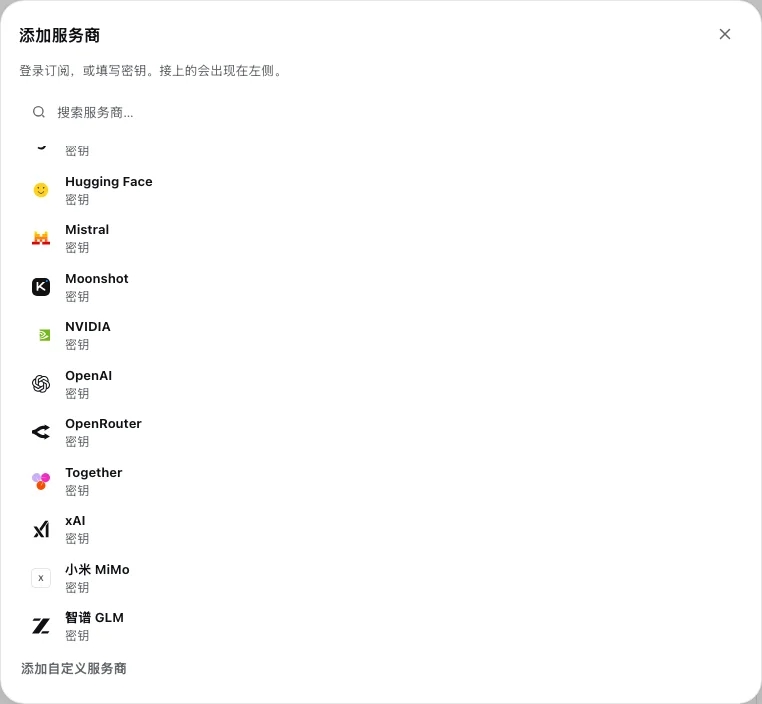
Plugin Center → Installed → Models shows connected vendors, optional smart routing, and the models chat will offer.
Add provider lists every vendor a user can still sign in to or key in.
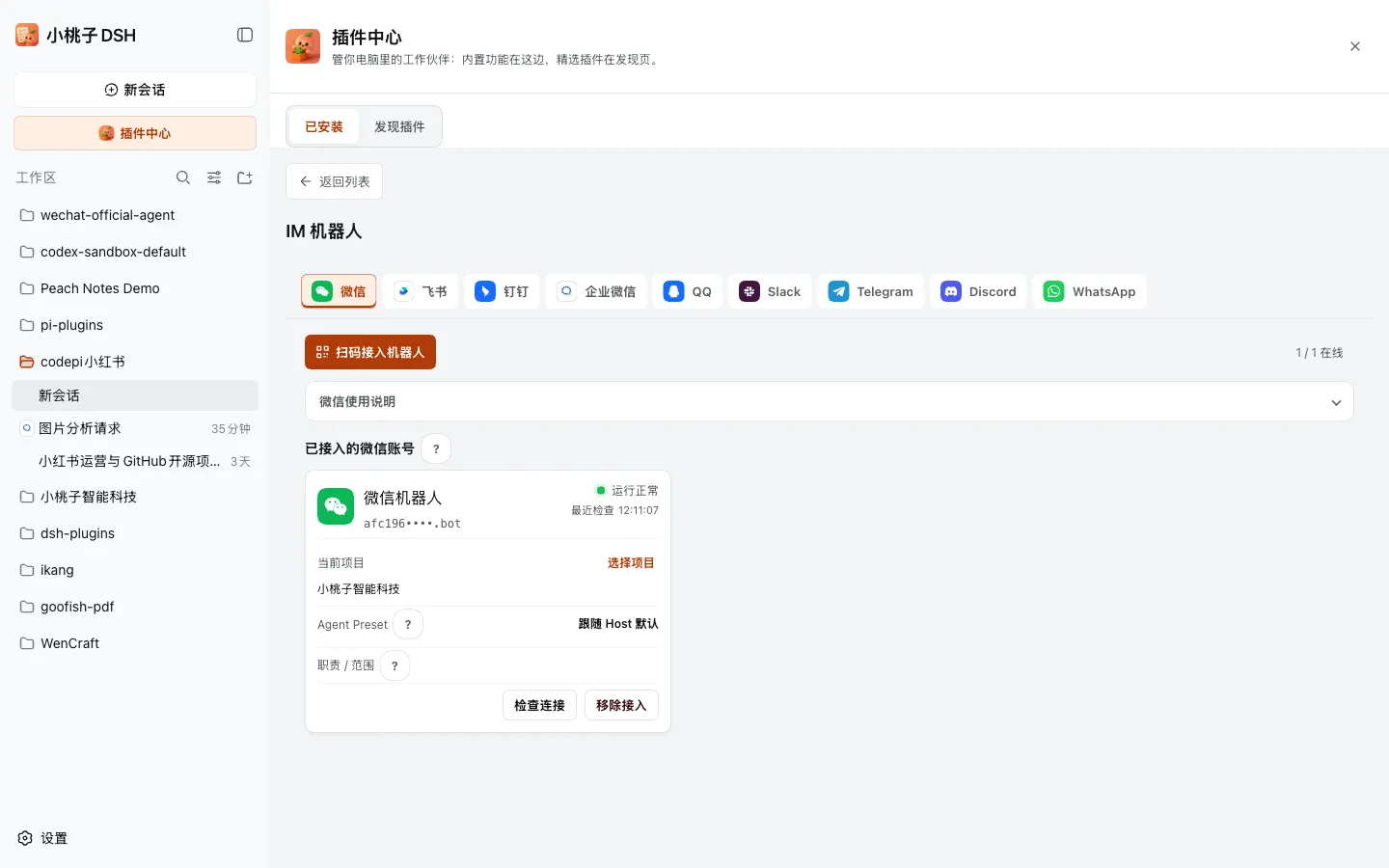
Plugin Center → Installed → IM bots lists chat channels; QR bind is the default on WeChat.
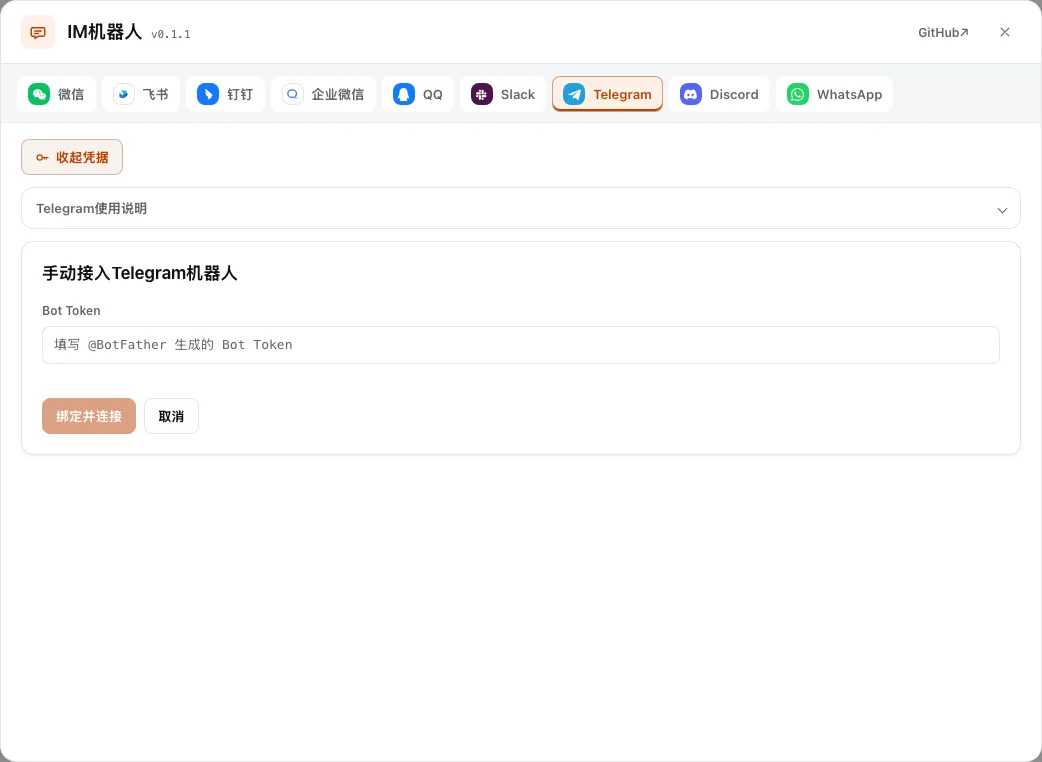
Telegram manual setup asks for a Bot Token; credentials stay in the Host credential store, not the client bundle.
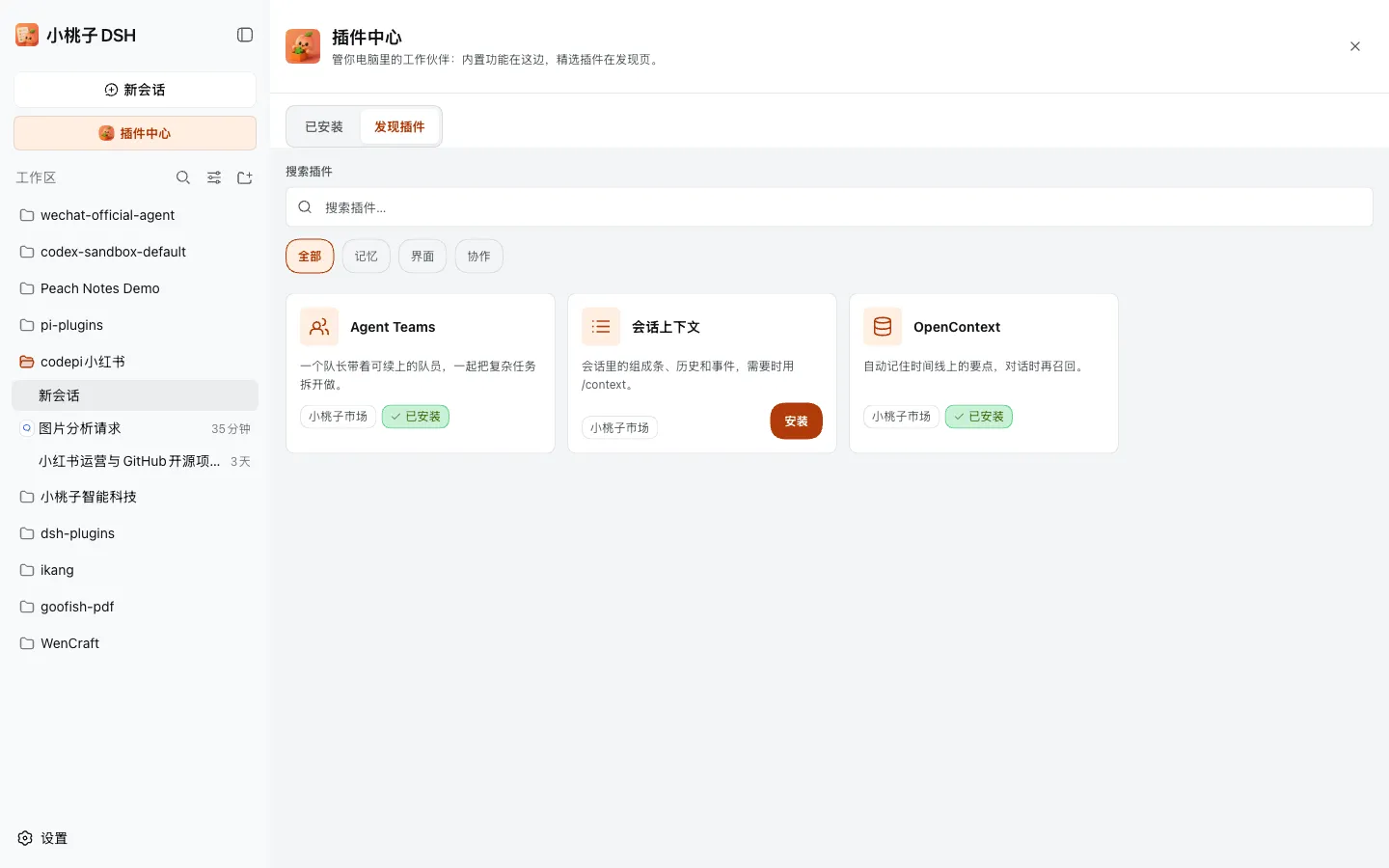
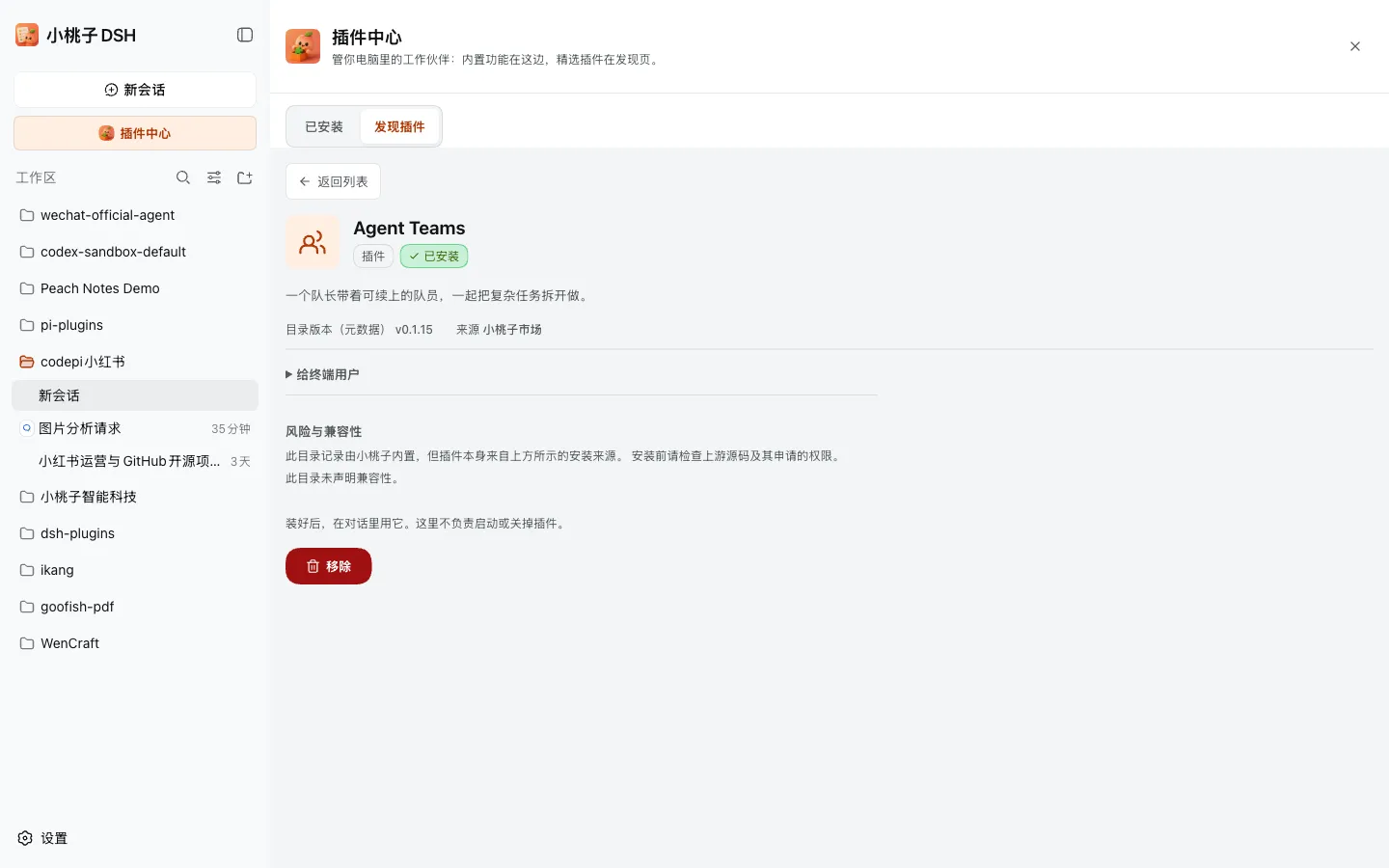
Plugin Center → Discover plugins lists curated third-party plugins with search and tags.
The plugin detail page shows version, source, and the exact install specification.
One installable package per job; every first-party plugin is seeded on the first xtz start. Each plugin also builds standalone from its github:kedoupi/xiaotaozi-dsh#path:plugins/<slug> Git path.
| Package | Occupies | What it does | Git path install |
|---|---|---|---|
dsh-providers |
Plugin Center → Installed → Models | Vendor sign-in, API keys, model selection, and optional smart routing (no online learning, reasoning-effort routing, or durable router audit). EN · 中文 | github:kedoupi/xiaotaozi-dsh#path:plugins/providers |
dsh-im |
Plugin Center → Installed → IM bots | Nine chat channels plus an experimental AI Office connector. EN · 中文 | github:kedoupi/xiaotaozi-dsh#path:plugins/im |
dsh-wecom-office |
Plugin Center → Installed → IM bots → WeCom robot card | WeCom calendar, docs, meetings, contacts, sheets, todos, and disk via wecom-cli. EN · 中文 |
github:kedoupi/xiaotaozi-dsh#path:plugins/wecom-office |
dsh-xtz-ui |
Plugin Center → Installed → Xiaotaozi; Settings → Advanced | Brand chrome, archive, git graph, and feature toggles. EN · 中文 | github:kedoupi/xiaotaozi-dsh#path:plugins/xtz-ui |
dsh-sidebar |
Plugin Center → Installed → Side workbench | Right-hand files / editor / Git / terminal panel. EN · 中文 | github:kedoupi/xiaotaozi-dsh#path:plugins/sidebar |
dsh-market |
Plugin Center | Installed capabilities and Discover plugins; click Install to add a third-party plugin. EN · 中文 | github:kedoupi/xiaotaozi-dsh#path:plugins/market |
Plugin Center → Discover plugins installs third-party plugins from their upstream Git/npm sources; this repo only keeps the catalog rows in plugins/market (MARKET_PLUGINS) and never vendors those repos. Current entries: Agent Teams, Session Context, and OpenContext.
Two Harness homes, never mixed:
| Official (users) | Sandbox (plugin development) | |
|---|---|---|
| Home | ~/.dsh |
<repo>/.dsh-home (gitignored) |
| Command | xtz start |
pnpm dev |
| Port | 3080 | 3081 |
| Plugins | Seeded by first xtz start; extras via dsh plugin --profile web add |
link: from this workspace |
xtz and official installs never touch the sandbox; sandbox tooling never touches ~/.dsh.
apps/cli/CLASSIFICATION EVIDENCE
系统优先读取 GitHub Topics,再与站内分类词典和词根规则比对。当前命中: 无有效分类标签。
deepseek-ai
DeepSeek Harness: Everything is a Plugin.

anywhere-labs
为 DeepSeek Harness (DSH) 插件生态打造的现代化桌面端解决方案。万物皆「插件」,桌面本身也是「插件」。

awesome-dsh-plugin
A curated list of plugins for DeepSeek Harness (dsh) · DeepSeek Harness 插件精选列表