
模型与 MCP
待识别

rea
morluto
Reverse engineer anything with agents, from app behavior down to native binaries.
PROJECT TOPICS
INSTALL REFERENCE
dsh plugin --profile web add github:kaiqiangzhao/dsh-side-reader
该命令指向仓库当前默认分支;尚无绑定当前 commit 的完整验证结果。
PROJECT README
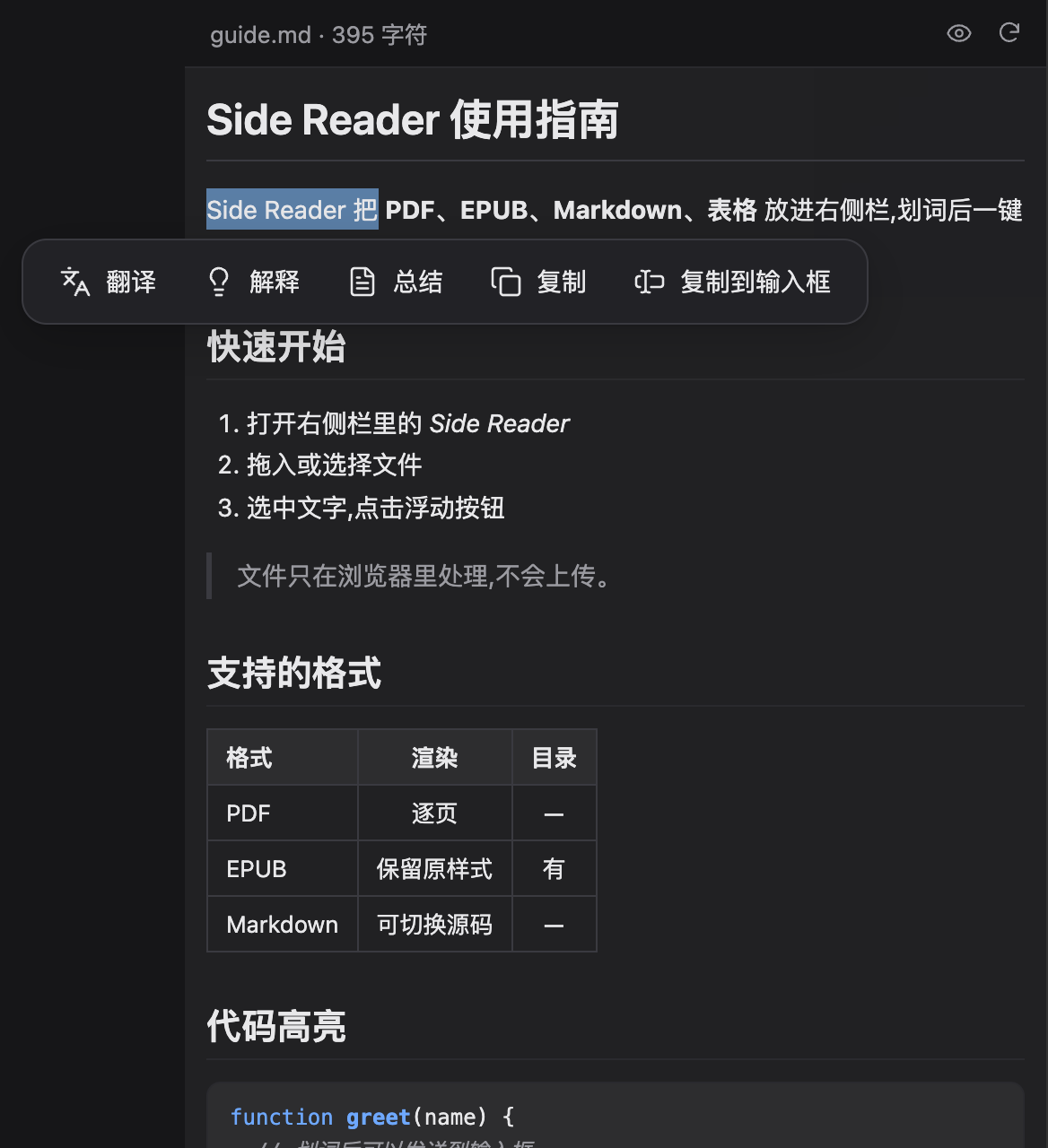
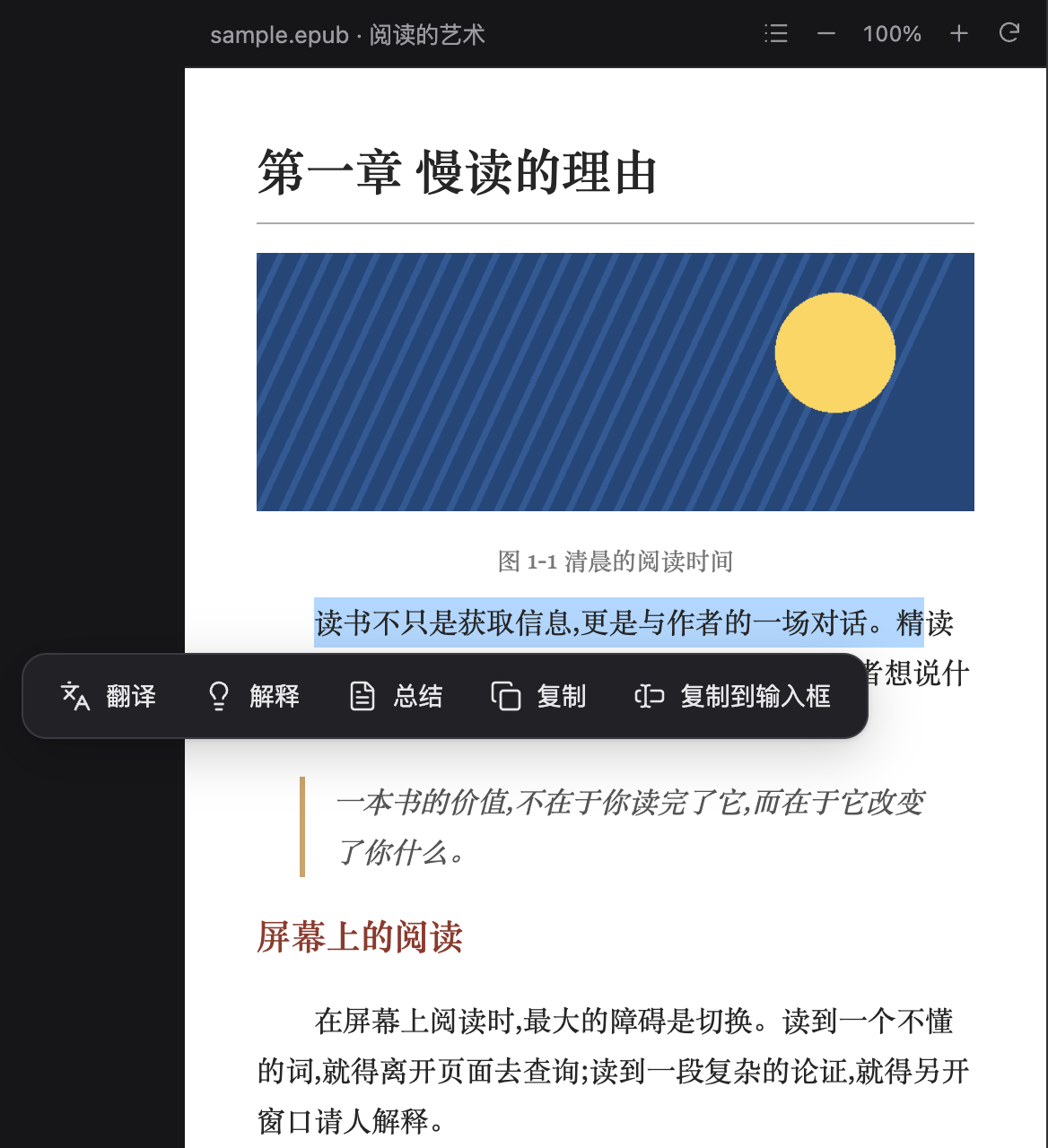
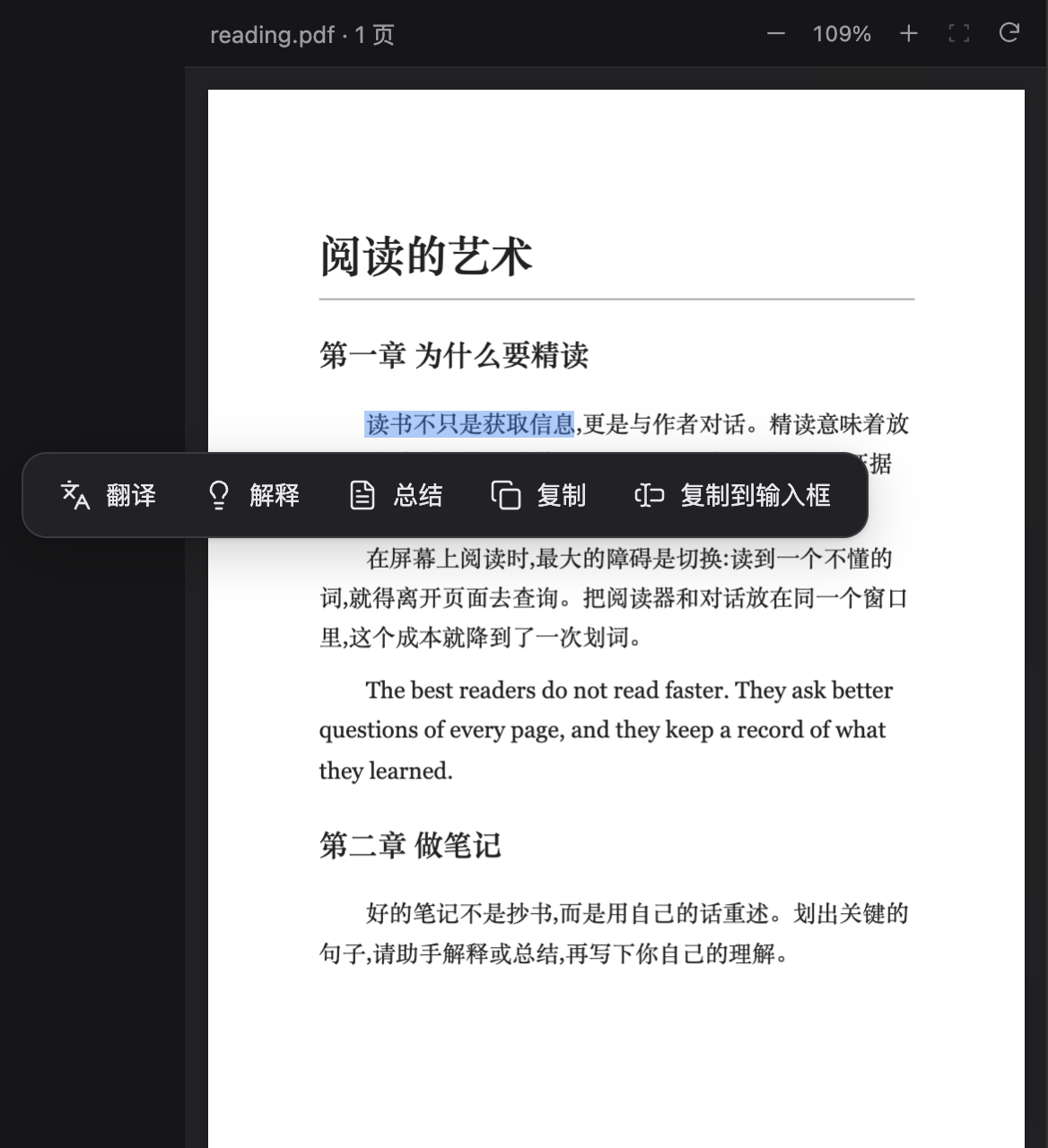
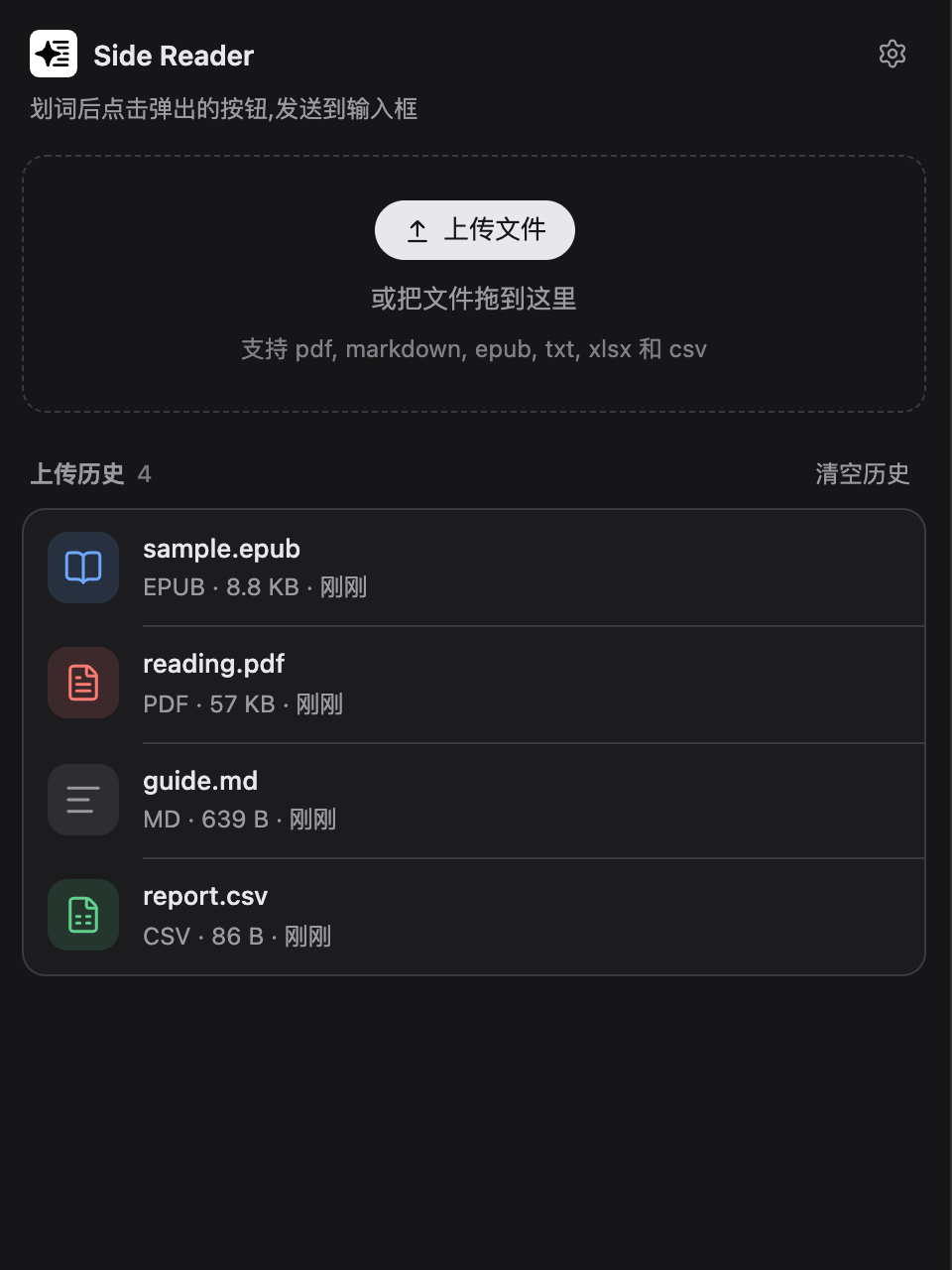
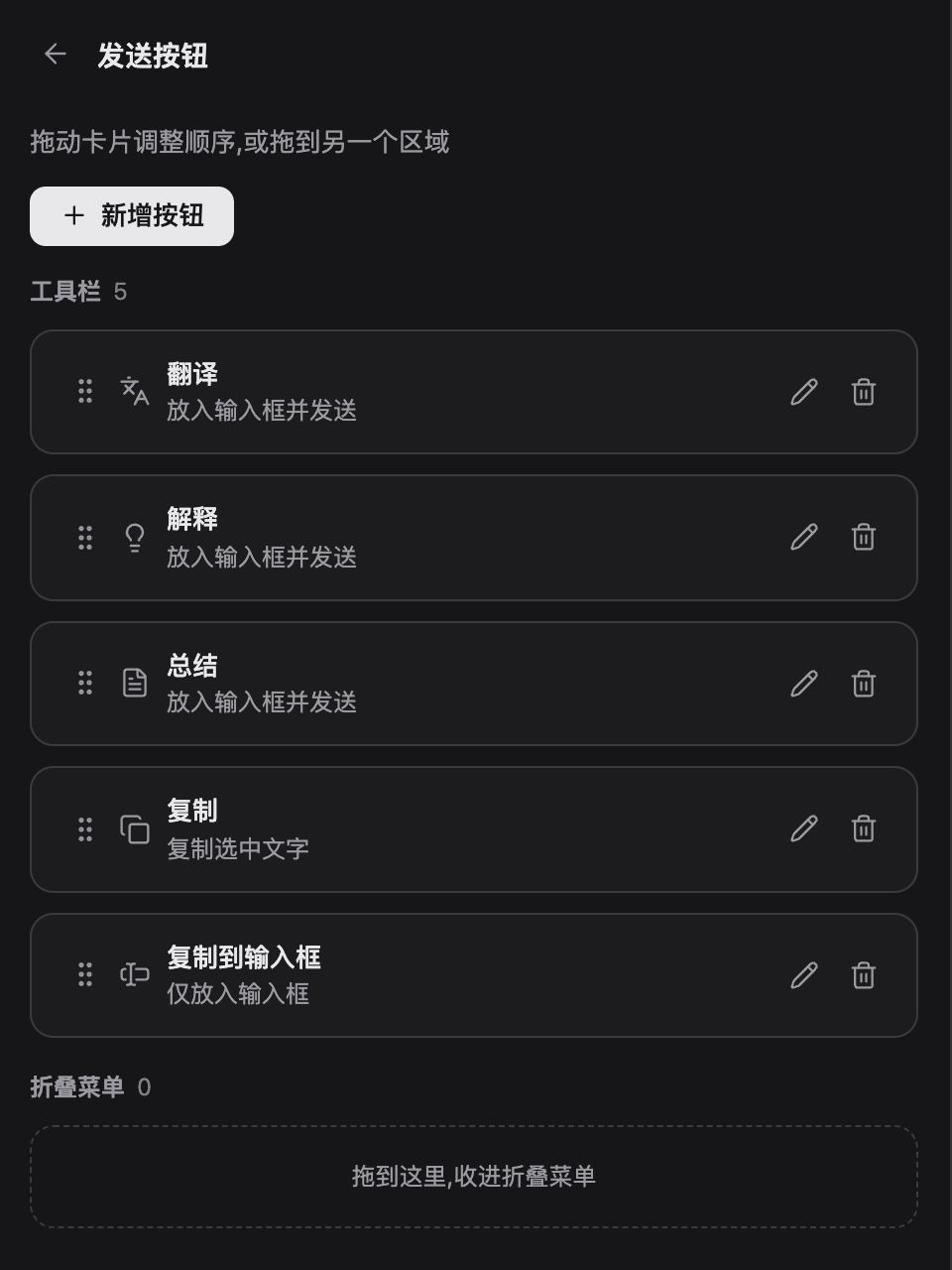
Side Reader 是 DeepSeek Harness(DSH)的右侧栏阅读插件。在侧边栏里打开文档,划词后点按钮,把选中的文字翻译、解释、总结、复制,或直接发到输入框。
# 的源码。| Markdown 渲染与划词 | EPUB 阅读 |
|---|---|
 |
 |
| PDF 划词 | 文件历史 | 自定义按钮 |
|---|---|---|
 |
 |
 |
桌面版(推荐):打开侧边栏的 Plugins 页,在 Add plugin 里输入包名 dsh-side-reader,安装后启用。不需要命令行,也不用管 profile。
命令行:--profile 是必填项,填你自己的 profile 名。桌面版的保留 profile 叫 desktop,只有在用应用自带的 dsh 命令时才允许这么填:
dsh plugin --profile <你的 profile 名> add dsh-side-reader从 GitHub 或 tarball 安装也可以,见 DSH 打包与安装文档。本插件不需要构建步骤。
装好后,在右侧栏的“Side Reader”入口里上传文件。Side Reader 不接管 *.pdf 的默认打开方式,只通过自己的入口打开文件。
.xls 能打开,但上传框里没有列出。MIT,见 LICENSE。
内置的第三方代码保留各自的许可证,文件随包附带:
| 组件 | 用途 | 许可证文件 |
|---|---|---|
| PDF.js | PDF 渲染 | LICENSE.pdfjs.txt (Apache-2.0) |
| pdf-lib | 导出带批注的 PDF | LICENSE.pdflib.txt (MIT) |
| SheetJS CE | Excel / CSV 解析 | LICENSE.sheetjs.txt (Apache-2.0) |
| JSZip | zip 读取(以 MIT 许可使用) | LICENSE.jszip.txt |
| Lucide | 图标 | LICENSE.lucide.txt (ISC) |
| marked、marked-footnote、DOMPurify(以 Apache-2.0 使用)、highlight.js | Markdown 渲染 | LICENSE.markdown.txt |
| epub.ts | EPUB 渲染 | LICENSE.epub.txt (BSD-2-Clause) |
Side Reader is a right-sidebar reader for DeepSeek Harness (DSH). Open a document in the sidebar, select text, and translate, explain, summarize or copy it, or send it straight to the composer.
# marks.| Markdown with selection toolbar | EPUB reader |
|---|---|
|
|
| PDF selection | File history | Custom buttons |
|---|---|---|
|
|
|
Desktop app (recommended): open the Plugins page in the sidebar, enter the package name dsh-side-reader in Add plugin, then enable it. No terminal and no profile name involved.
Command line: --profile is required and takes your own profile name. The desktop app's reserved profile is called desktop, and only the dsh command shipped with the app accepts that name:
dsh plugin --profile <your-profile> add dsh-side-readerInstalling from GitHub or a tarball also works; see the DSH packaging guide. The plugin needs no build step.
After installation, upload files from the "Side Reader" entry in the right sidebar. Side Reader does not take over the default handling of *.pdf; files open only through its own entry.
.xls files open but are not listed in the upload dialog.MIT, see LICENSE.
Bundled third-party code keeps its own license; the license files ship with the package (table above).
CLASSIFICATION EVIDENCE
系统优先读取 GitHub Topics,再与站内分类词典和词根规则比对。当前命中: deepseek-harness、deepseek-harness-plugin。
morluto
Reverse engineer anything with agents, from app behavior down to native binaries.

deepseek-ai
DeepSeek Harness: Everything is a Plugin.

nexu-io
The 1st Collaborative AI Design Agent Workspace. Local-first and open source. Create motion, prototypes, websites, apps, dashboards, presentations, images, and videos with your team and AI agents. Share work, exchange feedback, and iterate together in one workspace.