
其他
完整应用

deepseek-harness
deepseek-ai
DeepSeek Harness: Everything is a Plugin.
PROJECT TOPICS
INSTALL REFERENCE
dsh plugin --profile web add github:jstudio1024/dsh-office-helper
该命令指向仓库当前默认分支;尚无绑定当前 commit 的完整验证结果。
PROJECT README
DSH (DeepSeek Harness) 浏览器端办公助手插件,帮助你在日常工作中养成健康的办公习惯。
在 DSH 对话界面的工具栏中,插件注入了紧凑的实时状态卡片,一目了然:
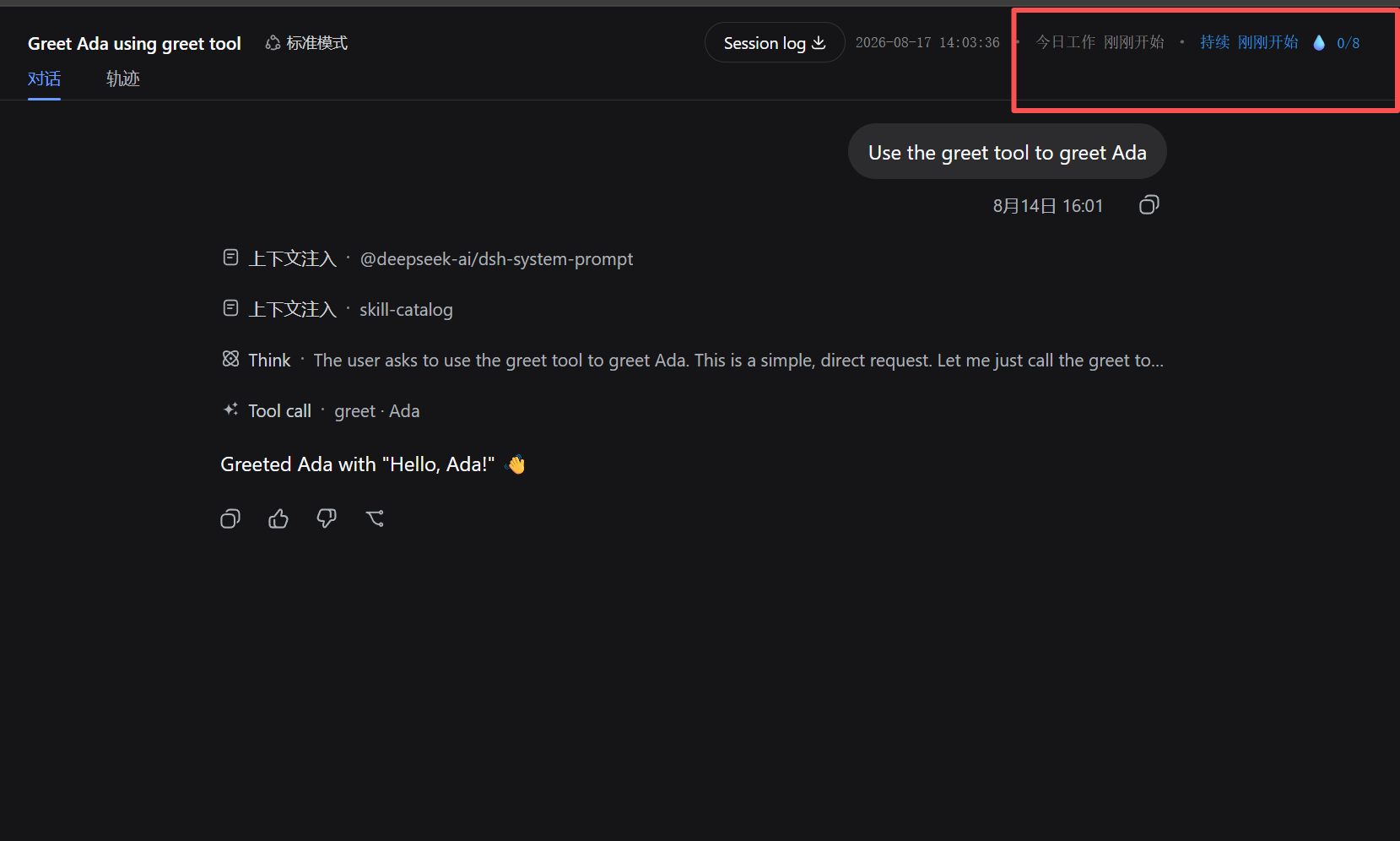
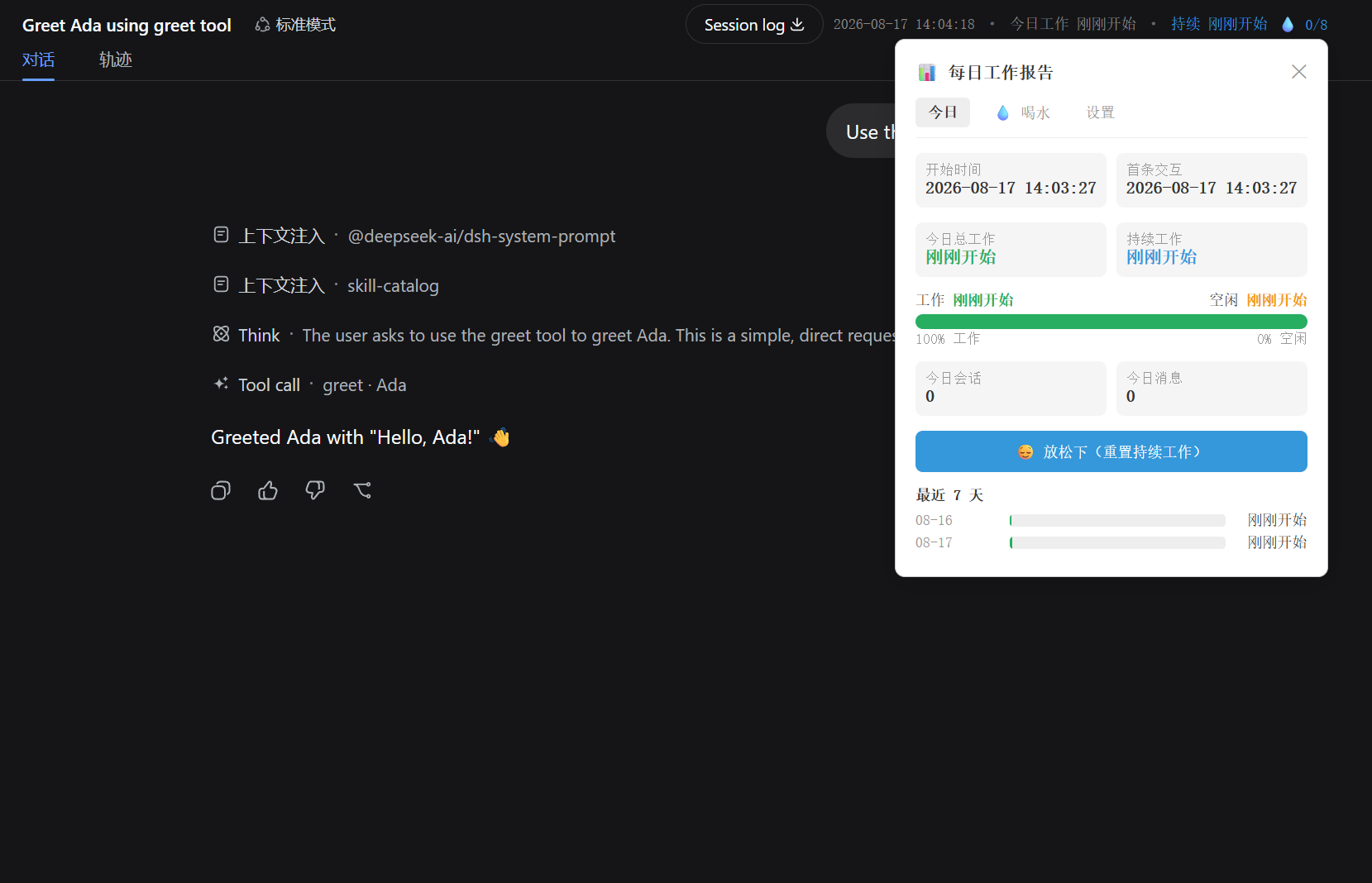
实时追踪并汇总当日所有工作数据,让你对一天的 productivity 一目了然:
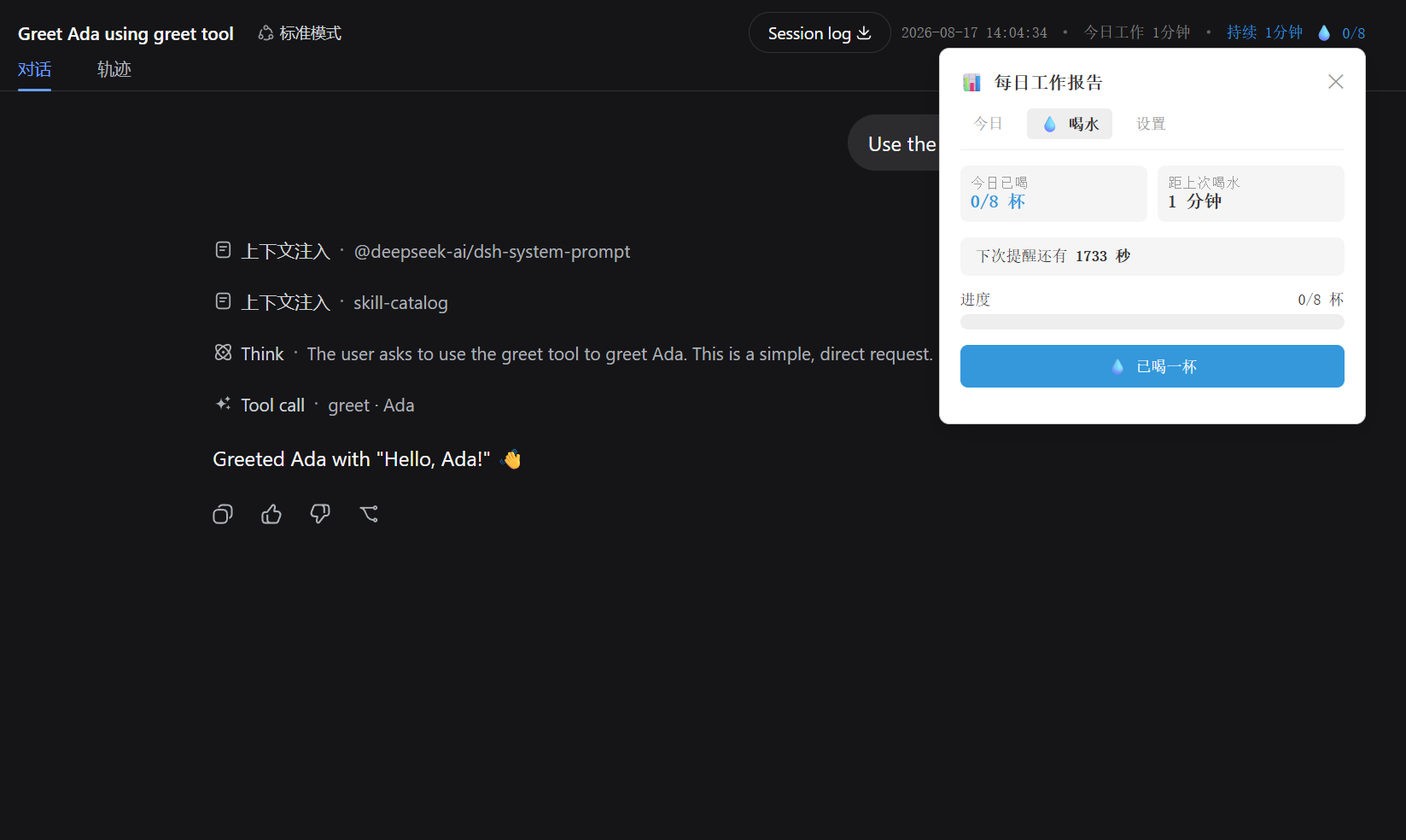
科学追踪饮水习惯,保持健康的办公状态:
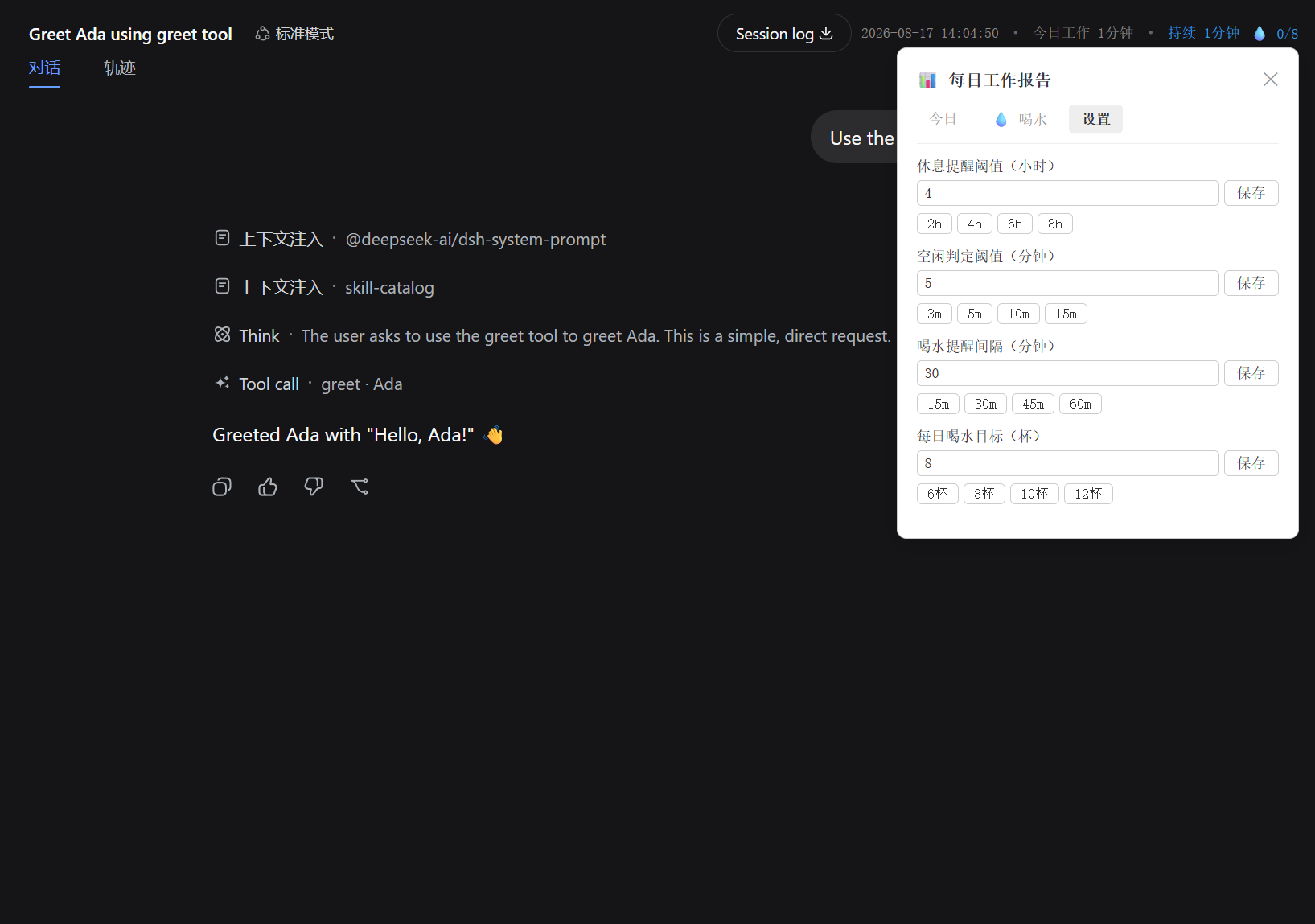
所有配置项均可在 DSH 界面中直接调整,无需修改代码:
dsh-office-helper/
├── src/
│   ├── client/          # 浏览器侧 UI(React 组件,注入会话头部工具栏)
│   │   └── index.tsx    # UtcClock 组件 + apply() 注册入口
│   ├── work-time.ts     # 核心逻辑:localStorage 存储、计时、统计、喝水追踪
│   ├── utc-string.ts    # 时间格式化工具
│   └── index.ts         # Node 侧入口(空实现,纯 client 插件)
├── lib/                 # 编译产物(tsc + esbuild 生成)
├── scripts/
│   └── build-client.mjs # 客户端打包脚本(esbuild → 单文件 CJS)
├── tests/               # 单元测试
│   ├── work-time.spec.ts
│   └── utc-string.spec.ts
├── package.json
├── tsconfig.json
└── vitest.config.ts# 安装依赖
npm install
# 构建(tsc 编译 + esbuild 打包 client)
npm run build
# 运行测试
npm test本插件是 web 平台插件(纯 client 侧,无 Node 端逻辑)。
dsh web最简单的方式,一条命令完成安装:
dsh plugin --profile web add dsh-office-helper@latest然后启动 DSH 即可:
dsh web硬刷新浏览器(Cmd/Ctrl+Shift+R)即可看到插件生效。
⚠️ 此方式需要插件已发布到 npm。当前版本尚未发布,请使用下方的方式二。
适合本地开发调试或未发布到 npm 的场景。
cd dsh-office-helper
npm install
npm run build
确保 lib/ 目录下生成了编译产物。
编辑 ~/.dsh/profiles/web/package.json,在 dependencies 中添加本地引用:
"dsh-office-helper": "link:<插件的绝对路径>"例如:
"dsh-office-helper": "link:D:/path/to/dsh-office-helper"编辑 ~/.dsh/profiles/web/cordis.patch.yml,添加:
- insert:
    - id: dsh-office-helper
name: dsh-office-helpercd ~/.dsh/profiles/web
pnpm install
dsh web硬刷新浏览器(Cmd/Ctrl+Shift+R)即可看到插件生效。
本插件的 host 半为空实现(纯 client 插件),仅需修改
package.json和cordis.patch.yml,无需重启 DSH。
如果通过 CLI 安装,更新也很简单:
dsh plugin --profile web update dsh-office-helper修改源码后,重新构建即可:
cd dsh-office-helper
npm run build然后硬刷新浏览器(Cmd/Ctrl+Shift+R)。client 侧改动热加载生效,无需重启 DSH。
插件通过 localStorage 持久化以下设置,在 DSH 界面中可直接调整:
| 配置项 | 默认值 | 说明 |
|---|---|---|
| 休息提醒阈值 | 4 小时 | 持续工作超过此时长弹出休息提醒 |
| 空闲检测阈值 | 5 分钟 | 超过此时长无交互视为空闲 |
| 喝水提醒间隔 | 30 分钟 | 每两次喝水之间的间隔 |
| 每日饮水目标 | 8 杯 | 每日目标喝水杯数 |
所有业务逻辑都抽为纯函数,零 React 依赖,毫秒级单测:
initWorkStart() — 初始化/获取当日工作开始时间recordFirstInteraction() — 记录当日首次交互isIdle() / getIdleDuration() — 空闲检测loadThresholdHours() / saveThresholdHours() — 休息阈值读写markCupDrunk() / shouldRemindWater() — 喝水追踪loadDailyStats() / accumulateWorkTime() — 每日统计通过 DSH 的 slot 机制注入组件:
apply() 将 UtcClock 组件注册到 conversation.session.header.utilities 槽位MIT
CLASSIFICATION EVIDENCE
系统优先读取 GitHub Topics,再与站内分类词典和词根规则比对。当前命中: 无有效分类标签。
deepseek-ai
DeepSeek Harness: Everything is a Plugin.

anywhere-labs
为 DeepSeek Harness (DSH) 插件生态打造的现代化桌面端解决方案。万物皆「插件」,桌面本身也是「插件」。

walkinglabs
Harness engineering beginner tutorial, from 0 to 1