
模型与 MCP
待识别

rea
morluto
Reverse engineer anything with agents, from app behavior down to native binaries.
PROJECT TOPICS
INSTALL REFERENCE
dsh plugin --profile web add github:jkzing/dsh-session-profiler
该命令指向仓库当前默认分支;尚无绑定当前 commit 的完整验证结果。
PROJECT README
English | 简体中文
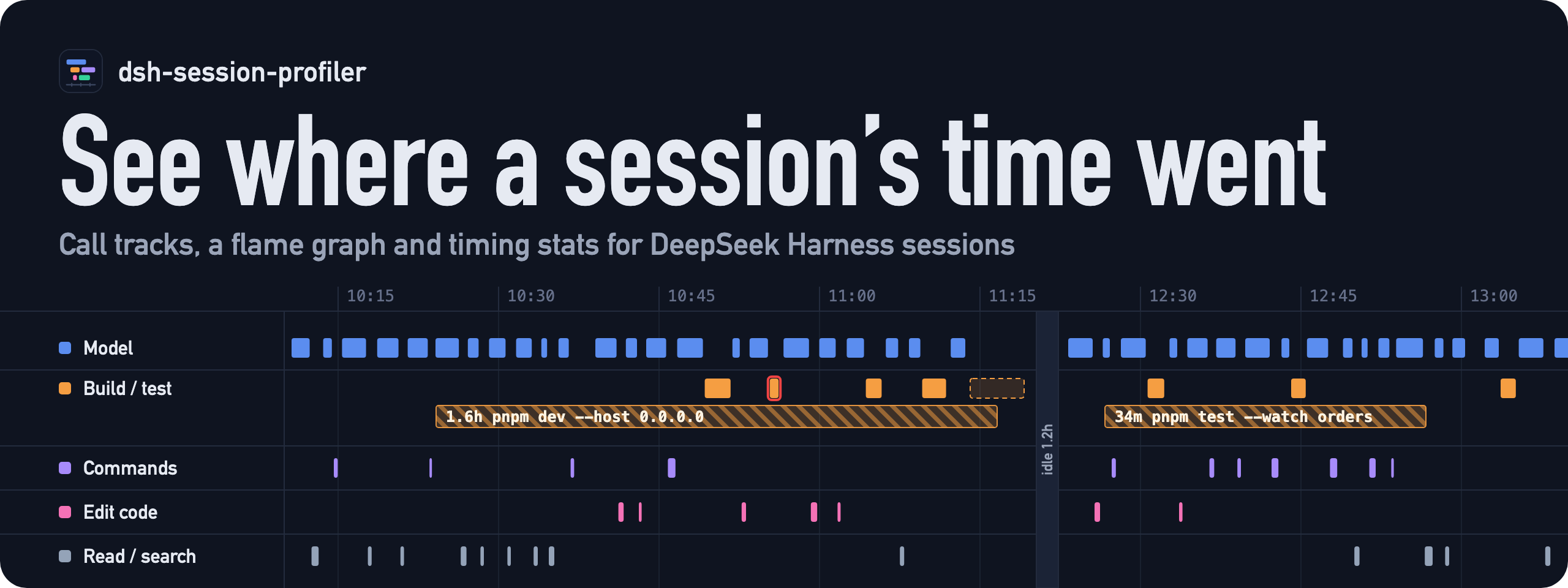
Turns a DeepSeek Harness (dsh) session into a timeline: call tracks in one lane per category, a flame graph and timing statistics, so you can see whether the time went to the model, to tools, or to waiting on a person.
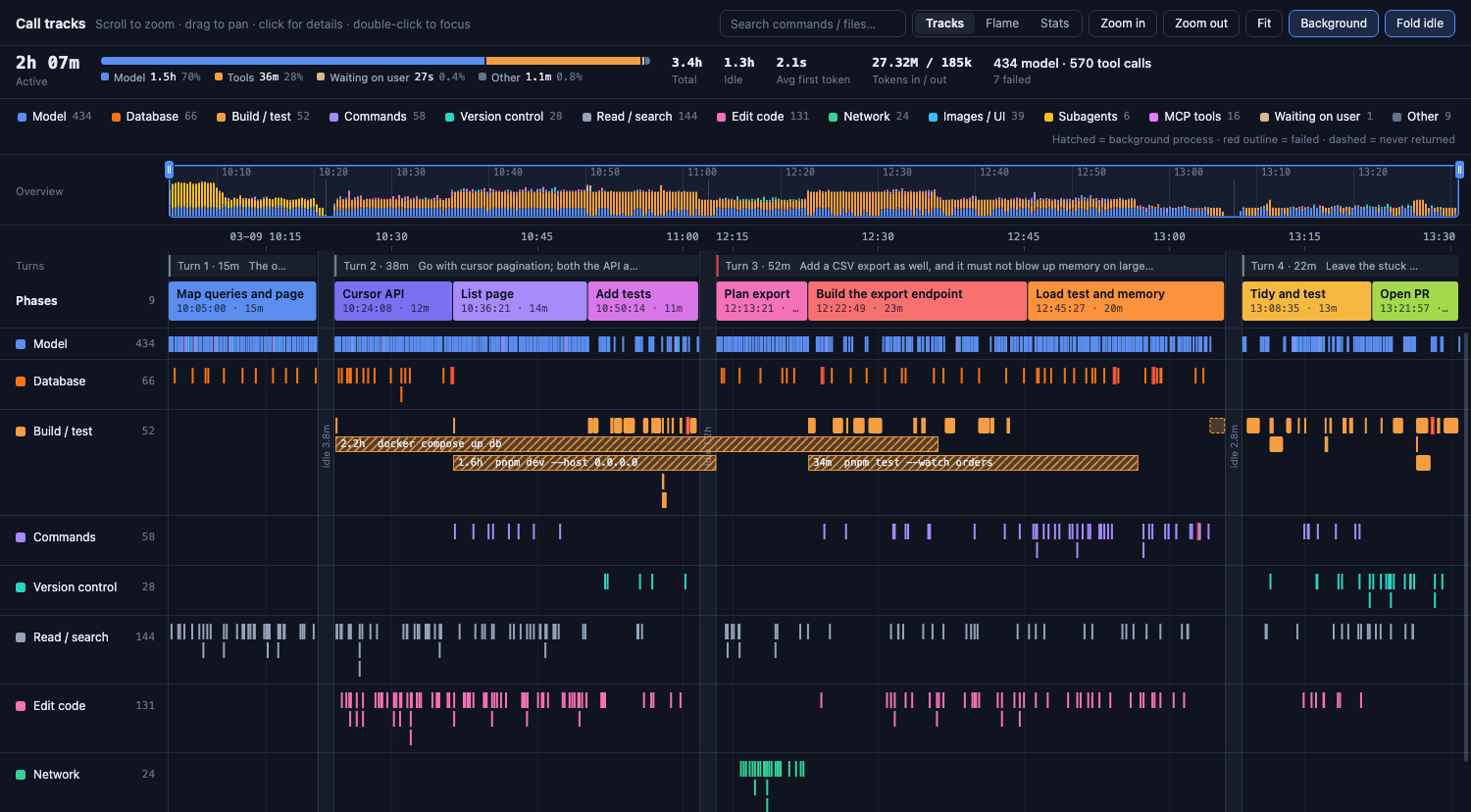
Once installed, every session gets a Profiler tab in its tab bar (to the right of Trajectory).
run_in_background that keep running after the tool call returns, drawn until they actually finish.Controls: scroll to zoom (scrolling over the label column on the left scrolls the lanes instead), drag to pan, click for details (arguments and results load on demand), double-click to focus on a call, phase or turn, drag the window in the overview strip to pan or its side handles to change the range, and use the search box to highlight by command or file name. Keyboard: + - zoom, 0 fit, arrow keys pan, Esc clears the selection.
A running session refreshes on its own, and only the changes are transferred.
Requires dsh >= 0.2.2-rc.1 (verified on 0.2.2-rc.1).
git clone https://github.com/jkzing/dsh-session-profiler.git && cd dsh-session-profiler
pnpm install         # also builds lib/
dsh plugin --profile web add .
Then restart dsh web. To uninstall:
dsh plugin --profile web remove dsh-session-profilerThe built-in categories are generic. For a lane specific to your project (say, database commands on a lane of their own), add this to the profile's cordis.patch.yml (~/.dsh/profiles/web/cordis.patch.yml):
- update:
    - id: dsh-session-profiler
      config:
        categories:
          - id: database
            label: Database
            color: '#f97316'
            match: '\b(psql|mysql|prisma)\b'
match is a regular expression (case-insensitive) tested against "<tool name> <one-line description>" — for bash the description is the command itself. The first rule that matches, top to bottom, wins and takes precedence over the built-in categories. A malformed rule is skipped with a warning in the dsh log.
src/shared   pure functions from events to timeline data (shared by the host, the tests and the offline script)
src/host     host half: two POST routes that read session events and fold them into timeline data
src/client browser half: the tab, the canvas charts, the stats tables and the detail panelsessionQuery.observeSession — from memory for a live session, from storage for a cold one.POST api/dsh-session-profiler/timeline { sessionId, since? } returns the whole timeline, or the spans that changed since since (a span's id depends only on the log prefix, so merging increments is deterministic).POST api/dsh-session-profiler/span { sessionId, seq } returns one span's arguments and result, fetched only on click.conversation.view slot. While this tab is showing, the conversation's input box gets out of the way (unless an approval or a plan review is pending).Events used: turn/*, step/*, assistant/message, assistant/attempt, tool/call, tool/result, tool/ptc-dispatch*, job/registered, job/settled, approval/*, subagent/catalog, agent/inbox/spliced, todo/write, llm/retry-started, compaction/*, command/*.
job/* events. Sessions written by older versions of dsh don't have them, so a background command there shows up as one very short tool call.pnpm check # type check + tests + build
pnpm watch # rebuild on change
pnpm preview # a preview page that doesn't need dsh: http://127.0.0.1:4173/The preview page drives the real host and browser code with a synthetic session (scripts/demo-log.mjs):
?session=demo is a complete session of a bit over three hours; ?session=live replays the same log in real time, for watching the polling?view=flame|stats, ?theme=light, ?lang=enpnpm preview --lang en writes the synthetic session itself in English (the screenshot above was taken this way)pnpm preview ~/.dsh/sessions/<workspace>/<session> loads a real session (needs the zstd command-line tool)To fold a session into JSON offline:
pnpm timeline ~/.dsh/sessions/<workspace>/<session> --summaryTo try it in a real dsh without touching your own profile, use a throwaway DSH_HOME:
DSH_HOME=/tmp/dsh-home dsh plugin --profile web add "$PWD"DSH_HOME=/tmp/dsh-home dsh web --no-open --port 47311Pushing a v* tag makes publish.yml run pnpm check and publish to npm. Authentication uses npm trusted publishing; no token is stored in the repository.
pnpm version patch # bumps the version, commits and adds the v tag; minor / major / an exact version work toogit push --follow-tagsVersions with a prerelease suffix (such as 0.2.0-rc.1) are published to next, everything else to latest. Nothing is published when the tag and the version in package.json disagree.
MIT
CLASSIFICATION EVIDENCE
系统优先读取 GitHub Topics,再与站内分类词典和词根规则比对。当前命中: deepseek。
morluto
Reverse engineer anything with agents, from app behavior down to native binaries.

deepseek-ai
DeepSeek Harness: Everything is a Plugin.

nexu-io
The 1st Collaborative AI Design Agent Workspace. Local-first and open source. Create motion, prototypes, websites, apps, dashboards, presentations, images, and videos with your team and AI agents. Share work, exchange feedback, and iterate together in one workspace.