
模型与 MCP
待识别

rea
morluto
Reverse engineer anything with agents, from app behavior down to native binaries.
PROJECT TOPICS
INSTALL REFERENCE
dsh plugin --profile web add github:ji-tz/dsh-build-servers
该命令指向仓库当前默认分支;尚无绑定当前 commit 的完整验证结果。
PROJECT README
English | 中文
A DeepSeek Harness bundle for working with remote build machines from inside a conversation: bind one server to the current session, upload local source, run configure → build → install → test, watch the result, and open an SSH shell without leaving the chat.
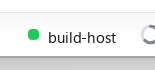
Status: v1.2.0. The bundle is tested against a Red Hat Enterprise Linux 8 build host from Windows. It is not a CI system; it is a small, inspectable bridge to one machine at a time.
~/.ssh (or typed as a path) and passed as -i with IdentitiesOnly=yes. Password mode hands the password to OpenSSH through a short-lived SSH_ASKPASS helper in a private temp directory, so it never appears on a command line; the password itself is stored as plaintext in the local config file and is never returned to the browser.<sync path>/build), upload excludes, and the configure / build / install / test commands are stored per session. Empty stage commands fall back to cmake .., cmake --build . -j$(nproc), cmake --install ., and ctest.tar piped into ssh … tar -x, followed by the configured stages through bash -lc; stops at the first failure and can be stopped mid-stage. Live stage status, exit codes, durations, and output.ssh -tt … bash -l per server, shared by the UI, the terminal tabs, and the agent tools. Line mode (no full-screen TUI). The right sidebar guide also has a New remote terminal card that opens this session's build-server shell in a tab.build_server (status / run / pipeline / stop) and remote_terminal (list / open / send / read / close), so the model can drive the same server and shell as the UI.flowchart LR
subgraph Page["DSH Web page"]
Panel["Build servers panel<br/>network entries + probe"]
Chip["Composer status chip<br/>+ status popover"]
Picker["Composer server picker<br/>Local / build server"]
end
subgraph Host["dsh Host process"]
Route["HTTP route /build-servers"]
State["Server store<br/>session bindings<br/>session settings"]
Jobs["Probe cache<br/>pipeline jobs<br/>terminal sessions"]
Tools["Agent tools<br/>build_server · remote_terminal"]
end
Build["Remote build host<br/>OpenSSH + POSIX shell"]
Page -->|same-origin fetch| Route
Route --> State
Route --> Jobs
Tools --> Jobs
Jobs -->|ssh / tar| BuildThe browser never talks to SSH directly: every operation goes through a same-origin Host route, and the Host owns the server list, probes, pipelines, and terminals.
plugin_manager (this bundle targets the 0.2.x bundle API).SSH_ASKPASS_REQUIRE; the Windows system OpenSSH 9.x works). Key authentication uses BatchMode=yes with your ssh-agent, your SSH config, or the key file selected for that server, and needs a known host key; password authentication uses a one-shot SSH_ASKPASS helper and trusts a new host key once (StrictHostKeyChecking=accept-new) but still rejects a changed one.tar on the local machine and on the build host./proc, hostname, sed, awk, find, df, git are used opportunistically).From npm (follows the newest stable release):
plugin_manager install_bundle
  target: dsh-build-servers@latest
From a checkout of this repository:
plugin_manager install_bundle
  target: D:\path\to\dsh-build-servers
Or, after pushing a commit:
plugin_manager install_bundle
  target: git+https://github.com/ji-tz/dsh-build-servers.git#<commit>
If the package lives in a subdirectory of a larger repository, append &path:/build-servers to the Git spec.
The plugin is enabled immediately. If the sidebar or composer does not show the new entries, reload the page once (Ctrl+R); the client half is served as a bundle.
This repository ships a format-1 market index at market/index.json. Add its raw URL in Settings → Plugins → Discover (the experimental plugin-market bundle must be enabled):
https://raw.githubusercontent.com/ji-tz/dsh-build-servers/main/market/index.jsonThe index points at the npm registry version.
user@host / IP), optional port, and authentication — SSH key (keep the default, pick a key discovered under ~/.ssh, or type a custom path) or an SSH password.<sync path>/build), upload excludes, and the stage commands.The plugin keeps its state under ~/.dsh (or %USERPROFILE%\.dsh on Windows):
| File | Contents |
|---|---|
build-servers.json |
Network entries: id, name, target, port, enabled, auth, the selected identityFile for key auth, and — for password auth — the plaintext password |
build-server-bindings.json |
Per-session bindings and per-workspace last-used server |
build-server-settings.json |
Per-session paths, excludes, and stage commands |
The password is write-only through the HTTP route: GET /servers reports hasPassword, never the value. Leaving the password field empty while editing keeps the stored password; switching the server back to key auth deletes it.
Nothing is written to the remote machine except the uploaded source and whatever the configured commands do.
~/.ssh only to list candidate key filenames, types, and passphrase flags for the picker — key material is never sent to the browser — and the selected path is passed to ssh -i with IdentitiesOnly=yes. In password mode the Host writes a 0600 password file plus a one-shot SSH_ASKPASS script under a private temp directory, passes only the script path to OpenSSH, and deletes both when the connection ends. The password is stored as plaintext in ~/.dsh/build-servers.json and is never sent back to the browser, so protect your profile directory.StrictHostKeyChecking=accept-new); if you need strict first-connect verification, pre-trust the host with ssh user@host before adding it.configure / build / install / test and the terminal run arbitrary commands with your SSH identity. Only add machines you trust, and keep the stage commands and shell contents under review.remote_terminal and build_server tools execute without an extra approval prompt. If you need approval, add a ctx.tools.guard() or gate the tools in the preset.vim, top) are not supported.StrictHostKeyChecking=accept-new) and writes it to your normal known_hosts; a changed key fails with a clear error. Passwords cannot contain newlines or NUL bytes. On Windows the temporary askpass helper is a .cmd in %TEMP% and is removed after the connection closes.passphrase marker but cannot be used unattended (BatchMode=yes): load it into ssh-agent and keep the default key option, or point the server at an unencrypted key.Escape.dsh-build-servers on npm; 1.2.0 is the current stable release (it includes the password-authentication work from 1.1.0, which was not published; 1.0.1 declared engines.dsh, 1.0.0 was the first). The GitHub repository remains the source of truth.The bundle is plain JavaScript; there is no build step.
| File | Role |
|---|---|
index.js |
Host half: HTTP prefix route /build-servers, SSH probes, upload, pipeline, terminals, agent tools |
client.js |
Browser half: sidebar panel, status chip, dialogs, menus, terminal UI |
cordis.patch.yml |
Loader row inserted into the profile |
DESIGN.md |
Architecture and design notes |
market/index.json |
Format-1 plugin market index for the Discover tab |
test/host.test.js |
Node tests for the pure Host helpers |
docs/status-chip.png |
Status chip screenshot used above |
locale/*.json |
Plugin Manager metadata (title/description) |
icon.svg |
Bundle icon |
Run the tests with:
npm testAfter editing, reload the plugin from Plugin Manager (toggle it off/on) and refresh the page. The Host reads index.js at activation; the browser reads the served Client bundle on page load.
MIT — see LICENSE.
CLASSIFICATION EVIDENCE
系统优先读取 GitHub Topics,再与站内分类词典和词根规则比对。当前命中: deepseek-harness。
morluto
Reverse engineer anything with agents, from app behavior down to native binaries.

deepseek-ai
DeepSeek Harness: Everything is a Plugin.

nexu-io
The 1st Collaborative AI Design Agent Workspace. Local-first and open source. Create motion, prototypes, websites, apps, dashboards, presentations, images, and videos with your team and AI agents. Share work, exchange feedback, and iterate together in one workspace.