
模型与 MCP
待识别

rea
morluto
Reverse engineer anything with agents, from app behavior down to native binaries.
PROJECT TOPICS
INSTALL REFERENCE
dsh plugin --profile web add github:jeskoky-pixel/amadeus-qq
该命令指向仓库当前默认分支;尚无绑定当前 commit 的完整验证结果。
PROJECT README

简体中文 · Detailed configuration · Issues
QQ conversations with persistent DSH Sessions and explicit Scene permissions.
Target package: @fg-lab/amadeus-qq@1.2.1. Tested runtime baseline: official DSH Desktop 0.2.1-rc.3. MIT licensed.
1.2.1 is published: GitHub Release · npm. Install the pinned version and verify the release checksum. Later main changes do not change this immutable archive. See publishing policy.
Example: authorize a test group in Observe, inspect inbound status, then select Safe Chat when ready to allow replies. Use the Web Console to inspect effective permissions instead of assuming that a preset grants every tool.
NapCat is not bundled: this plugin does not install, log in to or host NapCat. An unconfigured installation sends nothing. Dangerous tools are not enabled by default. Memory, Life, State and Persona are optional; QQ does not grant access to their private data merely by receiving a message.
Install the prebuilt .tgz with the official DSH plugin manager into your selected Profile. No local source build is required. Follow installation instructions; do not copy configuration into a running Profile by hand.
Connect NapCat, choose a Workspace, set the Owner QQ number and authorize individual Scenes. Start with Observe.
The other Amadeus plugins are optional. Install only the integrations you need.
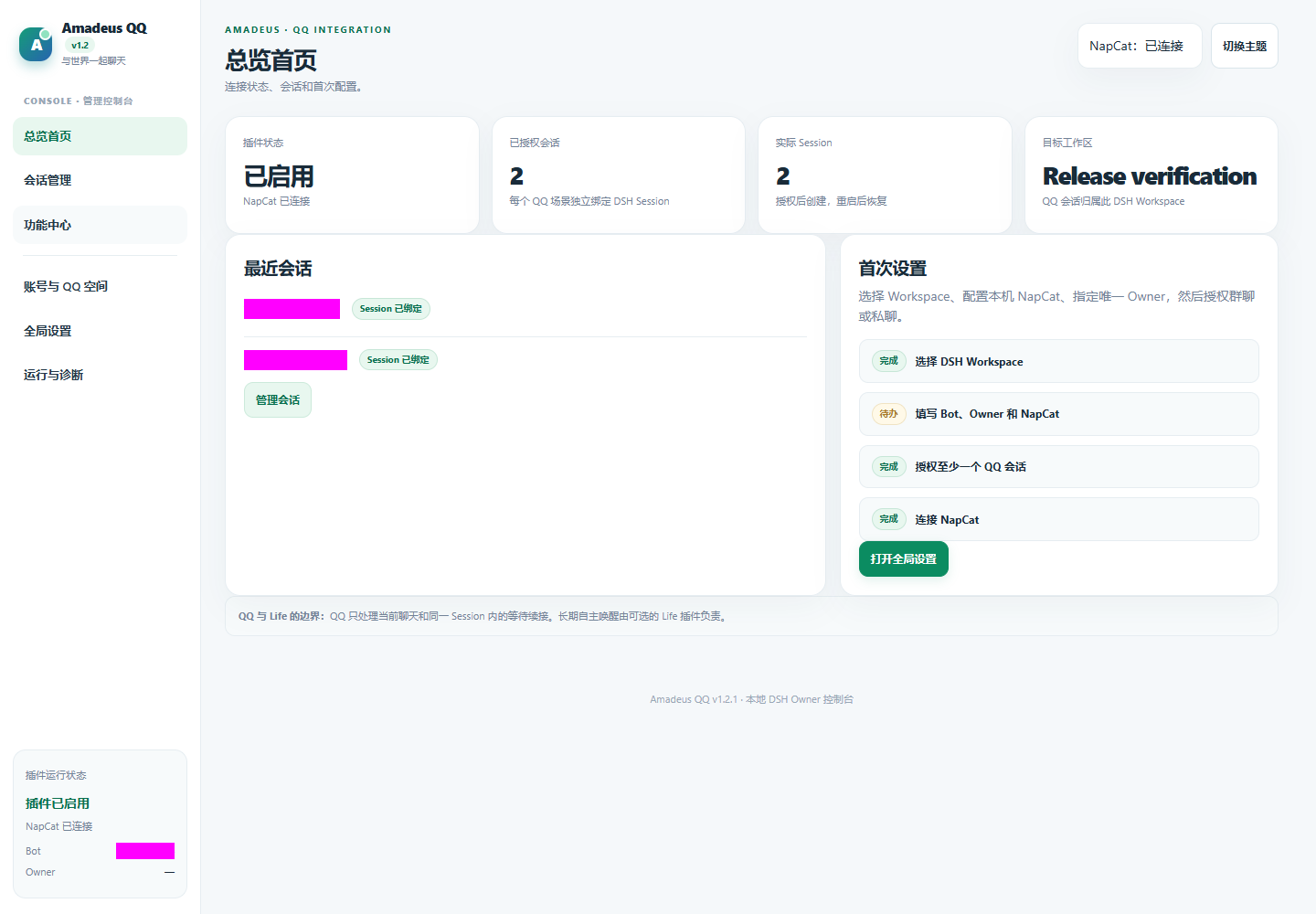
This is a recorded interface screenshot, not evidence that every real platform capability passed the current release gate. See the detailed reference and verification reports for limitations.
Back up user data before upgrading. Code, persistent user data and recovery backups are separate. Disable stops functionality; uninstall is intended to retain external data. Restoring old code alone does not reverse a database migration.
The 2026-11-06 development increment adds conservative recovery of a persisted scene binding only when the official Host confirms its Session is missing. See current verification; lookup errors and Workspace mismatches never trigger an identity rebuild.
CLASSIFICATION EVIDENCE
系统优先读取 GitHub Topics,再与站内分类词典和词根规则比对。当前命中: deepseek-harness。
morluto
Reverse engineer anything with agents, from app behavior down to native binaries.

deepseek-ai
DeepSeek Harness: Everything is a Plugin.

nexu-io
The 1st Collaborative AI Design Agent Workspace. Local-first and open source. Create motion, prototypes, websites, apps, dashboards, presentations, images, and videos with your team and AI agents. Share work, exchange feedback, and iterate together in one workspace.