
其他
插件

dsh-bili-scroll
c1overzz
DSH 插件:每天替你刷一轮 B站,读字幕挑出值得的、写一份日报,值得的 @ 你
PROJECT TOPICS
INSTALL REFERENCE
dsh plugin --profile web add github:jamen-jiang/dsh-qoder-worktree
该命令指向仓库当前默认分支;尚无绑定当前 commit 的完整验证结果。
PROJECT README
Qoder-style workspace mode & branch chips for DeepSeek Harness (DSH).
在 DSH 会话行显示 Qoder 风格的「工作区模式 / 当前分支」chip,按任务创建独立 git worktree。
~/.dsh/qoder-worktree/arms.json. At the moment you press send, the plugin creates the task space under ~/.dsh/Worktrees/<repo>/<branch>-<random> and then switches the same session in place: no new session, no message move, sidebar grouping untouched. Windows sandbox writes are gated by a capability SID derived from the session's workspace root; the plugin computes the same SID and grants it Modify on the task-space directory (one Set-Acl), so the sandbox immediately allows writes there. The main checkout therefore stays writable by this session — the isolation is convention (the branch chip / task-space directory) rather than OS-enforced; pair it with your own discipline or the plugin's main-tree write guard. Any failure — worktree or ACL — reports the reason, changes nothing, and the message runs in the session as before. New sessions start in 本地模式 by default; Worktree 模式 must be armed explicitly per session.
选择只挂起意图;点发送那一刻先建任务空间,再把当前会话原地切过去:不新建会话、不搬消息、侧栏分组不变。Windows 沙箱写入由一个从工作区根派生的能力 SID 把关,插件算出同一个 SID 给任务空间目录补一条 Modify ACE(一次 Set-Acl),沙箱立即放行。代价是主树对会话仍然可写——隔离是"约定"不是 OS 强制。「本地模式」回主树同样是原地切换。任一步异常 = 报错、什么都不改,消息照常执行。新会话默认就是「本地模式」,想进任务空间必须在顶行手动选一次 Worktree 模式(按会话各自记忆,互不影响)。--track -b); a branch already checked out in another worktree is added --detach with a short-sha suffix, mirroring Qoder's master-7a450602 naming.
远程分支自动建跟踪分支;已被占用的分支以 detached + 短 sha 后缀方式添加。dsh plugin add jamen-jiang/dsh-qoder-worktreeOr from npm: dsh-qoder-worktree (prebuilt, skips the build-approval step).
slots / connection client injects.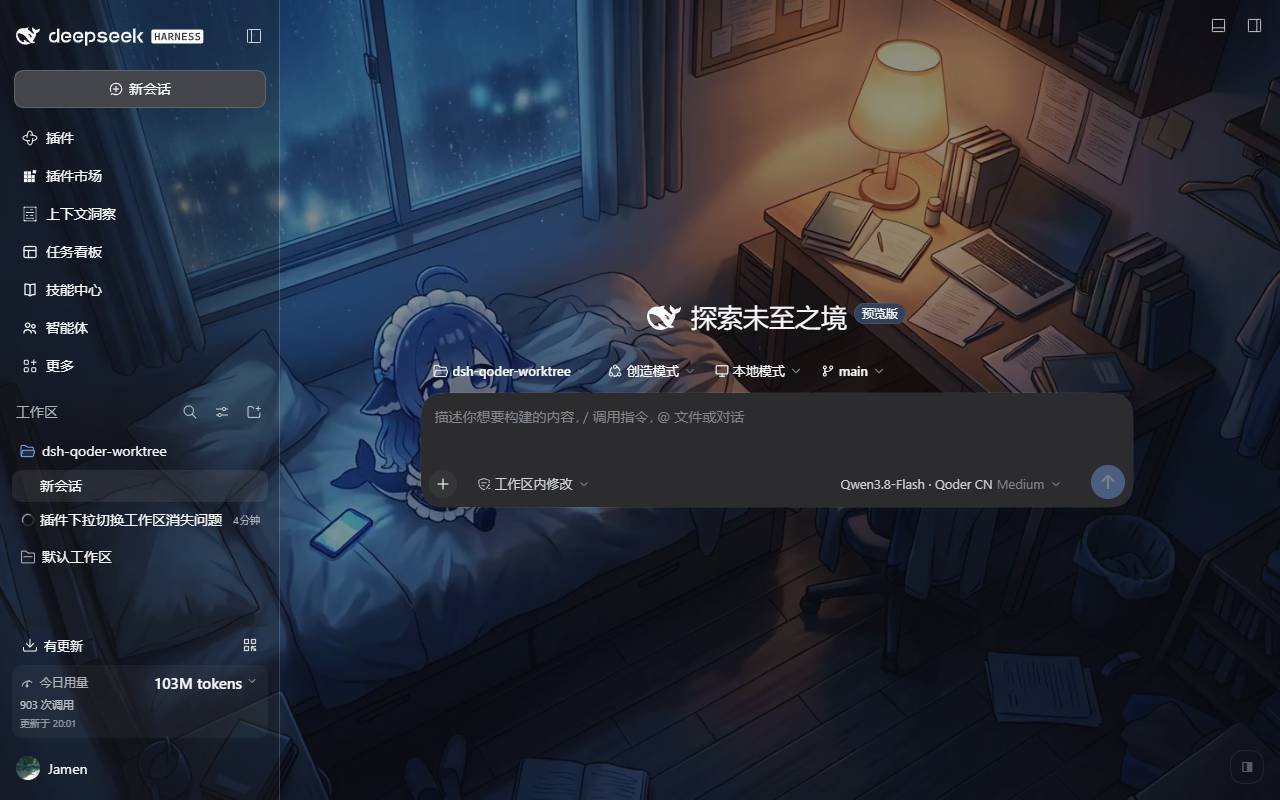
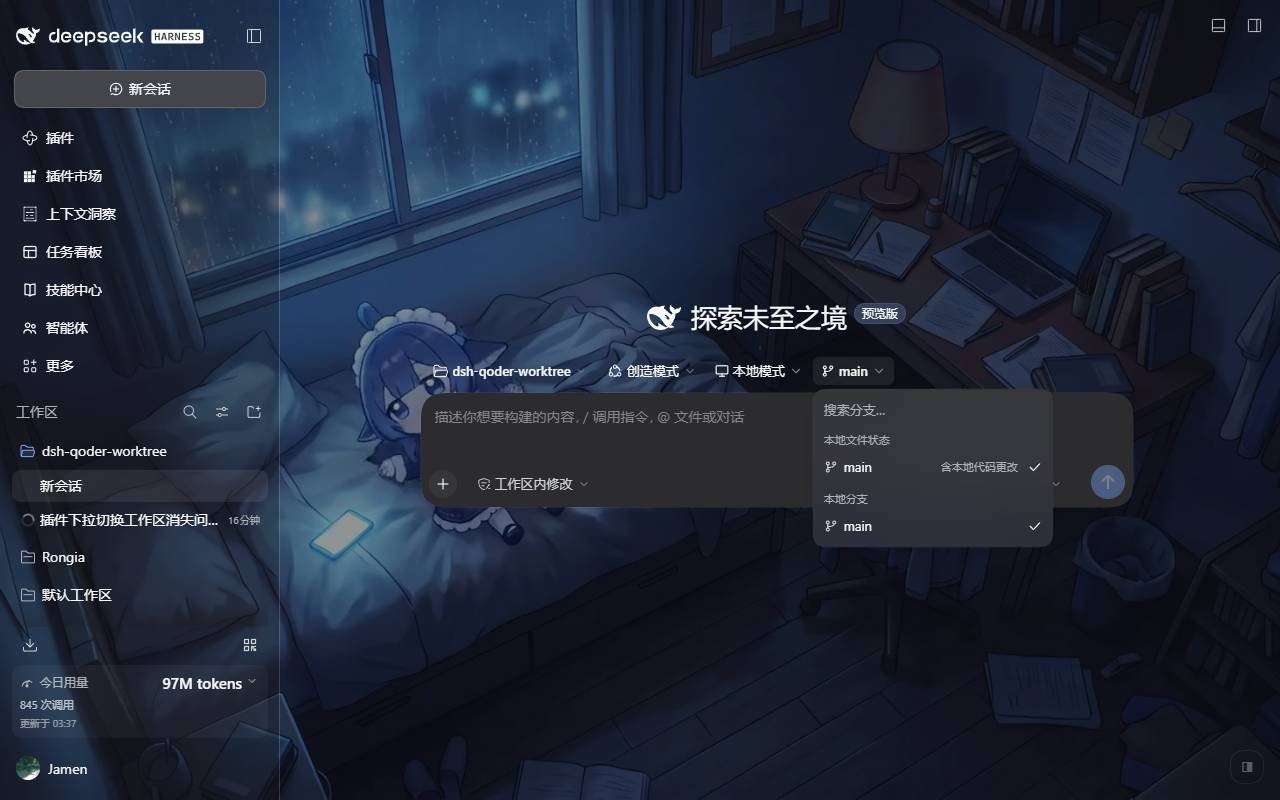
MIT
CLASSIFICATION EVIDENCE
系统优先读取 GitHub Topics,再与站内分类词典和词根规则比对。当前命中: 无有效分类标签。
c1overzz
DSH 插件:每天替你刷一轮 B站,读字幕挑出值得的、写一份日报,值得的 @ 你

hellowind777
一个自主的高级智能伙伴,不仅分析问题,更持续工作直到完成实现和验证。

xing-shuyin
Just open your browser — get all your work done.