
模型与 MCP
待识别

rea
morluto
Reverse engineer anything with agents, from app behavior down to native binaries.
PROJECT TOPICS
INSTALL REFERENCE
dsh plugin --profile web add github:inceCheng/dsh-pdf-panel
该命令指向仓库当前默认分支;尚无绑定当前 commit 的完整验证结果。
PROJECT README
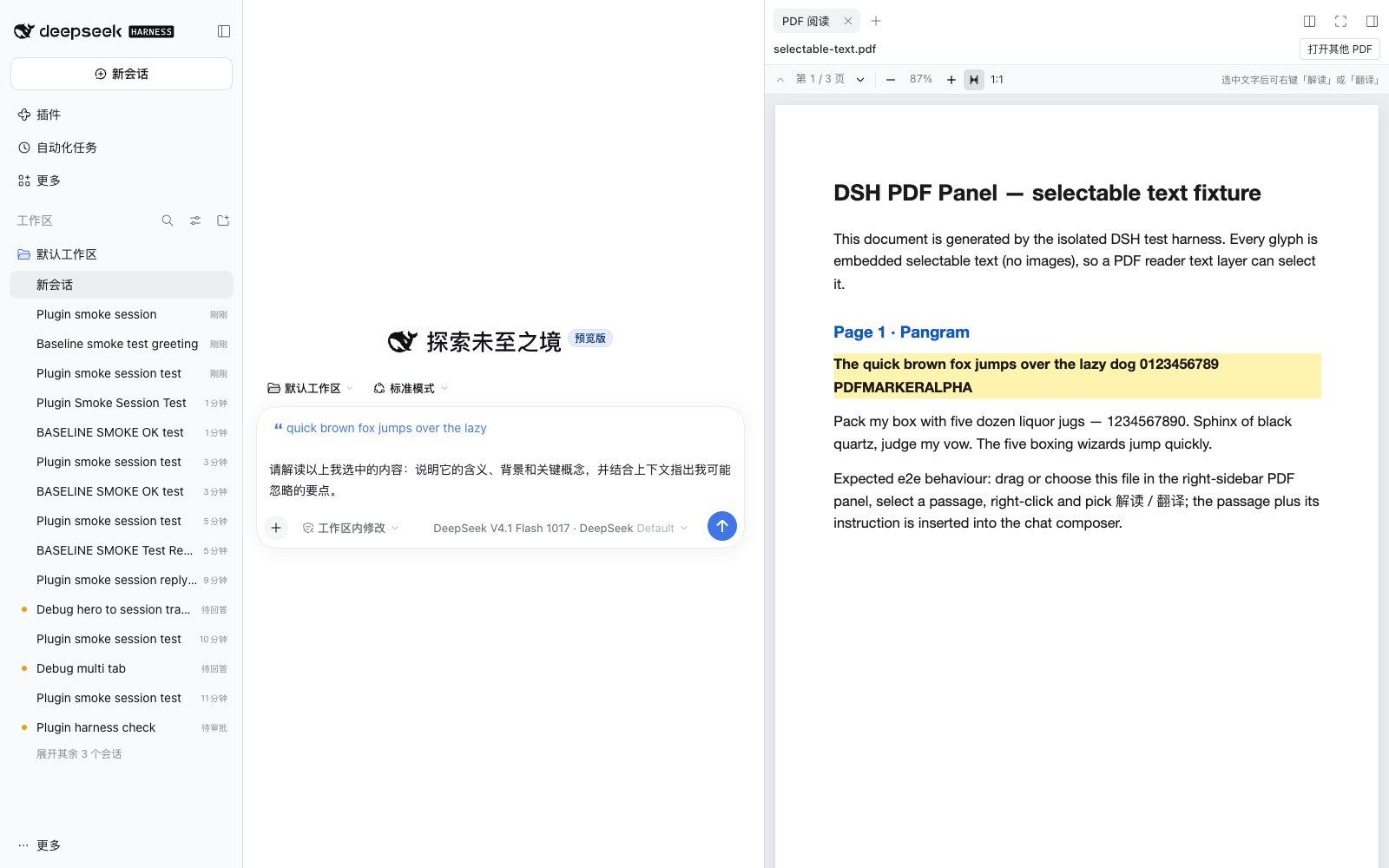
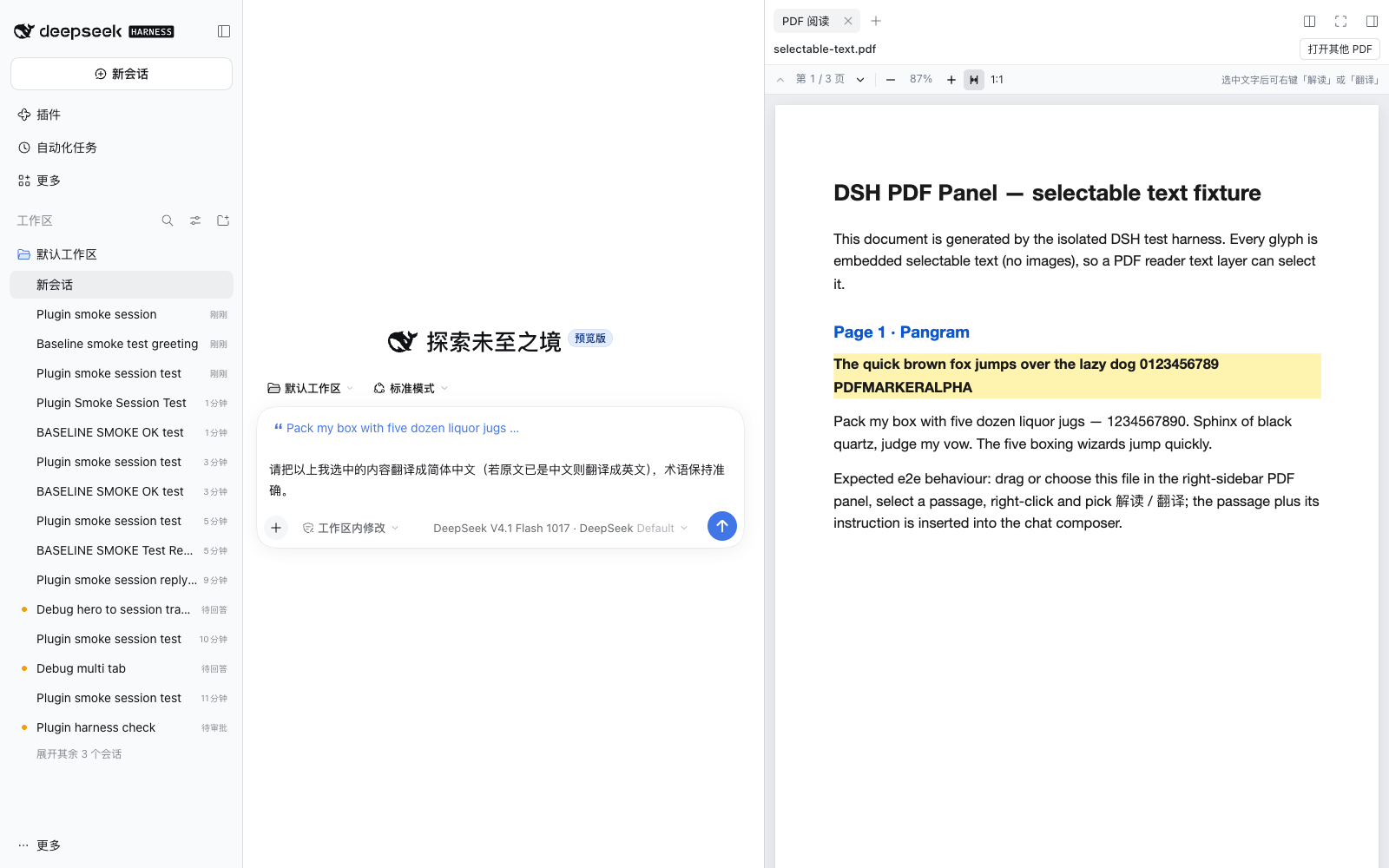
在 DeepSeek Harness 右侧栏阅读 PDF:拖入即预览,选中文字右键「解读」「翻译」,原文与提示词自动进入左侧会话输入框。


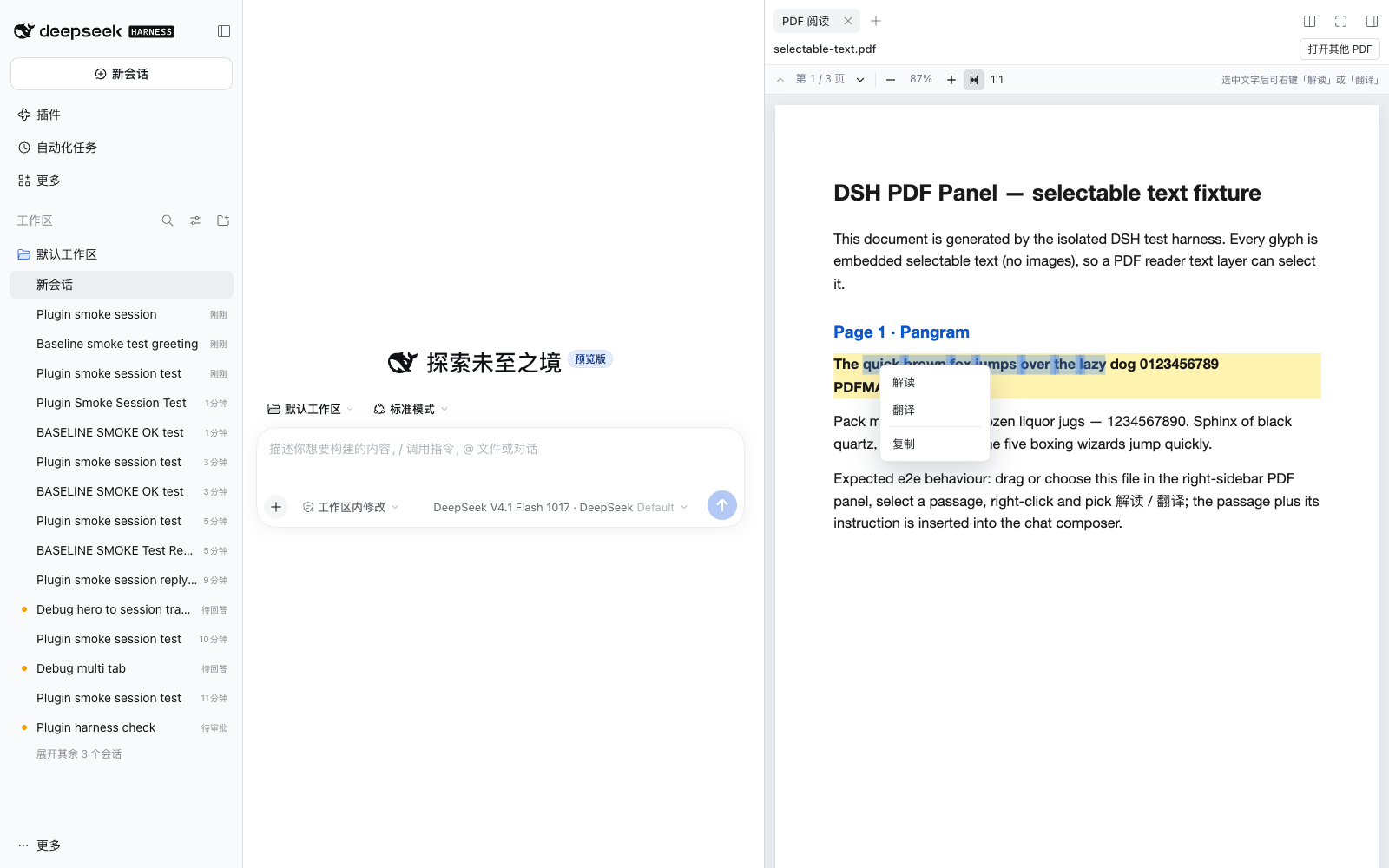
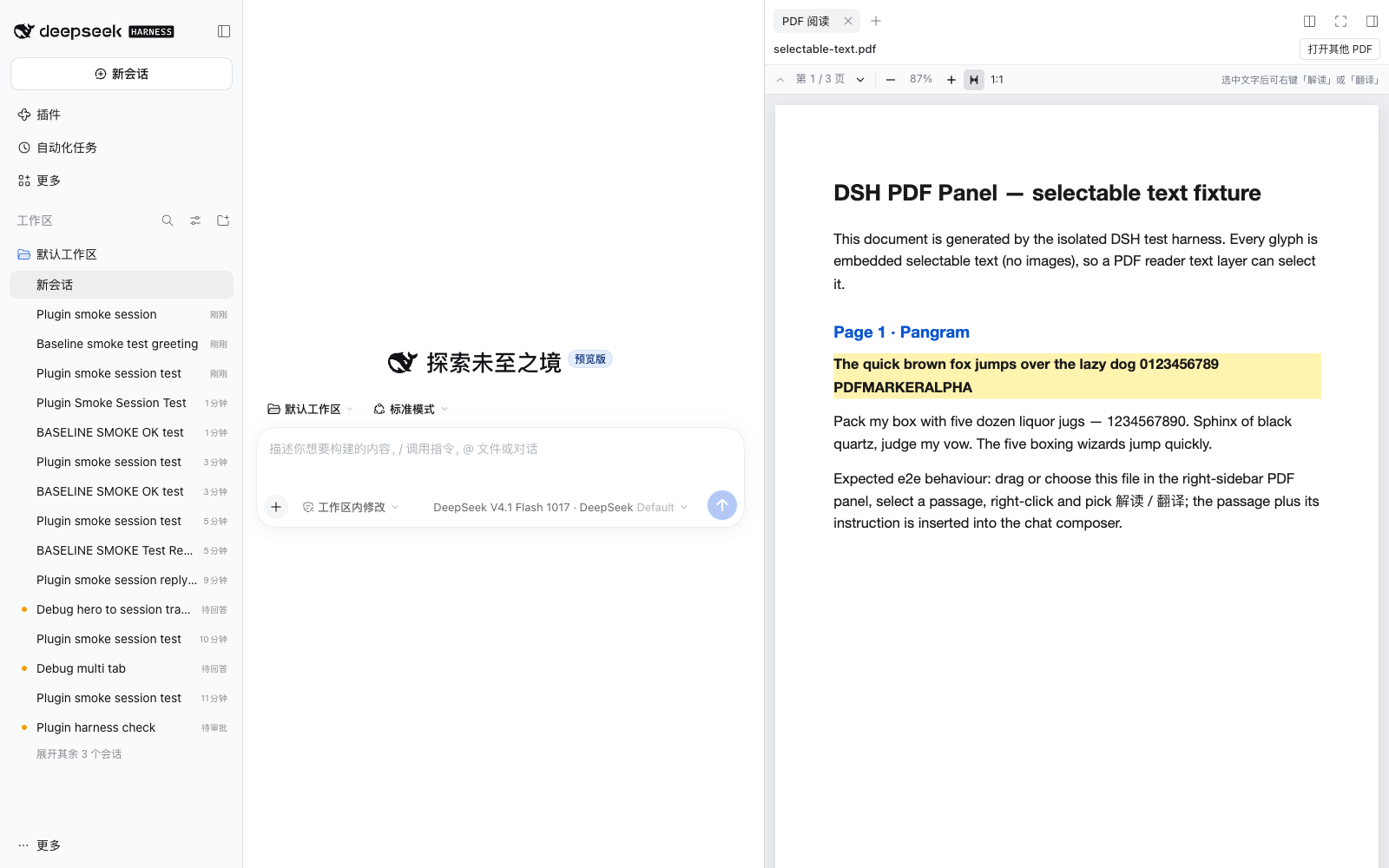
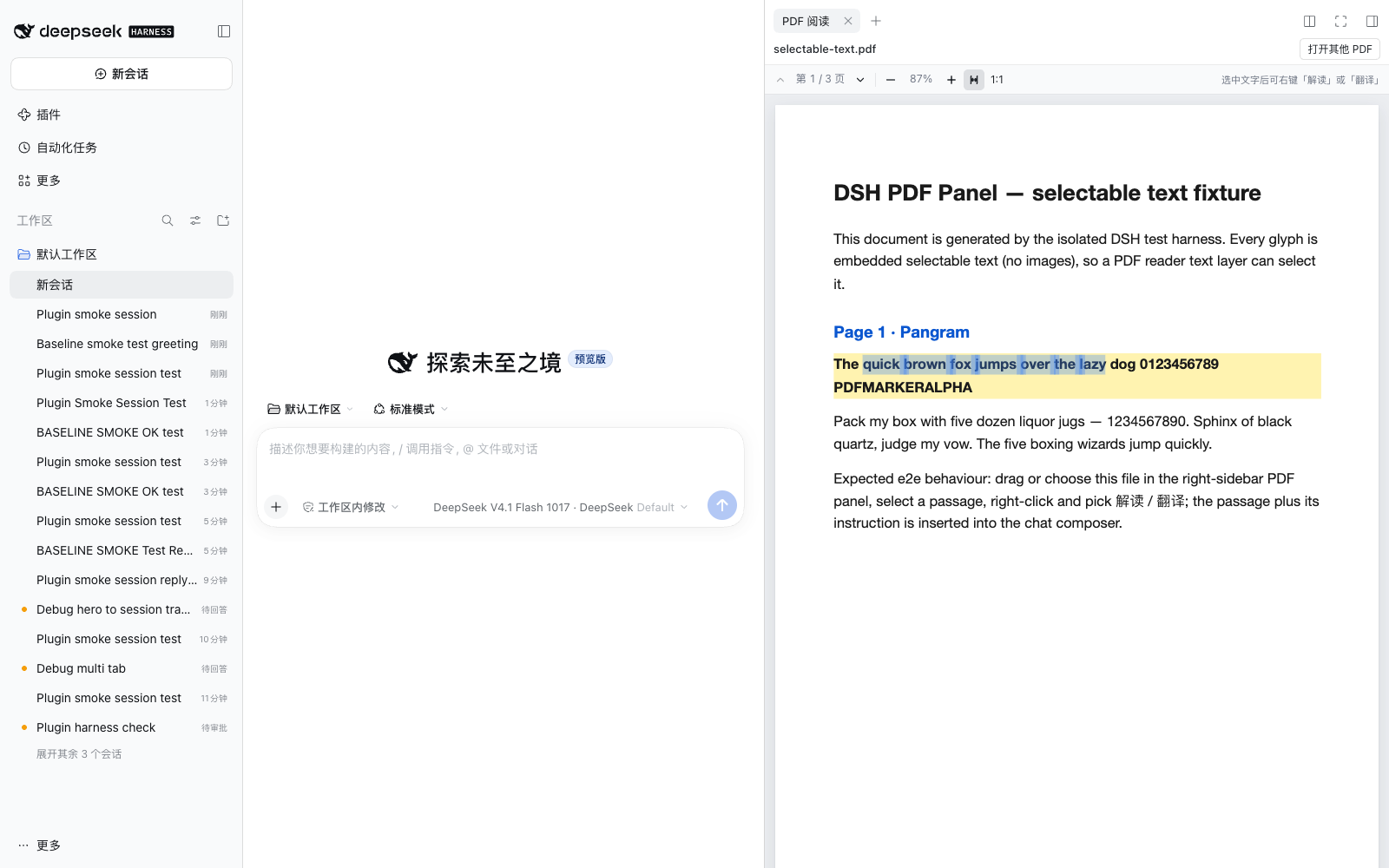
安装后,DSH 右侧栏多出一个 PDF 阅读面板:把 PDF 从桌面/访达拖进去即可预览;选中任意段落右键「解读」「翻译」,选中的原文会以引用块形式连同默认提示词直接写进左侧会话输入框,省去复制粘贴和手动组织提示词的步骤。
.pdf 拖进面板即可渲染;也支持「选择 PDF 文件」。⌘C 复制。请解读以上我选中的内容:说明它的含义、背景和关键概念,并结合上下文指出我可能忽略的要点。请把以上我选中的内容翻译成简体中文(若原文已是中文则翻译成英文),术语保持准确。| 预览 PDF | 选中文字右键 |
|---|---|
 |
 |
| 解读 → 输入框 | 翻译 → 输入框 |
|---|---|
 |
 |
中文 PDF 的选中与翻译: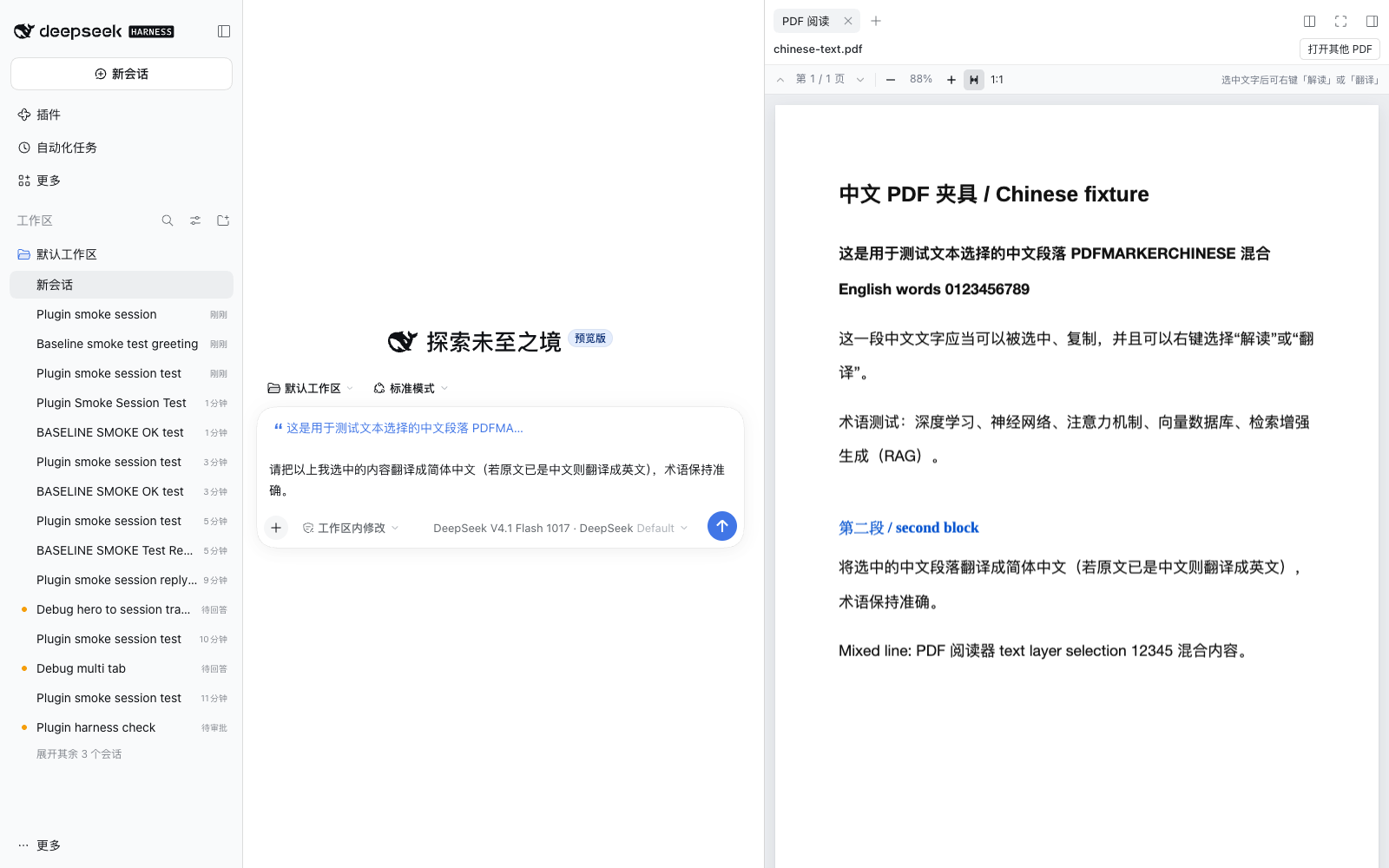
要求:DeepSeek Harness 0.2.x(在 0.2.2-rc.1 上实测;Web 版与桌面 App 均可)。
dsh plugin --profile web add dsh-pdf-panel桌面 App:左侧栏 插件 → 添加插件 → 输入 dsh-pdf-panel → 安装 → 立即启用。
装完刷新页面(桌面端 ⌘R)即可看到入口。
dsh plugin --profile web add github:inceCheng/dsh-pdf-panel仓库已提交构建产物 lib/,源码安装无需本地构建、无需 Node.js。
dsh plugin --profile web add /path/to/dsh-pdf-panel桌面 App 的
desktopprofile 由 App 独占管理,dshCLI 会提示profile "desktop" is managed exclusively by the Electron application;请使用 App 内的「插件 → 添加插件」(支持包名、Git 地址、tarball 绝对路径或本地目录),或者参考下文「本地安装进桌面 profile」。
# 用 App 自带运行时把仓库/目录链接进 profile,并把 bundle 名追加到 dsh.profile.bundles
cd "$HOME/.dsh/profiles/desktop"
<dsh-runtime>/dependencies/node/bin/node <dsh-runtime>/dependencies/pnpm/bin/pnpm.cjs \
  add --ignore-scripts "link:/path/to/dsh-pdf-panel"
# 然后编辑 package.json,在 dsh.profile.bundles 末尾加入 "dsh-pdf-panel",刷新页面默认提示词在 src/client/locales.ts 的 explainInstruction / translateInstruction,修改后 npm run build 并刷新页面即可生效。
| 项 | 说明 |
|---|---|
| DSH 版本 | >=0.2.0 <0.3.0(package.json 的 engines.dsh;在 0.2.2-rc.1 实测) |
| 平台 | Web 版 / 桌面 App(macOS 实测;客户端为浏览器插件,无平台相关依赖) |
| 额外运行环境 | 用户侧无需 Node.js / pnpm;PDF 解析全部在本机浏览器与 Web Worker 内完成 |
| 权限 / 外部服务 | Host 侧为空实现(lib/index.js 仅导出空 apply());不发起任何网络请求;PDF 不上传、不离开本机 |
| 已知限制 | 每个右侧栏标签页同时预览一个 PDF(打开第二个会替换);纯扫描件没有文字层,无法选中文字 |
npm install
npm run build        # 生成 lib/client.js(插件外壳)与 lib/client.pdf.js(懒加载 PDF.js chunk)
npm run typecheck    # tsc --noEmit
结构:
dsh-pdf-panel/
├── package.json          # dsh.bundle(配置层)+ dsh.client(Web 客户端包)
├── cordis.patch.yml      # 向 profile 插入一条 Loader 行
├── build.mjs             # esbuild 构建:主 bundle + 懒加载 chunk + PDF.js worker/字体/CMap 内联
├── src/
│   ├── host/index.js     # Host Loader 入口(无宿主行为)
│   └── client/
│       ├── index.tsx     # 注册右侧栏 tab 类型、引导卡、标题栏入口
│       ├── locales.ts    # 中英文文案 + 默认提示词
│       ├── panel/        # 面板外壳:拖拽、文件读取、提示词插入
│       └── pdf/          # 懒加载 chunk:PDF.js 渲染、文本层、右键菜单(自包含)
├── lab/                  # 独立浏览器验证 harness(不参与发布)
├── docs/screenshots/     # README 截图
└── lib/ # 构建产物(已提交,供源码安装直接使用)require.async('./client.pdf.js') 在第一次打开 PDF 时加载。cd lab && npm install && npm test(用系统 Chrome 跑渲染、文本选择、右键菜单与重新加载等 54 项检查)。DSH PDF Reader — a right-sidebar PDF panel for DeepSeek Harness. Drag a PDF from Finder/your desktop into the panel, select any passage, and right-click Explain / Translate to insert the quoted passage plus a ready-to-send prompt into the chat composer. Supports multi-page lazy rendering, selectable text layers, zoom/fit-width, light/dark themes, and Chinese/English UI. Works with DSH 0.2.x; everything is parsed locally in a Web Worker — no network requests, no uploads.
dsh plugin --profile web add dsh-pdf-panelMIT。构建产物内嵌的 PDF.js(Mozilla)以 Apache-2.0 分发,详见 THIRD_PARTY_NOTICES.md,其许可声明保留在 lib/client.pdf.js 文件头。
CLASSIFICATION EVIDENCE
系统优先读取 GitHub Topics,再与站内分类词典和词根规则比对。当前命中: deepseek-harness。
morluto
Reverse engineer anything with agents, from app behavior down to native binaries.

deepseek-ai
DeepSeek Harness: Everything is a Plugin.

nexu-io
The 1st Collaborative AI Design Agent Workspace. Local-first and open source. Create motion, prototypes, websites, apps, dashboards, presentations, images, and videos with your team and AI agents. Share work, exchange feedback, and iterate together in one workspace.