
模型与 MCP
待识别

rea
morluto
Reverse engineer anything with agents, from app behavior down to native binaries.
PROJECT TOPICS
INSTALL REFERENCE
dsh plugin --profile web add github:imkelt/DSH-RAG
该命令指向仓库当前默认分支;尚无绑定当前 commit 的完整验证结果。
PROJECT README
English | 简体中文

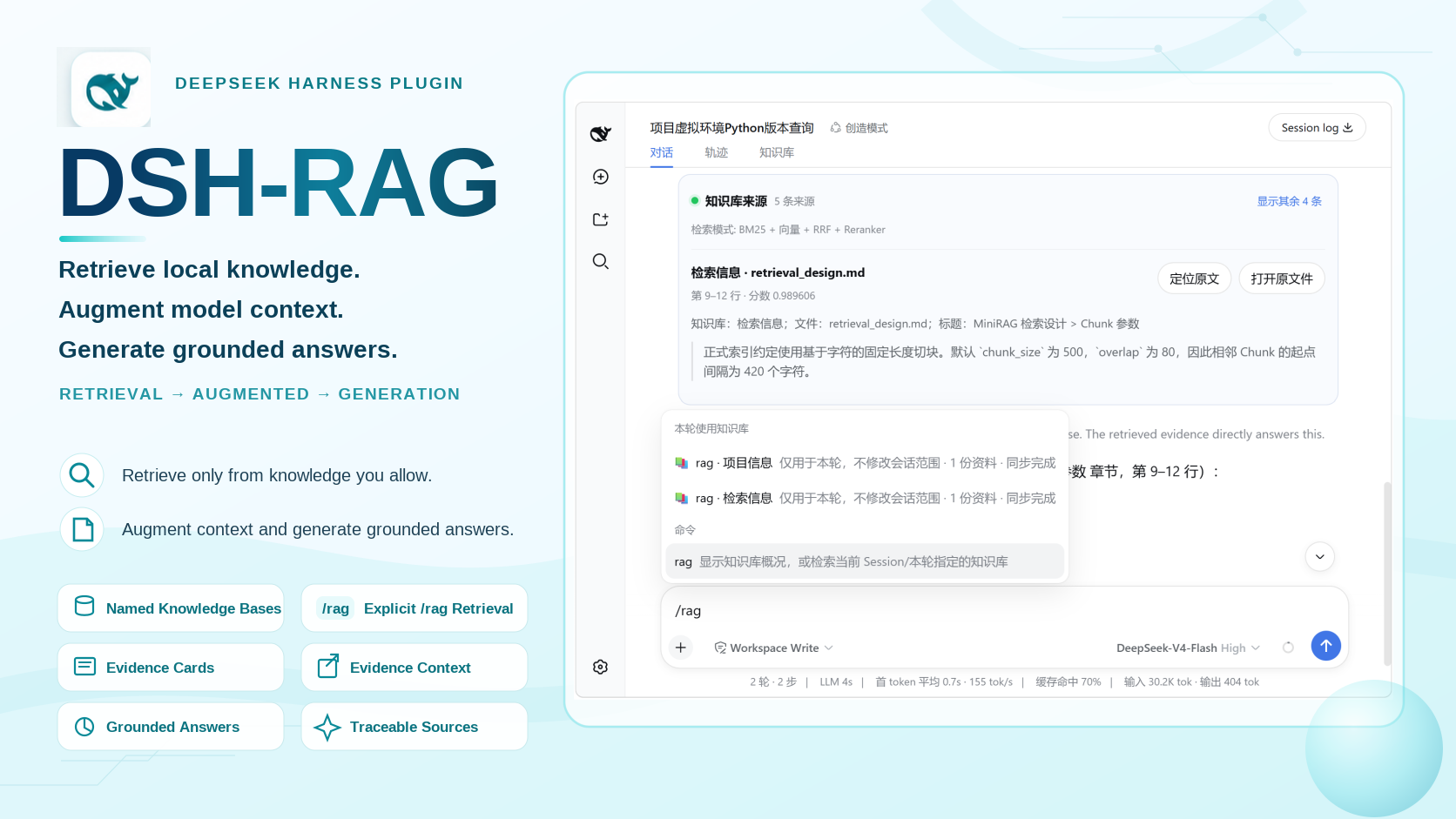
DSH-RAG is a local knowledge-base plugin for DeepSeek Harness Web. It turns explicitly authorized local folders into named, incrementally synchronized knowledge bases. When you run /rag <question>, retrieval completes before the model answers and the UI shows verifiable evidence with excerpts, exact source locations, and open-file actions.
Regular chat never accesses local documents. Retrieval runs only for explicit
/ragturns, using either the knowledge bases selected for the current Session or a one-turn@knowledge-baseoverride.
/rag retrieval — Retrieval completes before the model answers instead of depending on the model to decide whether to call a tool.@knowledge-base selectors for one-turn overrides.^22.19.0 or >=24.0.0PATH (dsh plugin uses pnpm to manage profile packages)0.1.1-rc.2DeepSeek Harness is currently a developer preview.
0.1.1-rc.2is the version DSH-RAG has verified through package installation, startup, and removal checks; it does not mean the plugin can run only on that version. Other DSH versions may work, but are not claimed as compatible until they pass the same checks.
If you have not installed the dsh command, the simplest option is to run DSH through npx:
npx @deepseek-ai/dsh plugin --profile web add @kai232/dsh-rag
npx @deepseek-ai/dsh web
Keep the second command running, then open the Web address printed in the terminal.
dsh is already installedIf dsh --version works in your terminal:
dsh plugin --profile web add @kai232/dsh-rag
dsh webgit clone https://github.com/deepseek-ai/deepseek-harness.git
cd deepseek-harness
pnpm install
pnpm run build
pnpm dsh plugin --profile web add @kai232/dsh-rag
pnpm dsh webIf you already have a local checkout, skip git clone, enter its root directory, and continue with pnpm install. The pnpm run build step prepares the source artifacts used by pnpm dsh web.
To update DSH-RAG, stop the running Web process, repeat the corresponding plugin add command, and start Web again.
Open Settings → Knowledge. SiliconFlow is optional: configure the Endpoint, Embedding model, Reranker model, and API key when you want hybrid retrieval. Without an API key or network, local BM25 retrieval still works.
The API key is stored in the operating-system credential vault. If the vault is unavailable, set SILICONFLOW_API_KEY before starting DSH; the plugin never falls back to a plaintext key file. Connection status is checked automatically, and Retry appears only after a failure.
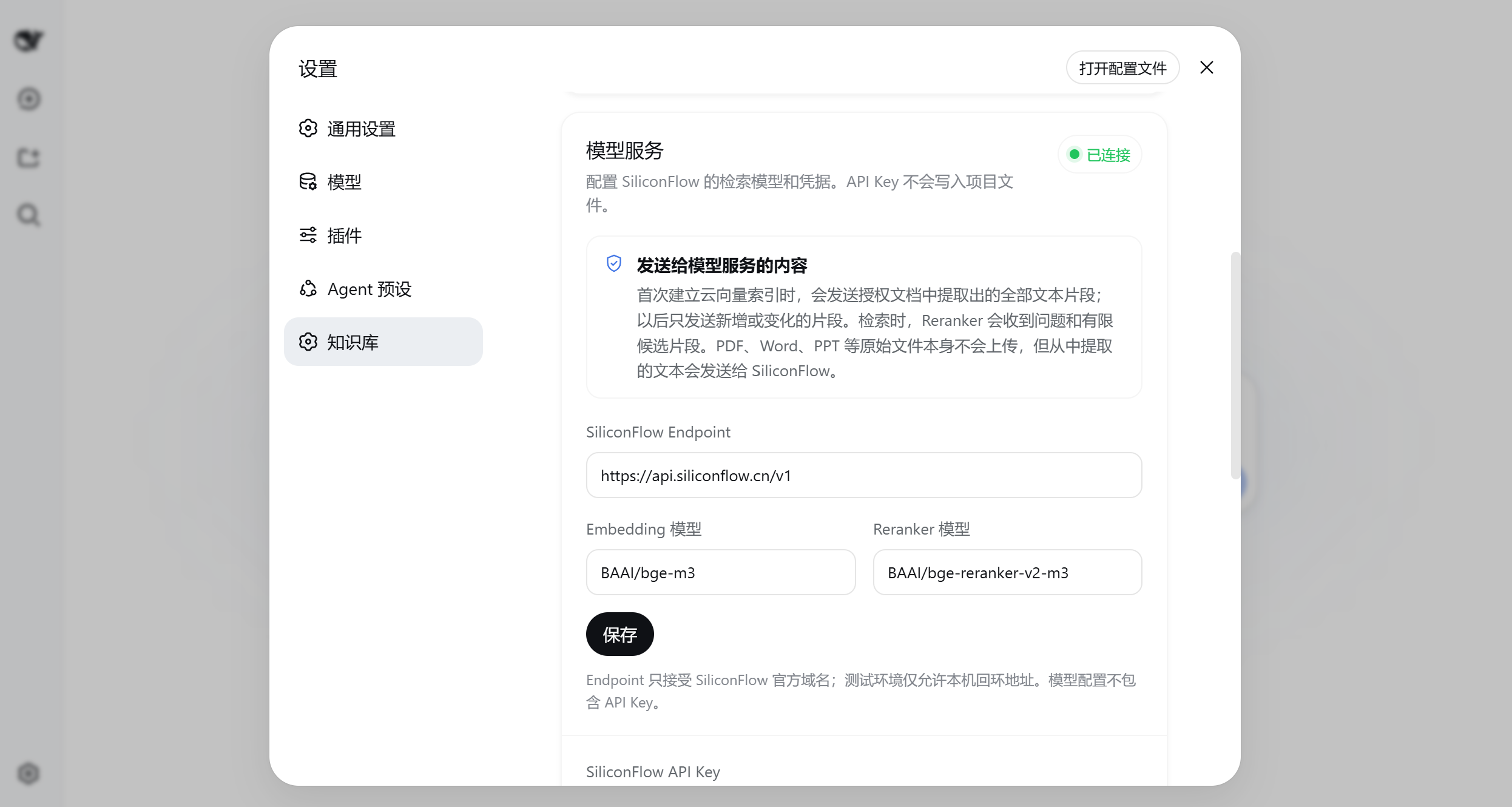
Optional: configure model services for vector retrieval and reranking.
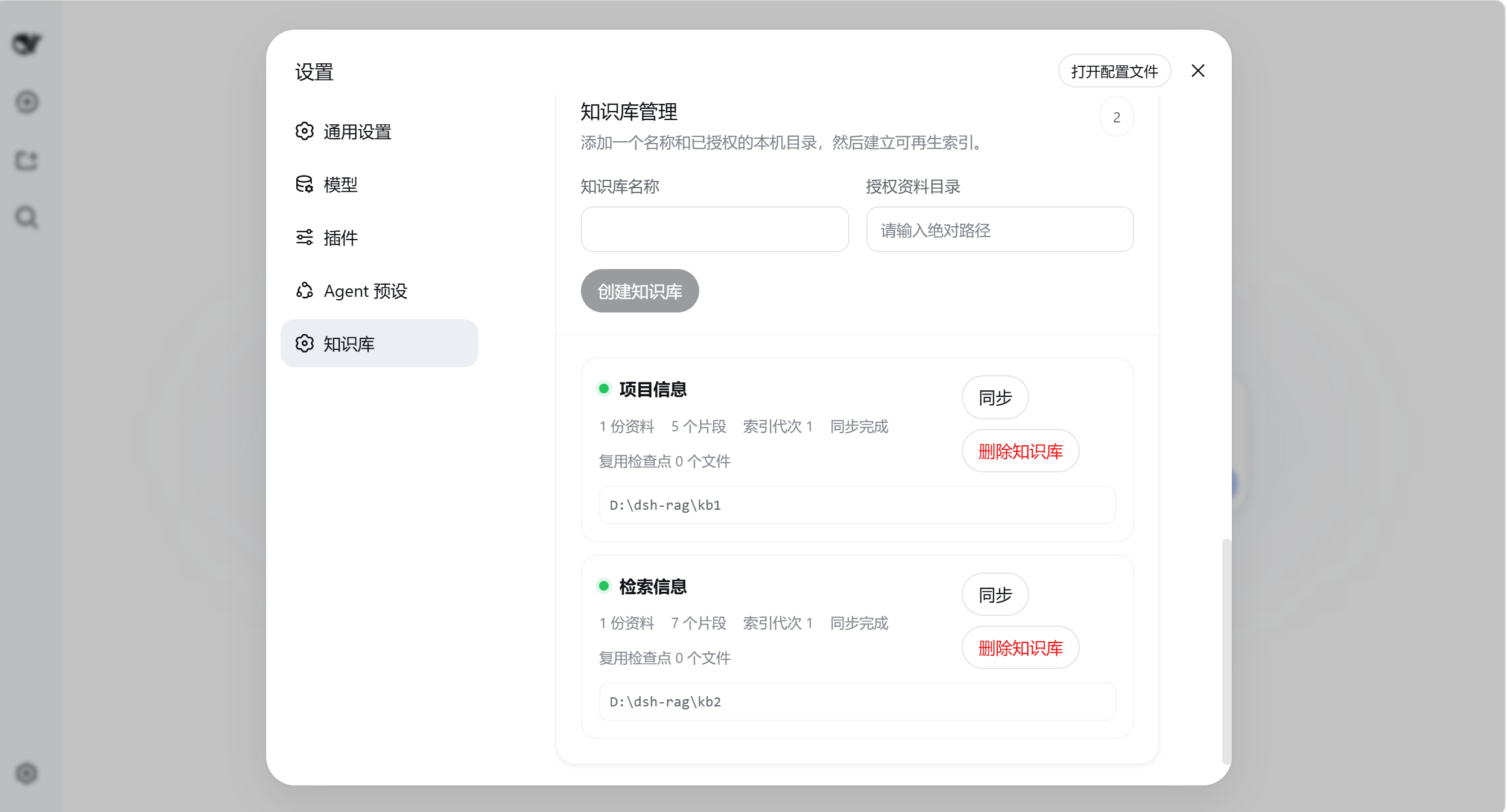
Create a knowledge base from explicitly authorized local folders, then sync it.
Knowledge-base names and file names are user data and are not translated when the interface language changes.
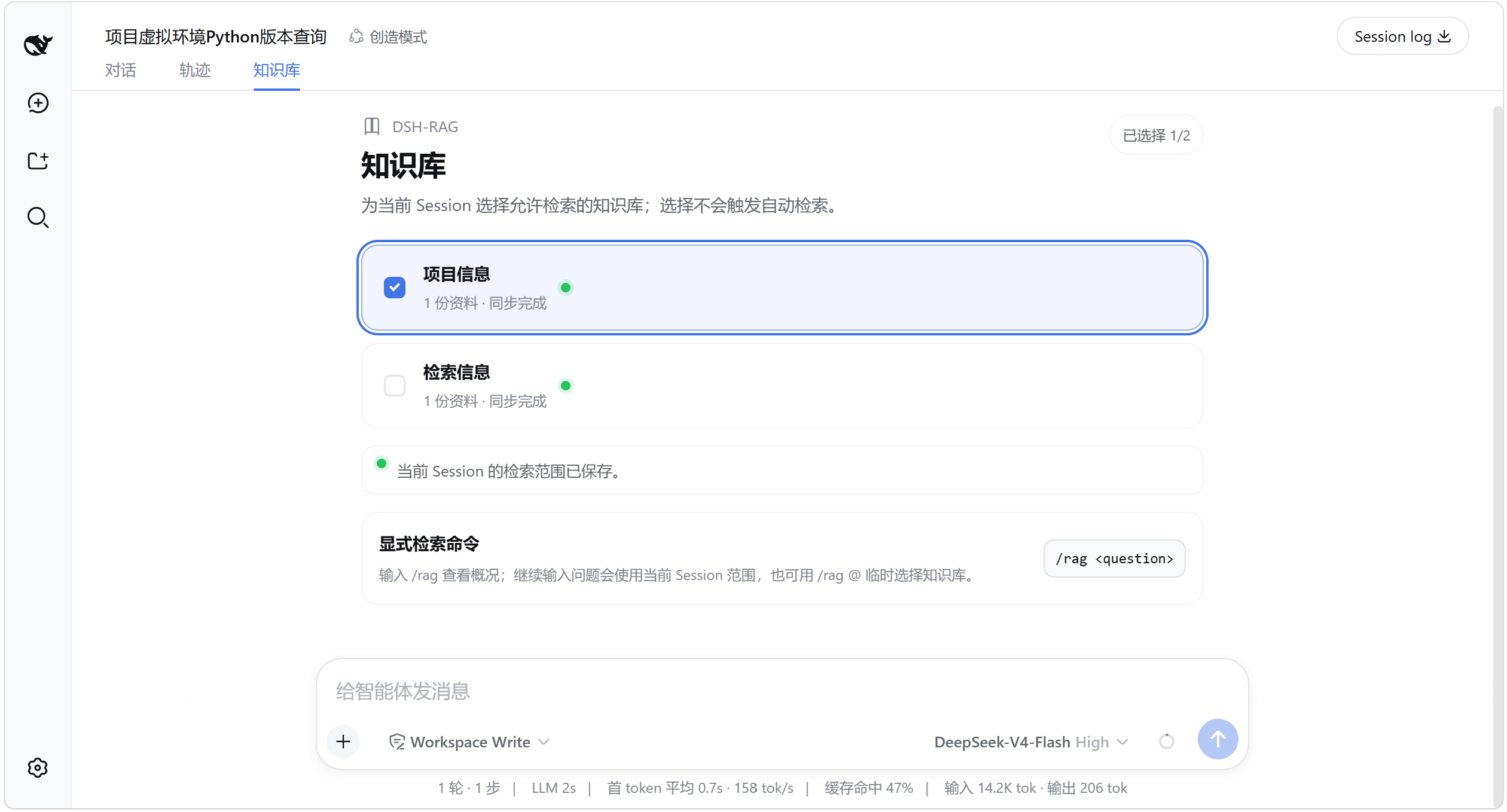
In the conversation Knowledge panel, select the knowledge bases the current Session may search. The selection becomes the saved default retrieval scope for that Session; selecting a knowledge base does not trigger automatic retrieval.
/ragBasic command:
/rag <question>Use the scope saved for the current Session:
/rag What does the project note say about the launch window?Typing /rag shows the base command and one-turn variants for each knowledge base in the first menu. After entering the command, /rag @ also places knowledge bases above the general file, folder, and Session candidates; choosing one inserts a plain-text selector.
/rag
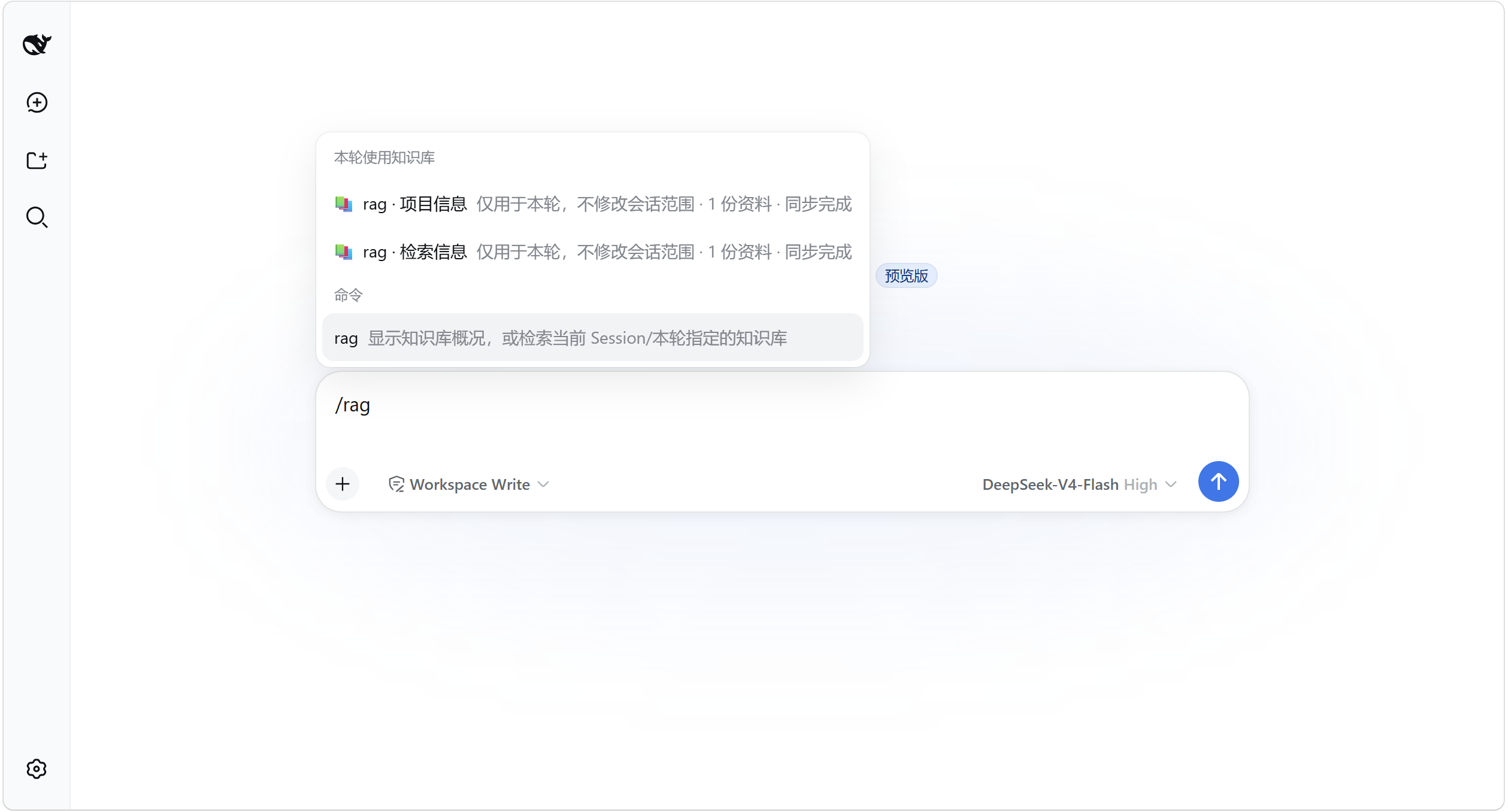
Type /rag to see the command and one-turn knowledge-base variants.
/rag @
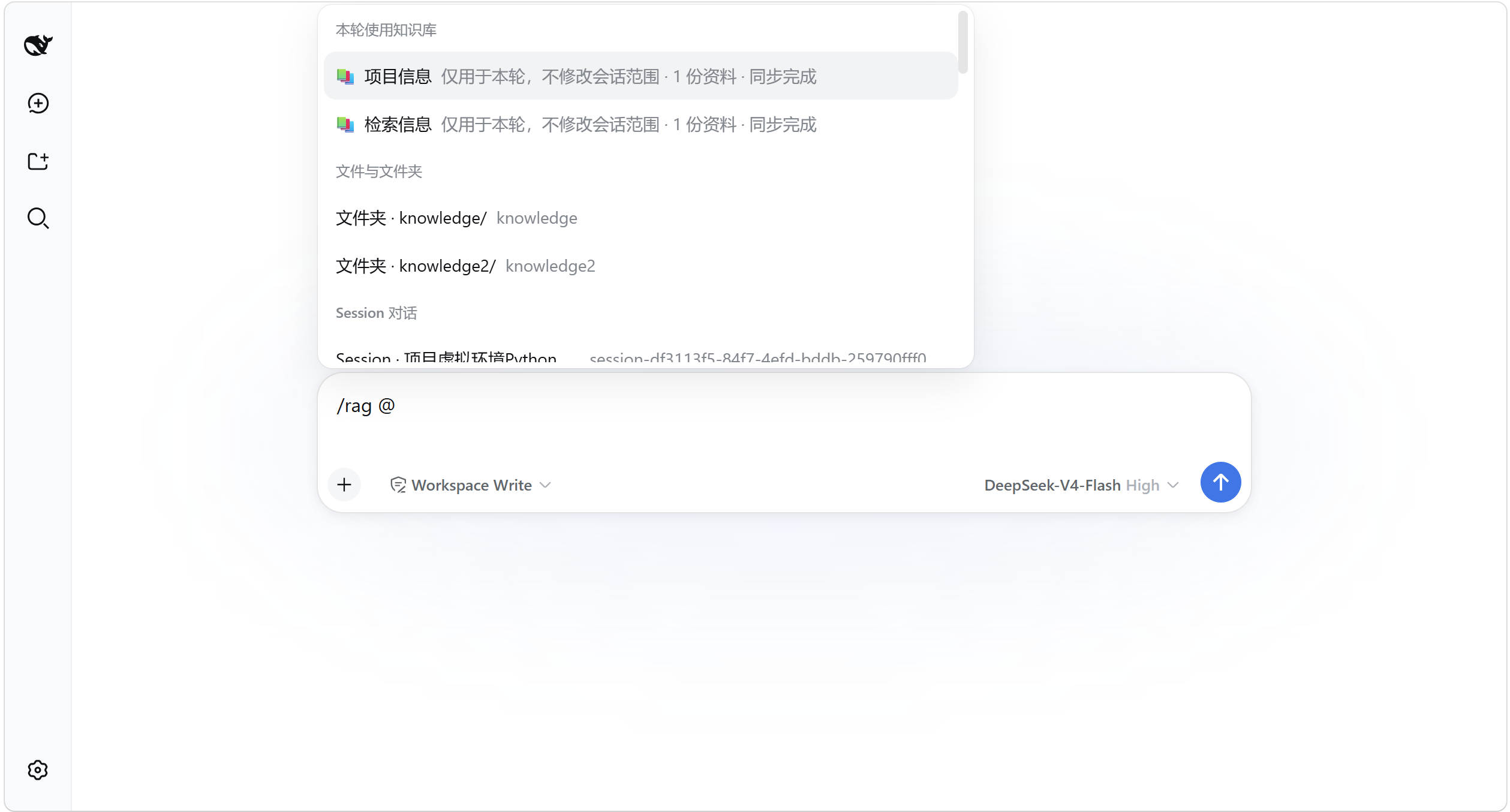
Type /rag @ to choose a temporary retrieval scope.
To override the scope for a single turn, select a knowledge base:
/rag @"Project notes" Which Python version does the virtual environment use?Names without whitespace use the shorter form, such as /rag @Notes <question>. The one-turn override does not change the Session's saved selection.
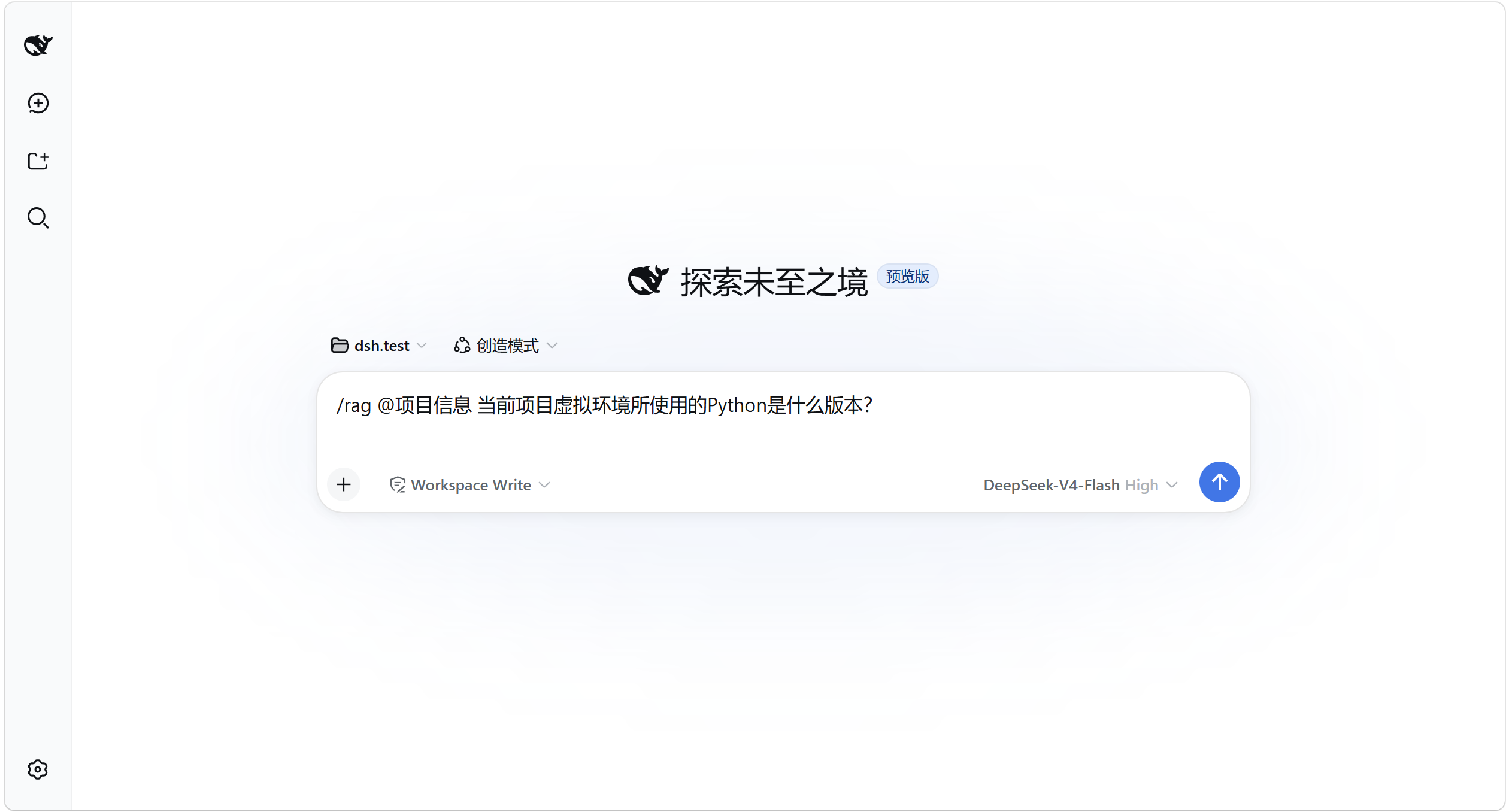
Running /rag alone shows knowledge-base statistics and usage without calling the model. If no knowledge base is selected, the plugin stops with guidance instead of searching every knowledge base.
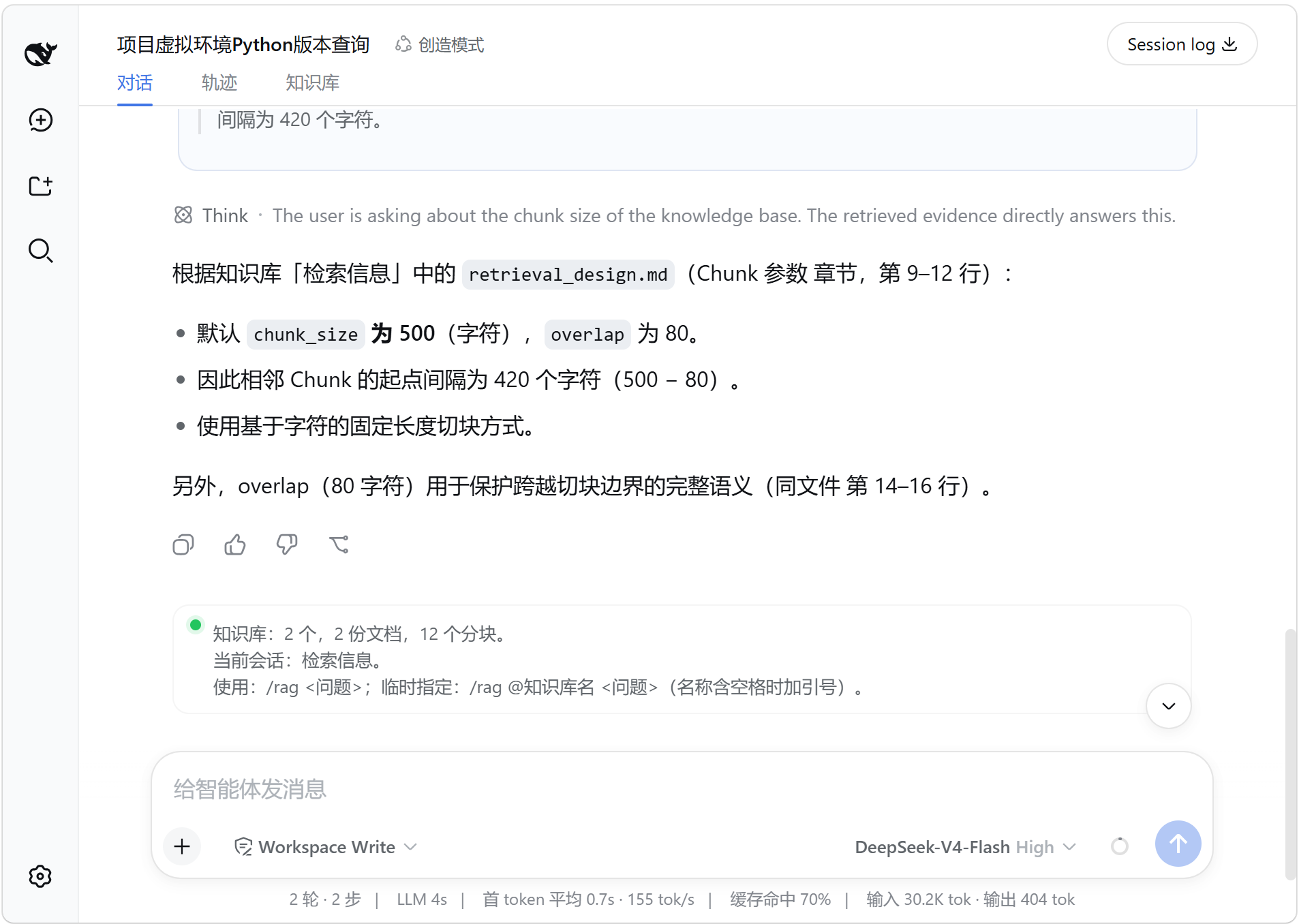
For a /rag turn, DSH-RAG completes retrieval first and only then passes the evidence to the model. Retrieval therefore does not depend on whether the model decides to call a tool.
Each source card identifies the knowledge base, file, structural context, excerpt, and exact source location. The open action sends only an opaque source ID; the Host resolves and validates the path again before asking the operating system to open it.
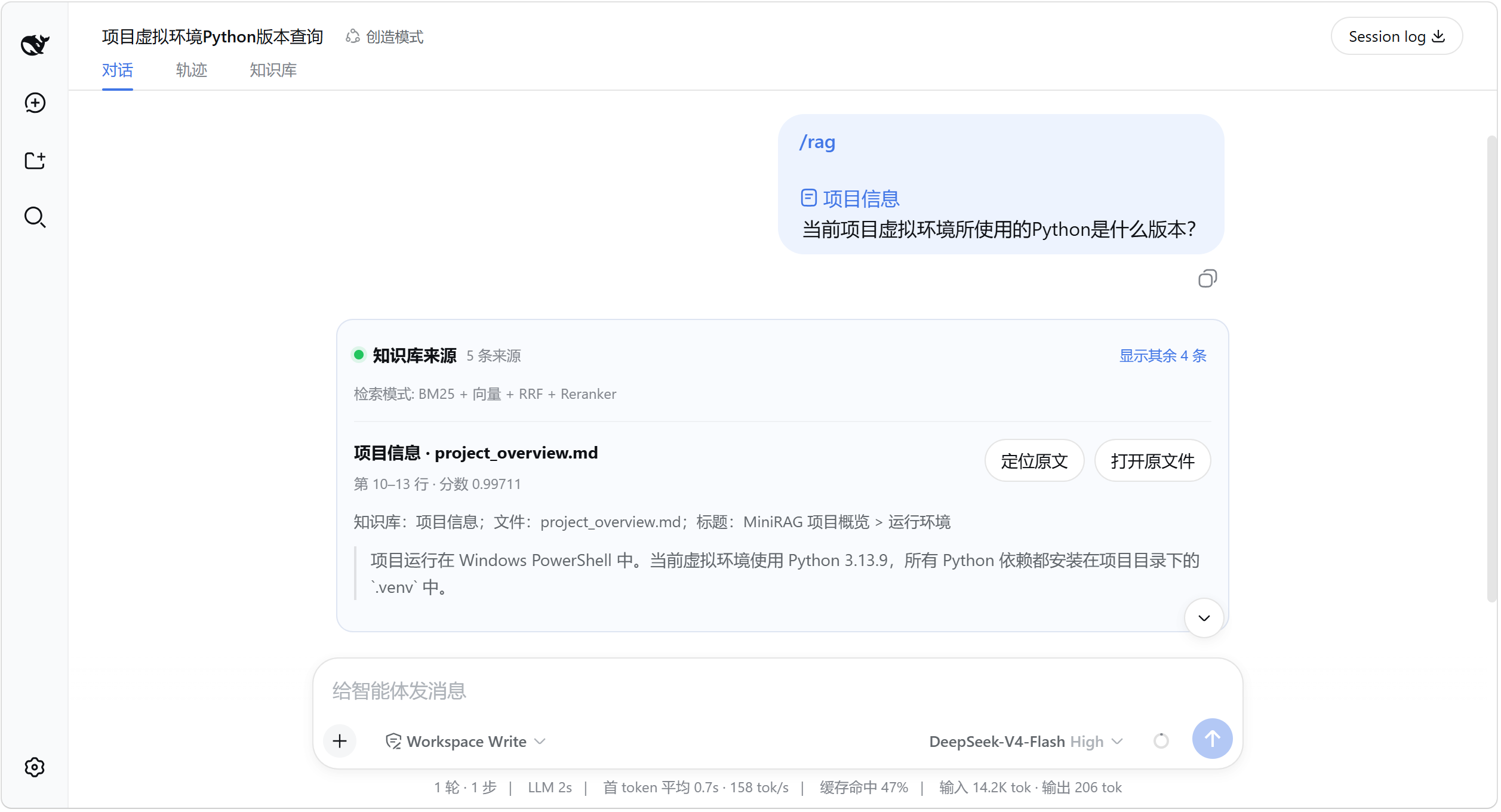
Each result exposes the knowledge base, file, exact location, score, and the excerpt used as evidence.
Use Locate in source or Open file to return to the original document and verify the surrounding context:
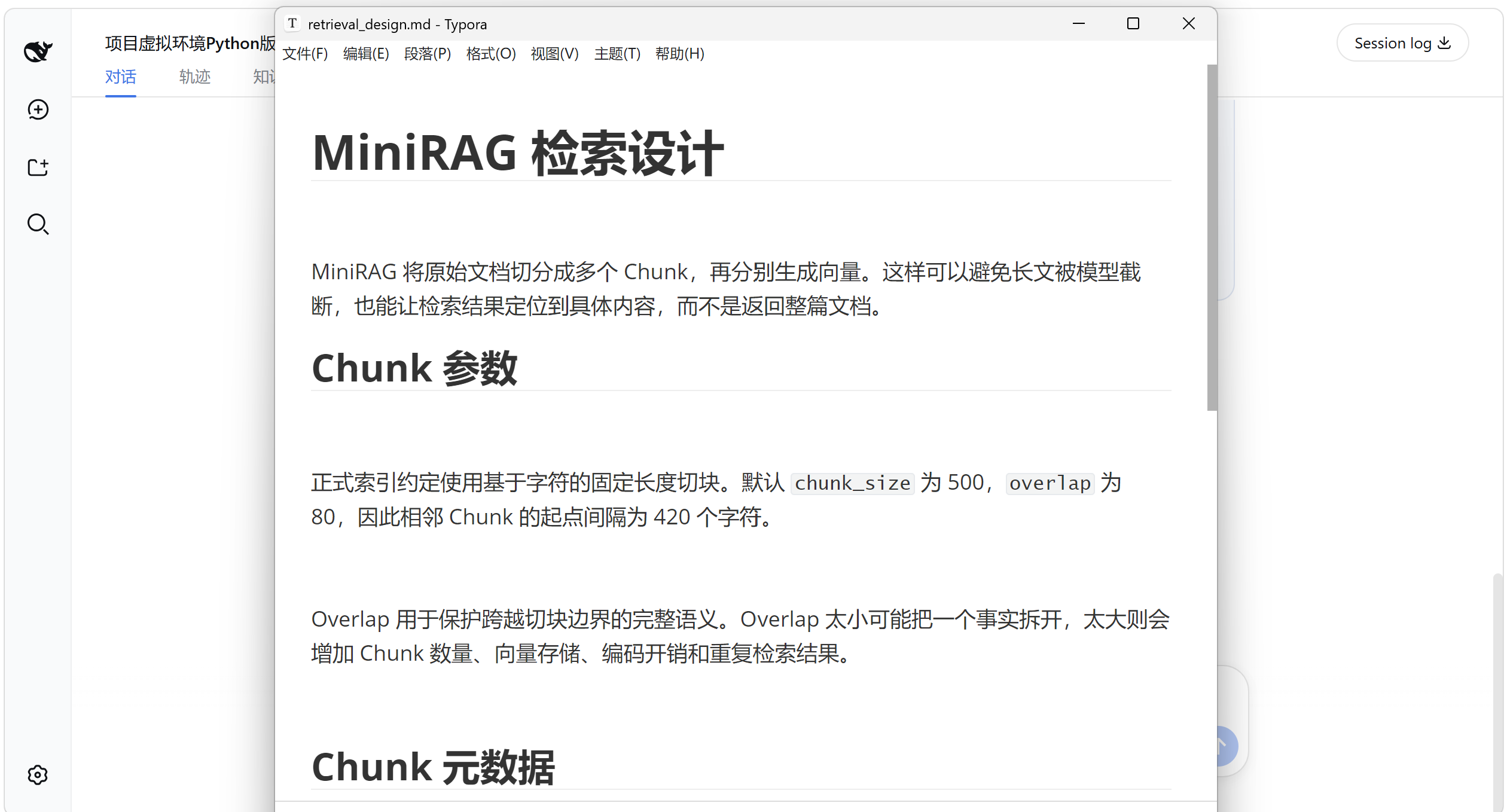
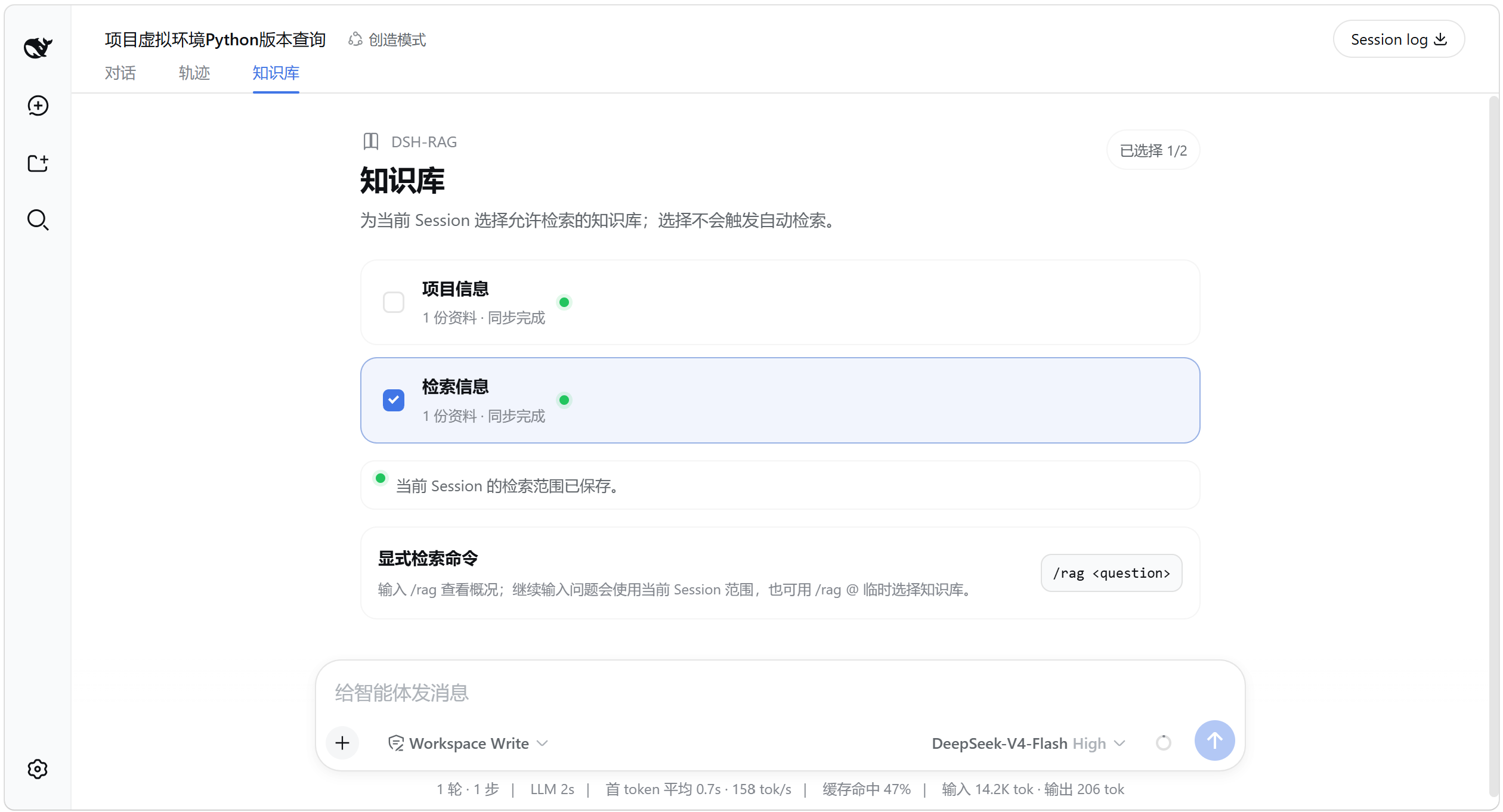
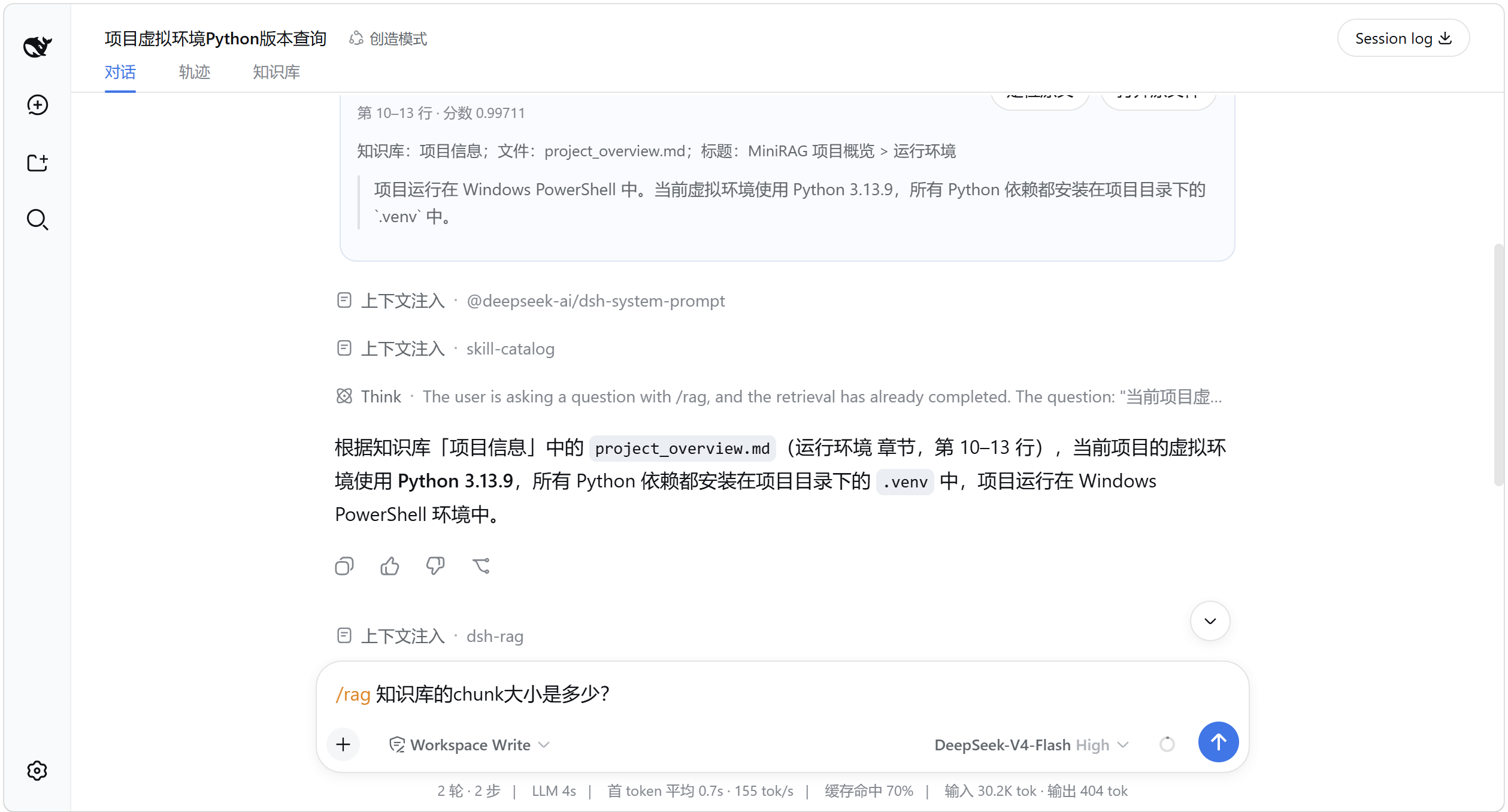
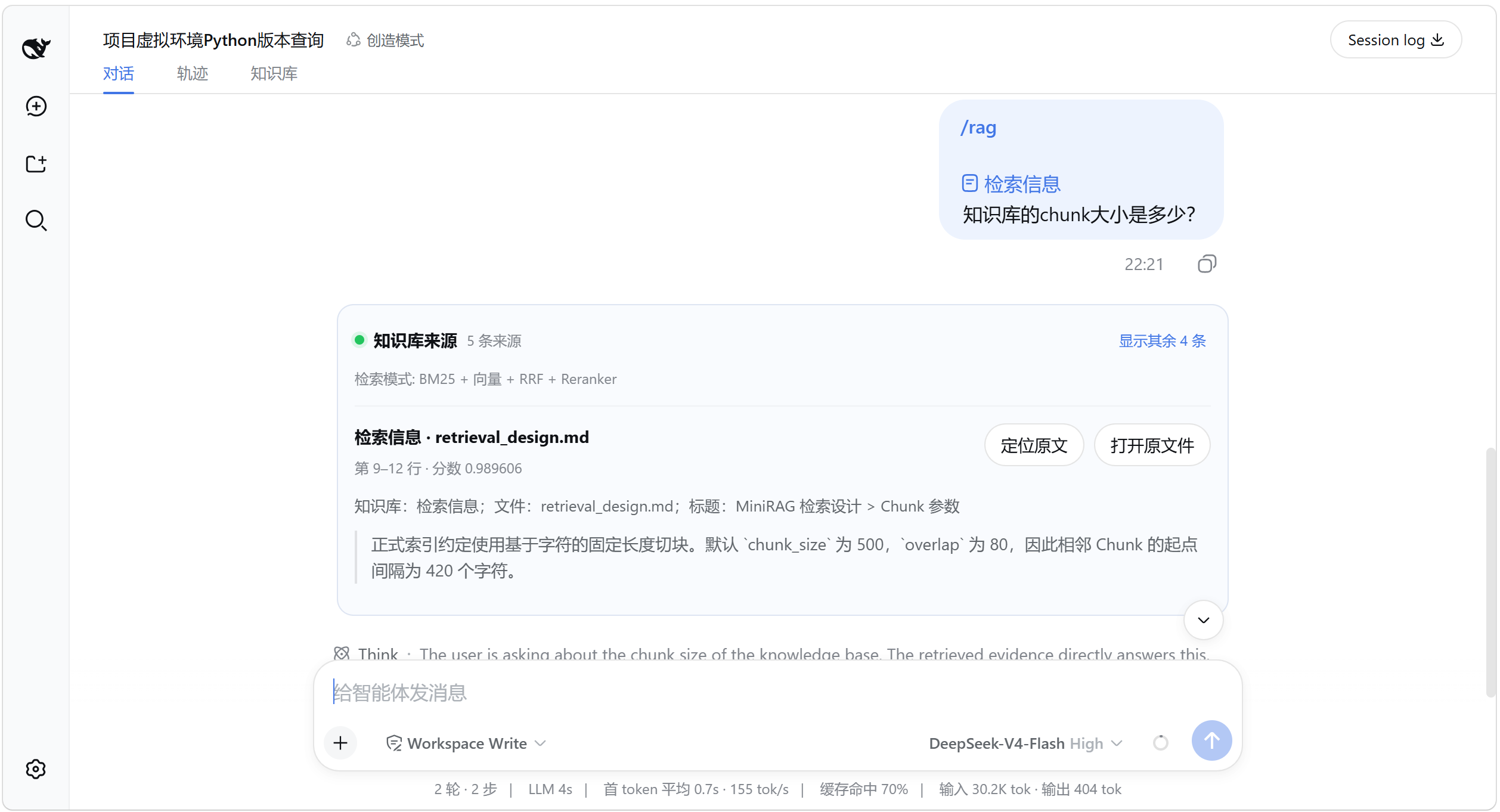
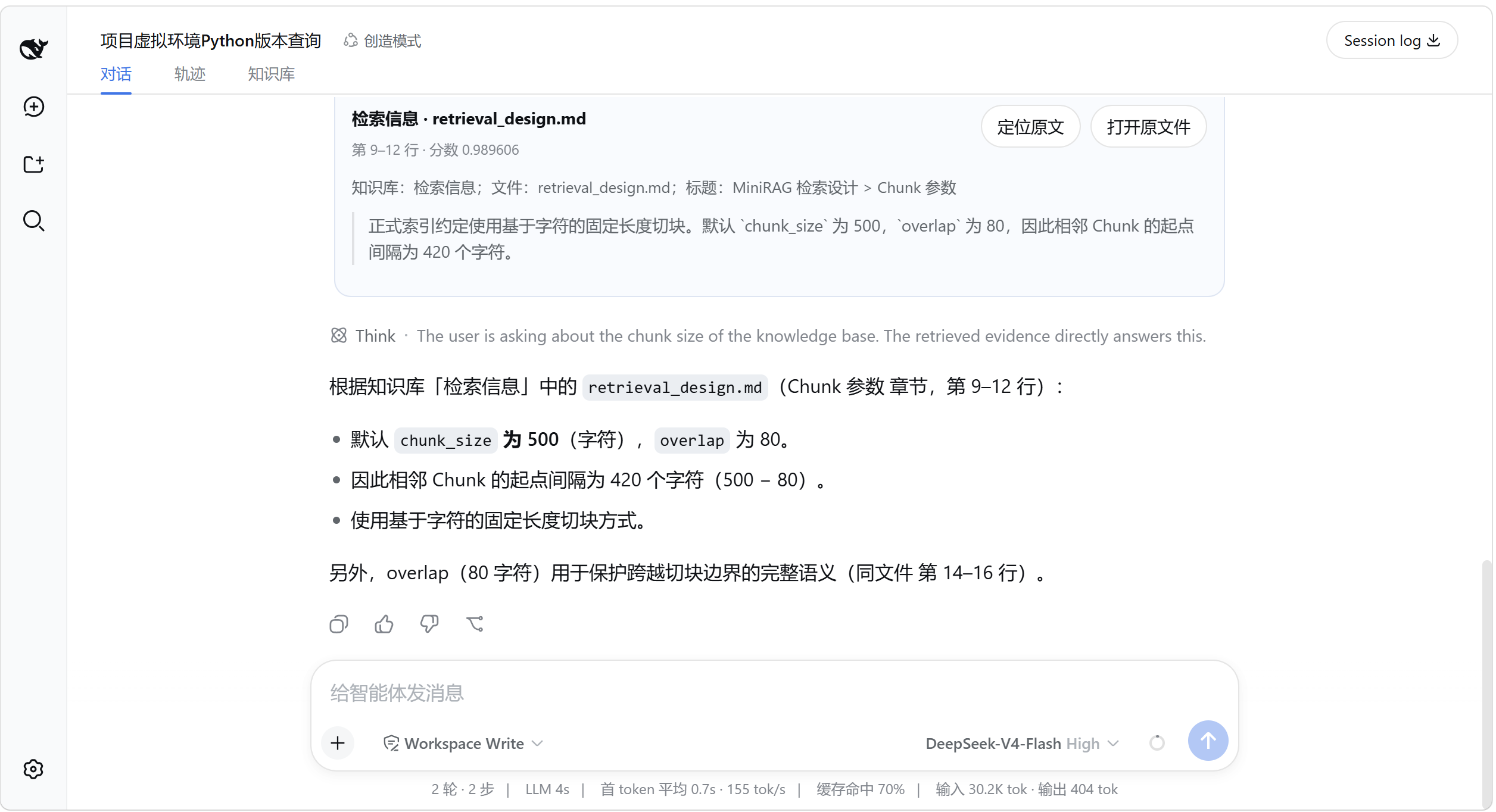
The explicit retrieval path is:
/rag
  ↓
Resolve saved Session scope / one-turn @knowledge-base override
  ↓
Local BM25
  ↓
[With SiliconFlow configured: Embedding → local vectors → RRF → Reranker]
  ↓
Build verifiable source cards
  ↓
Pass retrieved evidence to the model
Regular messages bypass this path and never search or inject local documents.
With SiliconFlow configured, the first cloud vector index sends every text chunk extracted from the authorized documents. Later syncs send only new or changed chunks for Embedding. Each explicit query sends the query and a limited candidate set for Reranking. Original PDF, Word, or PowerPoint files are not uploaded, but their extracted text is sent to SiliconFlow.
If SiliconFlow or the network is unavailable, DSH-RAG reports the fallback and continues with local BM25. Existing local indexes remain available. The v0.1 release does not expose AI-generated document or section context because that experiment did not improve the frozen retrieval evaluation.
Derived data is stored under $DSH_HOME/dsh-rag/ by default, independent of the directory where DSH is started. Settings → Knowledge → Data location shows and opens the actual folder. Set DSH_RAG_DATA_DIR to an absolute path before starting DSH only when you need a custom location.
When the default location is empty and legacy data exists in the old launch-directory .dsh-rag folder, the plugin copies, validates, and promotes it without deleting the old folder. If both locations contain data, it leaves both unchanged and reports the conflict instead of merging automatically.
The Delete knowledge base action uses a second confirmation and removes only the knowledge-base settings and reproducible catalogs, checkpoints, and indexes. It never modifies or deletes files in the authorized source folders.
To back up derived data, stop DSH and copy the complete data directory. Indexes are reproducible and can be rebuilt from the original folders.
realpath; symbolic-link, junction, UNC, and path-escape cases are rejected.MIT
CLASSIFICATION EVIDENCE
系统优先读取 GitHub Topics,再与站内分类词典和词根规则比对。当前命中: deepseek。
morluto
Reverse engineer anything with agents, from app behavior down to native binaries.

deepseek-ai
DeepSeek Harness: Everything is a Plugin.

nexu-io
The 1st Collaborative AI Design Agent Workspace. Local-first and open source. Create motion, prototypes, websites, apps, dashboards, presentations, images, and videos with your team and AI agents. Share work, exchange feedback, and iterate together in one workspace.