
其他
插件

dsh-bili-scroll
c1overzz
DSH 插件:每天替你刷一轮 B站,读字幕挑出值得的、写一份日报,值得的 @ 你
PROJECT TOPICS
INSTALL REFERENCE
dsh plugin --profile web add github:iceshard999/dsh-appview
该命令指向仓库当前默认分支;尚无绑定当前 commit 的完整验证结果。
PROJECT README
插件包名:dsh-appview,公开版本 0.3.1。
在 DSH 右侧引导页,用应用图标展示已注册的工具入口。支持搜索、点击打开、动态入口、鼠标拖拽和触屏长按排序、响应式分页、滑动/按钮翻页及边缘停留跨页拖拽。
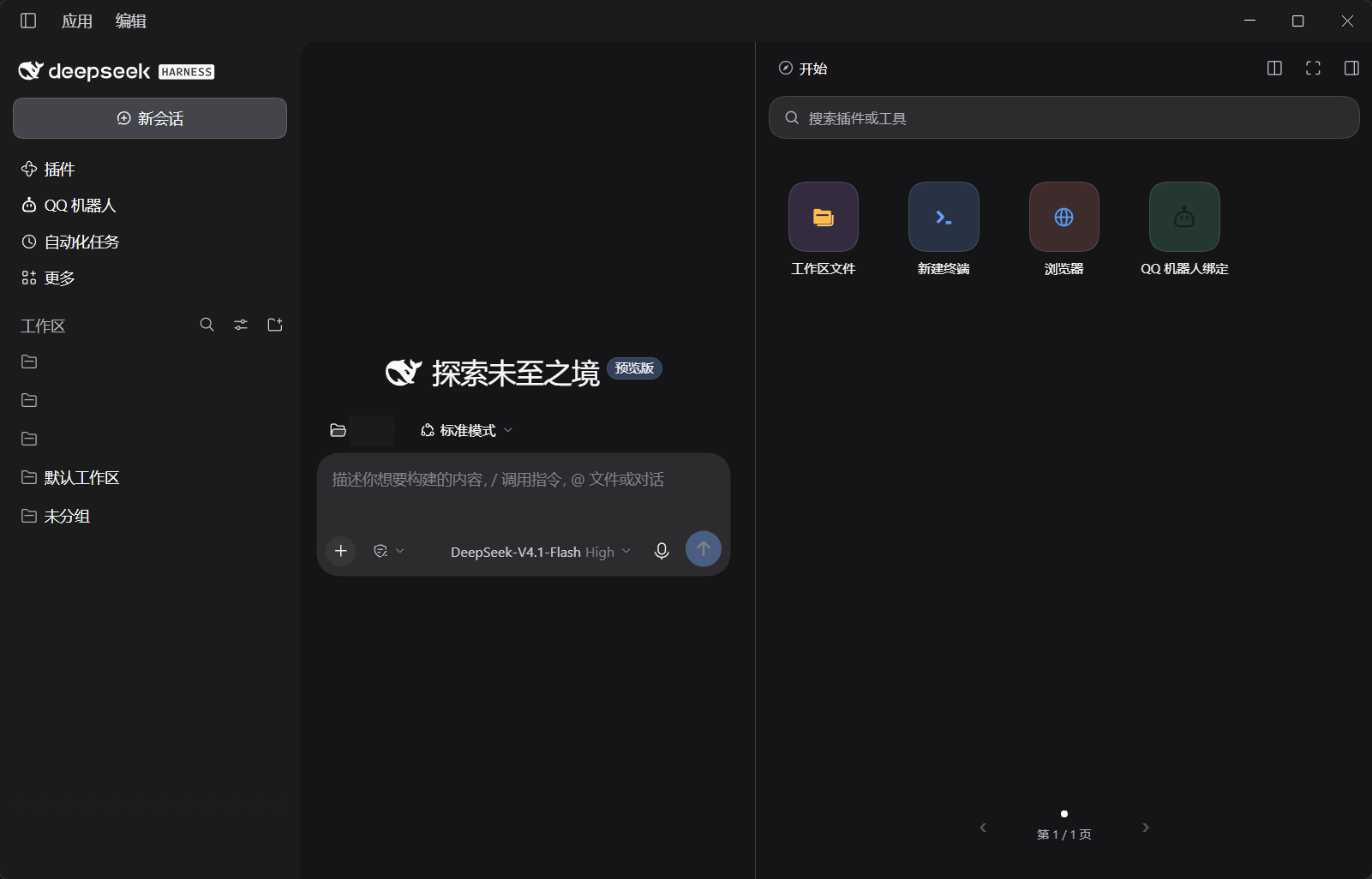
dsh_appview_layout,文件位于宿主配置的存储根目录,默认 $DSH_HOME/storages/dsh_appview_layout.json。启用后接管所有对话的引导页正文。返回桌面仅限最后一个工具关闭;多工具快捷切换、状态保留、最近任务、分组和小组件不在当前交付范围。本插件不依赖本项目的系统服务、应用入口子插件或专属 agent。
基于 DSH 0.2.1-rc.5:宿主需 connection 和 storageDomain,浏览器需 slots、sidebarRightTabs、sidebarRight、connection、modules。包内声明客户端加载顺序;React 由 DSH 提供,没有运行时 npm 依赖。宿主 bundle 包含 Zod Mini,许可见 THIRD_PARTY_NOTICES.md。
已验证环境:DeepSeek Harness 0.2.1-rc.5 的 web profile。其他版本和真实触屏设备仍待验证。
dsh plugin --profile web add https://github.com/iceshard999/dsh-appview/releases/download/v0.3.1/dsh-appview-0.3.1.tgz重新启动对应的 DSH web 实例并刷新页面,在任一对话中打开右侧栏即可使用。卸载:dsh plugin --profile web remove dsh-appview。
DSH AppView turns the right-sidebar guide into a searchable, paged launcher for registered tools. Drag icons to reorder them; the layout is saved on the DSH host. Closing the last tool returns to the launcher without resizing the panel. The command above installs the prebuilt bundle for the web profile.
npm install
npm run build
DSH_PACKAGES=/path/to/node_modules/@deepseek-ai npm run pack
DSH_PACKAGES 指向 DSH 0.2.1-rc.5 安装中的 @deepseek-ai 包目录,供宿主集成检查使用。npm run pack 会重建两个 bundle、执行回归检查并生成 dist/dsh-appview-0.3.1.tgz。修改 src/ 后重新构建,勿直接编辑 lib/。
使用 Bash 运行 DSH_CLI=/path/to/dsh npm run verify:install,它会安装到项目内的隔离 profile。浏览器和真实界面脚本见 npm run verify:browser 和 npm run verify:gui(需 Playwright Chromium;可设置 PLAYWRIGHT_PATH 与 PLAYWRIGHT_BROWSERS_PATH,GUI 检查还需先完成隔离安装)。
CLASSIFICATION EVIDENCE
系统优先读取 GitHub Topics,再与站内分类词典和词根规则比对。当前命中: 无有效分类标签。
c1overzz
DSH 插件:每天替你刷一轮 B站,读字幕挑出值得的、写一份日报,值得的 @ 你

hellowind777
一个自主的高级智能伙伴,不仅分析问题,更持续工作直到完成实现和验证。

xing-shuyin
Just open your browser — get all your work done.