Neon DSH Themes
English · 简体中文

Three neon themes for DeepSeek Harness (DSH) — cyan, pink and yellow — as one row of swatches in settings.
This is a small DeepSeek Harness (DSH) plugin:
it adds a Theme colors row under Appearance in Settings → General, with four swatches you click to switch.
No theme panel, import/export, or wallpapers.
Colors only: neutral scale + accent + semantic colors + borders + syntax highlighting.
Authentic to the shell, restrained in colour
- Nothing is restyled. Each palette is expanded with the same algorithm DSH uses for its own presets, so spacing, radii, ramps and token relationships stay exactly where the shell put them — only the hue changes.
- Restraint over decoration. No wallpaper, no gradient, no glow on hover. Panels and cards keep the neutral grey ramp — the accent is spent on the things you actually aim at: the accent scale behind primary buttons and focus rings, the active nav indicator, and the border tint. Labels and body text stay neutral, so an eight-hour session still reads like a text editor rather than a neon sign.
- Near-black, never black. Dark appearance bottoms out at
#0A0B0D — a cool near-black — so the accents sit on something with depth instead of clipping into #000.
- Borders you feel more than see. The seed carries only 6–7% alpha, tinted with the palette's own colour; the derived ramp tops out at 21%, so cards and inputs gain an edge rather than a line.
- Two appearances, one palette. Every palette ships a dark and a light token set. The shell's Appearance switch keeps working and the palette follows it.
- Syntax inside the same family. The nine highlight tokens are authored per palette from that palette's own accent / green / amber / red rather than borrowed from an off-the-shelf theme, so a code block never imports a second colour language.
Side by side
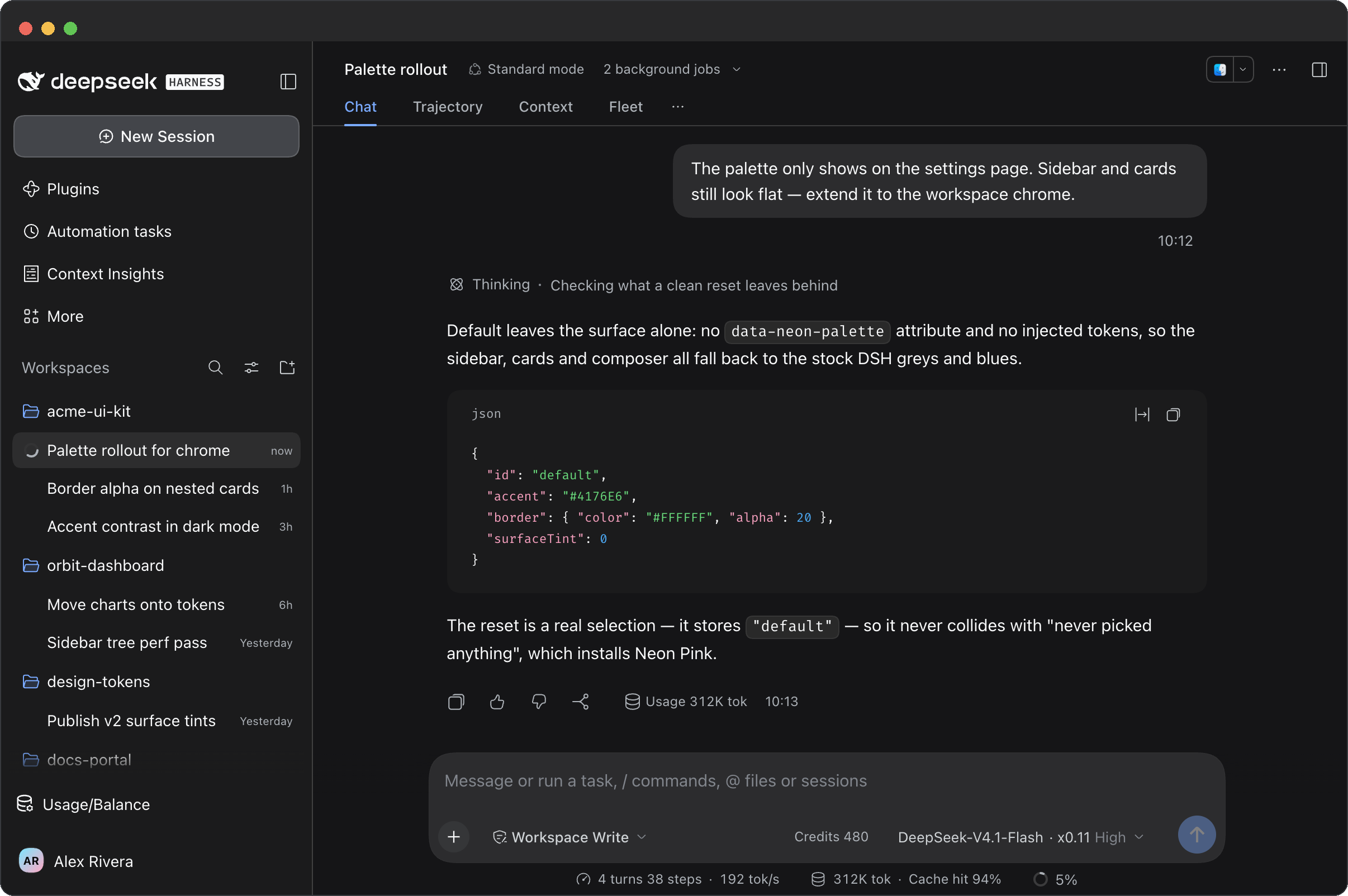
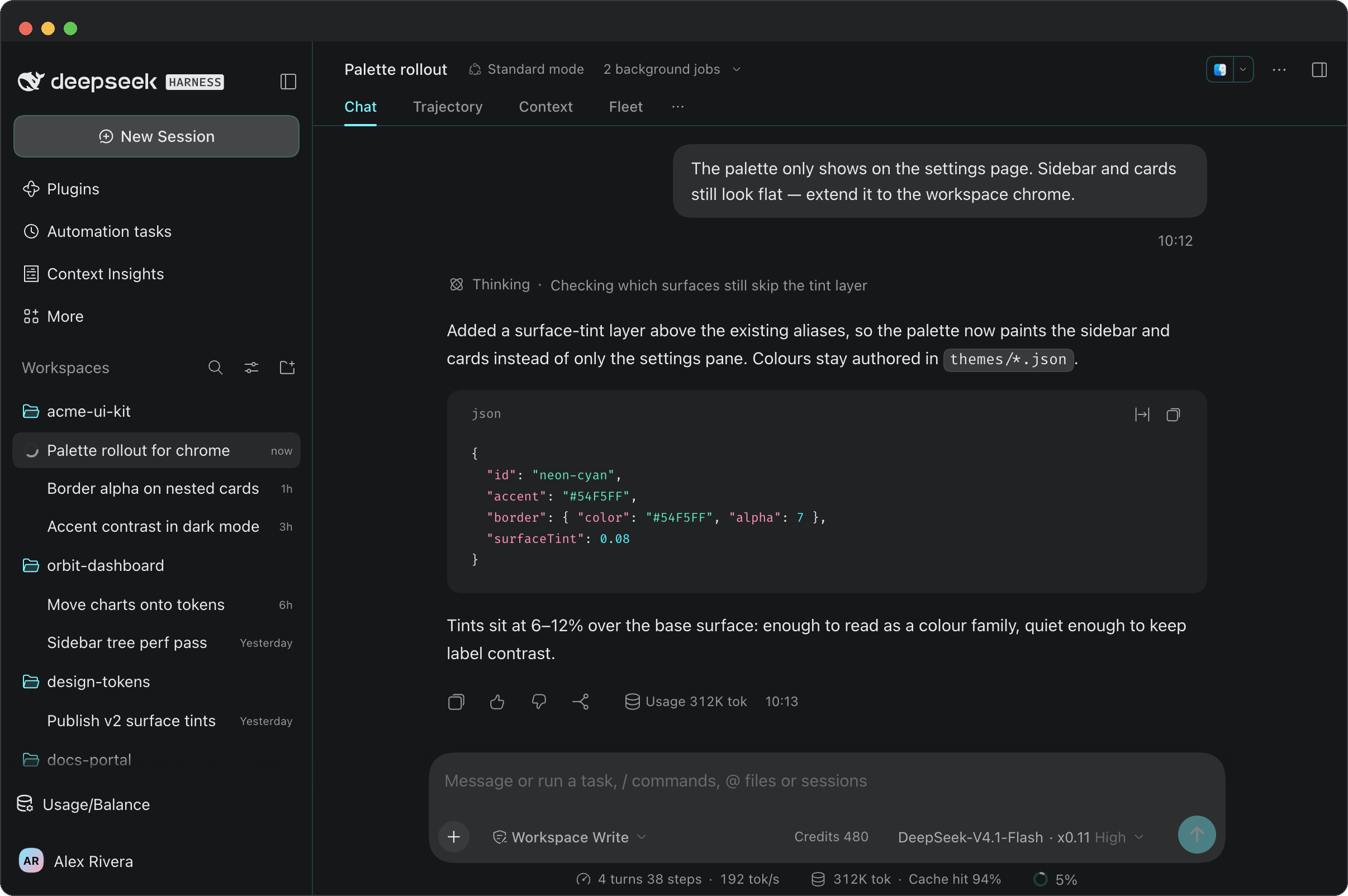
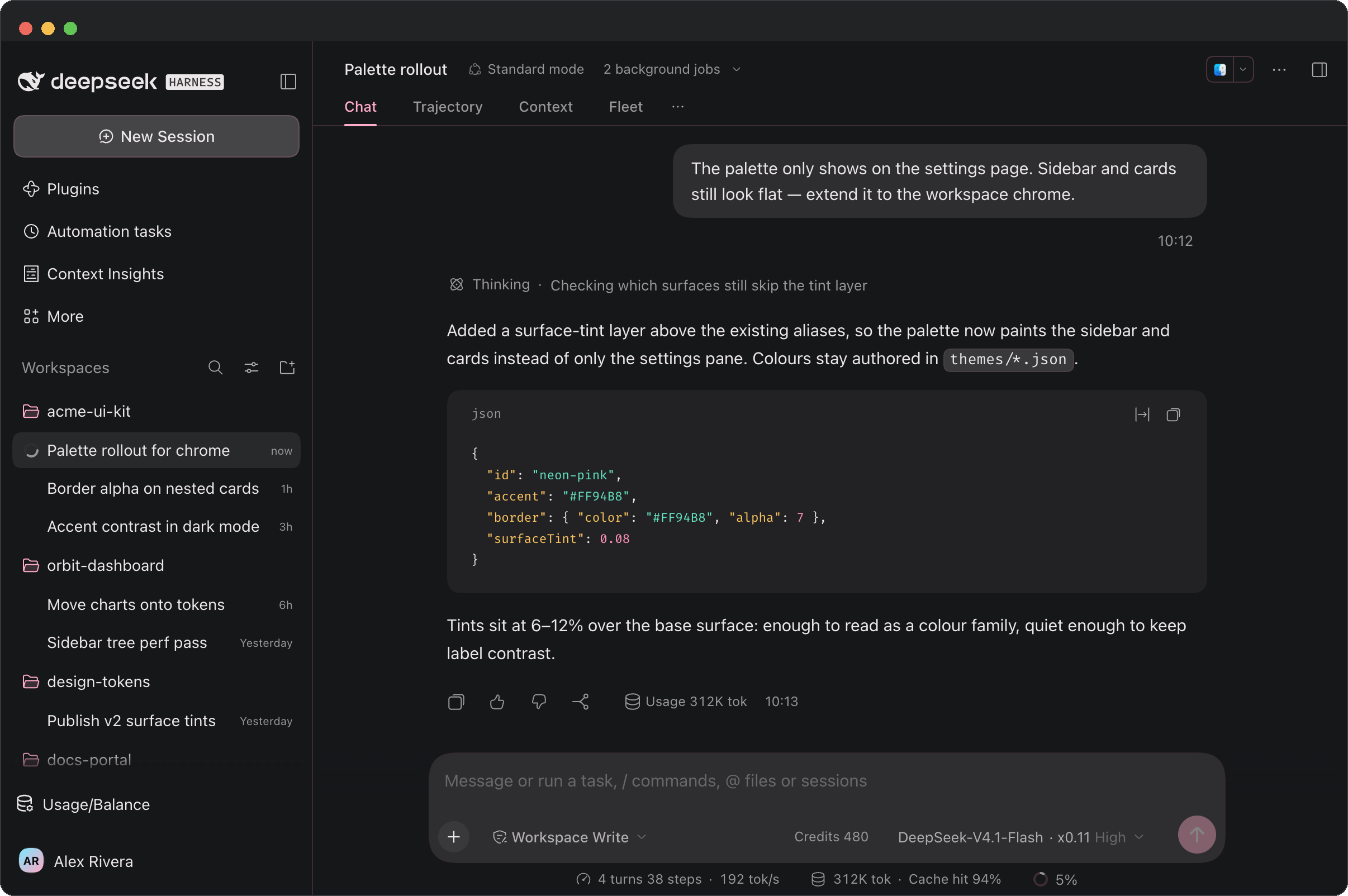
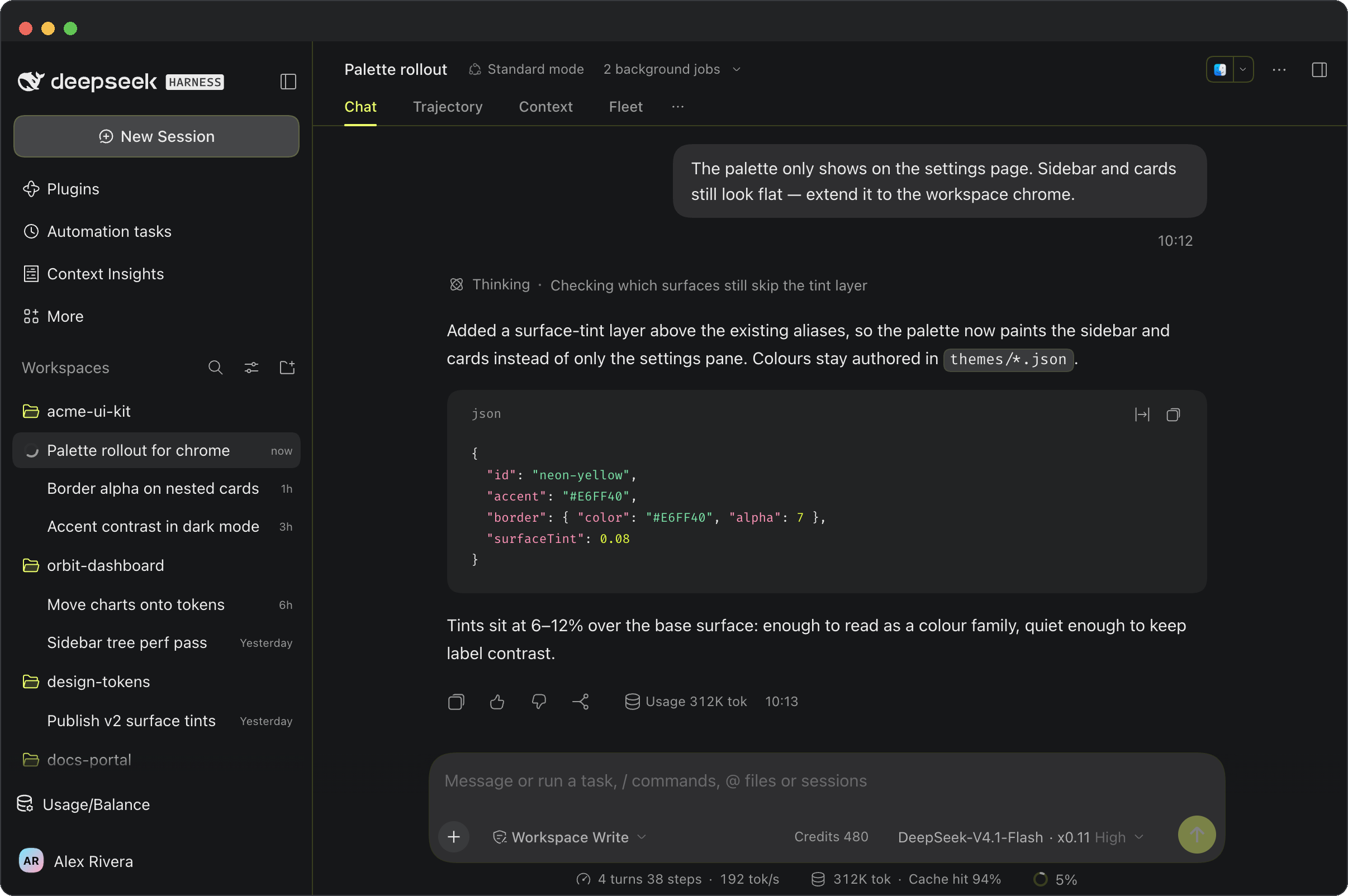
Same workspace, same mock conversation, four different selections — the only thing that changes is which swatch is active. A fresh install lands on Neon Pink.
Default — the shell as shipped.
Neon Cyan — the quietest of the three. Arctic cyan #54F5FF on gunmetal; it reads as a cold tint in the chrome and leaves the prose alone.
Neon Pink — the warmest. Electric pink #FF94B8 shows up in the selected row, the send button and the caret, not in the body text.
Neon Yellow — the loudest and the highest contrast. Acid yellow #E6FF40 sits close to ink on black; best in a bright room or a dim one, worst for long reads.
| ID |
Name |
Accent (dark) |
Accent (light) |
Character |
default |
Default |
DSH built-in |
DSH built-in |
The shell's own palette |
neon-cyan |
Neon Cyan |
#54F5FF |
#007A87 |
Clinical and cool — cyan over gunmetal |
neon-pink |
Neon Pink |
#FF94B8 |
#B03A64 |
Warm and soft — glow without shouting |
neon-yellow |
Neon Yellow |
#E6FF40 |
#6E7C00 |
Bold and high-contrast — ink on black |
Shared base: in dark appearance the neutral scale runs from #F2F5F7 down to #0A0B0D (a near-black cool base, not pure black), and borders carry a hint of the palette color (alpha 7).
Light appearance has its own near-white base and coexists with DSH's built-in Appearance switch — Appearance chooses dark / light / follow-system, Theme colors only picks which palette is active.
assets/screenshots/ also holds one settings-page shot per palette (*-dark-en.png, plus neon-cyan-light-en.png for the light appearance), so you can see where the swatches live.
How it works
themes/*.json is the single source of truth: each palette stores only seeds (neutral endpoints, accent/green/amber/red, border, shiki).scripts/build-client.mjs expands the seeds into CSS variables with the same algorithm as the DSH presets and inlines them into lib/client.js.- Surface fills stay neutral:
--dsw-specific-sidebar-fill and the whole neutral / neutral-bluish ramp come from the palette's own grey endpoints, so the canvas never turns into a colour panel. The palette reaches the UI through the deepseek accent scale, the border tint and the nine shiki tokens instead.
- The client plugin registers a row in the
settings.general.item slot (order 10.5, right after Appearance). Selecting a palette adds data-neon-palette="<id>" to <html>, and the static stylesheet switches between light and dark based on data-ds-dark-theme.
- The selection is stored under
dsh-neon-palette in localStorage and survives a refresh. A fresh install lands on Neon Pink.
Install / develop
git clone git@github.com:iShawnWang/dsh-theme-neon.git
cd dsh-theme-neon
npm run build        # generate lib/client.js from themes/*.json
npm run check        # verify lib/client.js is in sync with themes/*.json
Mount the repo as a file: dependency in your DSH profile:
# ~/.dsh/profiles/desktop/package.json
#   dependencies: { "dsh-theme-neon": "file:/path/to/dsh-theme-neon" }
#   dsh.profile.bundles: [ ..., "dsh-theme-neon" ]
pnpm install --dir ~/.dsh/profiles/desktop
Or let DSH install the plugin directly from GitHub:
dsh plugin add github:iShawnWang/dsh-theme-neon
Refresh the DSH window (restart if needed). Open Settings → General and you will find Theme colors below Appearance:
Default / Neon Cyan / Neon Pink / Neon Yellow — click one to switch; Appearance still controls dark / light.
To change colors, edit themes/*.json and run npm run build; the plugin picks it up when DSH reloads it.
Layout
themes/                  seed JSON, one per palette
scripts/build-client.mjs seeds → CSS variables → lib/client.js
lib/index.js             host half (empty; keeps the profile bundle structure valid)
lib/client.template.js   client plugin source (with placeholders)
lib/client.js            generated, committed, loaded by DSH directly
cordis.patch.yml         profile patch that adds the plugin to the bundle list
assets/icon-180.png      market card icon
assets/screenshots/      four workspace shots (dark) + four settings shots (three dark, one light)
screenshots.json         market screenshot manifest, paths relative to repo root
The original Chrome theme (the Chrome Web Store release) lives in iShawnWang/chrome-theme-neon.
License
MIT © 2026 Shawn Wang