

Agent 与会话
插件

nuwa-skill
alchaincyf
你想蒸馏的下一个员工,何必是同事。蒸馏任何人的思维方式——心智模型、决策启发式、表达DNA。Distill how anyone thinks.
PROJECT TOPICS
INSTALL REFERENCE
dsh plugin --profile web add github:hong1413/dsh-memory
该命令指向仓库当前默认分支;尚无绑定当前 commit 的完整验证结果。
PROJECT README



Long-term experience memory for any LLM running inside DeepSeek Harness.
Your model forgets everything when the chat window scrolls away. dsh-memory gives it a local,
provider-agnostic memory store: it can search past experience before starting a task, save
lessons the user confirms, report how a lesson worked out, and see the whole library as an
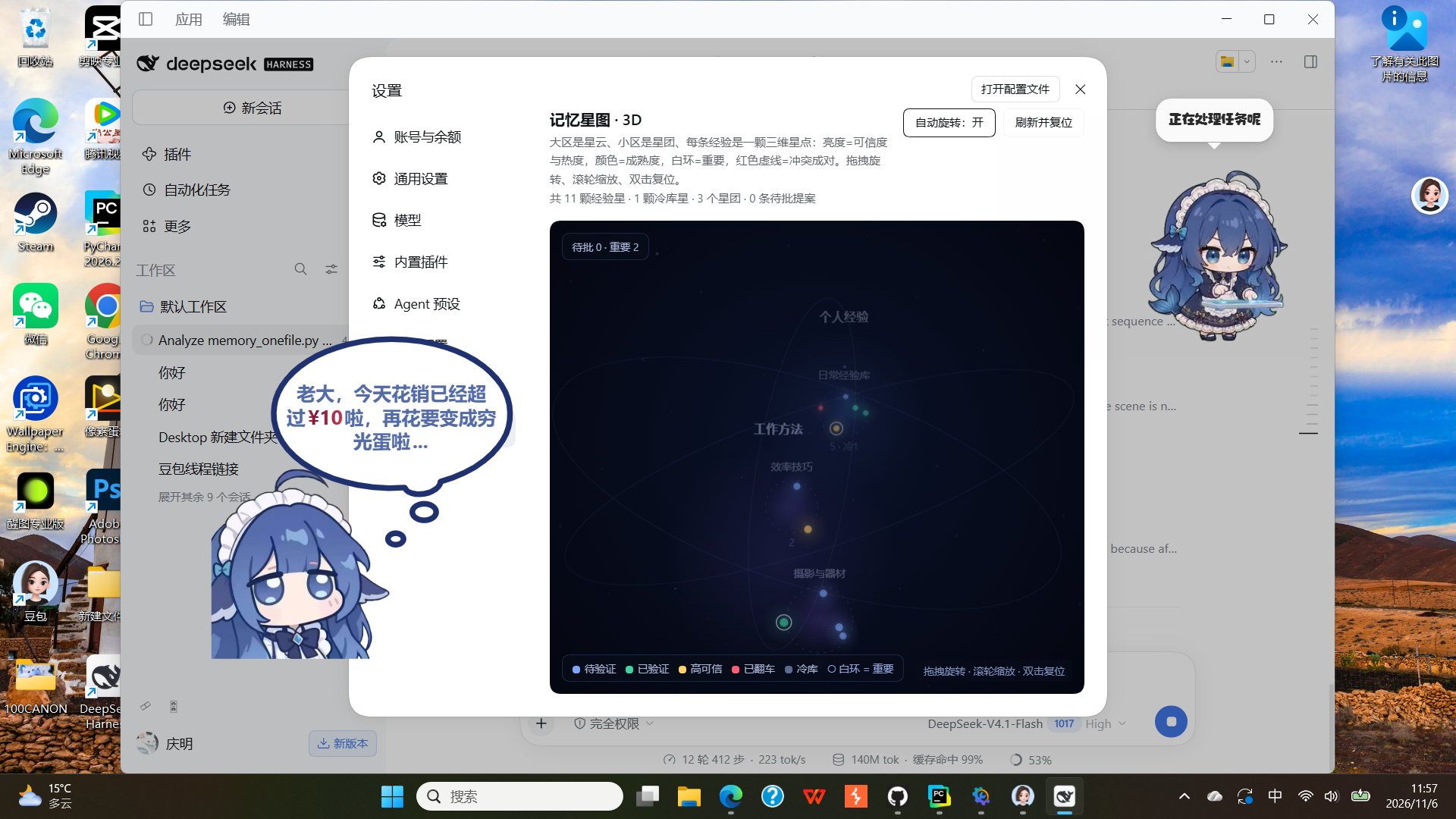
interactive 3D star map.
No cloud, no vendor lock-in, no model-specific skill format — just five tools plus one settings page.
🔎 memory_search |
Cross-session retrieval with relevance, confidence, maturity, premise/counter, conflicts, provenance, staleness |
📄 memory_get |
Full text and metadata for one entry |
📊 memory_status |
Counts, archive, pending proposals, maturity distribution, data location |
💾 memory_save |
Store a lesson — summary, detail, tags, premise, counter, score, case type, pin, source reference |
🔁 memory_feedback |
good / bad / neutral outcome, advances maturity (draft → active → trusted, bad → flipped) |
| 🌌 3D star map | Zones = nebulae, subzones = clusters, units = stars; orbit camera, click-to-focus, pending proposals fall as clickable meteors |
Design rules baked in:
plugin_manager), desktop or CLI profilepython (Windows) / python3 (macOS, Linux), or point pythonExe at an interpretergit clone https://github.com/hong1413/dsh-memory.gitOr download the repository ZIP and extract it — the folder itself is the plugin package.
Ask the agent (or the Plugins page) to install the bundle by directory:
plugin_manager: install_bundle target = <absolute path to the dsh-memory folder>That is the whole installation: the manager links the package, applies cordis.patch.yml, and the
five tools appear in the model's tool list.
Client half needs one restart. The 3D star map lives in the Web UI. After the first install, quit and reopen DeepSeek Harness once; later edits to
client.jsonly need a page refresh.
Configuration is a plain object on the plugin row. Every field has a working default, so an empty config is valid:
- insert:
    - id: dsh-memory
      name: 'dsh-memory'
      config:
        dataDir: 'C:\Users\you\AppData\Local\doubao-memory\data'
        # pythonExe: 'python'
        # timeoutMs: 30000
        # maxResults: 6
        # allowWrites: true
        # requireApproval: true
        # allowUiWrites: true
# promptHint: true| Field | Default | Meaning |
|---|---|---|
dataDir |
%LOCALAPPDATA%\doubao-memory\data (~/.local/share elsewhere) |
Where the JSON memory store lives |
scriptPath |
bundled memory_onefile.py |
Point at your own copy of the engine |
pythonExe |
python / python3 |
Interpreter to run the engine |
maxResults |
6 |
Default result cap for memory_search |
timeoutMs |
30000 |
Per-command timeout |
allowWrites |
true |
Set false for a read-only deployment |
requireApproval |
true |
Ask the user before writes |
allowUiWrites |
true |
Enable the Approve/Reject buttons on the star map |
promptHint |
true |
Inject a short behavioural hint into the system prompt |
Ask the model in plain language:
Did I write down anything about pricing used cameras?   → it calls memory_search first
Remember this: always check the shutter count before buying a used camera.
How did that advice work out? It saved me.              → memory_feedback good
Or drive the same engine from a terminal (no Harness needed):
python memory_onefile.py remember "Used cameras: check shutter count first" \
  --premise "in-person inspection" --counter "online listings without a hands-on test" \
  --score 0.85 --case-type success --tags camera,used

python memory_onefile.py search "used camera inspection" --json
python memory_onefile.py status
python memory_onefile.py selftest      # 16 built-in assertions
The CLI has its own command reference: python memory_onefile.py --help.
Settings → Memory star map:
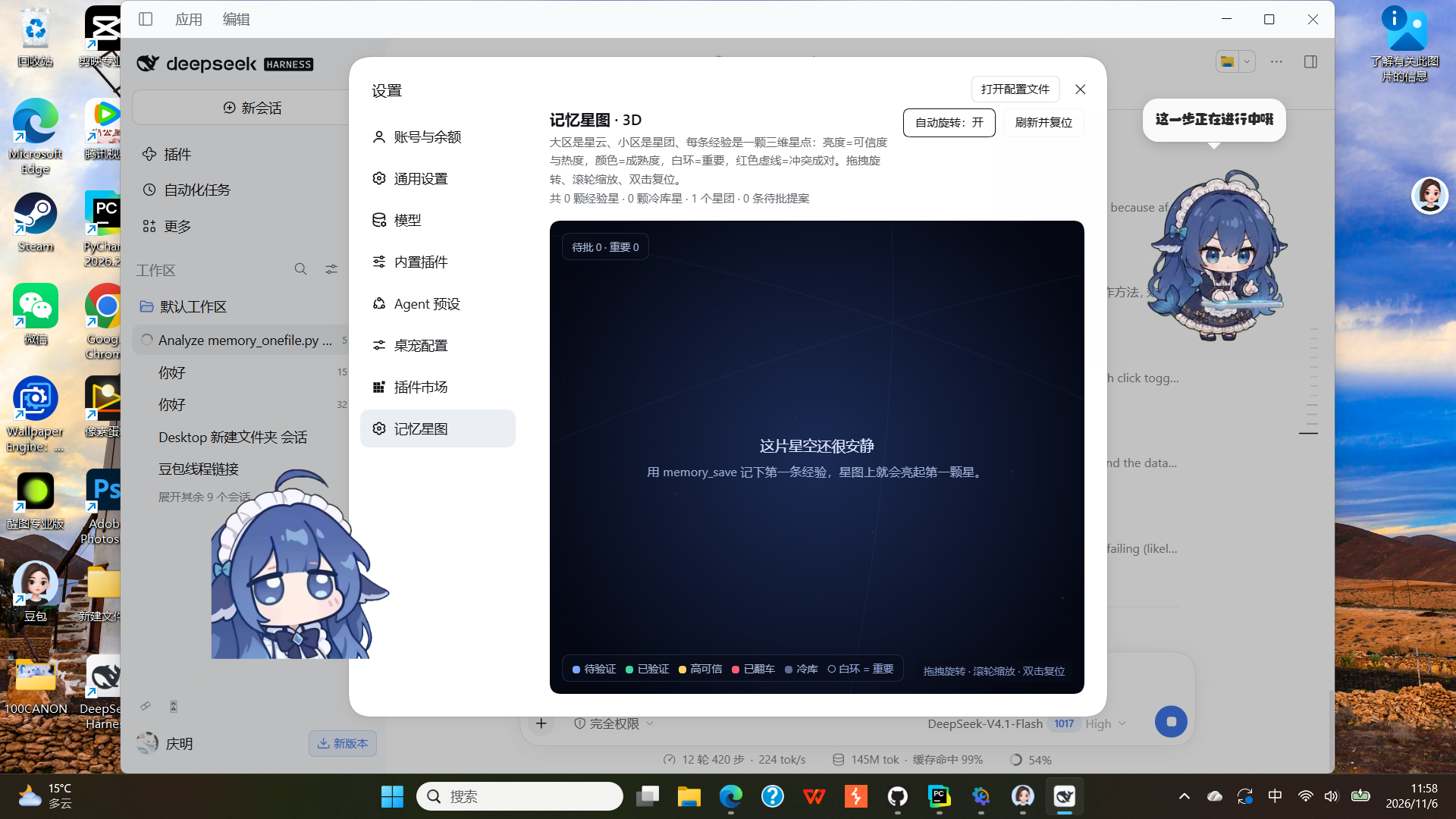
The page renders from one same-origin endpoint, served by the Host half:
GET /dsh-memory/starmap.json
→ { ok, generatedAt, dataDir, zones[], subzones[], units[], cold[], mirrors[], proposals[], stats{} }The Approve/Reject buttons post here; it is the human click that authorises the write:
POST /dsh-memory/proposals   { "id": "p_xxxxxxxxxxxx", "action": "approve" | "reject" }
→ { ok: true, message: "..." }
Only pending proposals are accepted; approve runs approve --execute, reject runs
reject -r "界面驳回". Disable the route entirely with allowUiWrites: false.
One JSON file per unit under main_library/units/, version snapshots under forget_layer1/snapshots/,
archived units under forget_layer2/cold_units/, proposals under proposals/. The layout is stable
and human-readable; you can back it up, diff it, or migrate it with plain tools.
A unit carries: summary, content, tags, premise, counter, score, case_type, pinned,
source_ref, maturity, version, conflict_ids, active_score, access_unseal_count.
127.0.0.1 only. There is no additional auth —
the trade-off of a single-user local tool. Set allowUiWrites: false if that matters to you.dataDir.The star map page is missing after install. The client half is loaded from the app bundle at startup — restart DeepSeek Harness once.
Where is my memory stored? Run memory_status, or read dataDir from the "status" output. Point
several installations at the same dataDir to share one store.
Can I use it without DeepSeek Harness? Yes. memory_onefile.py is a complete standalone
CLI with 30+ subcommands.
How do I reset everything? Stop using it, delete dataDir, restart. Nothing is written elsewhere.
Issues and pull requests are welcome. The engine has a self-test (python memory_onefile.py selftest, 16 assertions) and a regression script is included upstream for the retrieval and
lifecycle rules.
MIT © 2026 dsh-memory contributors
CLASSIFICATION EVIDENCE
系统优先读取 GitHub Topics,再与站内分类词典和词根规则比对。当前命中: 记忆。
alchaincyf
你想蒸馏的下一个员工,何必是同事。蒸馏任何人的思维方式——心智模型、决策启发式、表达DNA。Distill how anyone thinks.

freestylefly
Prompt as Code | GPT Image 2 / 2.5 提示词与案例库,530+ 个案例、20+ 套工业级模板与可复用 Skills,新增 2.5 同提示词对比专区,附完整提示词与生成记录,持续更新。

titanwings
Distilly — Distill how they think into reusable Skills for any Agent or Bot. Formerly Colleague Skill(原同事 Skill).