

模型与 MCP
待识别

rea
morluto
Reverse engineer anything with agents, from app behavior down to native binaries.
PROJECT TOPICS
INSTALL REFERENCE
dsh plugin --profile web add github:heywalter/dsh-domain-proxy
该命令指向仓库当前默认分支;尚无绑定当前 commit 的完整验证结果。
PROJECT README
Domain-based proxy routing and model call observability for DeepSeek Harness.
English · 简体中文 · User guide · Validation




DSH Domain Proxy is a domain-routing and observability plugin for DeepSeek Harness (DSH). It allows you to select API hostnames directly from configured providers and route them through your local HTTP(S) proxy (such as Clash or FlClash), while providing real-time visibility into request dispatch paths and streaming performance metrics—without copying API keys.
Prerequisites:
- Local proxy client: This plugin handles domain-level dispatching; it does not provide proxy servers, VPNs, or subscription profiles. Ensure your local proxy application (Clash, FlClash, etc.) is running with an active HTTP(S) listener.
- Selective routing: Only specified API domains are forwarded to the local proxy. All other traffic keeps its existing network route.
The plugin intercepts model API requests at the DSH network layer and routes them based on configured hostnames:
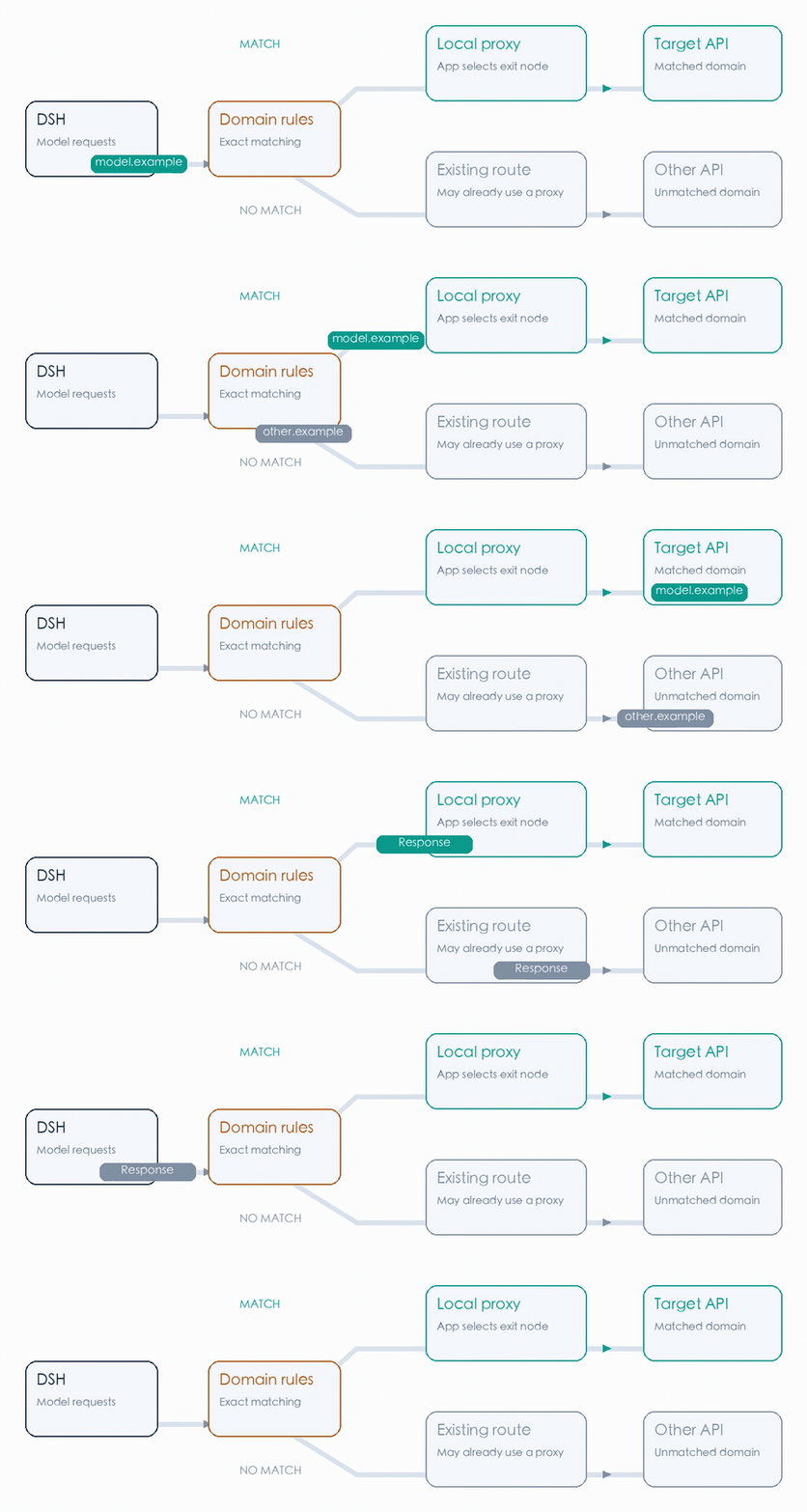
http://127.0.0.1:7890), where your proxy app selects the outbound exit node.Note: If the animated workflow is slow to load, see the static workflow diagram.
DSH compatibility: 0.2.1-rc.3 and 0.2.1-rc.5. Desktop UI and a real model call were verified on macOS with rc.3; rc.5 passed isolated host installation, settings, routing/observation, restart and uninstall tests.
Ensure DeepSeek Harness Desktop is installed and your local proxy client is running. In Desktop, navigate to: Plugins → Add plugin → Install a third-party plugin.
Enter dsh-domain-proxy (or pin dsh-domain-proxy@0.1.1), then select Install → Enable now. Restart DSH Desktop completely.
Offline installation: Enter the absolute file path to a downloaded
.tgzpackage to install without network access.
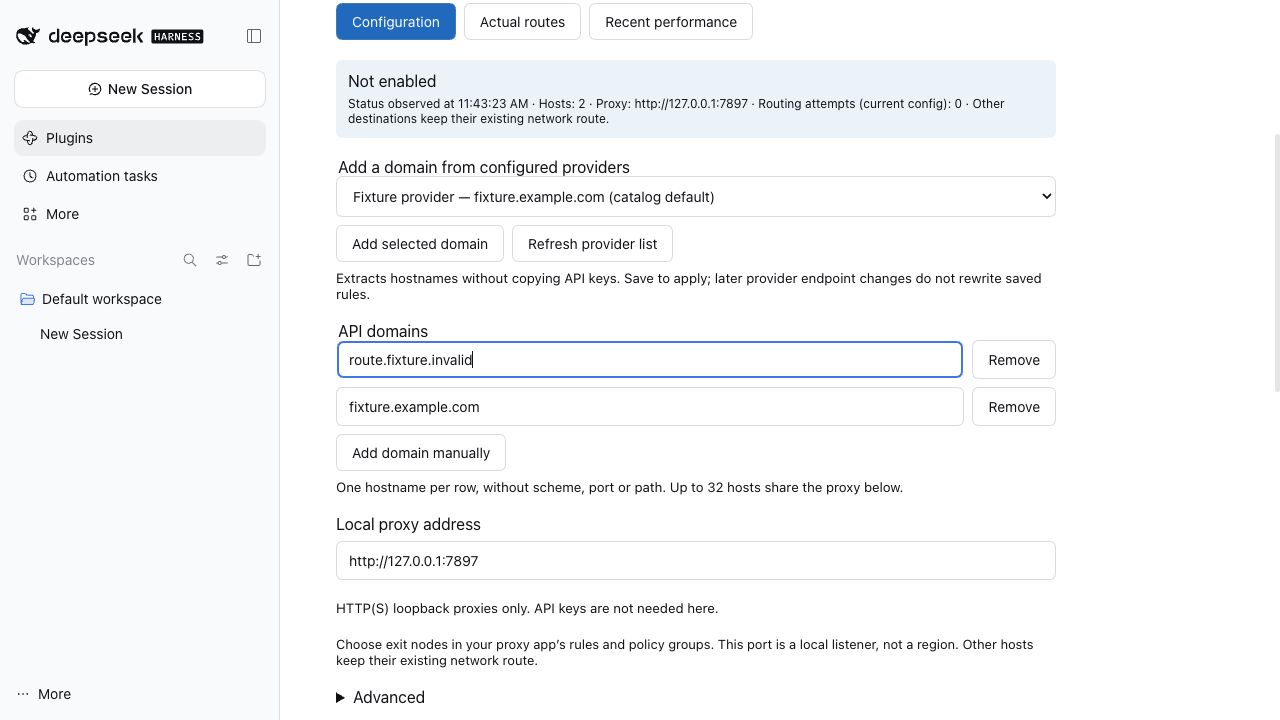
Open Plugins → dsh-domain-proxy (or visit the same section under Settings):
http://127.0.0.1:7890).
Note: Match the port to your proxy app's actual listening port. The connection check verifies HTTP reachability; it does not validate model API credentials.
Enable Record recent calls and save. During normal usage, click Refresh records in either observation view to inspect real-time metrics without generating artificial benchmark traffic.

Inspect each request's target hostname, matched rule, and dispatched proxy endpoint to verify that routing behaves as expected.
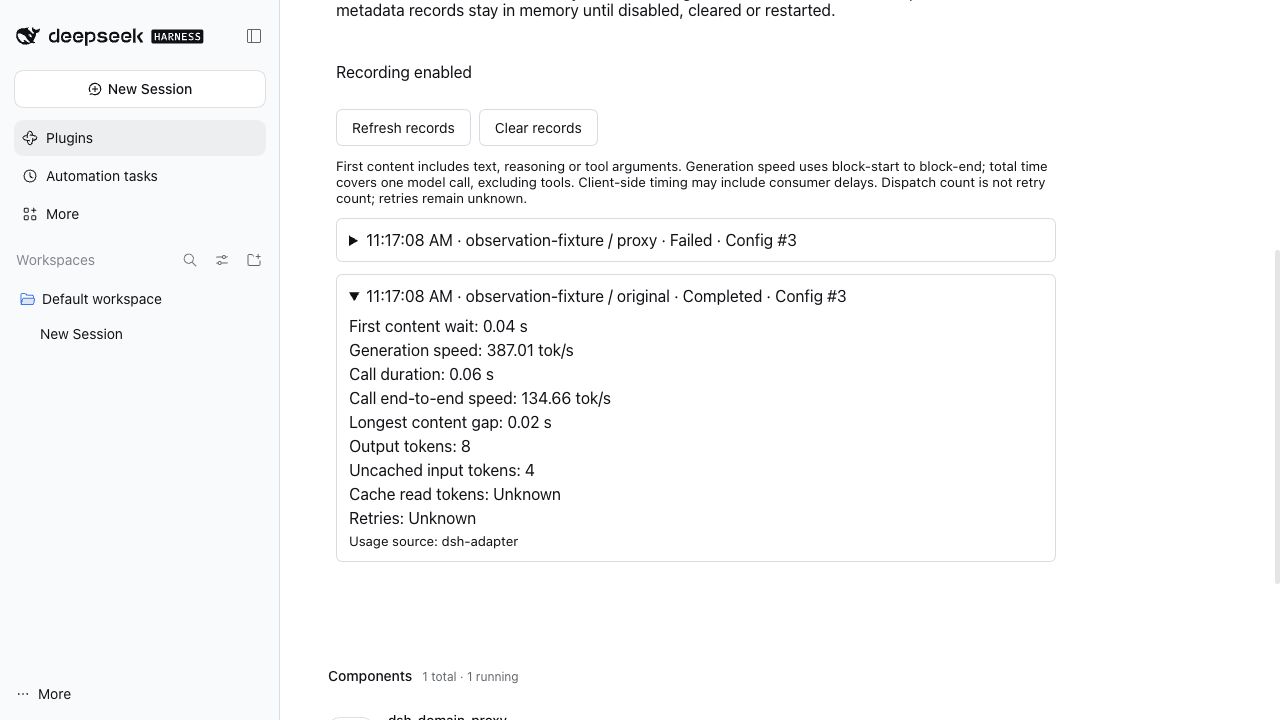
Review per-call execution metrics, including:
For detailed metric definitions, see User Guide: Metrics.
Local benchmark comparison on identical models and multi-turn workloads (historical reference):
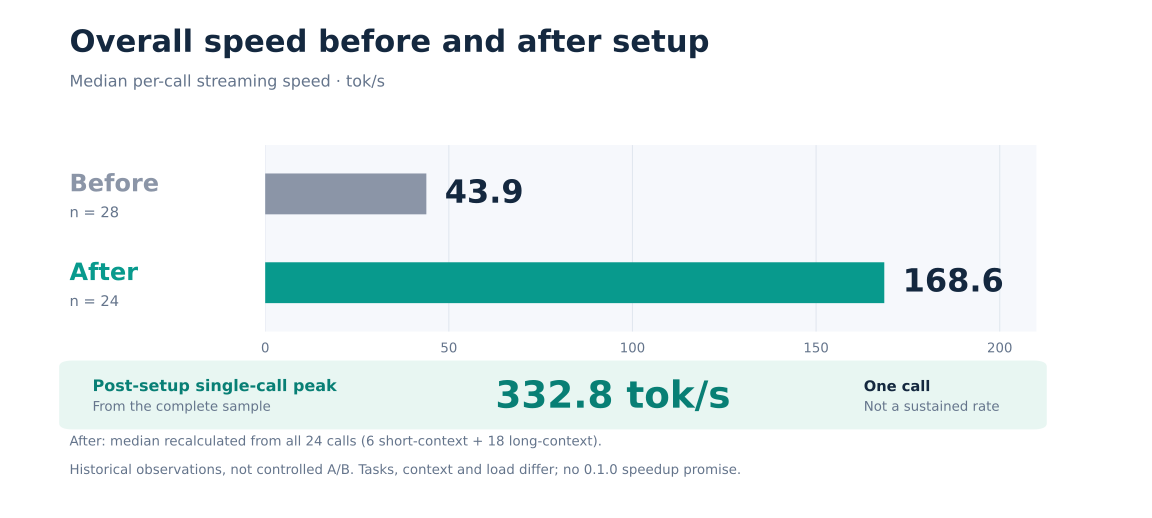
Note: These numbers reflect observations from prototype development testing. Real-world performance depends on exit node quality, network conditions, provider load, and context size. See Performance Case Study for full distributions and datasets.
127.0.0.1). SOCKS, PAC, and authenticated remote proxies are not currently supported. See Proxy Address and Port Guide.User Guide · Architecture Design · Validation · Contributing · Security · Changelog
Released under the MIT License. This is an independent community project and is not affiliated with DeepSeek.
Compatibility policy: pre-release DSH versions are explicitly allowed after host verification. A newer RC is not automatically considered compatible.
CLASSIFICATION EVIDENCE
系统优先读取 GitHub Topics,再与站内分类词典和词根规则比对。当前命中: model、deepseek。
morluto
Reverse engineer anything with agents, from app behavior down to native binaries.

deepseek-ai
DeepSeek Harness: Everything is a Plugin.

nexu-io
The 1st Collaborative AI Design Agent Workspace. Local-first and open source. Create motion, prototypes, websites, apps, dashboards, presentations, images, and videos with your team and AI agents. Share work, exchange feedback, and iterate together in one workspace.