



简体中文 ·
繁體中文 ·
English ·
日本語 ·
한국어 ·
Español ·
Français ·
Deutsch ·
Русский ·
العربية
Live Demo ·
Download ·
Docker Hub
What is Exameow?
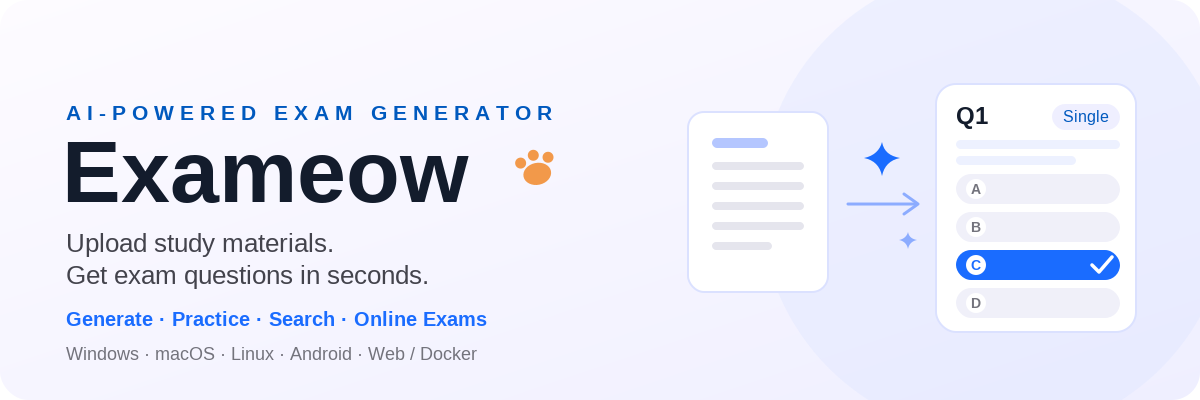
Exameow (过了喵) is an open-source AI exam question generator that turns your study materials into exam-quality questions in seconds. Upload PDFs, Word documents, PowerPoint slides, images, or text — the AI reads the content and generates multiple-choice, true/false, fill-in-the-blank, and short-answer questions tailored to your needs.
Unlike other AI quiz generators that require accounts, subscriptions, or send your data to the cloud, Exameow is local-first and privacy-focused. Your question banks, practice records, and wrong-question history stay on your device. Desktop and mobile apps work fully offline with your own OpenAI-compatible API key (OpenAI, DeepSeek, Qwen, GLM, or any self-hosted model).
For teachers and trainers, Exameow includes a built-in online exam relay — publish exams from your local question banks, share a 6-digit code, and students join from any browser. Instant scoring, teacher dashboard, and anti-abuse protections included. Self-host the entire stack with one Docker command.
Live Demo
Try it online: exam.superagentparty.com
The demo runs on Cloudflare Workers with the free Workers AI tier:
- ⏳ Daily quota is limited — Cloudflare's free AI allocation resets daily
- 📄 Context window limit — large documents will be truncated to fit the model's context window
For unlimited usage, self-host with Docker or use the desktop/mobile apps with your own API key.
Features
✨ AI Question Generation — Upload Files, Get Exam Questions
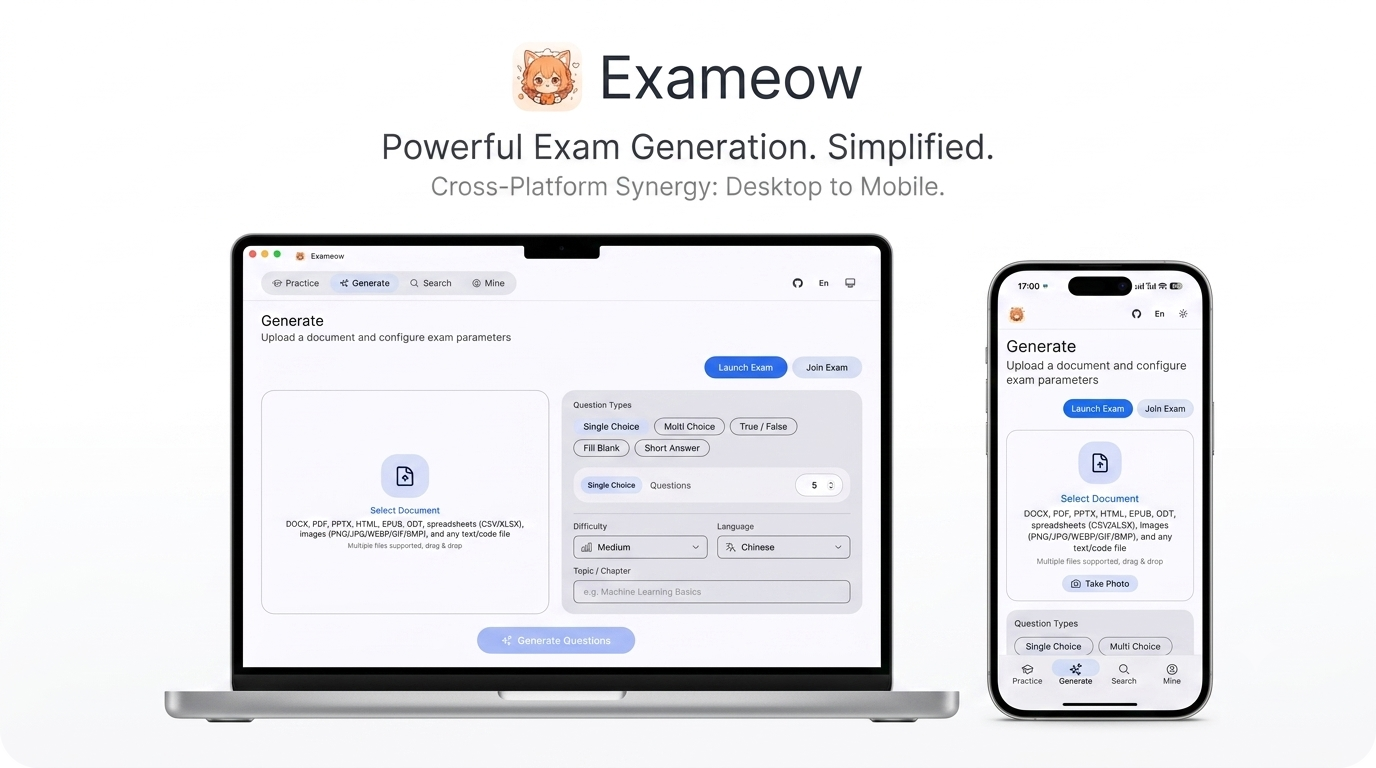
Exameow parses study materials in 10+ file formats — PDF, DOCX, XLSX, PPTX, EPUB, ODT, TXT, CSV, HTML, and images (PNG/JPG/WEBP/GIF/BMP). Upload one file or drag-and-drop multiple files at once. The AI generates questions across 5 question types: single choice, multiple choice, true/false, fill-in-the-blank, and short answer. Control question count per type, difficulty level (easy/medium/hard), output language, and topic/chapter filtering. Large documents are automatically split and generated in batches with deduplication. Works with any OpenAI-compatible API — OpenAI, DeepSeek, Qwen, GLM, or use the built-in free Cloudflare AI on the demo site. Export results as XLSX or CSV.
- Rich Input Formats — PDF, DOCX, XLSX, PPTX, EPUB, ODT, TXT, CSV, HTML, images (PNG/JPG/WEBP/GIF/BMP), and any text/code file; multi-file upload with drag & drop
- 5 Question Types — Single choice, multiple choice, true/false, fill-in-the-blank, short answer, with per-type count control
- Fine-Tuned Control — Difficulty (easy/medium/hard), output language, and topic/chapter filtering
- Smart Batching — Large documents are automatically split and generated in batches with deduplication
- Any OpenAI-Compatible API — OpenAI, DeepSeek, Qwen, GLM, etc.; or use the built-in free Cloudflare AI on the demo site
- Export — XLSX (embeds question images on desktop, mobile and self-hosted Docker), CSV (text only), and Word papers. The Cloudflare build is text-only.
📚 Practice Modes — Study Smarter, Not Harder
Turn generated questions into interactive study sessions. Practice sequentially, shuffle questions and options randomly, or take a timed mock exam with auto-generated papers. Wrong questions are automatically tracked and reviewed — answer a question correctly several times in a row and it clears from the wrong-question list. Flip between exam mode (answer blind) and flashcard mode (answers visible). Short-answer questions are graded by AI against reference answers, with manual regrading supported. Import and export question banks via XLSX/CSV with smart column mapping.
- Sequential Practice — Go through a question bank in order
- Random Practice — Questions and options shuffled for better retention
- Mock Exam — Auto-generate a randomized exam paper from any bank with configurable type counts
- Wrong-Question Review — Track mistakes, practice only what you got wrong, and watch them clear as you improve
- Exam / Flashcard Modes — Answer blind, or flip through questions with answers visible
- AI Grading — Short-answer questions graded by AI against reference answers, with feedback; manual regrading supported
- Question Bank Management — Import banks from XLSX/CSV with smart column mapping; export anytime. XLSX has one image column per field (
Stem image, Option A image … Option H image), so the stem and each option can carry their own pictures on desktop, mobile and self-hosted Docker; CSV export warns when images are omitted.
- Chapter Practice — Add a
Chapter column to CSV/XLSX; matching names are grouped automatically. Select one or more chapters, including unchaptered questions, before practice. Banks without chapters continue to work.
- AI Chapter Tagging — Enable the optional switch when generating new questions to use source chapters or knowledge topics. It is off by default and uses the existing generation requests.
📝 Online Exams — Publish and Invite Students
Compose exams from multiple local question banks with configurable per-type question counts and point values. Set a title, start time, and exam duration. Share a 6-digit code or exam link — students join from any device browser, no app install required. A local countdown timer with auto-submit keeps sessions fair; progress survives page refresh. Objective questions are graded server-side on submission with answers and analysis displayed instantly. The teacher dashboard shows score-sorted results with per-question drill-down. Exam data is automatically deleted after 7 days for privacy. Anti-abuse: 20 publishes per IP per day, one-tap student reports auto-suspend at 3 distinct-IP reports. The Docker image is fully self-contained — online exam relay runs on SQLite with zero dependency on the demo site.
- Launch Exams from Banks — Compose exams from multiple local banks with per-type question counts and point values; set title, start time, and duration
- 6-Digit Code + Exam Link — Students join from any device browser, no app install required
- Timed Sessions — Local countdown with auto-submit; progress survives page refresh (resume where you left off)
- Instant Scoring — Objective questions graded server-side with answers and analysis on submission; results stored locally for anytime review
- Teacher Dashboard — Score-sorted results with per-question drill-down; locally cached so results are only fetched once after the exam ends; teachers can delete an exam anytime (instantly blocks students and purges results)
- Privacy-First Relay — Exam data lives on Cloudflare D1 for at most 7 days before automatic deletion; answers are never sent to students before submission
- Anti-Abuse — 20 publishes per IP per day; one-tap student reports auto-suspend an exam at 3 distinct-IP reports; admins review, restore, or delete from the
#/admin page
- Fully Self-Hosted — The Docker image ships the same exam relay (SQLite), with zero dependency on the demo site; set
ADMIN_TOKEN to secure the admin page (defaults to pass, must be changed on first visit to #/admin)
🔍 Search Modes — Find Answers Fast
Search local question banks by typing or pasting a question — optional AI answering provides explanations. Photo search uses on-device OCR to recognize questions from your camera or uploaded images (processing happens locally in your browser, nothing uploaded). Camera live search points your camera at a screen or paper and AI watches for matching questions in real time. Screen record search lets you draw a capture frame over any window — AI monitors it and shows answers in a floating overlay (Windows/macOS/Linux/Android; unavailable on iOS due to system restrictions).
- Text Search — Type or paste a question to find matches in your local banks, with optional AI answering
- Photo Search — Snap or upload a photo of a question; on-device OCR (runs locally in your browser, no upload)
- Camera Live Search — Point your camera at the screen/paper; AI watches and matches questions in real time
- Screen Record Search — Draw a capture frame over any window; AI monitors it and matches questions live, with a floating answer overlay (Windows / macOS / Linux / Android; not available on iOS due to system restrictions)
🤖 MCP — Let Other AI Harnesses Drive Exameow
Exameow ships a built-in Model Context Protocol server. Connect any MCP client and it can read your banks, generate questions from a document, run practice, grade answers, export CSV/XLSX and publish online exams — while you watch the UI update.
- One endpoint, three builds —
http://127.0.0.1:5274/mcp on desktop, http://<phone-ip>:5274/mcp on mobile, http://<host>:3000/mcp when self-hosted
- 28 tools — parsing, generation, answering, judging, explanations, export, web search, bank/practice/wrong-question management, continuous tutoring (
next_question), exam publishing and UI navigation
exameow command line — a bundled thin MCP client (status / start / tools / call) for harnesses that only have a shell- AI skills — install
SKILL.md into your agent's skills directory with one command, teaching any harness to generate questions and tutor you one question at a time
- Local is keyless — loopback requests need no token; LAN/remote clients still use the bearer token
Paste this into any AI client's chat box and it will connect itself:
Connect to the Exameow MCP server: use the Streamable HTTP transport, name it exameow, and point it at http://127.0.0.1:5274/mcp. This is a loopback address, so no authentication is needed. Then call tools/list to confirm the available tools.
Or use the bundled CLI:
exameow status
exameow call generate_exam --json '{"source":{"path":"/abs/notes.pdf"},"params":{"count":10},"save_to_bank":true}'
Setup, the full tool list, CLI and skills: MCP.md.
🧠 AI Skills — Teach any harness to generate and tutor
Exameow ships a Skill (skills/exameow) that teaches an AI agent how to drive the running app over MCP: generate questions from a document, save banks, run practice, grade answers, explain and discuss, then advance one question at a time with next_question. It works over the built-in MCP server, so any harness that supports Agent Skills can pick it up.
Option 1 · Install from the command line
npx skills add heshengtao/exameow
Option 2 · Ask your agent to install it
Install this Skill: https://github.com/heshengtao/exameow
Direct source: skills/exameow.
🧩 DeepSeek Harness plugin — Daily Study page
The companion exameow-dsh-habit adds a native Daily Study page below Automation tasks in the sidebar, with a daily goal, streak, XP, a seven-day view, and a durable DSH reminder that brings you back to Exameow at the time you choose.
Ask your AI to install it:
Install this plugin: https://github.com/heshengtao/exameow-dsh-habit
🌐 Cross-Platform & Privacy — Your Data, Your Device
Exameow runs on Windows, macOS, Linux, Android, and Web (iOS via self-build). Deploy the web version with one Docker command. All question banks, practice records, and wrong-question history are stored locally — nothing is uploaded to a server unless you choose to use the online exam relay. API keys are encrypted with AES-256-GCM on desktop. The UI auto-detects system language (Chinese/English) with one-tap switching.
- Desktop & Mobile — Windows, macOS, Linux, Android (iOS self-build)
- Self-Hosted Web — One-command Docker deployment
- Local-First — Question banks, practice records, and wrong questions stay on your device; API keys encrypted with AES-256-GCM on desktop
- Bilingual UI — Auto-detects system language (Chinese / English), one-tap switch
Installation
Pre-built binaries for all platforms are available on the GitHub Releases page.
Platform Support
| Platform |
Status |
Download |
| Windows |
✅ Supported |
.msi installer / portable .zip |
| macOS (Apple Silicon / Intel) |
✅ Supported |
.dmg (see release notes to remove quarantine) |
| Linux (x86_64 / ARM64) |
✅ Supported |
.AppImage / .deb |
| Android (ARM64) |
✅ Supported |
.apk |
| iOS |
⚠️ Self-build required |
See note below |
| Web / Docker (self-hosted) |
✅ Supported |
Docker image |
About iOS: An Apple Developer certificate costs $99/year, so no pre-built iOS package is provided for now — you'll need to build it yourself with Xcode (pnpm tauri ios build). If future donations cover the certificate fee, an officially signed iOS build will be published on GitHub Releases.
Docker (Self-Hosted)
git clone https://github.com/heshengtao/exameow.git
cd exameow

# Build frontend
cd frontend && pnpm install && pnpm build && cd ..

# Configure AI provider
export AI_ENDPOINT=https://api.openai.com/v1
export AI_API_KEY=sk-your-key-here
export AI_MODEL=gpt-4o

# Build and run
docker compose up -d --build
Open http://localhost:3000.
🔐 Admin token (required for online-exam administration): the admin page at http://localhost:3000/#/admin is protected by ADMIN_TOKEN. If you don't set it, it defaults to pass and you will be forced to change it on first login before you can do anything. To skip that, set it at startup:
ADMIN_TOKEN=your-strong-token docker compose up -d --build
The changed token persists in the exameow-data volume (/app/data/admin_token.txt) across container restarts. Exam data (SQLite) is stored in the same volume.
Docker (Pre-Built Image)
docker pull ailm32442/exameow:latest
docker run -d -p 3000:3000 \
  -e AI_ENDPOINT=https://api.openai.com/v1 \
  -e AI_API_KEY=sk-your-key-here \
  -e AI_MODEL=gpt-4o \
  -e ADMIN_TOKEN=your-strong-token \
  -v exameow-data:/app/data \
  ailm32442/exameow:latest
If ADMIN_TOKEN is not set, it defaults to pass and must be changed on first visit to /#/admin.
Environment Variables
| Variable |
Default |
Description |
AI_ENDPOINT |
https://api.openai.com/v1 |
OpenAI-compatible API endpoint |
AI_API_KEY |
— |
Your AI API key |
AI_MODEL |
gpt-4o |
Default model to use |
PORT |
3000 |
Server listen port |
STATIC_DIR |
/app/static |
Static files directory |
ADMIN_TOKEN |
pass |
Admin page token; pass forces a change on first login at /#/admin |
EXAM_DB_PATH |
/app/data/exameow.db |
SQLite path for the online-exam relay |
ADMIN_TOKEN_FILE |
/app/data/admin_token.txt |
Where a changed admin token is persisted |
MCP_ENABLED |
true |
Expose the MCP endpoint at /mcp |
MCP_TOKEN |
— |
Bearer token for MCP clients |
MCP_TOKEN_FILE |
/app/data/mcp_token.txt |
Where the generated MCP token is stored |
RUST_LOG |
info |
Log level |
API Endpoints
| Method |
Path |
Description |
GET |
/api/models |
List available AI models |
POST |
/api/generate |
Upload file + generate exam questions |
GET |
/api/export |
Export questions as CSV |
POST |
/api/export/xlsx |
Export questions as XLSX |
POST |
/api/config/save |
Save AI configuration |
GET |
/api/config/load |
Load saved AI configuration |
POST |
/mcp |
MCP JSON-RPC endpoint (Bearer token) |
Generate Exam
curl -X POST http://localhost:3000/api/generate \
  -F "file=@study-material.pdf" \
  -F 'params={"question_types":["single_choice","multi_choice"],"count":10,"difficulty":"medium","language":"Chinese"}'
Architecture
Exameow has a three-backend architecture sharing one Vue 3 frontend. The same SPA auto-detects the platform at runtime and routes to the appropriate backend:
- Tauri (desktop/mobile): Rust commands in
src-tauri/ invoke the Rust core library directly
- Cloudflare Workers: TypeScript in
workers/ calls Cloudflare AI + D1 for online exam relay
- Axum (self-hosted/Docker): Rust HTTP server in
packages/server/ with SQLite for exam relay
Core logic (file parsing, AI client, exam generation, export) lives in the shared packages/core/ Rust crate, duplicated in TypeScript for the Workers path.
FAQ
How do I generate exam questions from a PDF?
Upload your PDF via drag-and-drop on the demo site or in the desktop app. Select question types (single choice, multiple choice, true/false, fill-blank, short answer), set the number of questions and difficulty, then click Generate. The AI reads your document and produces questions in seconds. Results can be exported as XLSX or CSV.
Is Exameow really free?
Yes. Exameow is open source under Apache 2.0 and 100% free. No paid plans, no enterprise tiers, no feature gates. The demo site provides free AI generation (with daily quota limits from Cloudflare's free tier). Desktop/mobile apps require your own AI API key, which you pay to your AI provider directly — Exameow never charges you.
Can I use Exameow offline?
Yes. The desktop and mobile apps work fully offline. Question banks, practice records, and wrong-question history are stored locally. You only need an internet connection when calling the AI API to generate questions.
What AI models does Exameow support?
Any OpenAI-compatible API works: OpenAI (GPT-4o, GPT-4, GPT-3.5), DeepSeek, Qwen, GLM, and self-hosted models via Ollama or similar. You can also use the built-in free Cloudflare AI on the demo site.
How does the online exam feature work?
Teachers publish exams from local question banks with a 6-digit code. Students join from any browser using that code or a shared link. The exam is timed with auto-submit. Objective questions are graded instantly. Exam data auto-deletes after 7 days. Self-hosters get the same relay via Docker.
Is my data private?
Yes. By default, all data (question banks, practice records, API keys) stays on your device. API keys are encrypted with AES-256-GCM. The only exception is online exam data, which is temporarily stored on Cloudflare D1 (7-day auto-delete) or your self-hosted SQLite.
Development
# Rust server
cargo run -p exameow-server

# Frontend dev server
cd frontend && pnpm dev

# Tauri desktop app
pnpm tauri dev
Project Structure
exameow/
├── frontend/          # Vue 3 SPA
├── packages/
│   ├── core/          # Rust shared library (AI, parser, export, config)
│   ├── server/        # Axum HTTP server
│   └── shared/        # TypeScript shared types
├── src-tauri/         # Tauri desktop + mobile app
├── workers/           # Cloudflare Workers (Hono)
├── scripts/           # Build and deploy scripts
├── Dockerfile
└── docker-compose.yml
Disclaimer
- This project is an open-source learning tool, intended for personal study, teaching, and internal training only.
- AI-generated content is not guaranteed to be accurate. Questions and analyses may contain errors — review them before use. The authors accept no liability for consequences arising from the use of generated content.
- User-generated content (UGC) is the sole responsibility of its publisher. Do not use the online exam feature to store or distribute unlawful, infringing, or sensitive material. The operator may remove violating content without notice. Reporting channels: ① the built-in Report button on every exam page — when 3 or more distinct IPs report the same exam, its link is automatically locked and made inaccessible pending admin review; ② GitHub Issues. Verified violations are taken down; wrongly suspended exams can be restored by the admin.
- The demo site (exam.superagentparty.com) is a free public service with no guarantee of availability or data persistence (exam data is retained for at most 7 days). Back up anything important.
- By using this project you accept all associated risks and agree to comply with the laws of your jurisdiction.
Support
Please star us!
⭐ Your support is the driving force for us to move forward!
Tips Welcome!
Follow us
Join the Community
If you have any questions or issues with the project, you are welcome to join our community.
-
QQ Group: 931057213 (Full) / 902882342 (Group 2)
-
Discord: Discord link
Contributors

License
Apache-2.0
Third-Party Licenses
This project uses third-party open source software. A complete list of dependencies, their licenses, and license URLs can be found in THIRD_PARTY_LICENSES.csv.