dsh-pdf — PDF Reader Plugin for DeepSeek Harness
中文说明



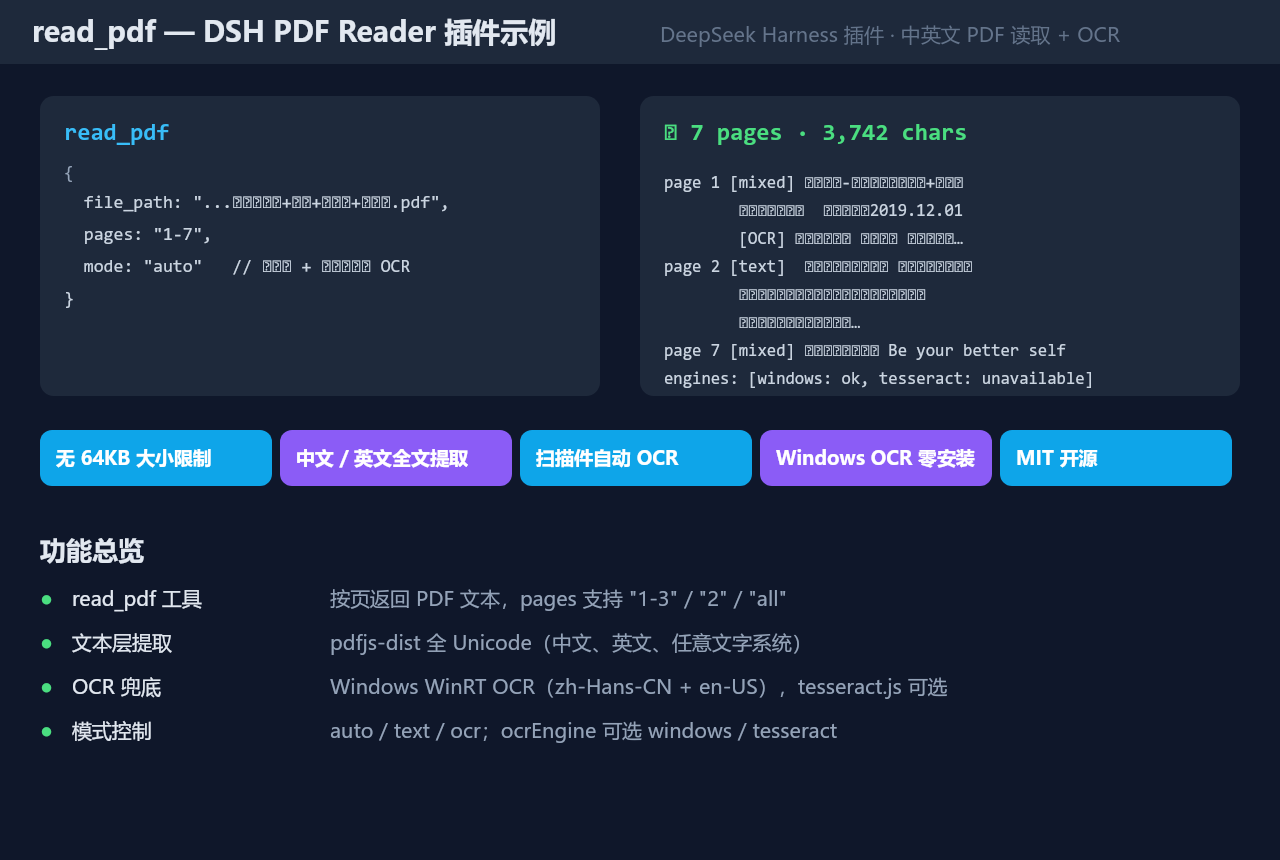
A DeepSeek Harness (DSH) plugin that lets the agent read PDF files of any size — no 64KB limit. It extracts the full Unicode text layer (Chinese, English, any script) via pdfjs-dist, and automatically OCRs scanned / image-heavy pages so even handwritten lecture notes become readable text.
✨ Features
read_pdf tool — returns PDF text page by page (pages="1-3", "2", "1,3-5", "all").- No 64KB cap — single-file limit defaults to 200 MB (
maxFileBytes).
- Full Unicode text layer — Chinese & English out of the box, other scripts too.
- Automatic OCR fallback (
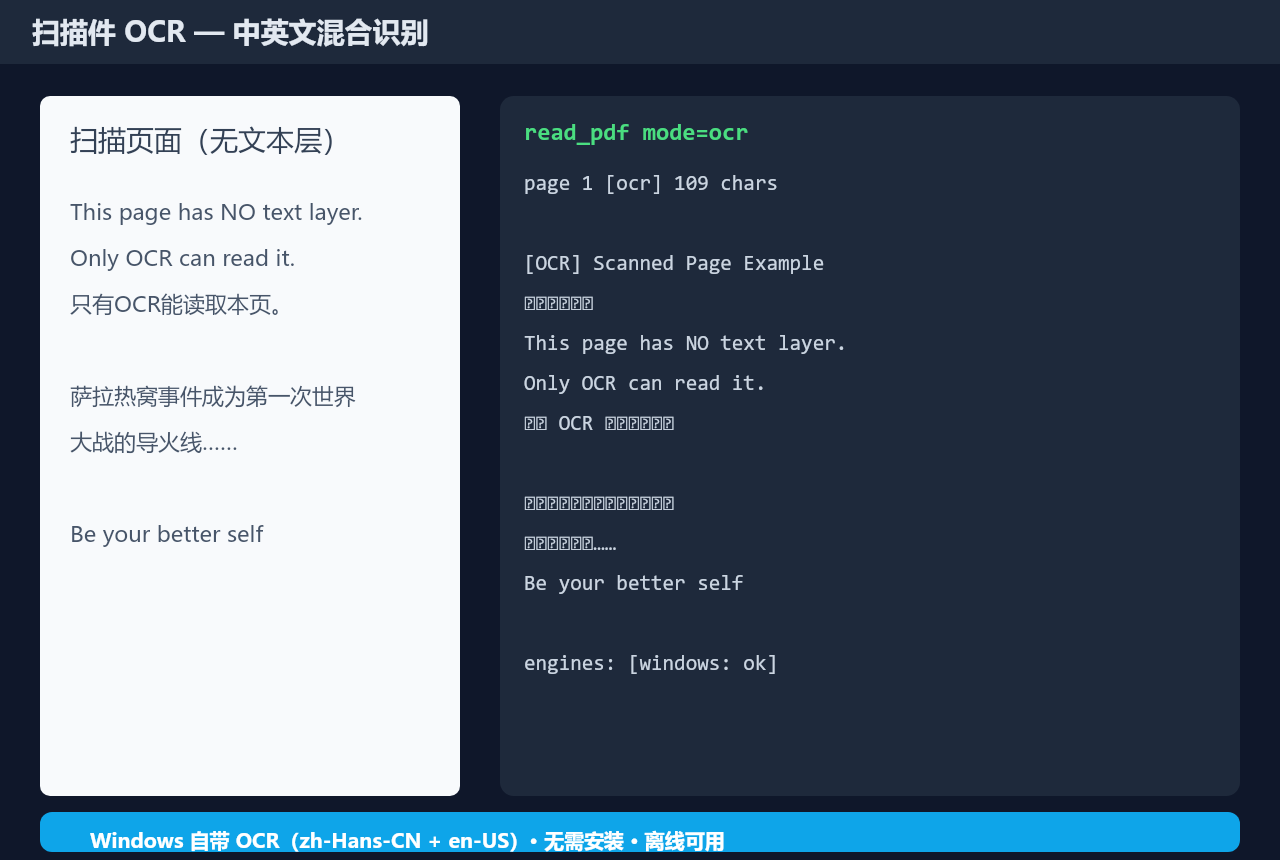
mode: auto): pages with little text are rendered and OCR'd:
- Windows WinRT OCR (primary, zero-install): uses the OS built-in
zh-Hans-CN + en-US recognizers;
- tesseract.js (optional): drop
chi_sim.traineddata(.gz) and eng.traineddata(.gz) into <cacheDir>/tessdata/ to enable.
- Mode control —
mode=text (text layer only, fast), mode=ocr (force OCR every page), ocrEngine=windows|tesseract.
- MIT licensed — free to use, modify and redistribute.
📦 Requirements
- A running DeepSeek Harness instance (profile
web or any Cordis-based host)
- Node.js ≥ 20 (for the host)
- Windows with
zh-Hans-CN/en-US language packs for the Windows OCR engine (most Windows 10/11 installs include them) — or tesseract.js traineddata
🚀 Installation
# 1. clone
git clone https://github.com/henryxiao709/dsh-pdf.git
cd dsh-pdf

# 2. install dependencies (all registry-pinned, including the matching
#    @deepseek-ai/* versions — no manual linking needed)
npm install --ignore-scripts

# 3. inject into the running DSH (via dsh-super-injector, if installed)
#    tell your DSH agent:  dev_install_package <absolute path to dsh-pdf>
#    or add it to the profile's dsh.profile.bundles for startup assembly
All @deepseek-ai/* dependencies are pinned to the same versions the DSH
host ships (0.1.0-rc.6), so the plugin works identically whether it is
runtime-injected or assembled at boot — no junction linking required.
🧰 Usage
read_pdf file_path=... [pages="1-3"] [mode=auto|text|ocr] [ocrEngine=auto|windows|tesseract] [maxCharsPerPage=20000]
Example result:
{
  "path": ".../test.pdf",
  "totalPages": 7,
  "mode": "auto",
  "pages": [
    { "number": 1, "text": "test… [OCR] test…", "source": "mixed", "chars": 163 },
    { "number": 2, "text": "1 test)…", "source": "text", "chars": 876 }
  ],
  "engines": ["windows: ok", "tesseract: unavailable (no traineddata)"],
  "warnings": []
}
Each page reports source: text (text layer only), ocr (OCR only), or mixed (both).
⚙️ Configuration
The plugin registers a dsh-pdf settings section (host namespace + a
settings-UI card): every knob below is adjustable live in the DSH settings UI
(Settings → Plugins → dsh-pdf); changes apply immediately and clear the result
cache. The same keys can be set in cordis.patch.yml as the composition base:
| Key |
Default |
Description |
maxFileBytes |
209715200 |
byte cap per PDF read |
readLimitPages |
50 |
max pages processed per call |
ocrMinChars |
120 |
pages with fewer text-layer chars get OCR'd in auto mode |
ocrScale |
2 |
render scale for OCR (2 ≈ 144 DPI) |
ocrEngine |
auto |
auto / windows / tesseract |
ocrTimeoutMs |
60000 |
per-page OCR timeout |
maxCharsPerPage |
20000 |
per-page character cap in results |
cacheEntries |
4 |
result cache entries |
cacheDir |
%TEMP%/dsh-pdf |
scratch dir for the OCR script and temp images |
Settings UI: the plugin registers a dsh-pdf settings section — all keys
above are adjustable live in the DSH settings UI (Settings → Plugins →
dsh-pdf); changes apply immediately and clear the result cache. The
cordis.patch.yml values act as the composition base.
🏗️ How it works
read_pdf
 ├─ ctx.fs.readBytes (no 64KB cap)
 ├─ pdfjs-dist: per-page text layer extraction (full Unicode)
 └─ mode=auto: pages with < ocrMinChars chars
      ├─ render page → PNG (@napi-rs/canvas, scale 2)
      └─ OCR: Windows WinRT OCR (powershell.exe, zh-Hans-CN + en-US)
               └─ tesseract.js fallback (WASM, needs traineddata)
Known host caveats handled inside the plugin:
- Module resolution for runtime-injected plugins — the plugin links its
@deepseek-ai/* peers into its own node_modules (scripts/link-deps.mjs), pinned to the host's exact versions.
- Multiple pdfjs instances — the plugin forces
globalThis.Path2D/DOMMatrix/ImageData to its own canvas classes so page.render() never hits a mixed-instance type error.
🧹 Troubleshooting
OCR failed (… none of these types String, Path …) — restart DSH after updating the plugin (or dev_reload_package dsh-pdf); this was a stale-module-cache artifact during development.tesseract: unavailable (no traineddata) — expected unless you provide traineddata; Windows OCR is the default engine and needs no downloads.dev_install_package reports Cannot find package '@deepseek-ai/…' — run node scripts/link-deps.mjs first, then retry; if it still fails, restart the DSH host once (Node's internal module cache may hold a stale failed import).
📄 License
MIT © 2026 henryxiao709