
Agent 与会话
插件

nuwa-skill
alchaincyf
你想蒸馏的下一个员工,何必是同事。蒸馏任何人的思维方式——心智模型、决策启发式、表达DNA。Distill how anyone thinks.
PROJECT TOPICS
INSTALL REFERENCE
dsh plugin --profile web add github:heavenJiang/dsh-switchboard
该命令指向仓库当前默认分支;尚无绑定当前 commit 的完整验证结果。
PROJECT README
English | 中文

Command DeepSeek Harness Agents from your phone through Telegram and Feishu (Lark) bots: send the Agent text, photos, files, and voice notes, watch replies arrive as they are written, answer tool approvals and the Agent's questions, follow long tasks for completion notices, and browse every chat in the Web UI, where any Session can be linked to a chat.
The bots are other clients of the Web host. They create and prompt Sessions through ctx.sessionController, the same path the Web UI uses, so chat Sessions appear in the Web sidebar and Web Sessions can be taken over or followed. Sessions a bot creates go into the Web Workspace for their working directory (created on first use).
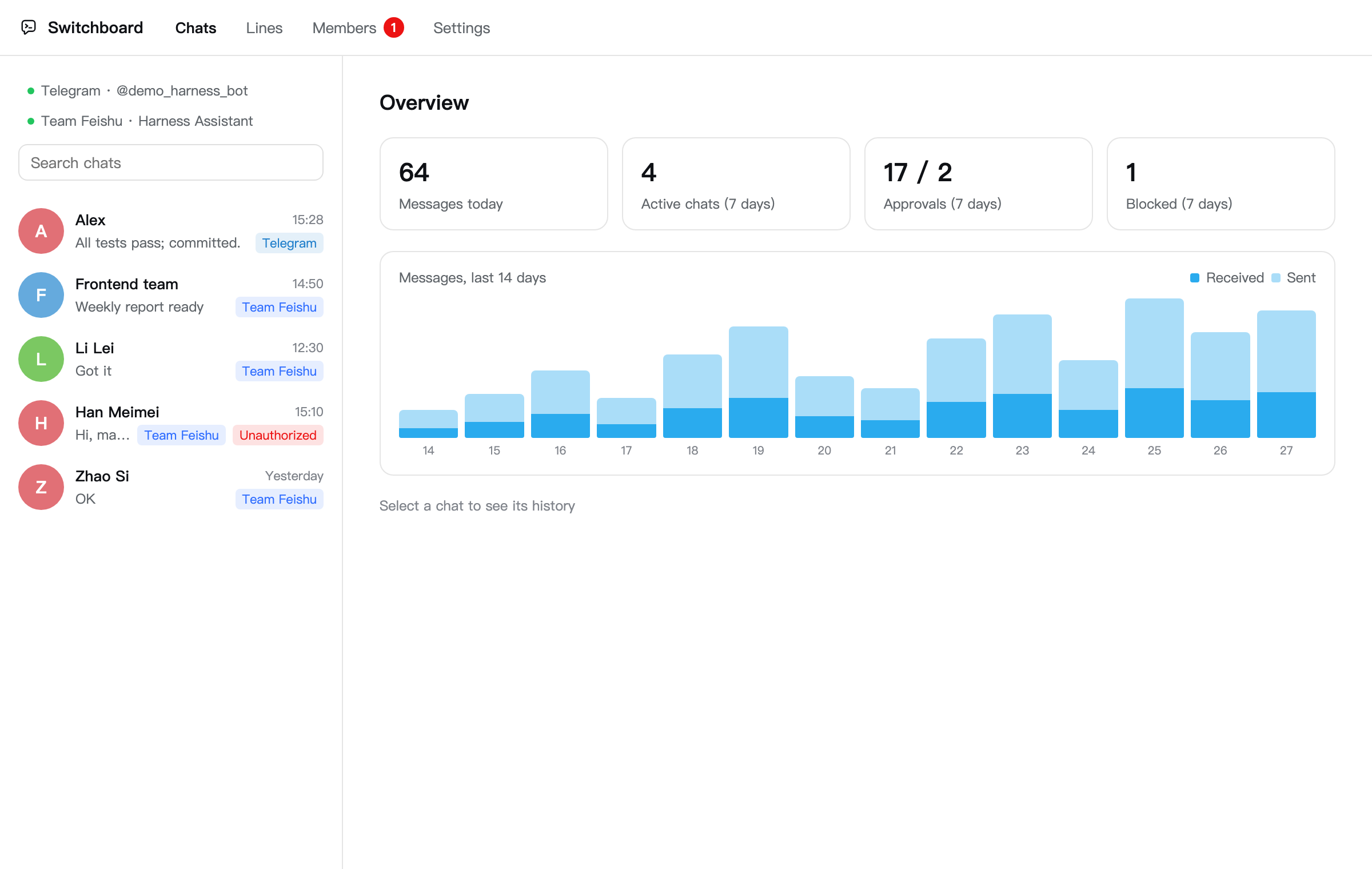
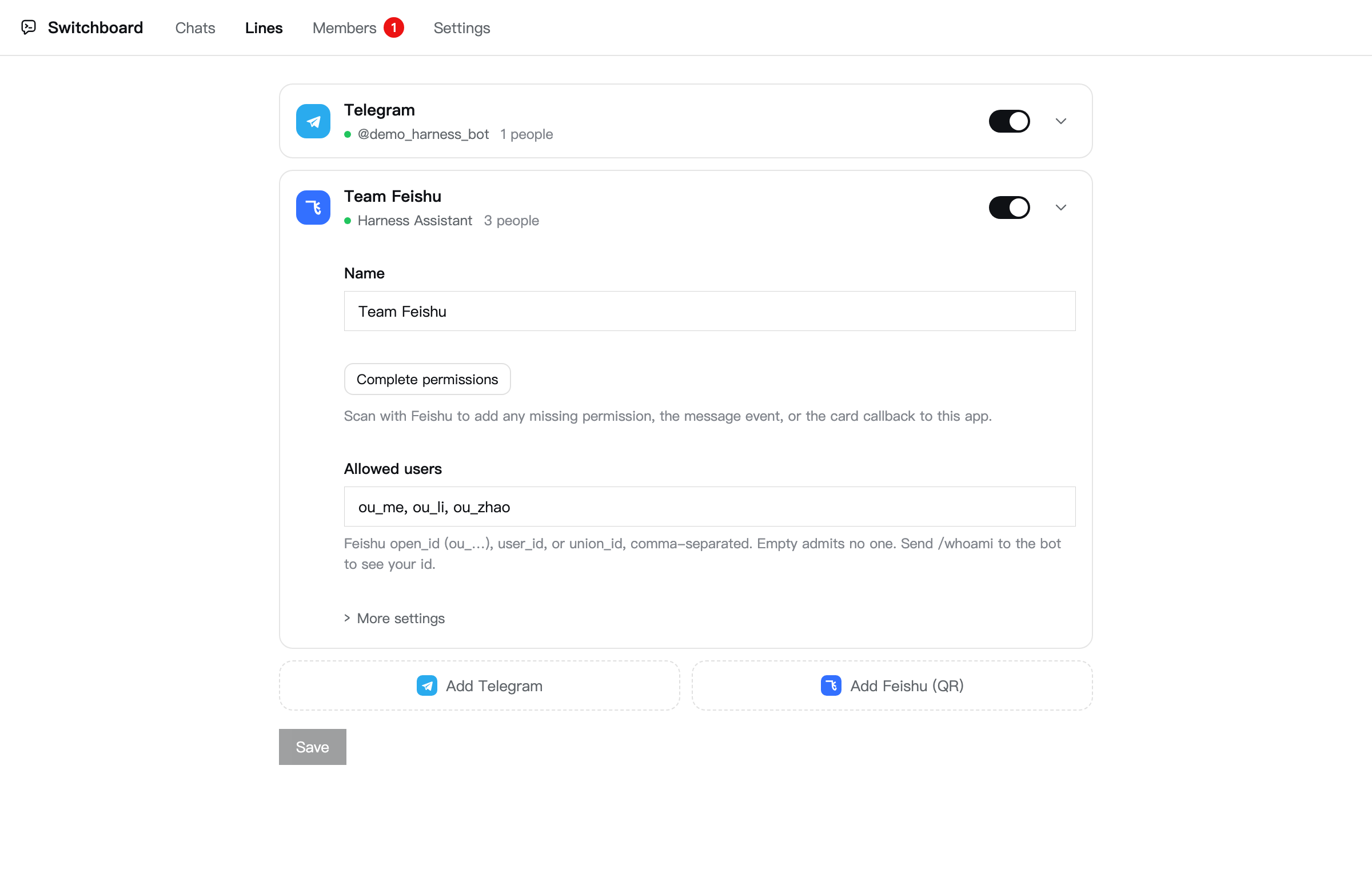
A line is one bot on one chat platform plus the people allowed to use it. Configure as many as you need, for example Telegram for yourself and Feishu for your team; each line has its own credentials, allowed users and chats, and default working directory. One Session can be linked to chats on several lines at once, and replies, approvals, and questions go to each of them. Chats are keyed line:chat id (for example feishu:oc_xxx); the original Telegram line (telegram) keeps bare ids, so bindings and history from earlier releases carry over. Supported: Telegram and Feishu / Lark.
dsh-switchboard, or dsh plugin --profile web add dsh-switchboard./whoami to the bot for your id), set the Default working directory, and Save. Changes apply immediately.Telegram line: create a bot with @BotFather (/newbot), then + Telegram line and paste the token. Allowed users are Telegram ids or @usernames.
Feishu line: Feishu delivers events over the Open Platform's persistent connection, so no public URL is needed.
By QR (recommended): + Feishu line → Create a Feishu app by QR, scan with the Feishu app (or Open in browser on this computer), and confirm. The bot, permissions, the im.message.receive_v1 event, and the card.action.trigger callback are filled in; the Host stores the App Secret in the credentials store (it never reaches the browser), the scanner is added to the allowed users, and the line is saved and connects. For an existing app, Complete permissions adds what is missing the same way.
By hand:
im:message.p2p_msg:readonly, im:message.group_at_msg:readonly, im:message:send_as_bot, and im:resource; optionally contact:user.base:readonly (names) and im:chat:readonly (group names).cli_…) and App Secret and save: Feishu lets you pick the persistent connection only while a client is connected.im.message.receive_v1; do the same for callbacks and add card.action.trigger (buttons need it)./whoami, and add the openid it replies with (`ou…`, per app; user_id and union_id also match) to the line's allowed users.Feishu has no typing indicator or command menu; everything else matches Telegram. Replies, drafts, tool activity, and messages with buttons are interactive cards updated in place; notices are text messages.
| Command | Effect |
|---|---|
| text, photo, file, voice | Goes to the current Session; one is started in the default directory if needed |
/menu |
Buttons for common actions (new session, sessions, model, mode, stop, compact, status, help); the easiest way in Feishu |
/new [dir] |
New Session; without a directory, pick the default or a recent one |
/cwd <dir> |
Working directory for this chat's new Sessions |
/sessions |
Recent Sessions with titles, as buttons that switch |
/use <n\|sessionId> |
Switch to an existing Session (Web ones too) |
/watch [n\|sessionId] |
Follow a Session's completions and approvals; no argument lists them |
/unwatch <n\|sessionId\|all> |
Stop following |
/stop |
Stop current work |
/steer <text> |
Steer the running turn |
/queue, /cancel <n\|all> |
Show or drop queued messages |
/model [name] |
Show or switch the Session's model (buttons, fuzzy match; the Web default is untouched) |
/mode [mode] |
Show or switch the Session's permission mode |
/get <path> |
Fetch a file or list a directory inside the working directory (symlinks cannot escape it) |
/fork |
Branch from the latest finished turn into a new Session; the original stays |
/status |
Session, model, directory, run state, line, context use, this turn's time, goal, todos, subagents, and queue |
| Reply to a notice or reply | Goes to the Session that message belongs to, without /use; the chat's own Session stays, and that turn's replies come back here |
/digest |
Roundup of followed Sessions over 24 hours: finished, failed, waiting for you, and running. Set Daily digest of followed Sessions to get it once a day instead of a notice per turn; failures, approvals, and questions still arrive at once |
/board, /board off |
Live board: one message that keeps showing every Session's state, with buttons to switch; close it |
/away [duration\|off] |
Away mode: approvals and questions wait for you instead of going to the Web UI, with a report when you are back. Durations like 30m, 2h, 1d |
/schedule, /schedule add … |
Manage scheduled tasks (admins); see below |
/link <code> |
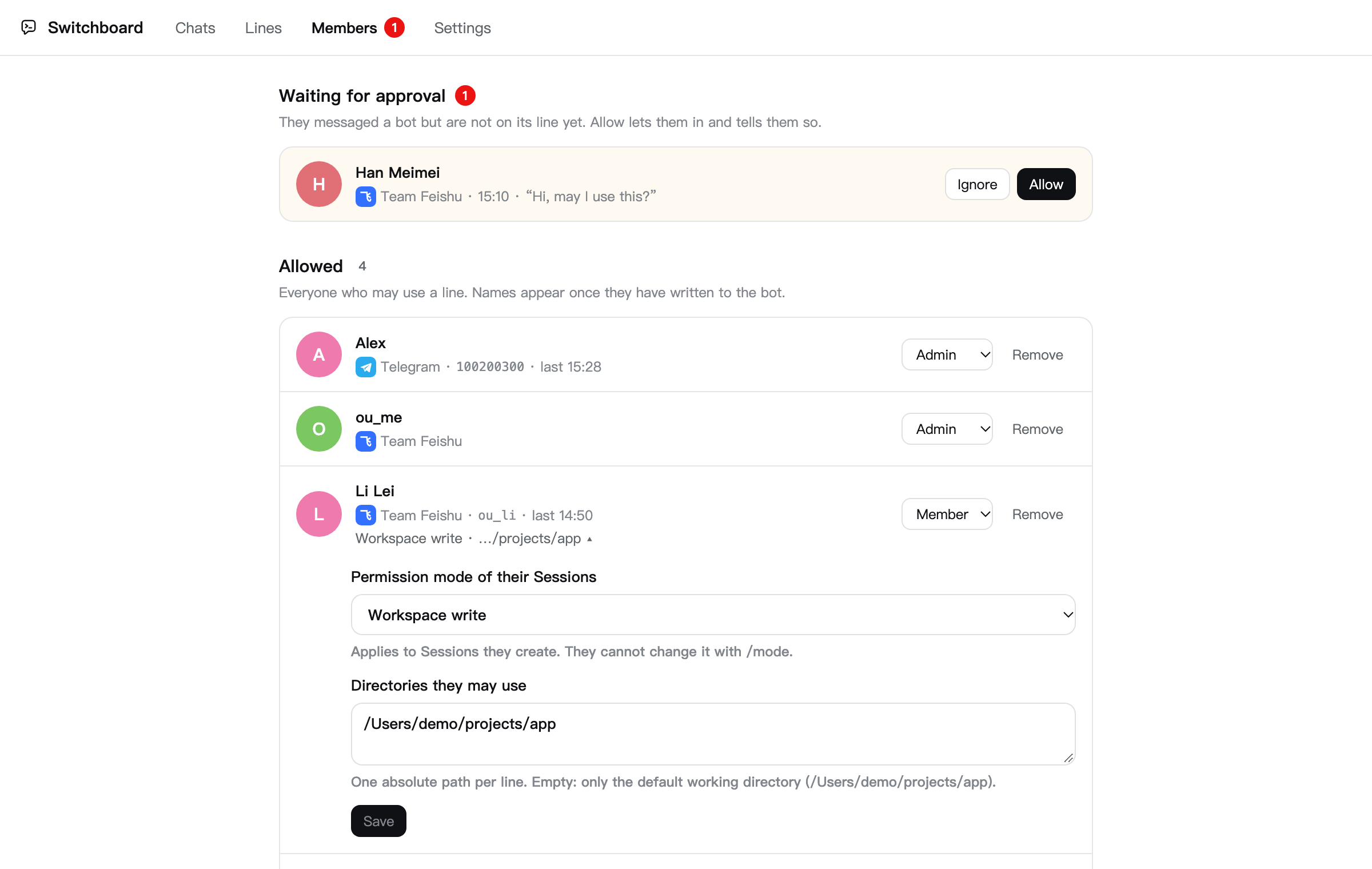
Take over a Web Session; the code is on its Switchboard tab |
/whoami |
Your user and chat id (anyone) |
| Harness commands | /compact, /plan, /goal, /permission, /export, … run on the Host exactly as in the Web composer; a slow one shows its progress with a Cancel button; /help lists them |
other /xxx |
Not a command: sent to the Agent as text |
approvalRiskHint./board keeps one message up to date, with what waits for you first, then failures, running work, and the chat's idle Sessions. Buttons switch to a Session. It is pinned on Telegram (Feishu has no pin) and shows only what the person who opened it may see./away 2h it keeps waiting, with reminders further and further apart (at most hourly), and the task stays on hold at that step. When the time is up or you send /away off, waits return to normal and you get a report of what finished, failed, and still waits.notify_phone tool for milestones and urgent news mid-turn, at most once every 30 seconds per Session. Reply to such a message to answer that Session. Turn it off with agentNotify.phonePush service lets another plugin, such as a news feed, post Markdown to the schedule chats (scheduleChats) with no Session or model in between, so nothing rewrites or drops it. Posts render like replies, go as a file when long, wait in the outbox while a line is down, and are limited to one every 10 seconds. Inject it with ctx.inject(['phonePush'], …) and call available() and send(text, { source }), which returns { delivered, reason? }. Neither side needs the other. Turn it off with pluginPush./schedule lists every Host task, with buttons to run, pause, resume, delete (two presses), and choose whether it reports to this chat. /schedule add daily 09:00 <instruction>, every 30m, in 2h, or cron 0 9 * * 1-5 creates one, in Host time; it uses the chat's working directory and one Session of its own, and reports back here, approvals included.ctx.fileUploads; images reach the model as images. Voice notes are transcribed by the Harness speech service via ffmpeg. Files the Agent presents are sent back./cwd, /sessions, /use, /watch, and buttons (checked against whoever pressed).[group chat | role: member | from: Ann @ann]; names are cleaned so they cannot forge a role.TELEGRAM_BOT_TOKEN, FEISHU_APP_SECRET, or environment variables of those names), never in the profile file or the browser./link <code>. A code works once, for 10 minutes, and only for a line's allowed users. On Feishu the QR only opens the bot, so send the code there./switchboard in the composer: bind, watch, unbind, and send for the open Session.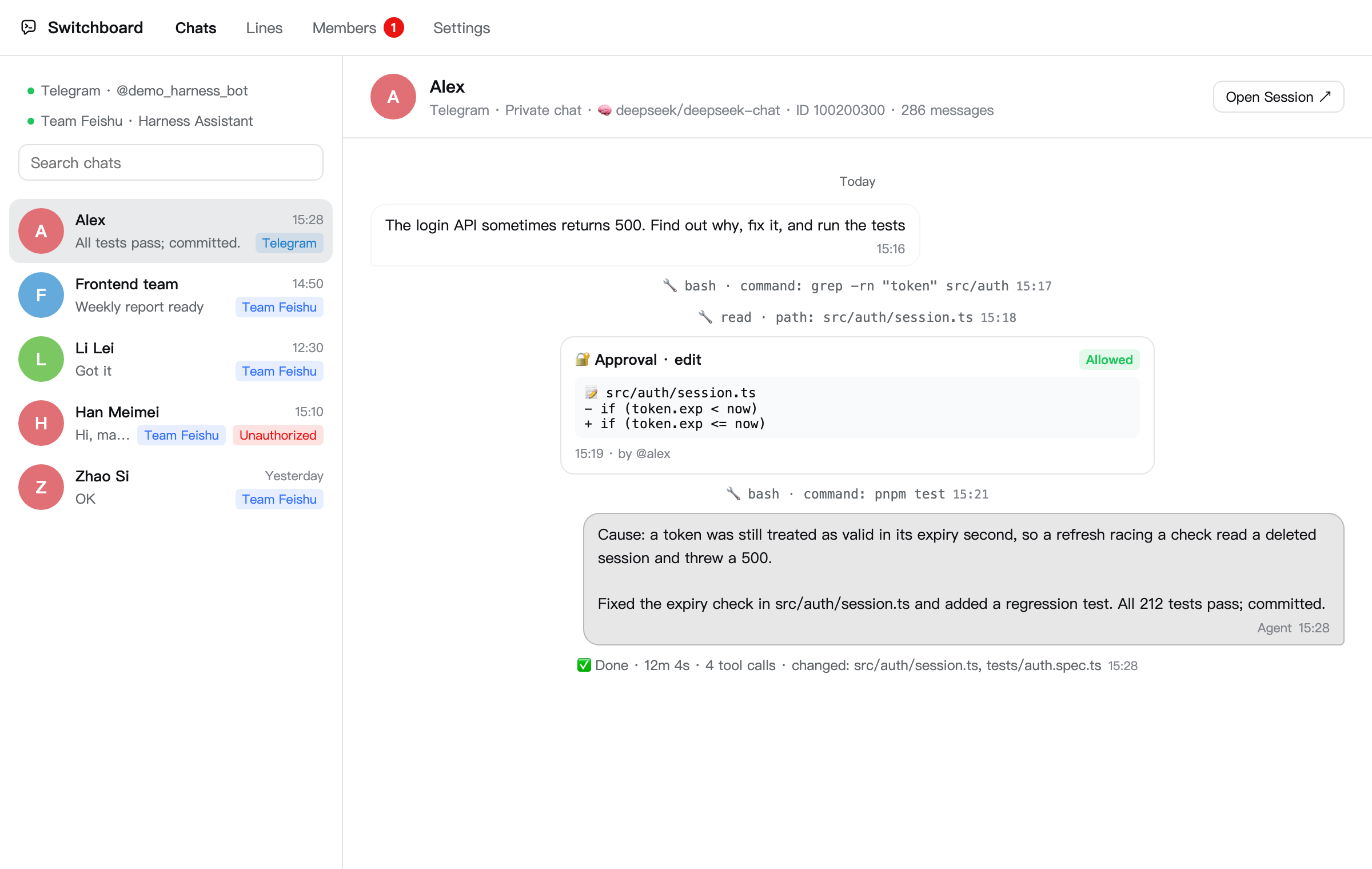
A /model choice for the Session > the plugin page's Bot default model for Sessions a bot creates > the Web default. Neither changes the Web default.
See the full tables in README.zh.md. lines holds the lines; while it is empty, the Telegram fields of earlier releases (botTokenRef, allowedUsers, …) run as the telegram line, and the plugin page writes them to lines on its next save. pollTimeoutSec and stateFile live in the profile's cordis.patch.yml. Set HTTPS_PROXY before launching dsh if the platforms are not directly reachable. Migrating from dsh-telegram-bridge: see docs/PUBLISHING.md.
Implement the Channel interface in src/channels/types.ts, register the type in lines.ts and in startLine in bridge.ts, and give it credential fields in the settings page's line editor.
Type-checking and the Loader composition test use a built sibling checkout at ../deepseek-harness.
pnpm install && pnpm typecheck && pnpm test && pnpm buildSee docs/PUBLISHING.md for npm publishing and CHANGELOG.md for changes.
CLASSIFICATION EVIDENCE
系统优先读取 GitHub Topics,再与站内分类词典和词根规则比对。当前命中: ai-agent。
alchaincyf
你想蒸馏的下一个员工,何必是同事。蒸馏任何人的思维方式——心智模型、决策启发式、表达DNA。Distill how anyone thinks.

freestylefly
Prompt as Code | GPT Image 2 / 2.5 提示词与案例库,530+ 个案例、20+ 套工业级模板与可复用 Skills,新增 2.5 同提示词对比专区,附完整提示词与生成记录,持续更新。

titanwings
Distilly — Distill how they think into reusable Skills for any Agent or Bot. Formerly Colleague Skill(原同事 Skill).