

模型与 MCP
待识别

rea
morluto
Reverse engineer anything with agents, from app behavior down to native binaries.
PROJECT TOPICS
PROJECT README


One shortcut, everything at your fingertips. Press Cmd/Ctrl+Shift+P anywhere,
or / outside a text field, to summon a Spotlight-style palette for
DeepSeek Harness — launch
pages, panels, sessions, themes, and any command other plugins register, in seconds.
English | 中文
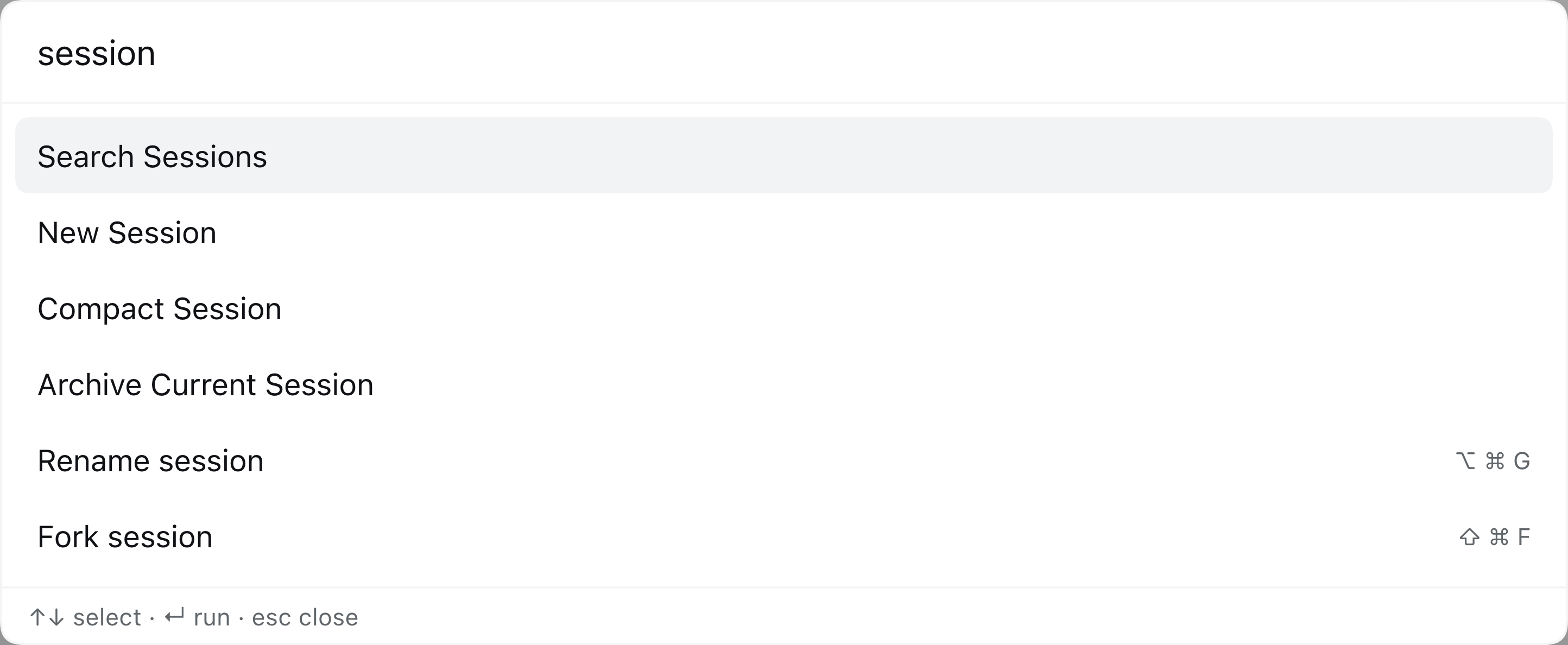
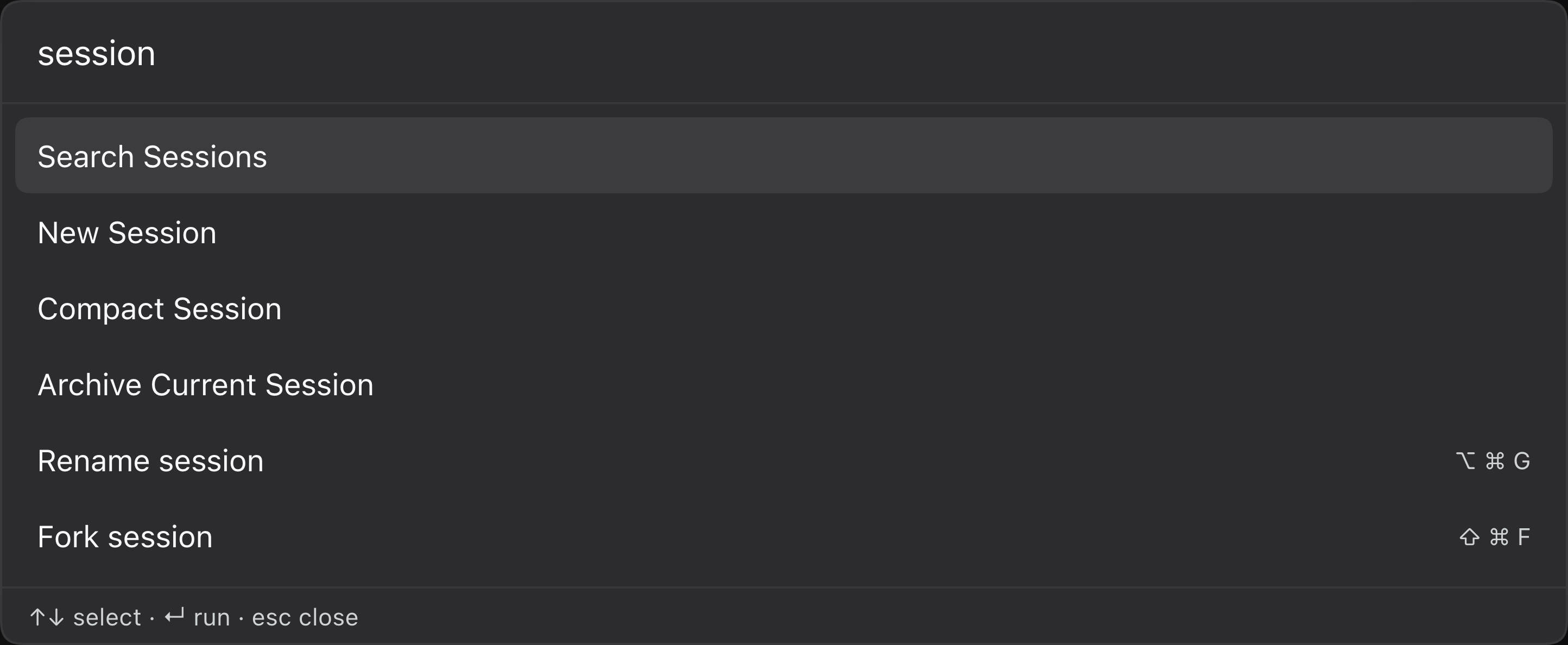
shell.overlay, opened by keyboard
or by any registered command.Settings → Section
command (Settings → General, Settings → Models, …) that opens the panel
directly on that tab. The section catalog mirrors the shell's
settings.section slot and refreshes with it, including sections registered
by other plugins. When the shell's store handle is unreachable, the command
falls back to opening Settings and clicking the section's nav cell.spotlight service. Titles, groups, keywords, and hints are searchable in
English and Chinese.| DeepSeek Harness | 0.2.x (developed and verified against 0.2.1-rc.5) |
| Surface | Web client (dsh-web-app) or the desktop app |
| Node.js | not needed for the plugin itself; the test suite runs on Node 20+ |
| Build | none — the browser bundle is hand-written JavaScript |
The package is a DSH bundle: package.json declares dsh.bundle.patch and
dsh.client, and cordis.patch.yml inserts the host row.
dsh plugin --profile desktop add github:hakulat2023/dsh-spotlight#v1.0.3Omit #v1.0.3 to track the default branch.
plugin_manager install_bundle target: /absolute/path/to/dsh-spotlight
# or
dsh plugin --profile desktop add /absolute/path/to/dsh-spotlight
The installer must leave dsh-spotlight in the profile's
dsh.profile.bundles list, not only in dependencies. A dependency without a
bundle selection never composes the host row, so the client half never reaches
the module graph.
Restart the application after installing or updating. The host half is a Node module and the running process keeps the module generation it already loaded; the client module graph also snapshots each bundle before publication, so a page reload alone can keep serving the previous bundle. A restart guarantees the new client half and re-registers the palette shortcut with the native keyboard bridge.
| Shortcut | Effect |
|---|---|
Cmd/Ctrl+Shift+P |
Toggle the palette (a real ctx.shortcuts command; rebindable) |
/ (outside inputs) |
Open the palette |
↑ / ↓ |
Move the highlight |
Enter |
Run the highlighted command |
Esc |
Close |
The opener is registered through the shell's shortcut service. It appears in Settings → Shortcuts, honors user overrides, and works on Desktop through the native keyboard bridge.
Cmd/Ctrl+Shift+/ is intentionally not the default: macOS reserves it for the
Help menu's search field, so Electron consumes it before the page can see a
keydown. It may still work on Windows/Linux, but it is not reliable on macOS.
Use Cmd/Ctrl+Shift+P.
The palette does not open while another modal layer is open: a modal marks the rest of the application inert, so a palette input could not receive focus. Escape and Tab are handled by the palette, and focus returns to the element that was active before it opened.
| Group | Commands |
|---|---|
| Navigate | Open Settings, Open Plugins, Search Sessions, Add Workspace, Keyboard Shortcuts |
| Session | New Session, Archive Current Session, Compact Session |
| View | Toggle Sidebar, Toggle Right Sidebar, Workspace Files |
| Appearance | Theme: Dark, Theme: Light, Theme: System, Language: English, Language: 中文 |
Archive Current Session uses the shell's session.archive shortcut, so it
inherits the running-work confirmation and the archive/undo notice.
Compact Session executes the Host's /compact command through
remote.commands.execute; it requires an idle agent and compactable history.
Workspace Files and Toggle Right Sidebar use their shell shortcuts first
and fall back to the sidebarRight controller.
The palette mirrors the shell's configurable shortcut directory. Each row shows the command's localized label and its effective keycaps. This is how commands without a public client service — rename, fork, split, fullscreen, terminal, and future feature commands — become runnable from the palette.
The mirror uses the shell's own resolve() path, so a command can be blocked
when there is no current session, focused page, or idle agent. The palette
closes before the command runs and does not intercept that reason. Window/page
close and delete/remove actions are filtered out of the mirror.
Other client plugins register commands through the spotlight service:
export const inject = ['spotlight'];

export function apply(ctx) {
  ctx.effect(() => ctx.spotlight.register({
    id: 'my-plugin.do-something',
    title: 'Do something',           // literal fallback
    titleKey: 'cmd.doSomething',      // optional key in the spotlight namespace
    group: 'My plugin',
    hint: '⌘⇧D',                     // optional right-aligned hint
    keywords: ['something', '做事'],
    run: (ctx) => { /* ... */ },
  }), 'my-plugin: spotlight command');
}
register() requires a non-empty id and a run function. It returns a
disposer; attach it to a Cordis effect so disabling the contributing plugin
removes the command.
titleKey is looked up in the dsh-spotlight locale namespace. Commands from
other namespaces should pass a literal title (or leave titleKey out) so the
fallback is their own text. keywords accepts any searchable terms; Chinese and
English are both indexed.
The service surface is:
interface SpotlightService {
  register(command: SpotlightCommand): () => void;
  list(): SpotlightCommand[];
  open(): void;
  close(): void;
  toggle(): void;
  isOpen(): boolean;
}index.js) is a no-op Cordis row. Its only job is to make the
package a loader entry; the client half is what users see.client.js) is one window.__ModuleLoader__.load({ id, factory }) module. It requires only react from the shared platform table.data-plugin-css), so disable/HMR teardown
removes it without a manual listener.shell.overlay and returns
null while closed, so it costs one inert slot entry when unused.spotlight
service, the keyboard listener, and the shortcut registrations all live in
ctx.effect, which makes repeated apply/dispose safe.Cmd/Ctrl+Shift+P is a normal ctx.shortcuts
command. The service may mount after this plugin, so registration waits with
ctx.inject(['shortcuts'], ...) instead of racing ctx.get().ctx.shortcuts.catalog,
mirrors its non-curated rows into a Shortcuts group, and invokes a row via
the shell registry. Web keeps a synthetic-key fallback for versions where
that registry is unavailable.No build step, no runtime dependencies, and no imports from @deepseek-ai/*
packages: a third-party plugin cannot resolve the DSH package tree at runtime.
/ opener is a raw capture listener because the shortcut service
rejects modifier-less defaults; it is not rebindable. Cmd/Ctrl+Shift+P is
the normal, rebindable command.Cmd/Ctrl+Shift+/ listener remains as a convenience where the OS
delivers the event (Windows/Linux); macOS consumes it for Help menu search.ctx.shortcuts.registry.invoke(), an internal
member of the shortcut service rather than a documented public API. Every
step is guarded. If the registry is absent, Web replays the effective
binding and Desktop keeps only the first-class commands.resolve() and can be
blocked without a current session, focused page, or idle agent. The palette
closes before the command runs and does not show a blocked reason.Confirm dsh-spotlight is in dsh.profile.bundles:
{
  "dsh": {
    "profile": {
      "bundles": ["@deepseek-ai/dsh-base", "@deepseek-ai/dsh-web-app", "dsh-spotlight"]
    }
  }
}
Then restart the app. A package in dependencies without a bundle selection
does not compose the host row.
Cmd+Shift+P does nothingOpen Settings → Shortcuts, search for Spotlight, and check its binding. Another command may claim the same combination; rebind it there. On Desktop the native keyboard bridge applies the saved binding.
Cmd+Shift+/ does nothing on macOSExpected: macOS assigns it to the Help menu search. Use Cmd+Shift+P.
The shell rejected the command: there may be no current session, the focused page may not support the action, or the agent may be busy. Use the command from its native surface once the preconditions are met.
npm testtest/verify.mjs evaluates client.js in a VM with DOM, React, and Cordis
context doubles. It asserts that apply registers one owned stylesheet, one
locale namespace, the built-in commands, the spotlight service, the keyboard
listener, and the shell.overlay entry; it then renders the palette, filters
it, runs first-class and mirrored commands, and closes it.
The test suite has no dependencies. It runs on Node 20+ and is exercised by the
GitHub Actions workflow in .github/workflows/test.yml.
For manual verification, boot any profile that composes the bundle:
dsh plugin --profile web add github:hakulat2023/dsh-spotlight#v1.0.3
dsh --profile web --no-open --port 0
Then open the printed URL, press Cmd/Ctrl+Shift+P, and check Settings,
Workspace Files, Toggle Right Sidebar, Archive Current Session, and Compact
Session.
MIT © 2026 hakulat2023
CLASSIFICATION EVIDENCE
系统优先读取 GitHub Topics,再与站内分类词典和词根规则比对。当前命中: deepseek、deepseek-harness。
morluto
Reverse engineer anything with agents, from app behavior down to native binaries.

deepseek-ai
DeepSeek Harness: Everything is a Plugin.

nexu-io
The 1st Collaborative AI Design Agent Workspace. Local-first and open source. Create motion, prototypes, websites, apps, dashboards, presentations, images, and videos with your team and AI agents. Share work, exchange feedback, and iterate together in one workspace.