
其他
插件

dsh-bili-scroll
c1overzz
DSH 插件:每天替你刷一轮 B站,读字幕挑出值得的、写一份日报,值得的 @ 你
PROJECT TOPICS
INSTALL REFERENCE
dsh plugin --profile web add github:hahajing233-source/dsh-sticky-wall
该命令指向仓库当前默认分支;尚无绑定当前 commit 的完整验证结果。
PROJECT README

A paper sticky-note wall in the DeepSeek Harness sidebar. / DeepSeek Harness 侧边栏里的纸便签墙。
中文说明 · Appearance · Install · Data
clip-path, derived from the note id). Sheets lean 1.5–4.2° and stack into ragged columns, not a grid. A focused note straightens and lifts; its controls only appear on hover or focus.Wall follows the panel) and its text size. A four-line note and a single word no longer have to share a look.localStorage under dsh.sticky-wall.v1. No save button, no server, no network request.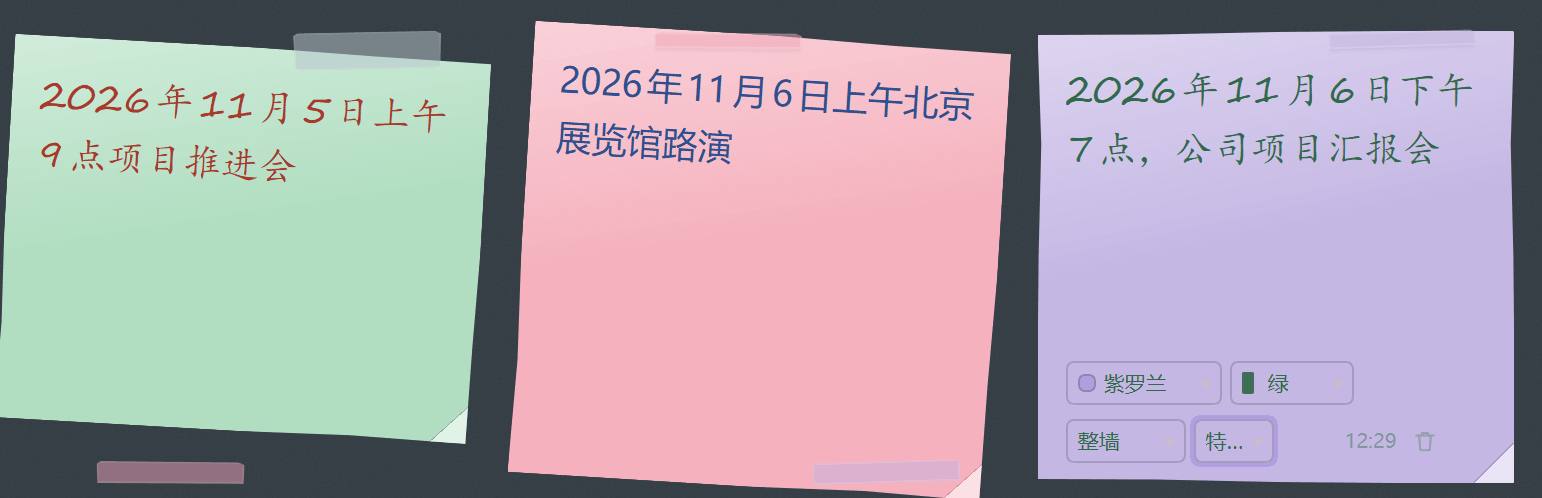
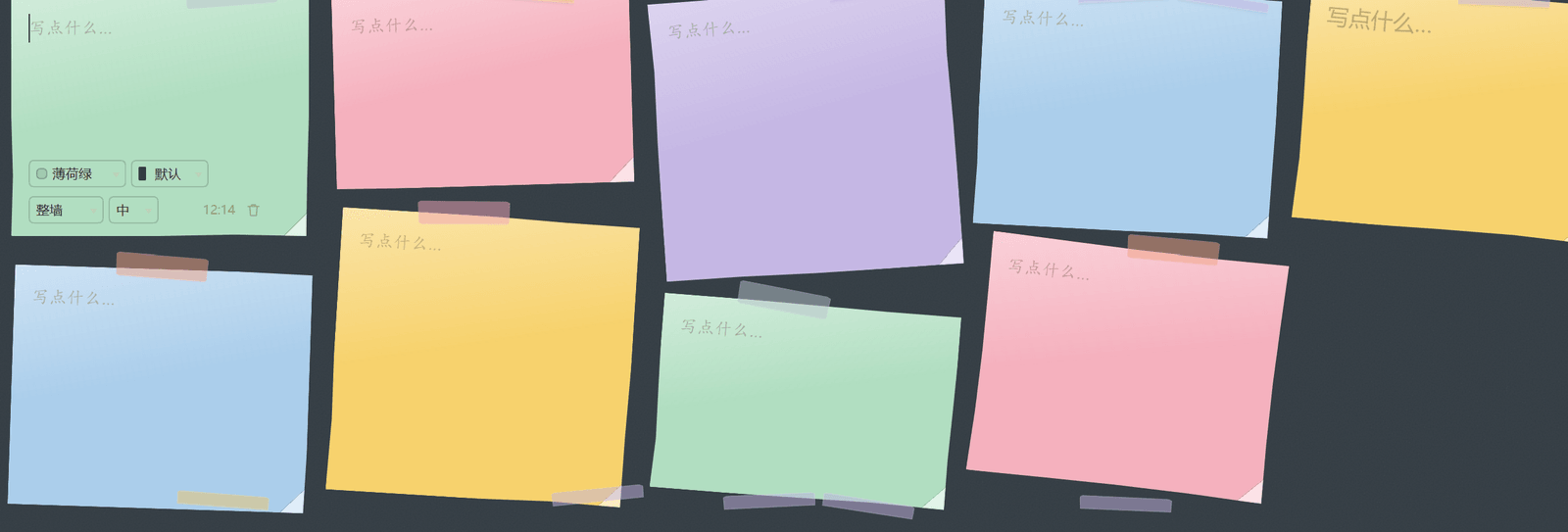
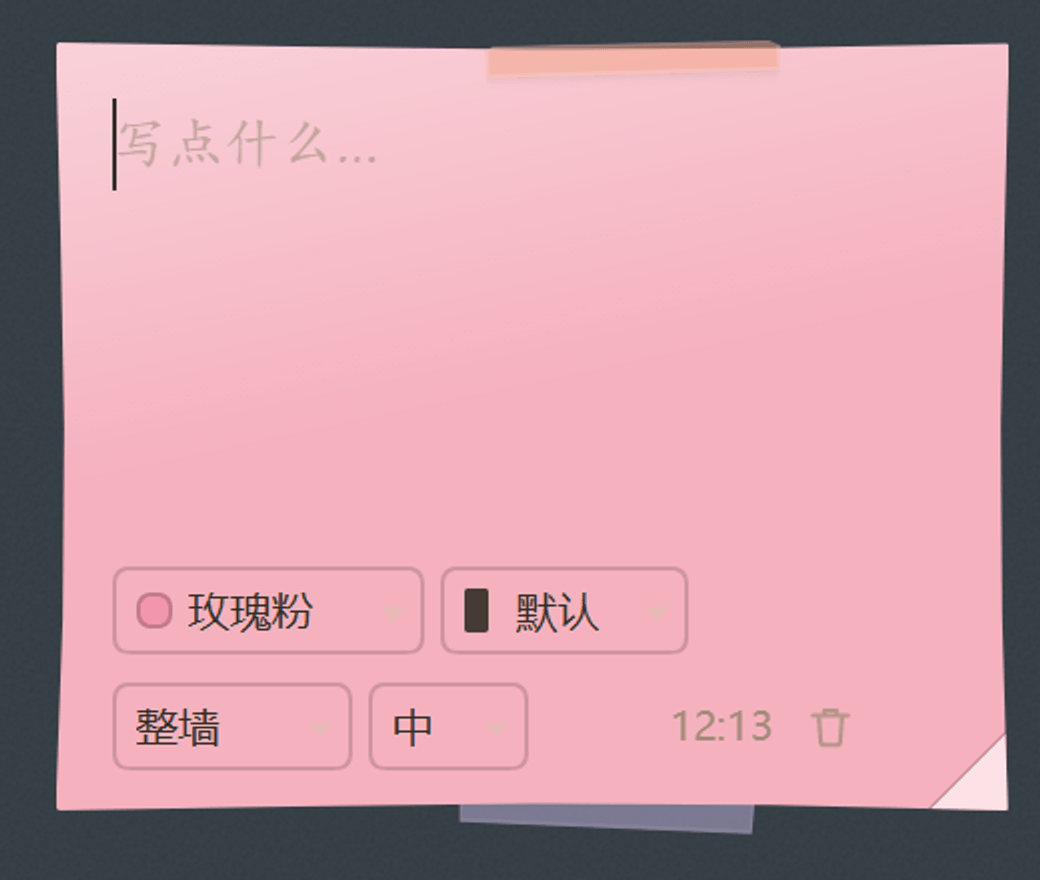
The sliders button in the panel header opens an appearance panel. Paper and fastening are segmented switches; typeface and text size are dropdowns, because seven options in a row of buttons is a guessing game. All four are remembered per browser:
| Paper | What it looks like |
|---|---|
Post-it sticky |
Saturated stock, a soft sheen, a curled corner, and the strongest lean |
Ruled ruled |
White pad with printed rules and a red margin line; the text line-height is pinned to the rule spacing so writing sits on the lines |
Graph graph |
16px graph grid over a faint paper grain |
Kraft kraft |
Brown kraft board with a vertical crease and coarser grain |
Printed print |
Butter memo pad with faint line-drawn stationery printed across the sheet, crisp edges and no fold |
| Fastened with | |
|---|---|
Pin pin |
Domed thumb tack, red / blue / green / purple / brass — the default |
Tape tape |
Crooked strip of washi in a colour of its own — sometimes two, at opposite corners |
Clip clip |
Bent wire clip hanging over the top edge |
None none |
Just the sheet |
| Ink | |
|---|---|
| Black / blue / red / green / violet | A pen colour per note, chosen from the ink dropdown in its footer. Ink only changes the writing; the paper keeps its own colour. Every ink is dark enough to read on all five stocks, and the stamp and controls dim to match it. The first entry, Default, keeps each stock's own ink |
| Typeface | Stack |
|---|---|
Default ui |
The host UI font |
Hand hand |
Segoe Print → Bradley Hand → Ink Free → 楷体 → cursive |
Kai kai |
楷体 / Kaiti SC → STKaiti → BiauKai → serif |
Round round |
圆体 / Yuanti SC → 幼圆 → Hiragino Maru Gothic → Microsoft YaHei |
Serif serif |
宋体 / Songti SC → SimSun → Noto Serif SC |
Sans sans |
PingFang SC → Microsoft YaHei → Noto Sans SC |
Mono mono |
ui-monospace → Cascadia Code → Consolas → SF Mono |
No font files are shipped: the typeface setting is a system font stack, so the exact glyphs follow what the machine has installed (Windows and macOS both land on a real handwriting face; a bare Linux may fall back to the default for hand). Preference is stored under dsh.sticky-wall.prefs.v1 — one person's paper, fastening, handwriting and size never changes anyone else's.
The panel sets the wall's default; a single note can step away from it. Two dropdowns in a note's footer choose that note's typeface — Wall follows the panel — and its size. S / M / L / XL scale whichever typeface the note ended up with by 0.86 / 1 / 1.16 / 1.36 — so Hand at L is bigger than Mono at L, and every note still sits on the ruled lines of the ruled pad (that stock pins line-height to the rule spacing).
Search for dsh-sticky-wall on the Plugins / Discover page, or:
dsh plugin --profile <profile> add dsh-sticky-wallThen restart, or refresh the page. The panel shows up in the left sidebar at order 30 (after the Context panel, before the MCP connector).
Notes live in the browser profile that runs the harness UI — localStorage, key dsh.sticky-wall.v1; appearance preferences sit beside them under dsh.sticky-wall.prefs.v1. They are not written to the session log, not sent to a model, and not synced between browsers or machines. Clearing site data removes them, and that is the only copy.
Two files, no build step, no dependencies:
index.js — the Host half. The bundle patch inserts one plugin row; the row itself does nothing.client.js — the browser half. It registers a sidebar.panellist entry for the icon and a main panel keyed by the same id, registers its en / zh dictionaries with the client locale service, and renders the wall with the React the host's module table already provides. Paper grain is a tiled feTurbulence SVG in a data URI, so there is no image asset and nothing to download; paper tints use color-mix over the theme surface."dsh": {
"bundle": { "patch": "./cordis.patch.yml" }, // makes it installable
"client": { "platform": "web", "immediately": true }
}engines.dsh: >=0.2.1-rc.2. It needs the sidebar.panellist and main slots plus the client locale service from that release. Web UI only — there is no terminal or agent-tool surface.
These are design choices, not bugs — listed here so the same question does not have to be answered twice.
hand needs a handwriting face installed (Windows and macOS both have one; a bare Linux may fall back to the UI font). 圆体/宋体/黑体 likewise depend on the machine. If a face is missing you get the next entry in the stack, never an error.localStorage, so a different browser, a different machine, or cleared site data means an empty wall. There is no sync — the export button in the appearance panel is how you carry a wall across machines.MIT. See LICENSE.
侧边栏里的纸便签墙:随手记下一个念头,自动保存在本机浏览器里。
clip-path,按便签 id 生成)。纸张歪 1.5–4.2°,排成参差的栏而不是网格;点到哪张,哪张扶正、抬起,底部控件只在悬停或编辑时才浮现。localStorage(键 dsh.sticky-wall.v1),不发网络请求、不写会话日志、不跨设备同步。标题栏右侧的滑杆按钮打开外观面板,四个独立选择,按浏览器记住:
面板里的四项是整墙默认值(纸张和固定方式是分区开关,字体和字号是下拉框——七种字体排成一排按钮是让人猜);单张便签底部四个下拉框分别管纸色、墨色、字体、字号。墨色(黑 / 蓝 / 红 / 绿 / 紫)只做单张,没有整墙默认——因为它的用途就是标记某一条和别的不一样。
不打包任何字体文件:字体是系统字体栈,实际字形取决于这台机器装了什么(Windows 与 macOS 都能落到真实的手写体;裸 Linux 的「手写」可能退化成默认)。偏好都存在 dsh.sticky-wall.prefs.v1,各人各一套,互不影响。
这些是设计取舍,不是 bug —— 写在这里,省得同一个问题回两遍。
localStorage,换浏览器、换机器、清站点数据都会变空墙。目前没有同步、导出、备份。安装:在插件页 / 发现页搜 dsh-sticky-wall,或
dsh plugin --profile <profile> add dsh-sticky-wall兼容性:engines.dsh: >=0.2.1-rc.2,仅 Web 端。数据只在跑界面的那个浏览器里,清站点数据就没了 —— 那是唯一一份。
CLASSIFICATION EVIDENCE
系统优先读取 GitHub Topics,再与站内分类词典和词根规则比对。当前命中: 无有效分类标签。
c1overzz
DSH 插件:每天替你刷一轮 B站,读字幕挑出值得的、写一份日报,值得的 @ 你

hellowind777
一个自主的高级智能伙伴,不仅分析问题,更持续工作直到完成实现和验证。

xing-shuyin
Just open your browser — get all your work done.